# How to Update a Model in RudderStack

<p>This guide lists the steps to update a SQL model in RudderStack.</p>
<!-- end-chunk -->
<!-- begin-chunk -->
<h2 id="update-a-model">Update a model</h2><p>After you <a href="https://www.rudderstack.com/docs/activate/models/create-model/" >create a model</a>, you can change its query, description, warehouse credentials, and alerts.</p>
<ol>
<li>Go to the <strong>Configuration</strong> tab of the model source.</li>
<li>To change the model description, click the edit icon in the <strong>Configuration settings</strong>.</li>
<li>Click <strong>Edit query</strong> to change or update the model settings and primary key.</li>
</ol>
<!-- end-chunk -->
<!-- begin-chunk -->
<h3 id="important-considerations">Important considerations</h3><ul>
<li>You can set a primary key only after you run the updated SQL query successfully using the <strong>Run Query</strong> option.</li>
<li>If you update the model&rsquo;s query, you also need to check and update the relevant destination mappings in the <strong>Schema</strong> tab of the connection page. See <a href="https://www.rudderstack.com/docs/data-pipelines/reverse-etl/developer-guides/json-data-mapping/" >JSON Data Mapping</a> and <a href="https://www.rudderstack.com/docs/data-pipelines/reverse-etl/developer-guides/visual-data-mapper/" >Visual Data Mapper</a>.</li>
<li>After updating the configuration, the next sync will be a full sync. To validate if the query is running fine, you can manually trigger a full sync.</li>
</ul>
<!-- end-chunk -->
<!-- begin-chunk -->
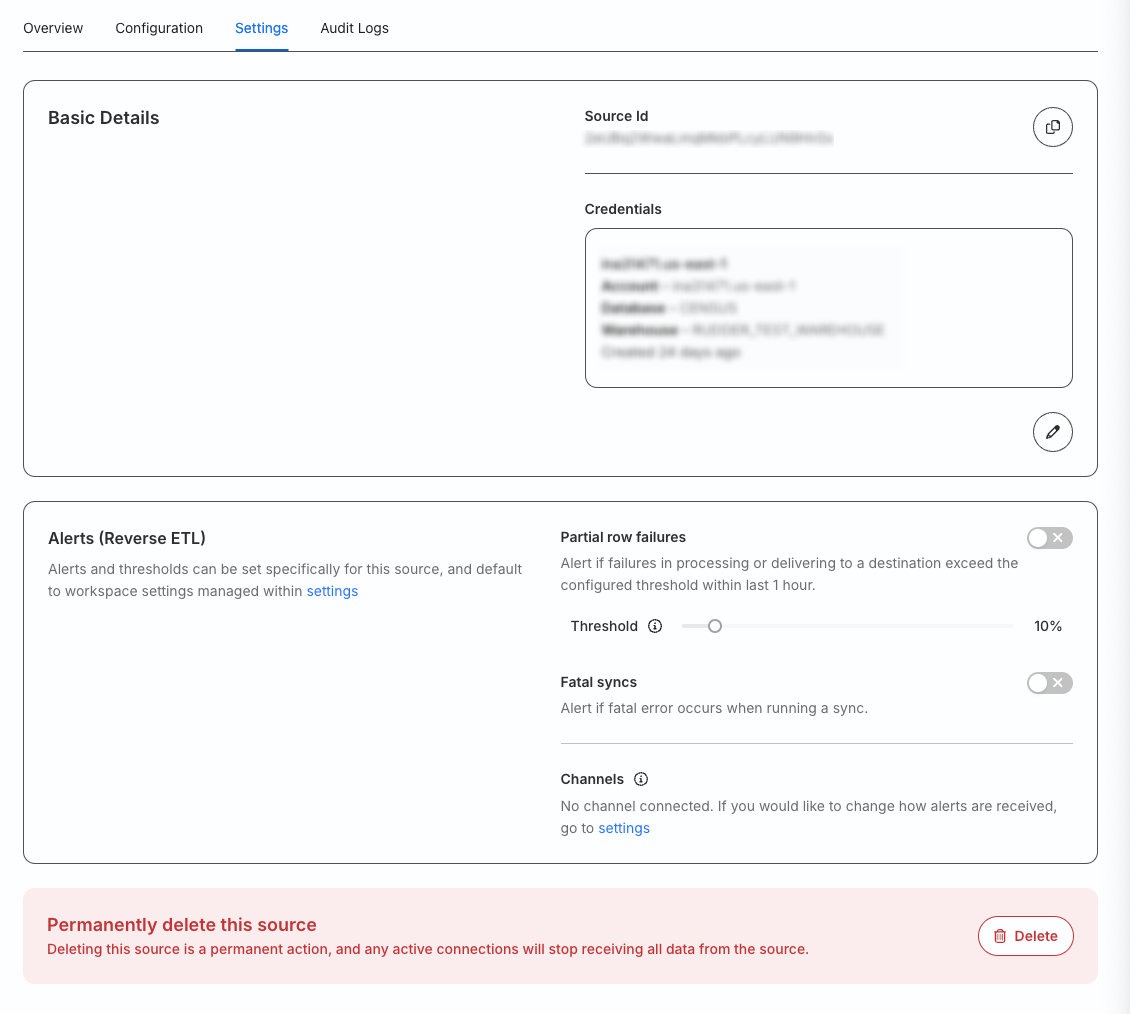
<h3 id="settings-tab">Settings tab</h3><p>Go to the <strong>Settings</strong> tab to:</p>
<ul>
<li>Get your source ID.</li>
<li>Change your warehouse credentials.</li>
<li><a href="https://www.rudderstack.com/docs/monitor/alerts/" >Set up custom alerts</a> for your Reverse ETL source.</li>
<li>Delete the source permanently.</li>
</ul>

<blockquote class="warning">
  <div class="tip-quote">
    
    <div class="tip-text">You cannot delete a source that is connected to any destination.</div>
  </div>
</blockquote>

<figure class="image--main "  >
    <a 
         href="/docs/images/retl-sources/source-settings.webp"
        
        >
        <img src="/docs/images/retl-sources/source-settings.webp" 
         alt="Edit source settings"  
         
         
        decoding="async" loading="lazy" class="img-shortcode"/>
    </a>
    
</figure>