Reverse ETL Sources
Enrich your data stack with data from your Reverse ETL sources.
Available Plans
- free
- growth
- enterprise
2 minute read
RudderStack’s Reverse ETL feature lets you use the customer data residing in your data warehouse and route it to your entire data stack, including analytics, sales, and marketing tools.
With this feature, you can set up your data warehouse as a source in the RudderStack dashboard, specify the data to import, then sync it to your desired destination.
You can set up to:
- 10 connections in the RudderStack Free plan
- 25 connections in the Growth plan
- Unlimited connections in the Enterprise plan
Supported Reverse ETL Sources









Required permissions
- Admins have full access to create and manage Reverse ETL sources created via warehouse tables, SQL Models, and Audiences.
- Members can have the following permissions depending on their workspace policy:
| Permission | Description |
|---|---|
| Edit | Make changes to the configuration of Reverse ETL sources |
| Connect | Connect a Reverse ETL source to a destination |
| Create & Delete | Create or delete Reverse ETL sources in the workspace |
To make a connection, that is, connect a source to a destination, the member must have both Edit and Connect permissions on both the resources.
Click here to see how these permissions appear in the workspace policy.
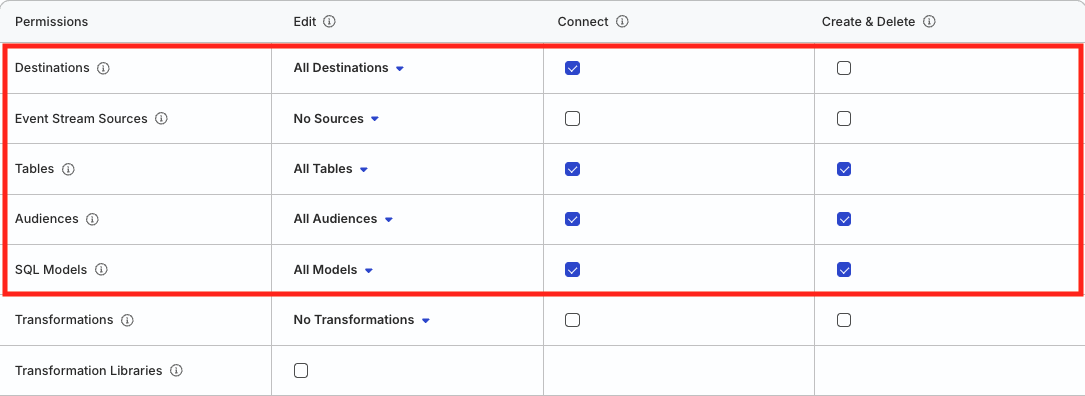
Permissions for legacy RBAC system
In the legacy Permissions Management (RBAC) system:
- Org Admins and members with the Connections Admin role in their workspace policy can create and delete Reverse ETL sources, and connect them to destinations
- Members with the Connections Editor role in their workspace policy can only edit the Reverse ETL source configuration and connect Reverse ETL sources to destinations
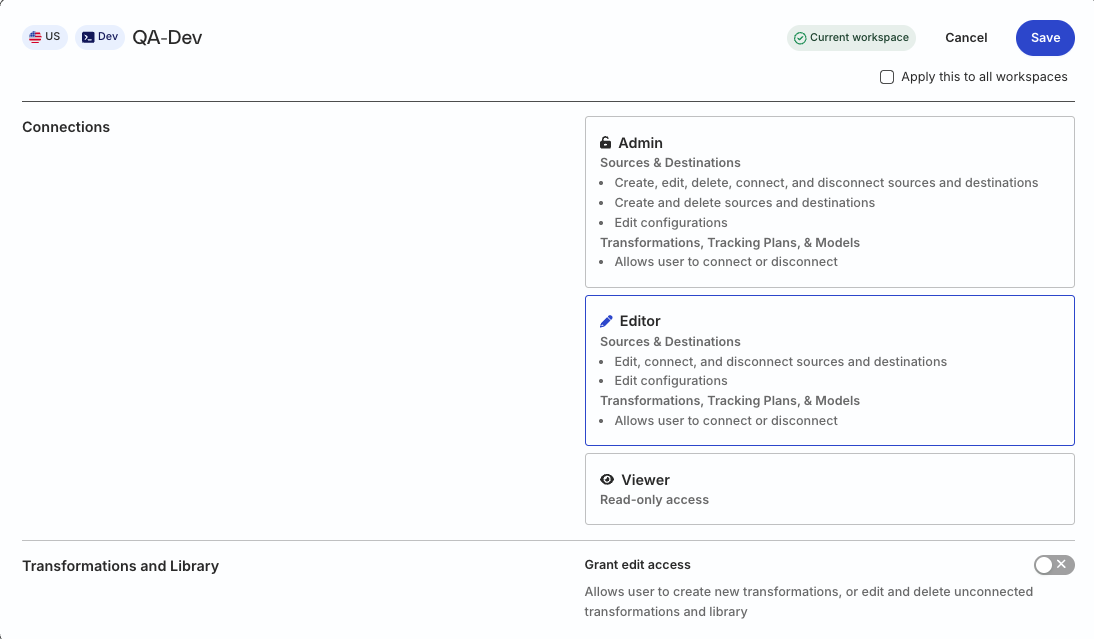
FAQ
For answers to commonly asked questions around the Reverse ETL feature, see FAQ.
