JavaScript SDK FAQ
3 minute read
This guide contains the answers to some commonly-asked questions about setting up, using and troubleshooting the JavaScript SDK.
Should I disable adblockers on my browser?
Yes, it is important to ensure that no ad blockers are running on your browser, as they restrict the JavaScript SDK script from executing and storing user information in the browser.
Can I load multiple instances of RudderStack JavaScript SDK?
No, it is not possible to load multiple instances of the JavaScript SDK, as it is bound to exceed the maximum stack call size and give you an error.
How can I verify if the SDK is sending data to the specified destinations?
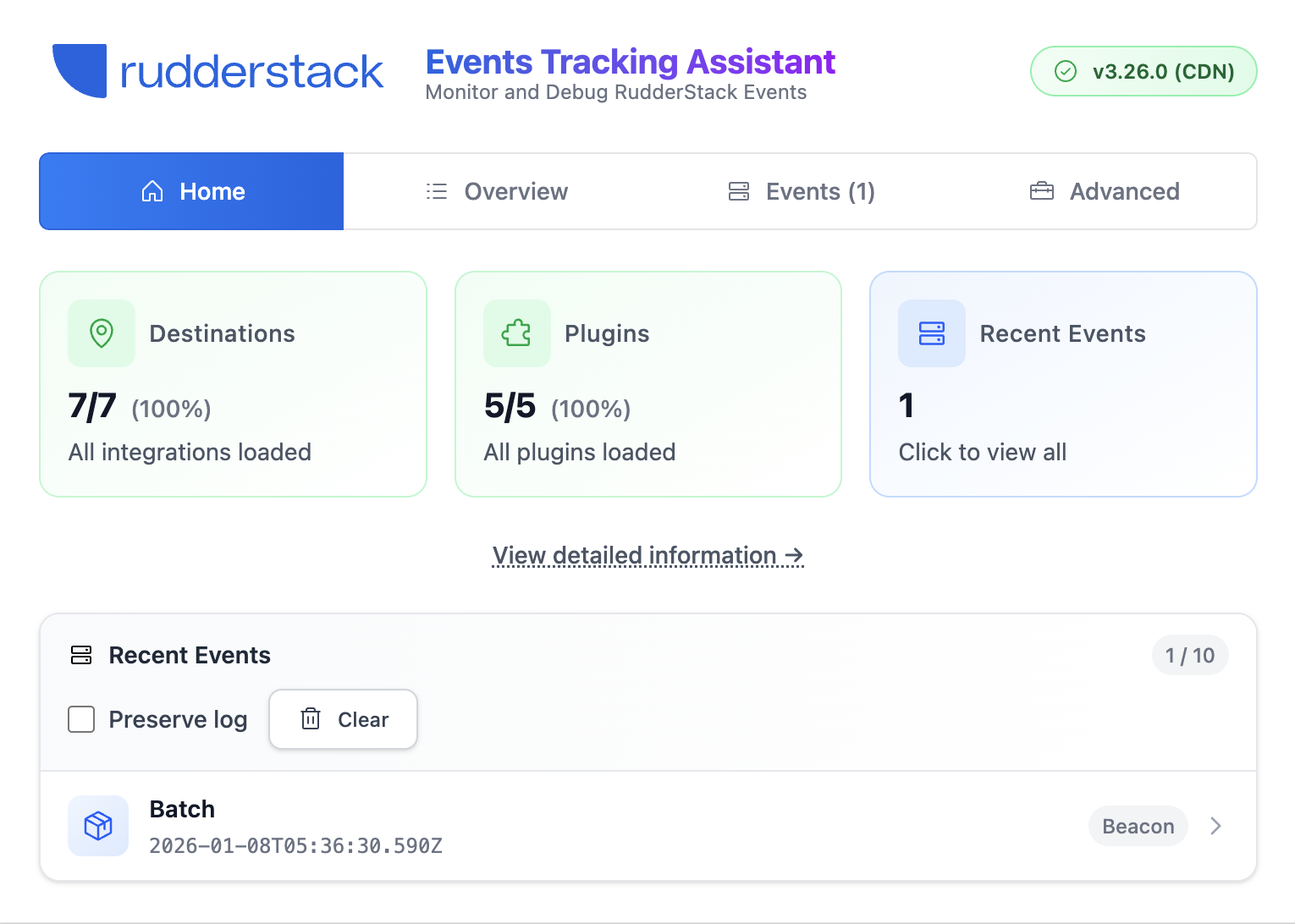
To verify if the SDK is transmitting events to the specified destinations successfully, use the RudderStack Assistant browser extension to monitor and debug events on your website in real-time.
You can also check the Network tab of the developer tools in your web browser. The following demonstration is for Google Chrome:
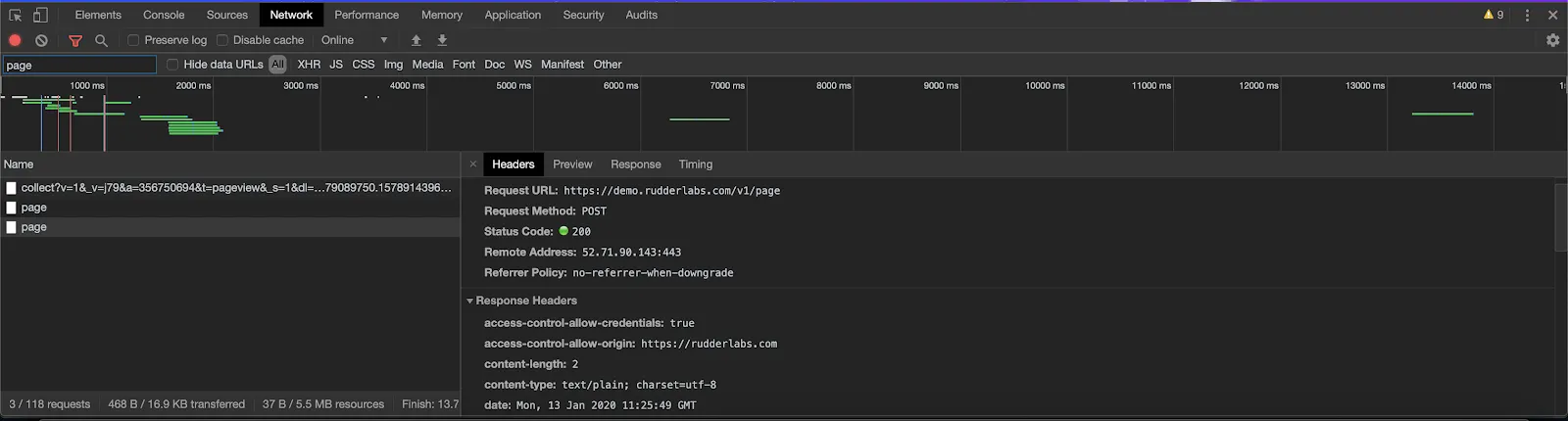
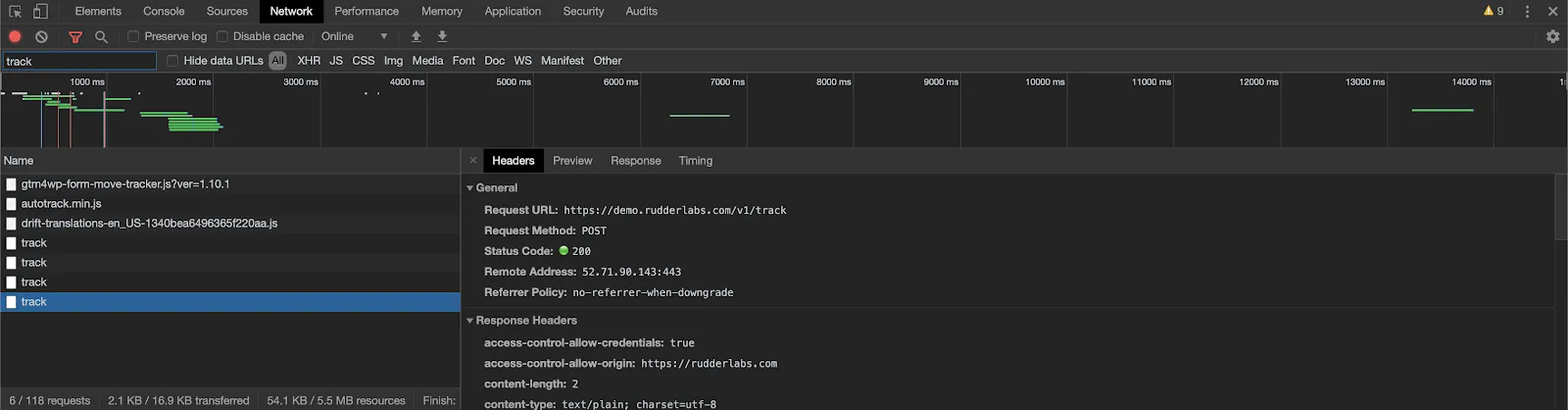
If you cannot see any outbound requests like track, page etc. to the data plane URL:
- Verify if you have installed the JavaScript SDK correctly
- Check if any adblockers are enabled on your browser
What is the size limit on the event requests?
The JavaScript SDK exhibits the following behavior:
- If the event size exceeds 32KB, the SDK logs a warning but forwards it to the RudderStack data plane (backend).
- If you’ve configured the SDK to use the Beacon transport, the SDK batches the events with a size limit of 64KB on the entire batch payload.
Can I send the event data to specific destinations only?
Yes, you can send your event data only to the specific destinations by stopping the SDK from loading the other device mode integrations.
What is the “Reserved Keyword” warning?
When using the JavaScript SDK, you may run into the following warning:
EventManager:: The "event" property defined under "traits" is a reserved keyword. Please choose a different property name to avoid conflicts with reserved keywords (id,anonymous_id,user_id,sent_at,timestamp,received_at,original_timestamp,event,event_text,channel,context_ip,context_request_ip,context_passed_ip,group_id,previous_id).This is because one or more keys in your traits, properties, or context.traits object have the same value as a reserved keyword.
RudderStack reserves the following keywords as keys for a standard event payload, and you should avoid using these while naming your event traits and properties:
'id',
'anonymous_id',
'user_id',
'sent_at',
'timestamp',
'received_at',
'original_timestamp',
'event',
'event_text',
'channel',
'context_ip',
'context_request_ip',
'context_passed_ip',
'group_id',
'previous_id'
How can I differentiate between events sent from a mobile device or a website?
The events tracked via JavaScript SDK contain context.userAgent that contain information on the user agent of the device. See Load JavaScript SDK for more information.
Why do I see a Store clientDataInCookie or RudderEncrypt JSON parse error for rl_user_id?
You may see an error like the following on track calls, often in Safari or other WebKit browsers:
Store clientDataInCookie:: Failed to retrieve or parse data for "rl_user_id" from storage - JSON Parse error: Unexpected identifier "RudderEncrypt"This usually means the SDK cannot read encrypted user data in cookies or browser storage, for example, when you’re on an older SDK version or when browser restrictions affect storage access.
To resolve this issue, upgrade to the latest JavaScript SDK version. Versions v3.24.1 and later include Safari-specific fixes for storage and persistence.
If the error continues after you upgrade, clear cookies and local storage entries prefixed with rl_ on your site and reload the page. If you load the SDK from cdn.rudderlabs.com on Safari or iOS, see Use Custom Domains.
