Monday Source
3 minute read
monday.com is a popular workflow management tool. It lets you create efficient cross-team workflows and automations for better collaboration and maximum productivity.
This guide will help you set up monday.com as a source in RudderStack.
Get started
- Go to your RudderStack dashboard and click Add Source. From the list of Event Streams sources, select Monday.
- Assign a name to your source and click Continue.
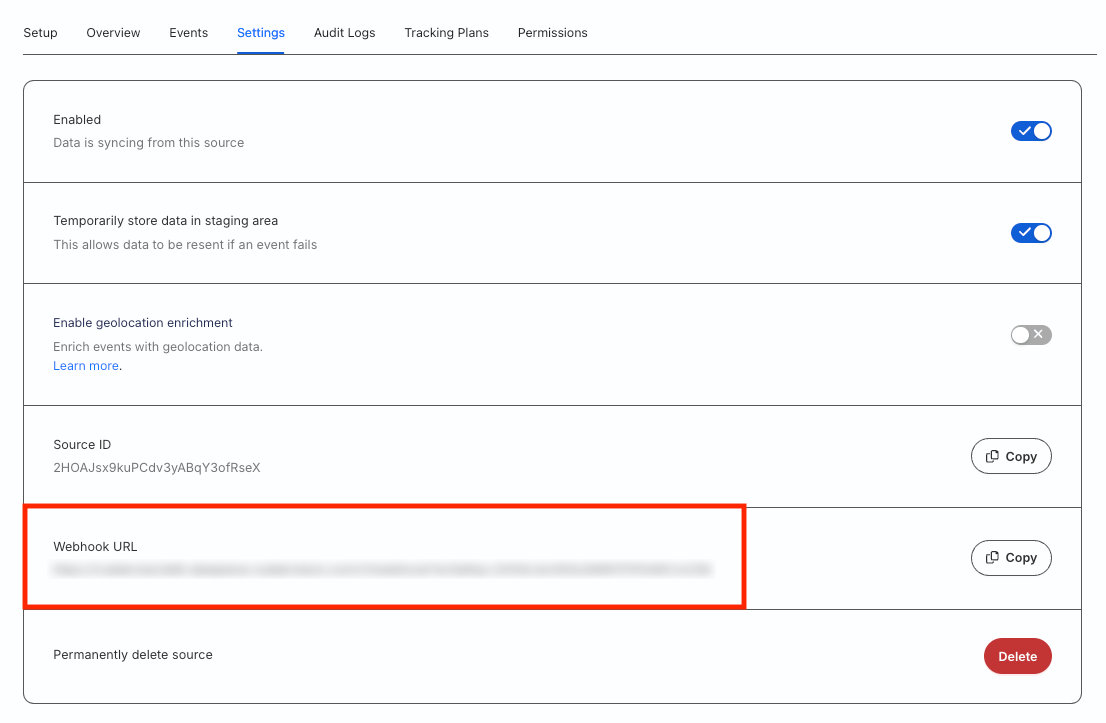
- Your monday.com source is now configured. Go to the Settings tab of the source and note the Webhook URL:
- Create a new webhook in your monday.com dashboard by clicking the Integrate button and searching for the Webhooks app in the the Integrations Center.
- Choose the relevant monday.com actions to get the instant event payloads.
- Specify the webhook URL obtained in Step 3. All the event payloads will be sent to this URL.
For more information on creating a new webhook in monday.com, refer to the monday.com Webhook Integration guide.
Event transformation
RudderStack ingests the monday.com events after converting them into the RudderStack event format. It also maps the following properties from the monday.com event payload to the RudderStack properties:
| monday.com property | RudderStack property |
|---|---|
userId | userId |
triggerTime | originalTimestamp |
boardId | properties.boardId |
pulseId | properties.pulseId |
pulseName | properties.pulseName |
groupId | properties.groupId |
groupName | properties.groupName |
groupColor | properties.groupColor |
isTopGroup | properties.isTopGroup |
columnValues | properties.columnValues |
app | properties.app |
type | properties.type |
subscriptionId | properties.subscriptionId |
triggerUuid | properties.triggerUuid |
parentItemId | properties.parentItemId |
parentItemBoardId | properties.parentItemBoardId |
itemId | properties.itemId |
previousValue | properties.previousValue |
value | properties.value |
RudderStack supports ingesting the events related to the following monday.com standard actions:
- A new update is posted.
- A status is changed.
- A column is changed.
- A specific column is changed.
- An item is created.
- An item is deleted.
- An item name is changed.
- An item is archived.
- A subitem is created.
- A subitem is deleted.
- A new update is posted on a subitem.
- A subitem column is changed.
- A subitem name is changed.
- A subitem is archived.
How RudderStack creates the event payload
RudderStack transforms the incoming event payload from monday.com into track call to create the resulting payload.
A sample payload sent by monday.com when an item is deleted, is shown below:
{
  event: {
    userId: 33556506,
    originalTriggerUuid: null,
    boardId: 3139815405,
    itemId: 3160188786,
    itemName: "New Sprint Item",
    app: "monday",
    type: "delete_pulse",
    triggerTime: "2022-08-30T09:06:09.176Z",
    subscriptionId: 150882006,
    triggerUuid: "4e4f87c8255c4ba4ba2f5e9934cb6d40",
  },
}
RudderStack transforms the above payload into the following track payload:
{
  "type": "track",
  "event": "Delete Pulse",
  "context": {
    "library": {
      "name": "unknown",
      "version": "unknown"
    },
    "externalId": [{
      "id": 33556506,
      "type": "mondayUserId"
    }],
    "integration": {
      "name": "MONDAY"
    }
  },
  "rudderId": "a2073e09-4646-437c-b197-7d2517d202ce",
  "messageId": "4e4f0cfa-c7e2-444f-af70-b90292c3775a",
  "timestamp": "2022-08-30T09:06:09.176Z",
  "properties": {
    "app": "monday",
    "type": "delete_pulse",
    "itemId": 3160188786,
    "boardId": 3139815405,
    "itemName": "New Sprint Item",
    "triggerUuid": "4e4f87c8255c4ba4ba2f5e9934cb6d40",
    "subscriptionId": 150882006,
    "originalTriggerUuid": null
  },
  "anonymousId": "6f0a3dc76a335860e17fa1d8ab779742e2ca",
  "integrations": {
    "MONDAY": false
  },
  "originalTimestamp": "2022-08-30T09:06:09.176Z"
}