Kafka Source Alpha
3 minute read
This feature is in Alpha, where we work with early users and customers to test new features and get feedback before making them generally available.
Note that these features are functional but can change as we improve them. Contact the Product team if you have any questions.
Kafka is a distributed event streaming platform for building real-time data pipelines and applications at scale.
RudderStack lets you ingest data from Kafka in real-time by providing a Kafka sink connector. It integrates seamlessly with your existing Kafka cluster, minimizes setup time, and allows you to start leveraging your data faster.
Features
The Kafka source connector provides:
- Seamless integration with your existing Kafka cluster, minimizing setup time
- Real-time data streaming from Kafka to RudderStack, enabling you to make data-driven decisions quickly
- Support for both JSON and Avro message formats
Note the following:
- The RudderStack Kafka Sink Connector is released under the MIT License.
- To understand the connector’s internal workings or contribute to its development, see the RudderStack Kafka Sink Connector documentation.
Prerequisites
- A running Kafka cluster
- RudderStack account
- Java 21 or higher
Installation
- Clone the RudderStack Kafka Sink Connector repository.
git clone https://github.com/rudderlabs/rudder-kafka-sink-connector.git- Navigate to the
rudder-kafka-sink-connectorproject directory.
cd rudder-kafka-sink-connector- Build the project using Maven.
./gradlew shadowJar- You can use the Kafka connector as the generated JAR file located in the
build/libsdirectory.
- Go to the Releases page of the Kafka connector repository.
- Select the required version of the connector.
- Download the connector JAR file (
rudderstack-kafka-connector-x.x.x.jar) from the Assets section. - Copy the JAR file to the
libsdirectory of your Kafka cluster.
Setup
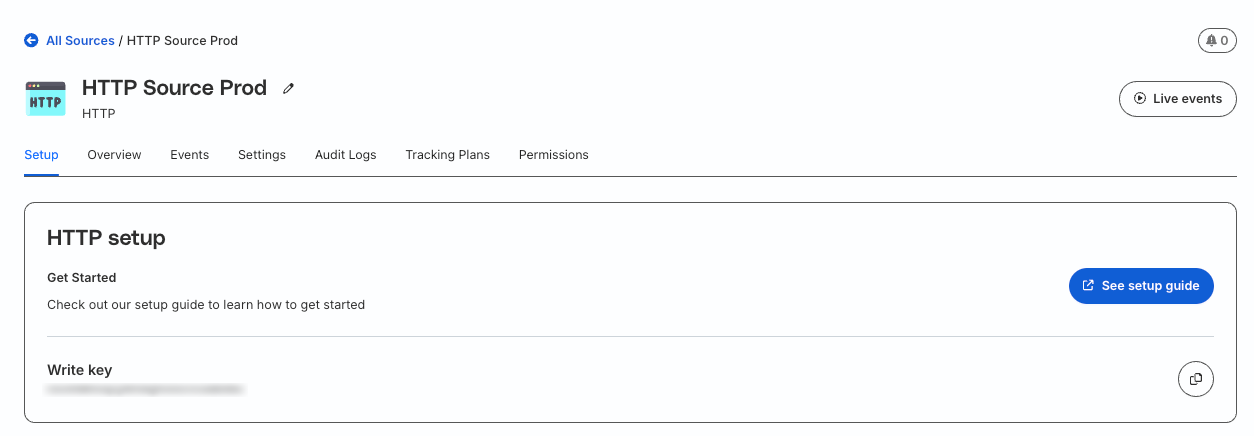
- Add the source in your RudderStack dashboard. RudderStack recommends using a HTTP Source for optimal performance.
- Note your source write key and data plane URL—it is required for configuring the connector.
Configuration
The Kafka connector supports both JSON and Avro message formats. You’ll need to create a rudderstack-kafka-connector-config.properties file with the appropriate configuration based on your message format.
# Change the following configration according to your setup
name=rudderstack-json-sink
tasks.max=1
topics=<YOUR_TOPIC>
rudder.data.plane.url=<DATA_PLANE_URL>
rudder.write.key=<WRITE_KEY>

# Keep the following configuration as it is
connector.class=com.rudderstack.kafka.connect.RudderstackSinkConnector

# Converter settings for key and value
key.converter=org.apache.kafka.connect.json.JsonConverter
value.converter=org.apache.kafka.connect.json.JsonConverter

# Disable schemas for key and value
key.converter.schemas.enable=false
value.converter.schemas.enable=false# Change the following configration according to your setup
name=rudderstack-avro-sink
tasks.max=1
topics=<YOUR_TOPIC>
rudder.data.plane.url=<DATA_PLANE_URL>
rudder.write.key=<WRITE_KEY>
key.converter.schema.registry.url=http://localhost:8081
value.converter.schema.registry.url=http://localhost:8081
# Keep the following configuration as it is
connector.class=com.rudderstack.kafka.connect.RudderstackSinkConnector
# Converter settings for key and value
key.converter=io.confluent.connect.avro.AvroConverter
value.converter=io.confluent.connect.avro.AvroConverter
key.converter.schemas.enable=true
value.converter.schemas.enable=trueReplace <YOUR_TOPIC> with your Kafka topic name and <DATA_PLANE_URL>, and <WRITE_KEY> fields with the data plane URL and source write key obtained in the Setup section.
Usage
To start the connector, use the following commands:
- For a single connector
./bin/connect-standalone.sh config/connect-standalone.properties rudderstack-kafka-avro-connector-config.properties- For multiple message types
./bin/connect-standalone.sh config/connect-standalone.properties rudderstack-kafka-avro-connector-config.properties rudderstack-kafka-json-connector-config.properties