Adjust Source
3 minute read
Adjust is an industry-leading mobile attribution provider. It allows you to bring all your business data together and get powerful insights from it.
This guide will help you set up Adjust as a source in RudderStack.
Get started
- Go to your RudderStack dashboard and click Add Source. From the list of Event Streams sources, select Adjust.
- Assign a name to your source and click Continue.
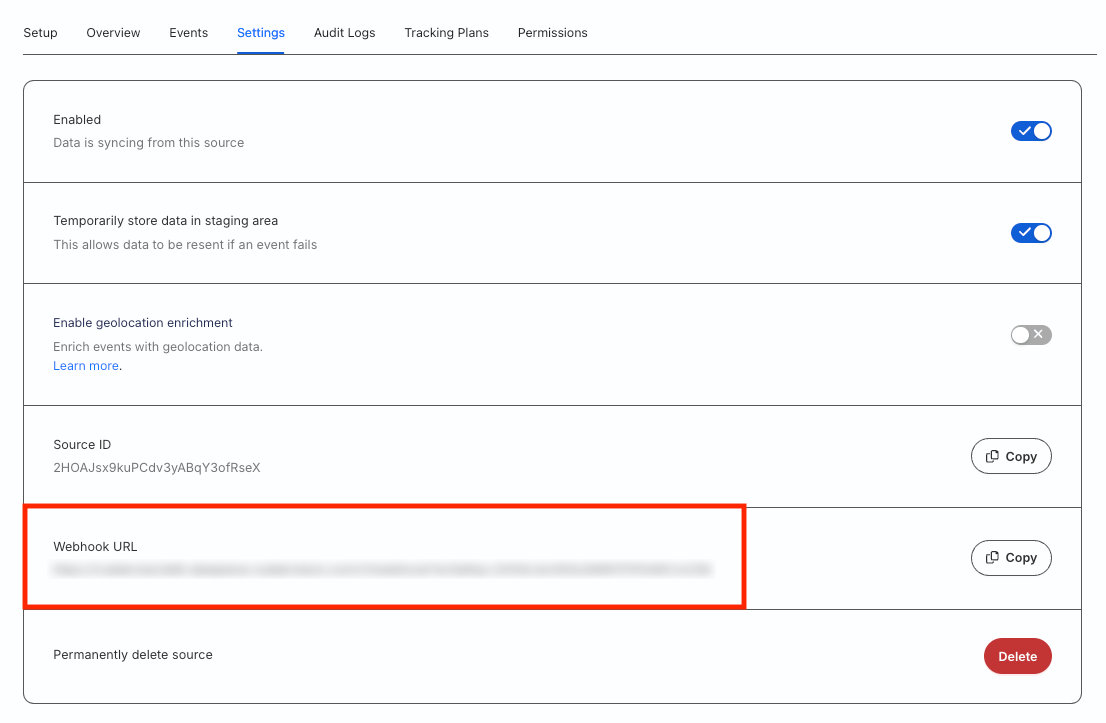
- Your Adjust source is now configured. Go to the Settings tab of the source and note the Webhook URL:
- Log in to your Adjust dashboard and go to your app setup. Then, go to the Data management tab.
- Under Server callbacks, go to Add callback > Guided setup.
- Select the activity or event to trigger the callback in the Callback trigger list.
- Enter the webhook URL obtained in Step 3 in the Server endpoint field, where you can receive the data.
You can also add a condition in combination with the placeholders and values to trigger a callback only when the condition is satisfied.
- Click Add a placeholder to dynamically include user/engagement data in your callback. Note that you can select multiple supported placeholders as per your requirement.
- Click Create callback URL to generate the final encoded callback URL.
Go to the Server callbacks overview page to view and manage the callback URL at any later point.
Event transformation
RudderStack ingests the Adjust callbacks as track calls.
Adjust fires global callbacks in addition to any other callback specified at the individual event level. For example, if you have set a global callback along with a callback at the in-app event level, Adjust fires two callbacks - one containing the data requested in the global callback and the other containing the data for the in-app event.
Supported mappings
RudderStack maps the following Adjust properties associated with the global callbacks to the track event properties:
| Adjust property | RudderStack property |
|---|---|
activity_kind | properties.activity_kind |
app_name | context.app.name |
created_at | originalTimestamp |
event | properties.event_token |
event_name | message.event |
gps_adid | properties.gps_adid |
idfa | context.device.advertisingIdFor iOS |
idfv | context.device.idFor iOS |
adid | context.device.id |
tracker | properties.tracker |
tracker_name | properties.tracker_name |
It also maps the following properties associated with the Erased User callbacks to the track properties:
| Adjust property | RudderStack property |
|---|---|
ip_address | context.iprequest_ip |
tracking_enabled | properties.tracking_enabled |
RudderStack ingests the fields coming via all the other callbacks as is in themessage.propertiesobject with the above global callback mappings.
Sample payload and transformation
This section details how RudderStack receives the data from Adjust and creates the resulting payload.
A sample payload sent by Adjust is shown:
https://<webhook-domain>/v1/webhook?writeKey=<source_write_key>
&gps_adid=38400000-8cf0-11bd-b23e-10b96e40000d&adid=XXX
&tracker_token=abc123&app_name=MyApp&activity_kind=event
&created_at=1404214665&event_token=bkrfgq
&event_name=purchase_100_coins/mobile_attribution
&tracker_name=dummy&idfv=XXX
RudderStack transforms the above payload into the following track payload:
{
  context: {
    library: {
      name: 'unknown',
      version: 'unknown',
    },
    app: {
      name: 'MyApp'
    },
    integration: {
      name: 'Adjust',
    },
    device: {
      'id ': 'XXX',
    },
  },
  integrations: {
    Adjust: false,
  },
  type: 'track',
  event: 'purchase_100_coins/mobile_attribution',
  originalTimestamp: '2014-07-01T11:37:45.000Z',
  timestamp: '2014-07-01T11:37:45.000Z',
  properties: {
    gps_adid: '38400000-8cf0-11bd-b23e-10b96e40000d',
    tracker_token: 'abc123',
    activity_kind: 'event',
    tracker_name: 'dummy',
  },
  anonymousId: '97fcd7b2-cc24-47d7-b776-057b7b199513',
}