Event Stream Sources
2 minute read
RudderStack’s Event Stream product lets you collect the event data from all of your sites and applications and route it to a wide array of customer tools and data warehouses.
You can see how the product works in this self-paced product tour:
The Event Stream product supports various SDKs and Cloud Apps as data sources listed below:
SDKs
RudderStack provides the following open source SDKs for your web, mobile, and server-side applications:
Web
Track customer event data from your website and web apps and send it to your specified destinations.


Mobile
Use the native RudderStack SDKs for the popular mobile operating systems and development frameworks.

Android (Java) — Legacy

Android (Kotlin)

Cordova

Flutter

iOS (Obj-C) — Legacy
iOS (Swift)

React Native

Unity
Server
Use the server-side SDKs to track event data from your backend applications.


Cloud apps
Ingest event data from your cloud apps and route it to the specified destinations.

Adjust

Apache Kafka

AppsFlyer

App Center

Auth0

Braze

Canny

Cordial

Close CRM

Customer.io

Extole

Facebook Lead Ads

Formsort

Gainsight PX

Iterable

Looker

Mailjet

Mailmodo

Monday

MoEngage

Olark

Ortto

PagerDuty

Pipedream

PostHog

Refiner

RevenueCat

SatisMeter

Segment

Shopify

Signl4

Slack
HTTP source
You can leverage the HTTP source to send events to RudderStack directly via HTTP API calls from your server-side applications.

Custom webhook
You can also add any source that supports a webhook, use it to ingest events, and send them to your preferred destinations via RudderStack.

Required permissions
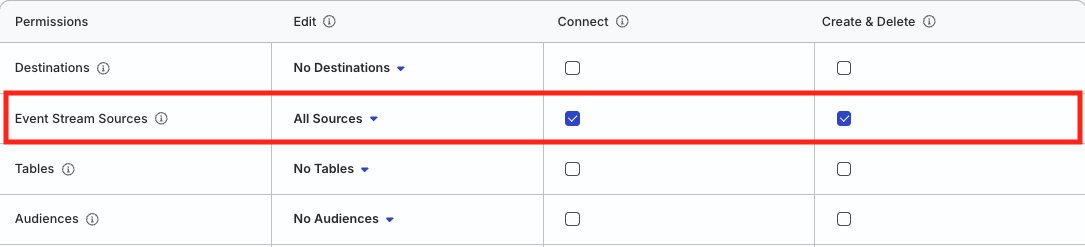
- Admins have full access to create and manage Event Stream sources.
- Members can have the following permissions depending on their workspace policy:
| Permission | Description |
|---|---|
| Edit | Make changes to the configuration of Event Stream sources. |
| Connect | Connect an Event Stream source to a destination or Tracking Plan. |
| Create & Delete | Create or delete Event Stream sources. |
To make a connection, that is, connect a source to a destination, the member must have both Edit and Connect permissions on both the resources.
Click here to see how these permissions appear in the workspace policy.
Permissions for legacy RBAC system
In the legacy Permissions Management (RBAC) system:
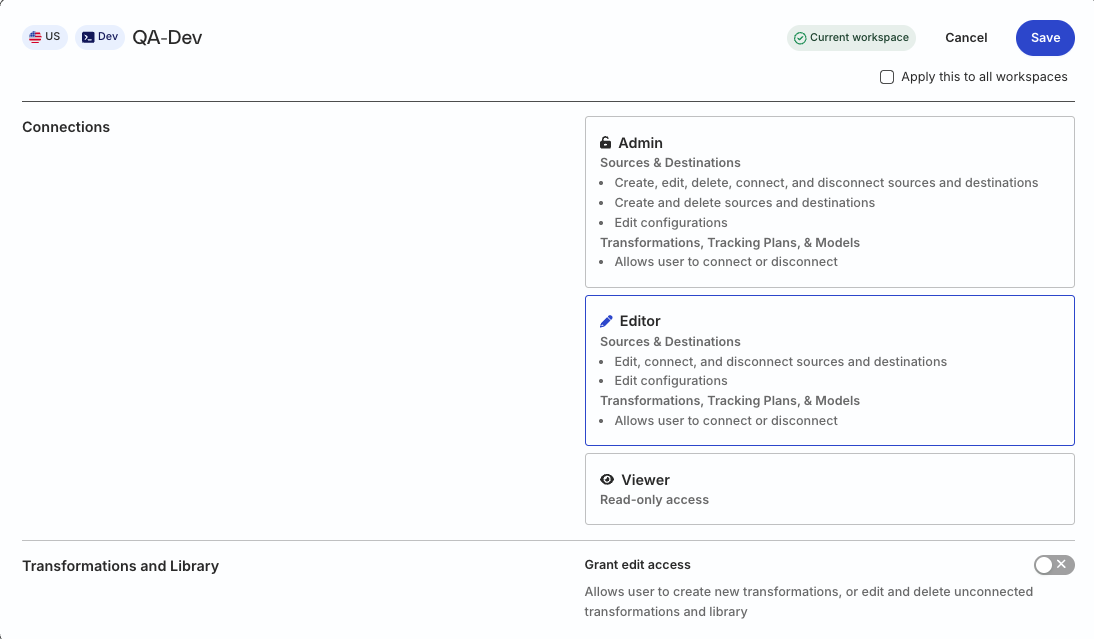
- Org Admins and members with the Connections Admin role in their workspace policy can create and delete sources, and connect them to destinations
- Members with the Connections Editor role in their workspace policy can only edit the source configuration and connect sources to destinations