PostHog Source
Ingest your event data from PostHog into RudderStack.
3 minute read
PostHog is a complete product analytics stack that you can seamlessly deploy on your infrastructure. It simplifies scalable product analytics while giving you full control over all your user data.
You can send your PostHog events to RudderStack by configuring it as a destination in your PostHog dashboard.
Get started
- Go to your RudderStack dashboard and click Add Source. From the list of Event Streams sources, select PostHog.
- Assign a name to your source and click Continue.
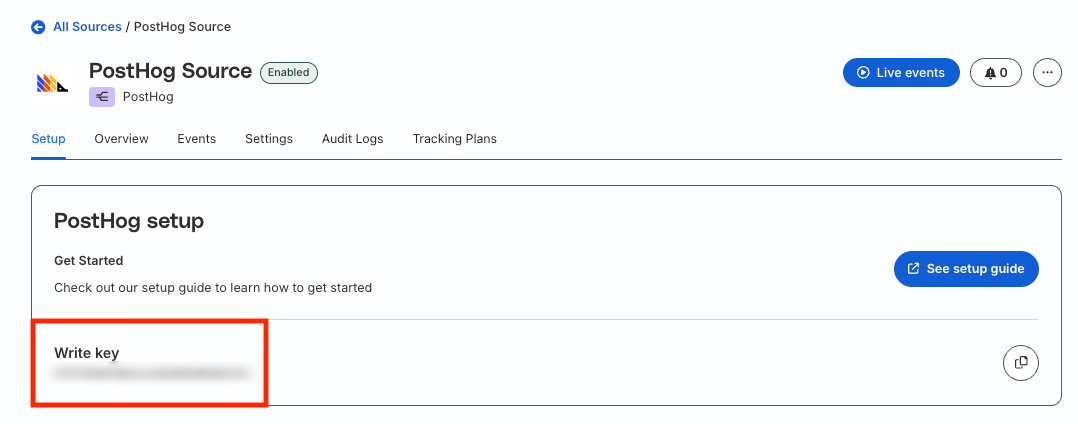
- Your PostHog source is now configured. Note the write keyThe write key (or source write key) is a unique identifier for your source. RudderStack uses this key to send events from a source to the specified destination. for the source.
- Note the data plane URLThe data plane URL is the location where events are routed and sent to the RudderStack backend for processing. You can find this URL at the top of the Connections page in your RudderStack dashboard. for your workspace.
RudderStack destination setup
- Go to your PostHog dashboard.
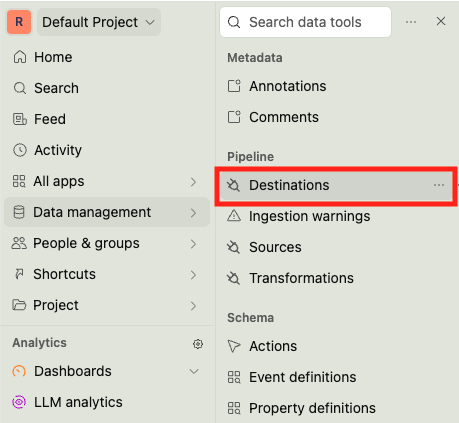
- In the left navigation bar, click Data management > Destinations.
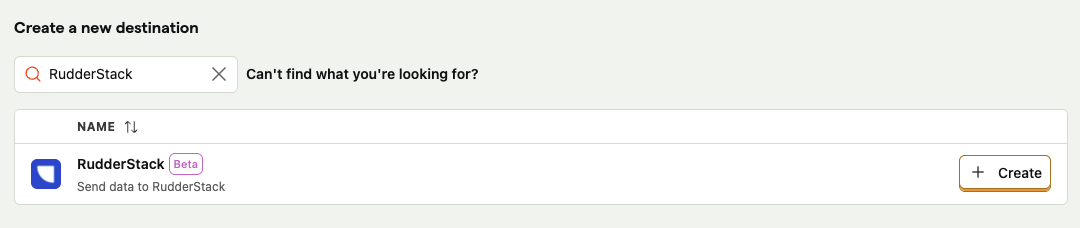
- Under Create a a new destination, search for RudderStack. Then, click Create.
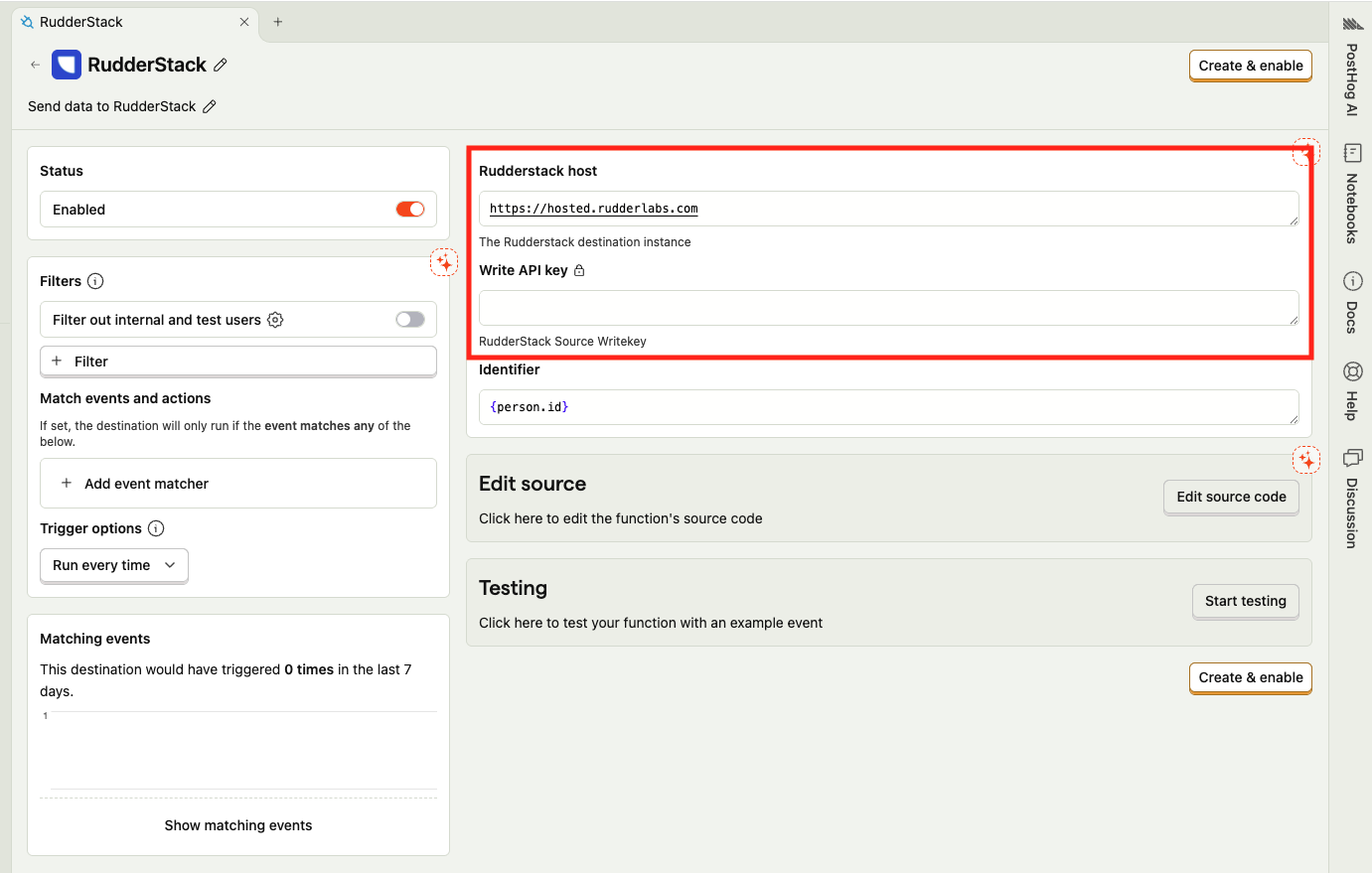
- Configure the following destination settings:
| Setting | Instruction |
|---|---|
| RudderStack host | Replace the placeholder data plane URL with your workspace data plane URL. |
| Write API key | Enter your PostHog source write key. |
- Configure the rest of the settings as required.
- Click the Create & enable button to complete the setup.
Sample payload and transformation
This section details how RudderStack receives the data from PostHog and creates the resulting payload.
A sample payload sent by PostHog is shown:
json
{
  "event": {
    "uuid": "dc4685b0-2f39-4ddf-b99e-ec50fd928469",
    "distinct_id": "219ce97b-c06e-4e7d-821c-d15081c293a6",
    "timestamp": "2025-12-19T04:14:59.004Z",
    "elements_chain": "",
    "url": "https://us.posthog.com/project/<ID>/events/",
    "event": "$pageview",
    "properties": {
      "$current_url": "https://us.posthog.com/project/<ID>/functions/new/template-rudderstack",
      "$browser": "Chrome",
      "$ip": "<IP>",
      "this_is_an_example_event": true
    }
  },
  "person": {
    "id": "e6aed9ee-2e84-49bc-93d5-e80302d110b5",
    "properties": {
      "email": "example@posthog.com"
    },
    "name": "Example person",
    "url": "https://us.posthog.com/person/e6aed9ee-2e84-49bc-93d5-e80302d110b5"
  },
  "groups": {},
  "project": {
    "id": <ID>,
    "name": "Default Project",
    "url": "https://us.posthog.com/project/<ID>"
  },
  "source": {
    "name": "RudderStack",
    "url": "https://us.posthog.com/project/<ID>/functions/new/template-rudderstack"
  }
}
RudderStack transforms the above payload into the following page payload:
json
{
    "anonymousId": "219ce97b-c06e-4e7d-821c-d15081c293a6",
    "channel": "s2s",
    "context": {
        "app": {
            "name": "PostHogPlugin"
        },
        "browser": "Chrome",
        "library": {},
        "os": {},
        "page": {
            "url": "https://us.posthog.com/project/<ID>/functions/new/template-rudderstack"
        },
        "screen": {}
    },
    "messageId": "dc4685b0-2f39-4ddf-b99e-ec50fd928469",
    "originalTimestamp": "2025-12-19T04:14:59.004Z",
    "properties": {
        "this_is_an_example_event": true,
        "url": "https://us.posthog.com/project/<ID>/functions/new/template-rudderstack"
    },
    "receivedAt": "2025-12-19T04:25:31.101676164Z",
    "request_ip": "<REQUEST_IP>",
    "rudderId": "f7388609-f1fb-43c7-b85d-ceb7be4986f2",
    "type": "page",
    "userId": "e6aed9ee-2e84-49bc-93d5-e80302d110b5"
}
Troubleshooting
| Issue | Solution |
|---|---|
Getting a Error('Failed to post message to Rudderstack: 401: invalid write key error even though the PostHog source write key is correct | Make sure to replace the placeholder data plane URL with your workspace data plane URL. |
FAQ
Is the plugin-based PostHog source setup deprecated?
Yes, the plugin-based PostHog source setup is deprecated.
You can now directly configure RudderStack as a destination in your PostHog dashboard and start sending your PostHog events.
