RudderTyper v1
- free
- growth
- enterprise
3 minute read
RudderTyper v1 (npm) is in maintenance mode and will not receive any new features.
For TypeScript, Kotlin, and Swift support, use RudderTyper v2.
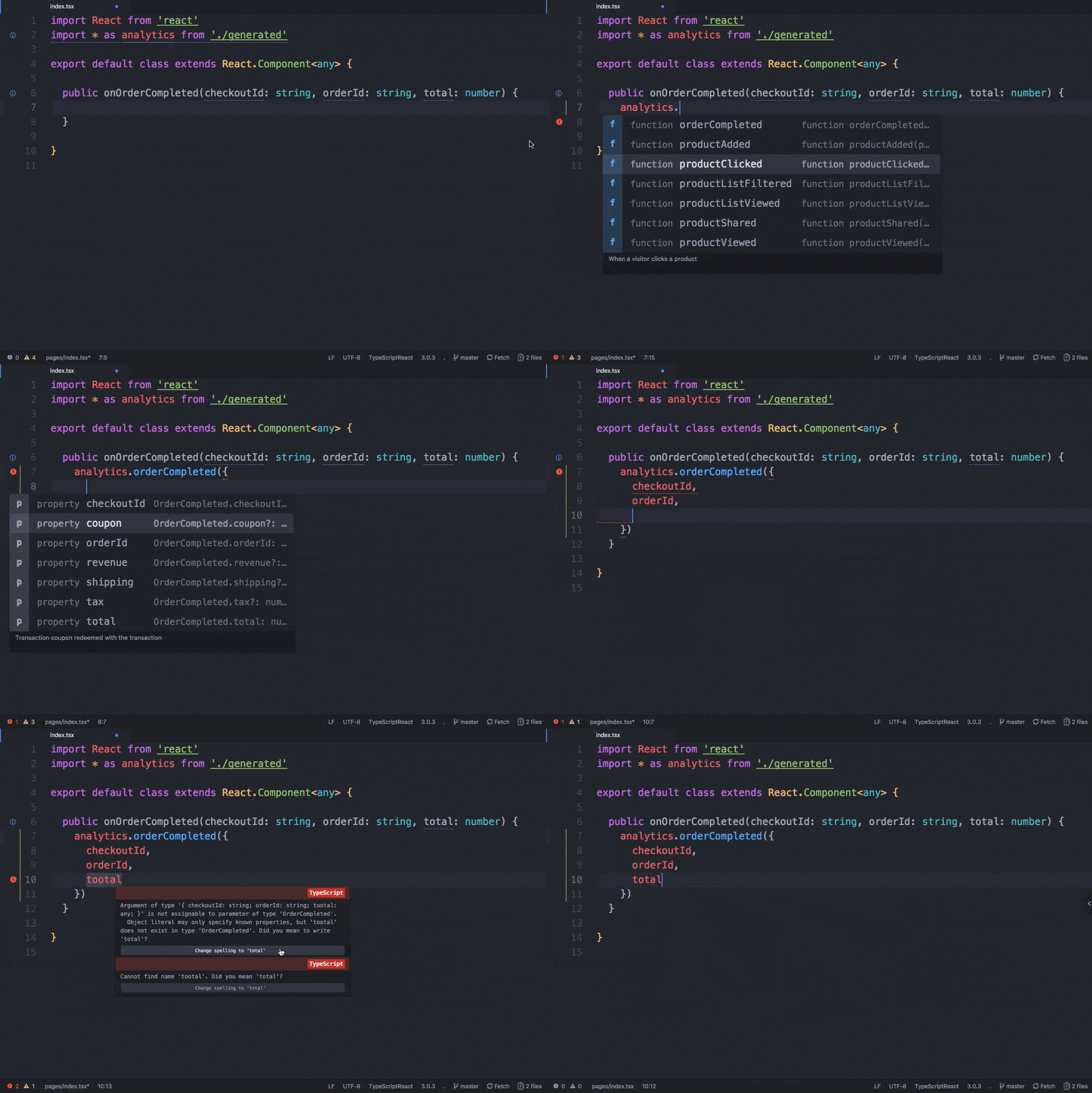
RudderTyper is a tool that lets you generate strongly-typed RudderStack analytics library wrappers based on your Tracking Plan. It uses an event from your specified Tracking Plan and generates an analytics call in the supported languages.

Overview
The following steps give a high-level overview of how RudderTyper works:
- RudderTyper generates type-safe SDK code from a Tracking Plan by parsing it to understand the events and data types.
- It then creates platform-specific classes and methods that match the Tracking Plan, ensuring that only valid events and properties are used.
- Finally, it integrates this code into the SDKs and provides compile-time checks to catch any errors and ensure consistency in the tracking implementation.
RudderTyper currently generates native clients for the following SDKs:
CLI integration
RudderTyper v2 generates TypeScript, Kotlin, and Swift bindings with Rudder CLI:
rudder-cli typer generate --tracking-plan-id <ID> --platform kotlin -o ./generatedRudderTyper v1 is the npm tool on this page. It generates clients for JavaScript, TypeScript, Java, and Objective-C. Follow the RudderTyper v1 Quickstart to create a client, and see the RudderTyper v1 Reference for commands and ruddertyper.yml.
Key features
- Displays compile-time errors and warns you about any missing required properties, data mismatch, and any issues in the JSON schema configured in your Tracking Plan.
- Lets you contextualize your analytics instrumentation and validate it with your event spec before deploying it to production.
- Lets you access and validate your event names, properties, types, etc.
How RudderTyper validates events based on Tracking Plan
Case 1: Source is connected to a Tracking Plan
| Scenario | Behavior |
|---|---|
| RudderTyper configured with the same Tracking Plan ID and version | RudderStack validates the events with the specified Tracking Plan and shows the violations accordingly. |
| RudderTyper configured with the same Tracking Plan ID but different version | RudderTyper validates the events and shows the violations based on the Tracking Plan version used to generate it, even if the Tracking Plan has undergone revisions since then. For example, if you generate RudderTyper with Tracking Plan version v5 and then revise the Tracking Plan version to v6, then RudderTyper validates events and shows violations based on Tracking Plan v5, not v6. |
| RudderTyper configured with a different Tracking Plan ID | RudderStack validates the events with the Tracking Plan connected to the source in the dashboard and shows the violations accordingly. |
Case 2: Source is not connected to a Tracking Plan
In this case, RudderStack does not proceed to the Tracking Plan validation stage. As a result, no violations are shown.
Contribute
- To submit a bug report or feature request, file an issue here.
- To build on a RudderTyper feature or propose support for a new language, see the contributor’s documentation.
References
- Download Node. You will also get the necessary commands to set up Node.js and verify your installation.
- Commands to build and run the RudderTyper client
- Yarn reference
FAQ
Can I use a different Service Access Token for authenticating RudderTyper?
Yes, you can.
- Follow steps 1 to 3 from the Quickstart section.
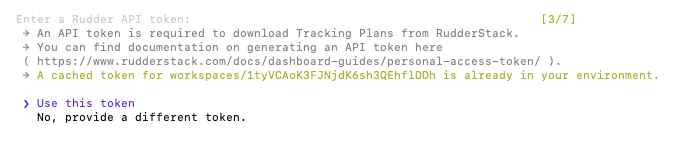
- In the Enter Rudder API token window, choose No, provide a different token.
Why am I seeing events validated against different Tracking Plan versions in the live events viewer?
Different events may be validated against different Tracking Plan versions because RudderStack validates each event against the specific version that was used to instrument it.
This behavior ensures that each event is validated against the exact rules it was designed to follow, and prevents false validation errors when Tracking Plans evolve over time.
See Tracking Plan observability for more details.
See more
- RudderTyper v1 Quickstart: Generate a client and connect it to an SDK
- RudderTyper v1 Reference: Commands, modes, and
ruddertyper.yml - RudderTyper v2: The actively maintained version
