Transformations v2
Beta- free
- growth
- enterprise
4 minute read
- Date: Aug 28, 2026
Transformations is one of the most widely used features on the platform, and it just got a major upgrade. Transformations v2 is now in public beta, with a completely revamped UI/UX plus two significant new capabilities: a more flexible testing suite and full versioning and deployment control — for both transformations and the libraries they import.
Transformations v2 is in public beta.
See the following guides for more details:
Why upgrade Transformations?
Transformations sits in the critical path of your event pipeline, so its popularity raised the bar for what this update needed to deliver — a visual refresh alone wouldn’t be enough for a feature this central to your data flow. We focused the rebuild on the UI/UX, keeping the parts of the workflow you already know while redefining the areas that needed it most: testing and change management.
Two gaps stood out. First, testing only ever validated a transformation in isolation — a change to a shared library could silently break every transformation that imported it, and you wouldn’t find out until events started failing downstream. Second, there was no real change history: publishing was final, with no version trail and no way to recover from a bad deploy without manually redeploying old code.
Transformations v2 closes both gaps — and not just for the people writing transformation code by hand. As more of your transformation logic gets written and maintained by AI agents, the same guardrails that protect a human’s changes (draft before publish, tests validated before rollback, inferred library tests) are exactly what let an agent modify and deploy transformation logic safely on your behalf.
Updates and improvements
- Revamped UI/UX: A redesigned editor experience that’s familiar where it counts — writing and saving transformation code works the way you’d expect — and redefined where it matters most, with dedicated, purpose-built views for testing and version history.
New functionality
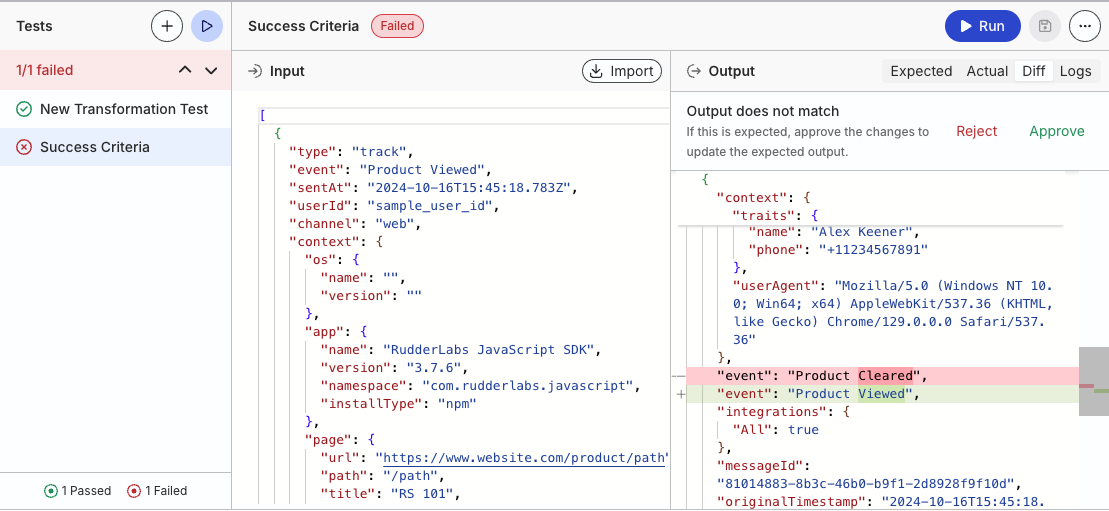
- A more flexible testing suite: Import a live event or a saved payload, edit it inline, and run it against your transformation. Compare Expected against Actual output in a line-by-line Diff view, inspect Logs from your
log()calls, and Approve a result to update the expected output, or Reject to keep the current expected payload. - Inferred testing for libraries: Libraries don’t need their own test cases. Running a test on a library automatically replays every test case from every transformation that imports it, so a breaking library change surfaces immediately — before you publish it — instead of silently breaking transformations downstream.
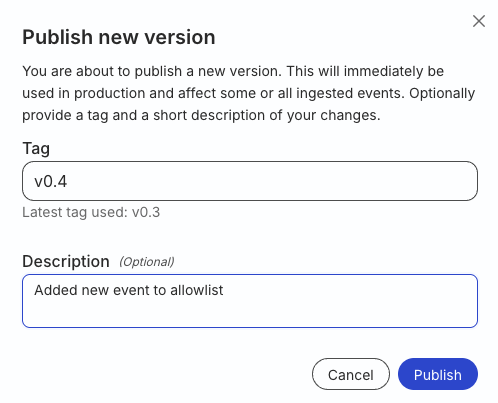
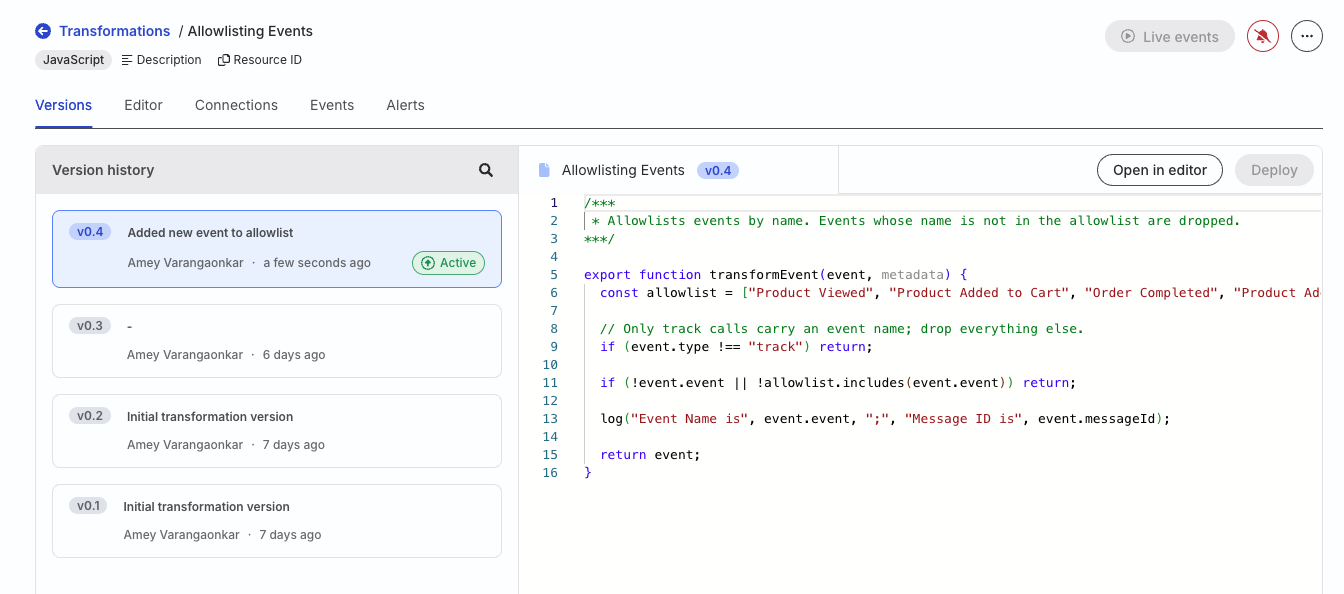
- Transformation versioning and deployments: Save work-in-progress as a Draft without touching production. Publish a tagged version when you’re ready — it becomes Active immediately for connected destinations. Every publish is recorded in Version history with its code, tag, description, author, and timestamp.
- Validated rollback: Deploy an older transformation version back to Active status. Your test cases are validated against that version’s code first, so you know before you roll back whether it’s safe — and you can still deploy anyway if you choose to.
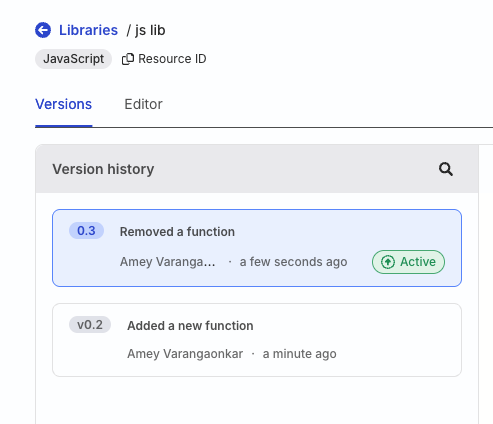
- Library versioning: Save drafts and publish tagged library versions the same way. One asymmetry to note: unlike transformations, you can’t deploy an older library version directly — publishing a new version is the only way to change what’s active.
Get started
- Go to Collect > Transformations in the RudderStack dashboard and open (or create) a transformation.
- In the Editor tab, write your code, then create a test case — import a live event or an existing payload — and click Run to validate it.
- Click Save draft to store changes without affecting production, or Publish to tag and activate a new version.
- Open the Versions tab to review version history, open an older version in the editor, or Deploy it back to Active.
- Libraries follow the same Editor and Versions workflow. Publish a library version before importing it into a transformation — you can’t import a draft.
Resources
- Test Transformations: Create test cases, import event payloads, and use the diff view
- Version and Deploy Transformations: Save drafts, publish tagged versions, and roll back to an older version
- Transformation Libraries: Add libraries and use them in transformations
- Version and publish libraries: Draft, publish, and view library version history
- Test a library: How library tests are inferred from importing transformations
Screenshots
Diff view comparing expected and actual transformation output
Publishing a new transformation version
Transformation version history with the Active badge
Library version history with the Active badge