Setup with Agent and the New Get Started Page
Beta- free
- growth
- enterprise
3 minute read
- Date: Nov 16, 2026
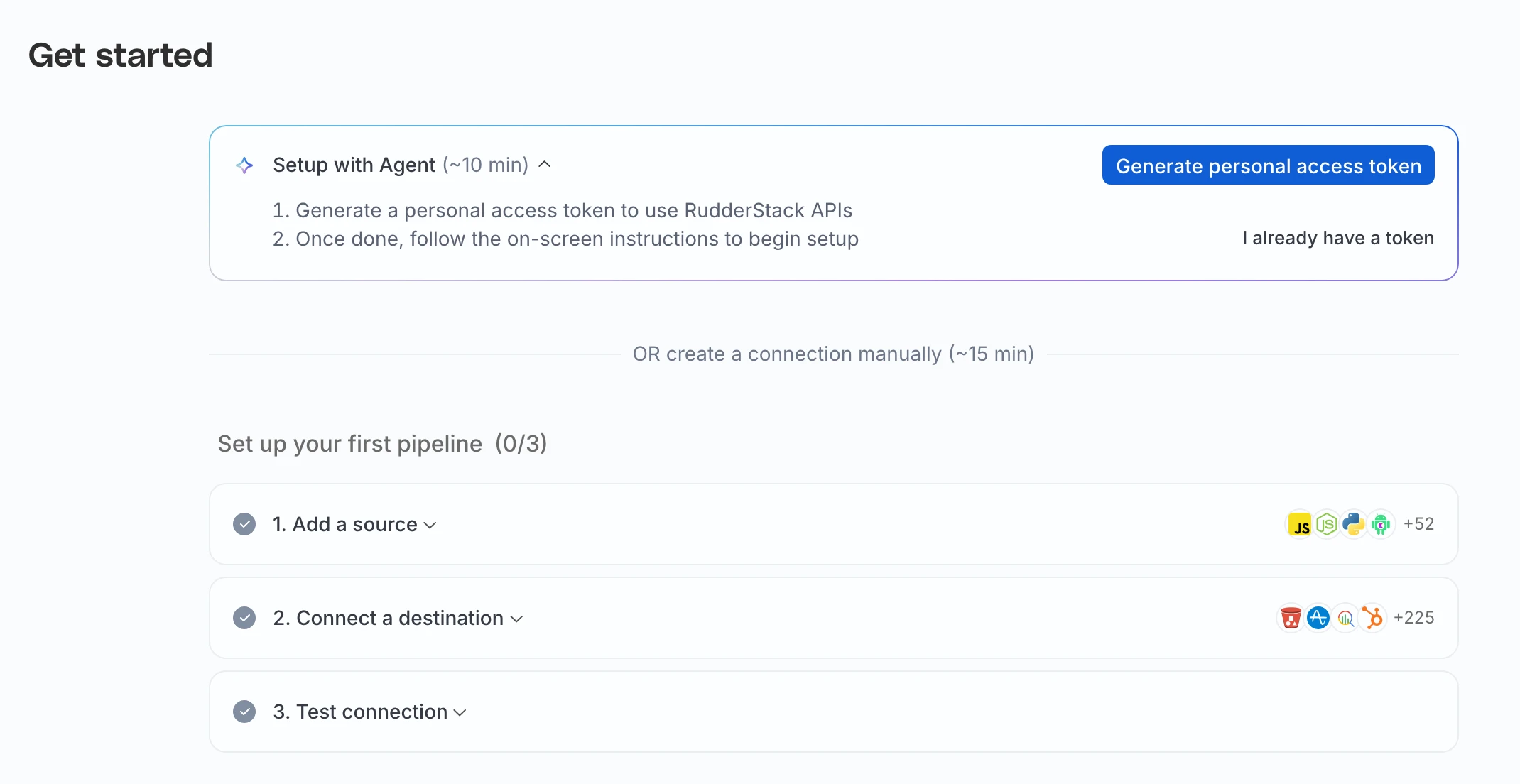
You can now set up your first Event Stream pipeline from a single Get started page in the RudderStack dashboard. The page’s Setup with Agent card hands the same job to your AI coding agent, which creates the pipeline, adds tracking code to your app, and confirms that a real event reached your destination.
Setup with Agent is in Public Beta.
See Set Up RudderStack with Your Coding Agent for the full guide.
Why a new way to get started?
A pipeline in the dashboard isn’t useful until your app sends events through it, and that step is a change to your own code. The old onboarding sent you from the dashboard to the docs to your editor and back. The new page keeps the dashboard steps in one place, and the agent setup does the code change where your code lives.
Key features
- One page from source to delivered event. Add a source, connect a destination, and send a test event on the Get started page. The page shows each stage the event passes and names the cause when an event is skipped.
- Setup from your coding agent. The
rudder-setupskill runs in Claude Code, Codex, Cursor, GitHub Copilot, and other agents. Copy the commands for your agent from the card. - Tracking code written for your app. The agent reads your code, proposes up to four events, and adds one typed function for each after you approve the plan.
- A delivered event as the finish line. The agent checks your app’s events against the plan locally, then reads the destination’s delivery count through the RudderStack MCP server.
- Your pipeline as code. The source, destination, and connection are Rudder CLI specs committed to your repository, and the agent undoes the whole setup when you ask.
Get started
- Log in to the RudderStack dashboard as an organization admin and go to Get started.
- In the Setup with Agent card, generate a personal access token.
- Pick your agent’s tab, copy the commands, and run them in your app’s folder.
- Approve the event plan, the destination, and the dry run when your agent asks.
The page and the card are rolling out to new workspaces. If you don’t see them, contact the RudderStack team. The card also needs a plan that includes personal access tokens.
To set up the pipeline by hand instead, follow the three steps under the card. See the Get Started Page guide.
The Get started page in a new workspace:
Known limitations
- The agent can’t create destinations that connect through a sign-in in the dashboard (OAuth). It offers a webhook for the first event.
- The agent can’t confirm delivery for device mode destinations, because the SDK sends those events itself.
Resources
- Set Up RudderStack with Your Coding Agent: Commands for each agent, the nine steps, and the undo
- Get Started Page: The manual steps on the page
- RudderStack Agent Skills: The marketplace and its other skills
