Service Access Tokens
Beta- growth
- enterprise
2 minute read
- Date: Oct 24, 2024
We have expanded access to our APIs and services with Service Access Tokens (SATs). SATs can be created at the organization or workspace level and are not tied to individual user accounts.
SATs are ideal for production use cases and centralized management of tokens across the RudderStack platform.
Previously, access to RudderStack APIs required you to create Personal Access Tokens, which are tied to an individual user’s account. If that user account was removed, or permissions on the account were changed, access to APIs and services was impacted as well.
With this release, you can create and manage central SATs to ensure stability and security for critical production workflows.
Contact the RudderStack team to get access to this feature.
How it works
Org Admins can create SATs at the organization or workspace level.
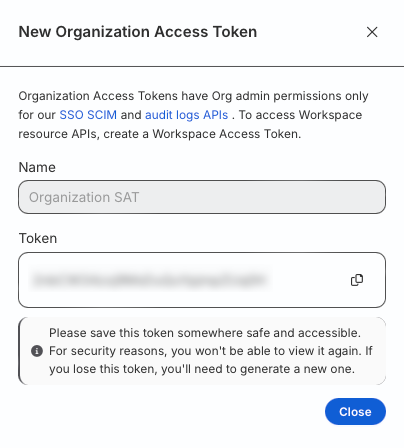
Organization-level SATs can be used to access SSO SCIM and the Audit Log API, used for managing SCIM users and accessing audit logs from the platform, respectively.
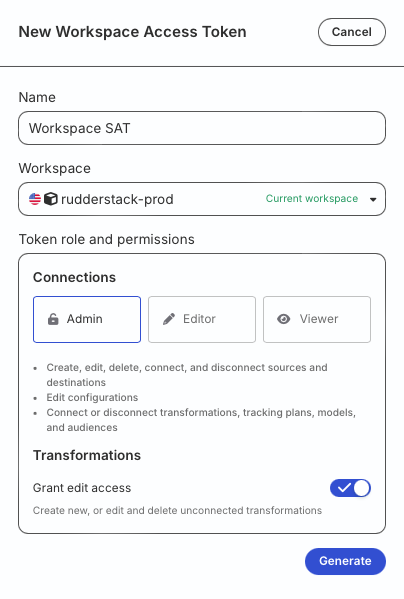
Workspace-level SATs can be used to access resources in a specific workspace. These are used to manage programmatic workflows that leverage RudderStack APIs. Some examples are:
- Using the Transformations API to manage Transformations programmatically.
- Using the Data Catalog API to programmatically manage your Data Catalog and Tracking Plans.
- Using the Test API to run programmatic end-to-end pipeline tests.
Operations performed by both SAT types are logged and are available through the Audit Logs view and the Audit Logs API.
Create a SAT
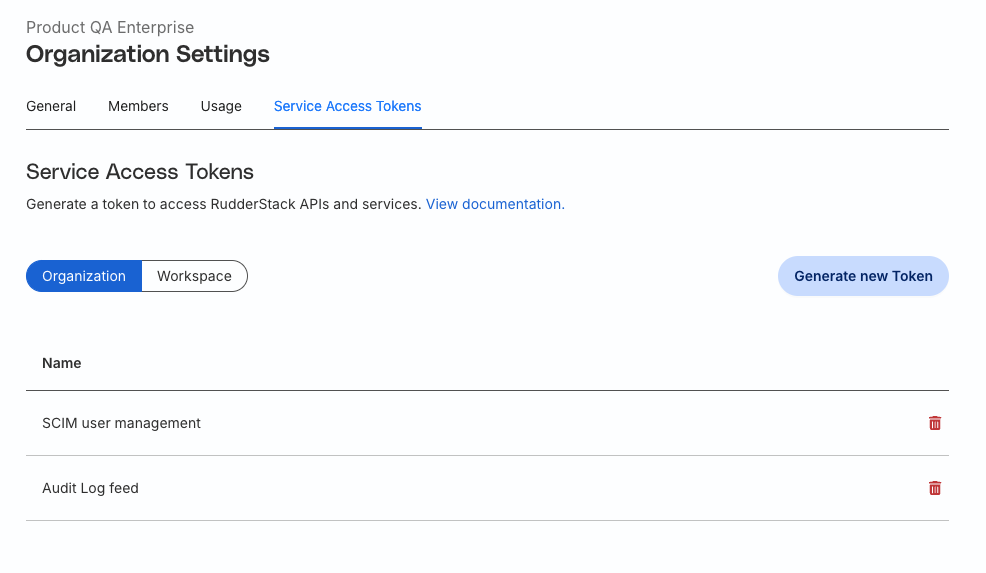
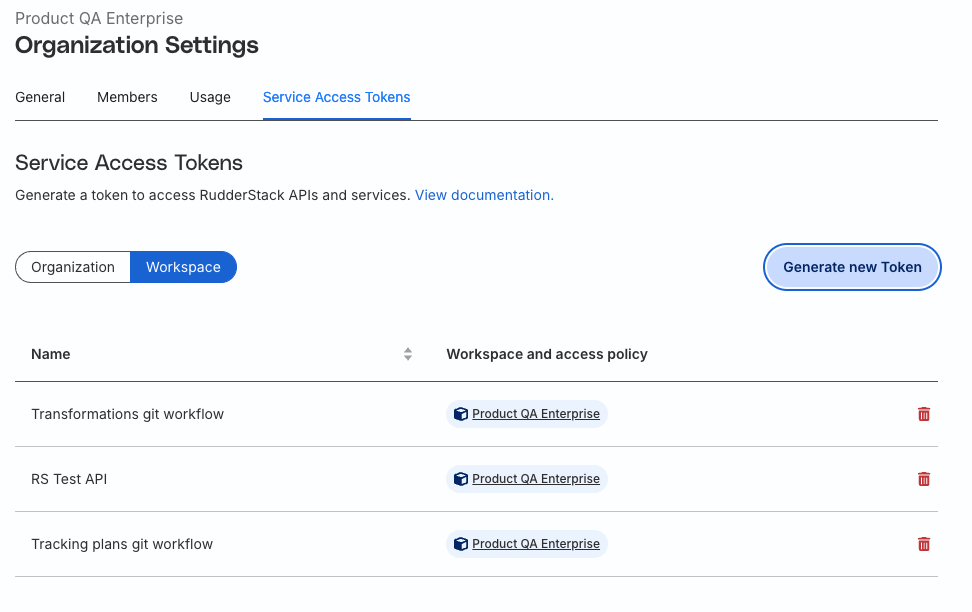
To create SATs, Org Admins can access the Service Access Token view by going to Settings > Organization > Service Access Tokens tab.
Click the Organization or Workspace tab followed by Generate new Token to generate a new Organization-level SAT or Workspace-level SAT.
See the Service Access Token documentation for more information.
Screenshots
The following screenshots highlight the SAT generation flow:
- Generate an organization-level SAT:
- Copy newly-generated organization-level SAT:
- Generate a workspace-level SAT:
- Specify workspace-level SAT permissions:
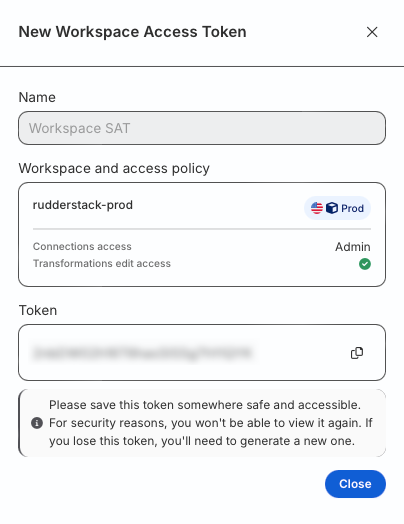
- Copy newly-generated workspace-level SAT: