P95 Latency Alerts for Event Stream Destinations: General Availability
- enterprise
2 minute read
- Date: Feb 27, 2026
P95 latency alerts for Event Stream cloud destinations are now Generally Available for all Enterprise customers.
You can now configure P95 latency thresholds for your Event Stream cloud destinations and receive alerts whenever event delivery slows beyond acceptable limits. For example, if you set a P95 latency threshold of 15 minutes and 95% of events aren’t delivered within that window, RudderStack triggers an alert on your configured delivery channels — Slack, email, Microsoft Teams, or a custom webhook.
This helps you catch delivery delays early, troubleshoot proactively, and keep stakeholders informed before issues escalate.
What’s new
- Generally available: P95 latency alerts are no longer in beta. They are fully supported and available for all Enterprise customers.
- Expanded access: Previously, only Admins could view the P95 latency metric. Now, any user subscribed to P95 latency alerts for a destination can also view its latency metrics directly in the Events tab.
P95 latency alerts apply only to Event Stream destinations connected to sources in cloud mode.
They do not apply to Reverse ETL connections, warehouse destinations, and device mode connections.
See the following guides for more details:
- Set up P95 latency alerts: Configure alert thresholds for your destinations
- View the P95 latency event metric: View and interpret the P95 latency metric for your destination
Screenshots
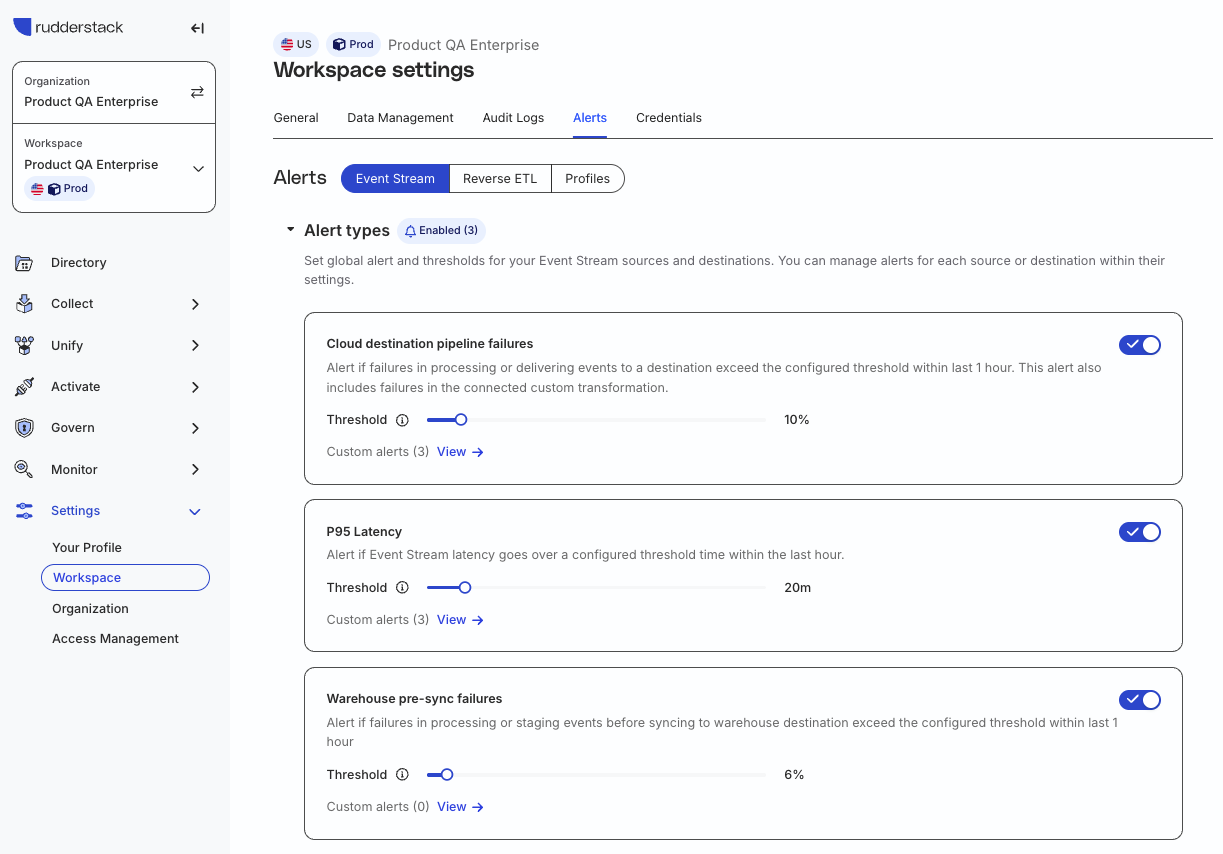
- Configure P95 latency alerts in the RudderStack dashboard:
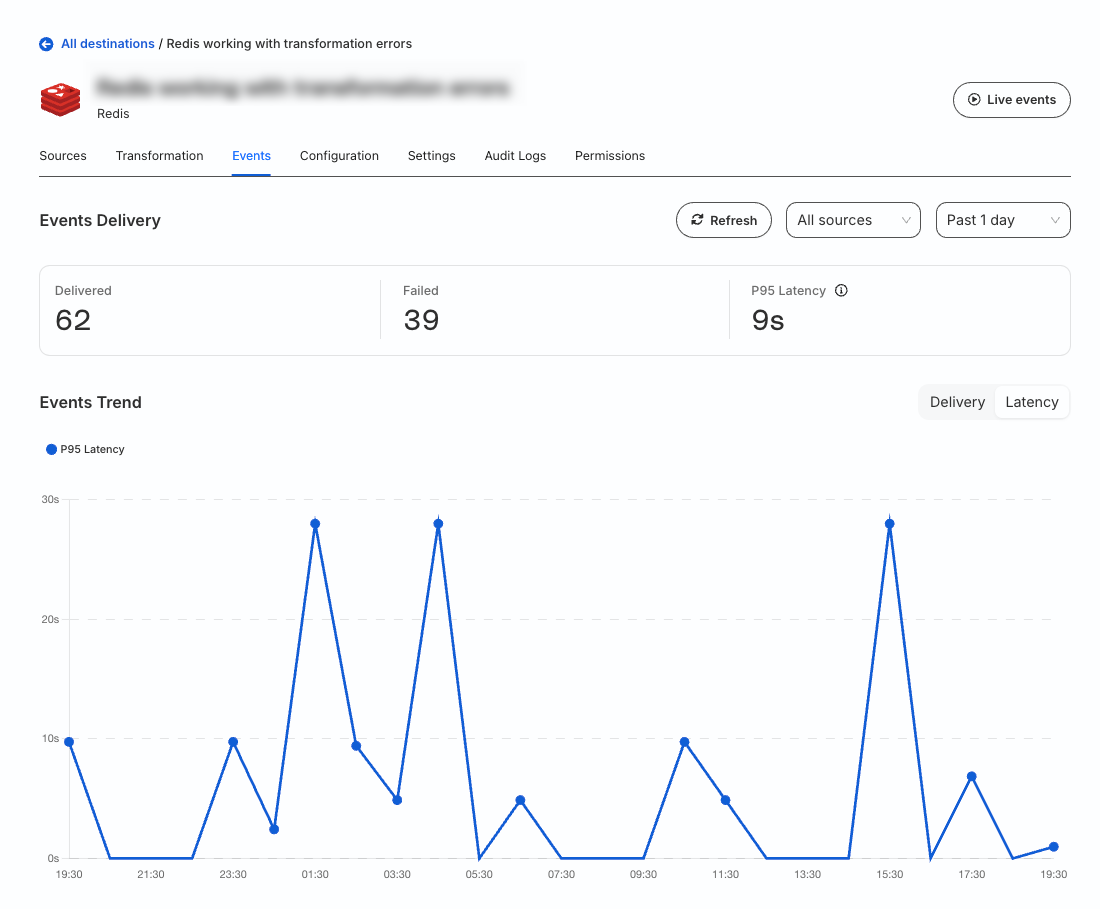
- View the P95 latency metric for a destination:
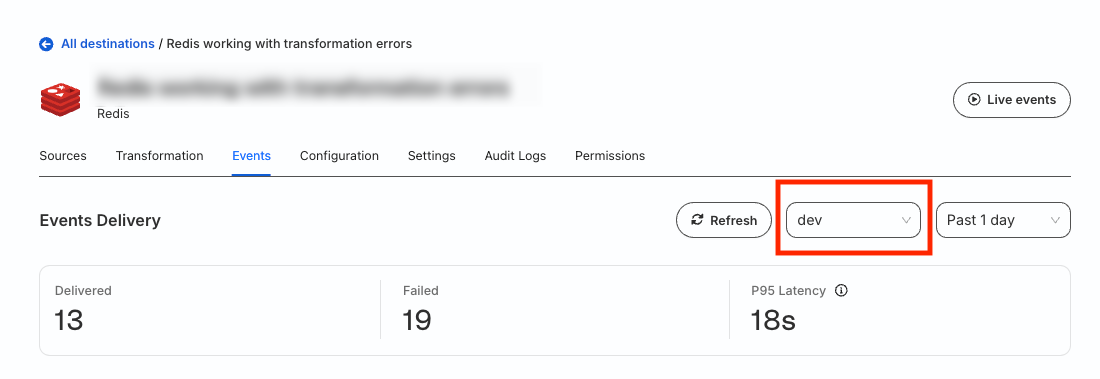
- View the P95 latency for events coming from a particular source: