
P95 Latency Alerts for Event Stream Destinations: General Availability

Configure alerts based on P95 latency for your Event Stream cloud destinations.
Available Plans
  • enterprise

P95 latency alerts for Event Stream cloud destinations are now Generally Available for all Enterprise customers.

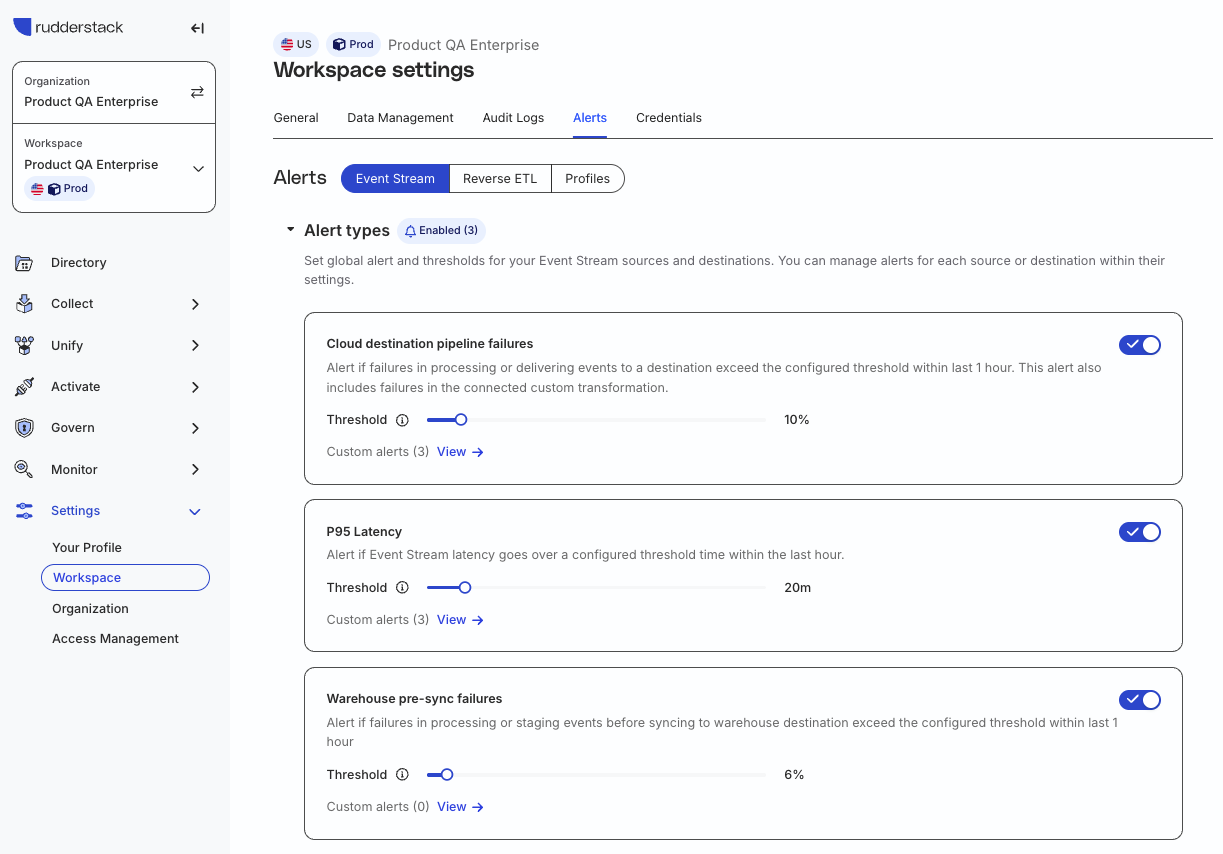
You can now configure P95 latency thresholds for your Event Stream cloud destinations and receive alerts whenever event delivery slows beyond acceptable limits. For example, if you set a P95 latency threshold of 15 minutes and 95% of events aren’t delivered within that window, RudderStack triggers an alert on your configured delivery channels — Slack, email, Microsoft Teams, or a custom webhook.

This helps you catch delivery delays early, troubleshoot proactively, and keep stakeholders informed before issues escalate.

What’s new

  • Generally available: P95 latency alerts are no longer in beta. They are fully supported and available for all Enterprise customers.
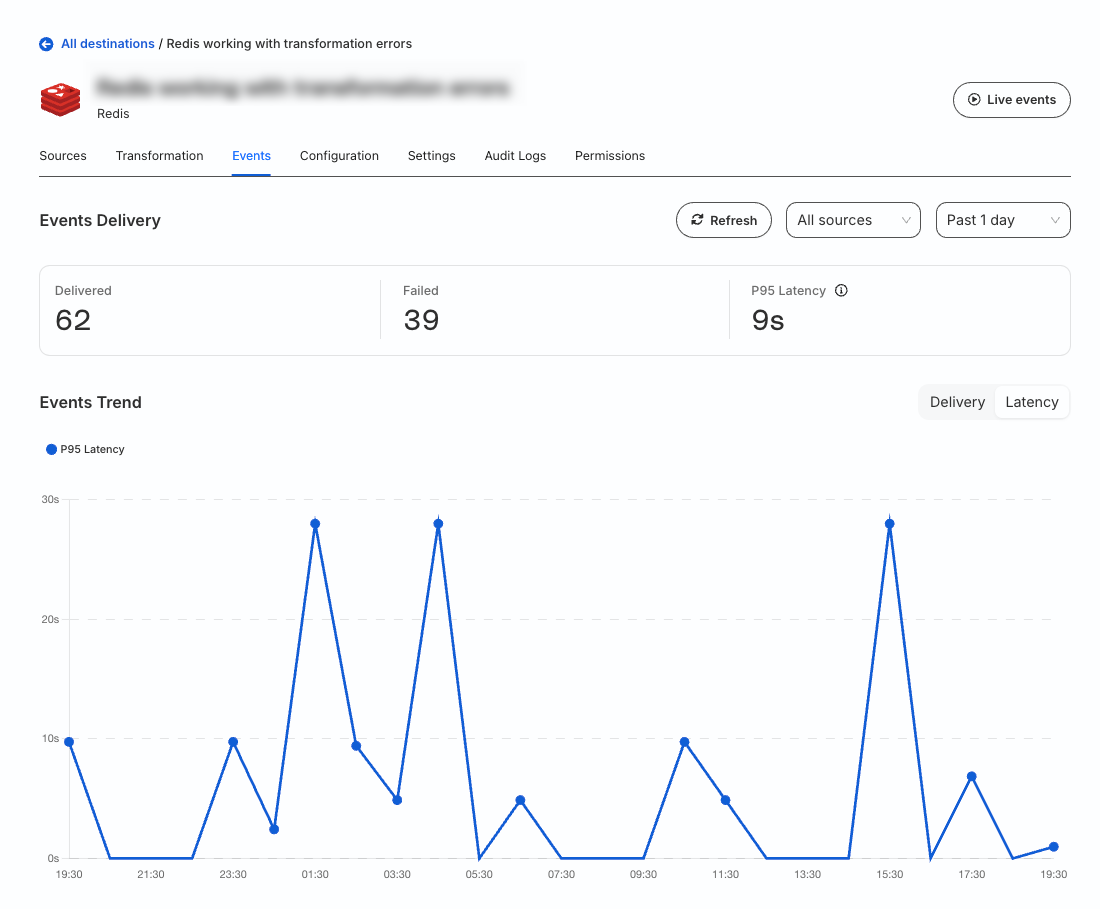
  • Expanded access: Previously, only Admins could view the P95 latency metric. Now, any user subscribed to P95 latency alerts for a destination can also view its latency metrics directly in the Events tab.
info

P95 latency alerts apply only to Event Stream destinations connected to sources in cloud mode.

They do not apply to Reverse ETL connections, warehouse destinations, and device mode connections.

See the following guides for more details:

Screenshots

  • Configure P95 latency alerts in the RudderStack dashboard:
Alerts option in RudderStack dashboard
  • View the P95 latency metric for a destination:
P95 latency for destination
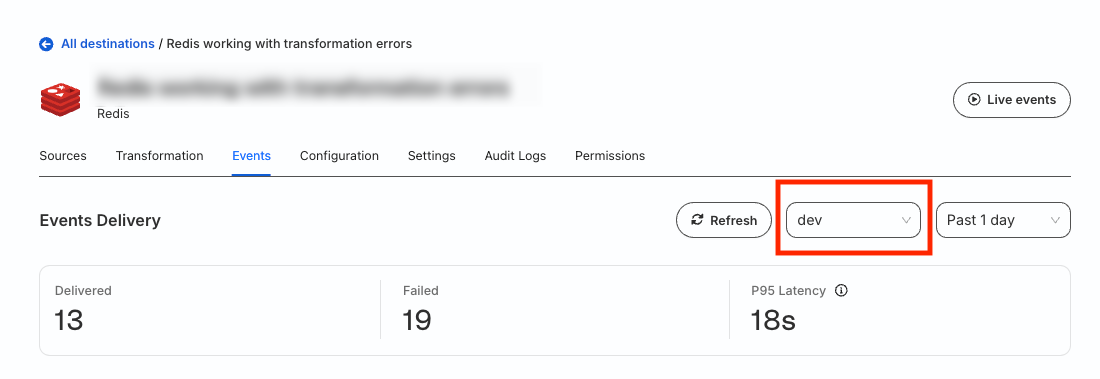
  • View the P95 latency for events coming from a particular source:
View source-specific P95 latency

Questions? Contact us by Email or on Slack