Native Facebook Lead Ads Source
- growth
- enterprise
3 minute read
- Date: Jun 16, 2026
RudderStack now supports Facebook Lead Ads as a native source. When someone fills out an Instant Form on Facebook or Instagram, their lead data flows directly into RudderStack — no LeadsBridge, no Zapier, no middleware in your data path. Leads arrive as standard identify events, ready to route to your CRM, data warehouse, marketing automation, and 200+ other destinations.
This OAuth-based source replaces the deprecated webhook-based Facebook Lead Ads integration, bringing the connection fully in-house with enterprise-grade reliability, observability, and regional compliance.
See the Facebook Lead Ads Source documentation for full details.
Why a native Facebook Lead Ads source?
Until now, getting Facebook leads into your stack meant a compromise. Manual CSV downloads from Ads Manager are slow and let leads go cold. Third-party middleware like LeadsBridge or Zapier is faster, but it routes your lead PII — names, emails, phone numbers — through a system you don’t control, which is a non-starter for teams with strict compliance requirements. Building your own integration is expensive and breaks every time Facebook’s API changes.
Facebook’s webhook design makes this genuinely hard to do well: the webhook only delivers a lead_id (not the lead itself), and Facebook requires acknowledgment within five seconds. RudderStack handles that two-step fetch internally — acknowledging the webhook immediately, then calling Facebook’s API to retrieve the full lead. So the complexity stays on our side. The result is a direct, first-party connection from Facebook to your infrastructure, with the retry logic, observability, and security controls you’d expect from the rest of your RudderStack pipeline.
Key features
- Direct, first-party connection: Leads flow from Facebook to your destinations without any third party touching your PII.
- OAuth-based setup: Authenticate with your Facebook business account and select a page — no manual webhook URL configuration.
- Reusable accounts across sources: Grant one OAuth account access to all your Facebook pages, then reuse it across multiple Facebook Lead Ads sources.
- Standard
identifyevents: Eachleadgenevent arrives as a normal RudderStackidentifyevent, enriched with page ID, form ID, and all custom form fields — ready for any of 200+ destinations. - Built-in deduplication: Facebook’s at-least-once delivery can resend the same lead, but RudderStack deduplicates on
messageIdso destinations never receive duplicates. - Regional compliance: US and EU CRM applications ensure your lead data is processed in the appropriate region based on your workspace.
Get started
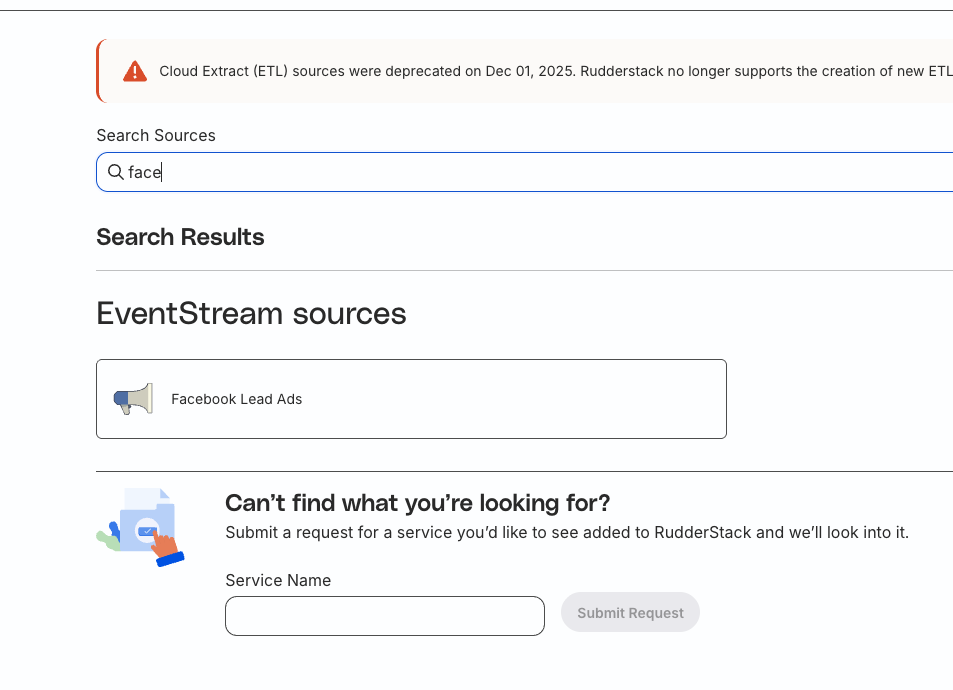
- In your RudderStack dashboard, click Add Source and select Facebook Lead Ads.
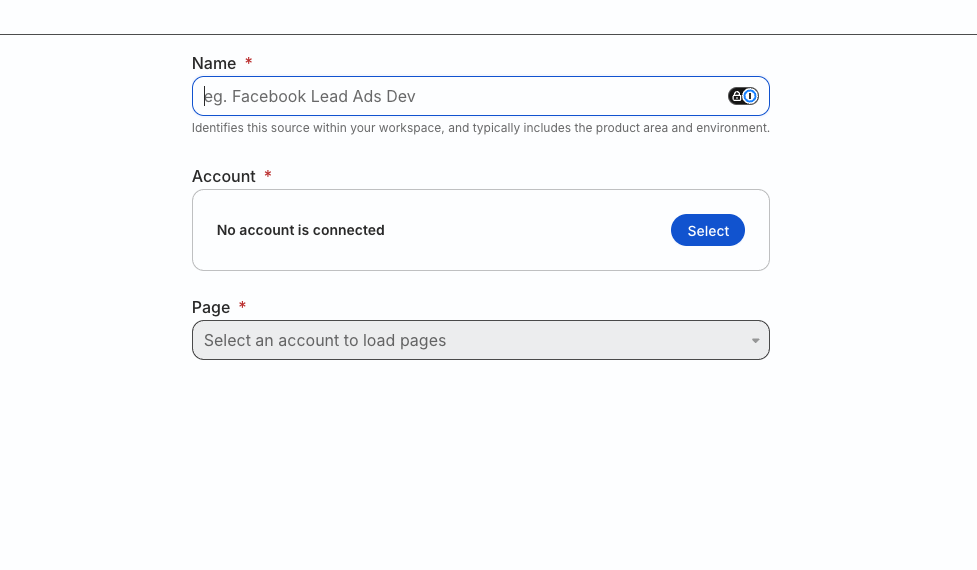
- Name the source, then under Account click Create account, choose OAuth, and authorize RudderStack to access your Facebook business account.
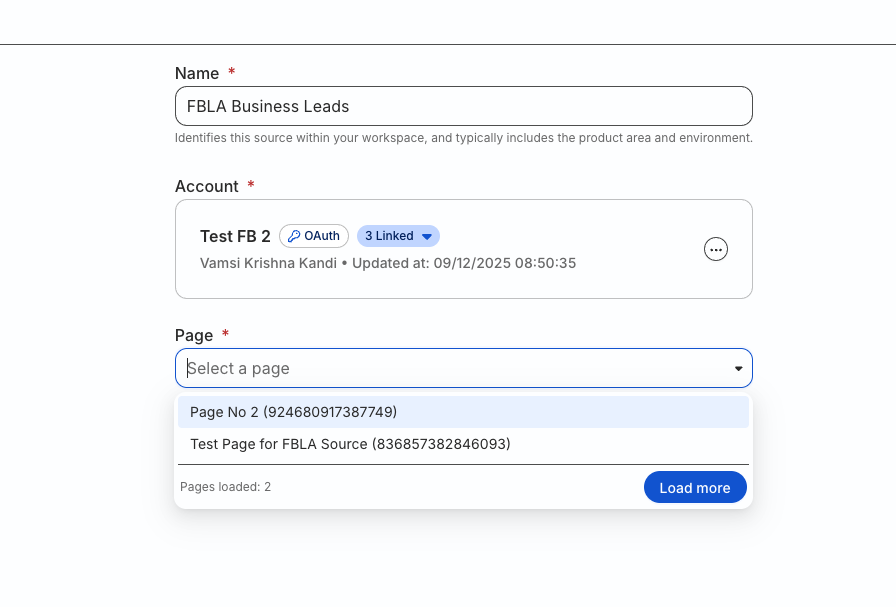
- Select the Facebook page you want to receive lead events from. Each source ingests events from one page.
- Connect a destination to start routing leads from your Facebook Lead Ads campaign.
See the Facebook Lead Ads Source documentation for detailed setup instructions and the full list of required OAuth permissions.
Resources
See the following guides for detailed instructions on using this feature:
Screenshots
1. Search for the Facebook Lead Ads source
2. Name the source and select or create an account to connect
3. Select the business page you want to connect to