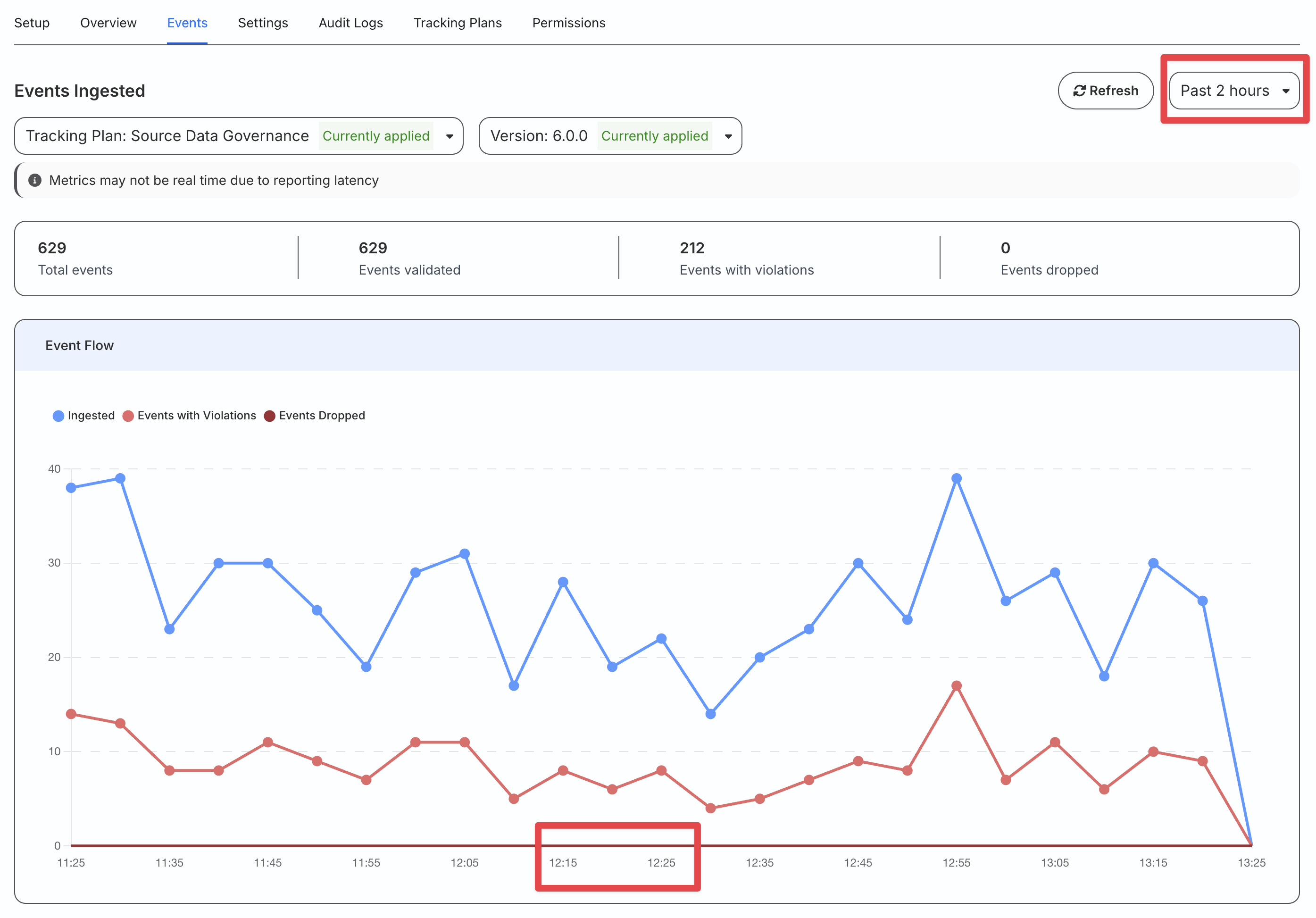
Events Tab 2-hour Time Window
Understand data flow and troubleshoot more quickly with a 2-hour time window view in the Events Tab.
Available Plans
- growth
- enterprise
less than a minute
- Date: Feb 14, 2025
Previously, the Events tab view in the Sources, Transformations, and Destinations configured in RudderStack defaulted to a 1-day time window.
Now, the Events tab defaults to a 2-hour time window, giving you much more granular visibility into data flow over the last few hours.
In the 2-hour view, data flow is shown in 5-minute increments, helping you:
- Review recent spikes or drops in traffic and events with higher precision.
- Troubleshoot potential issues as soon as they arise.
- Quickly validate if the fixes are having the desired effect.
See the Event Metrics guide for more information on this feature.
Screenshots