Full Custom Consent Manager Support
Beta- free
- growth
- enterprise
2 minute read
- Date: Oct 4, 2024
Previously, RudderStack supported fully-integrated consent data flows for OneTrust and Ketch - two popular consent management tools.
With this release, you can integrate your custom consent management solution with RudderStack, giving you granular control over consent settings for each individual destination.
You can also use the Custom Consent Management feature to implement compliant pre-consent user tracking, with the options to store no cookies, store only the session tracking cookie, or only persist the anonymousId.
RudderStack also supports running multiple consent management solutions simultaneously, which is useful when consent management solutions differ across platforms.
Custom Consent Management is now available on all RudderStack plans. See our documentation for more information on using this feature.
Workflow overview
Before capturing user consent, make sure that:
- You are running the latest version of the JavaScript SDK.
- You have set the
enabledkey to true in theconsentManagementAPI object. See the JavaScript SDK documentation for more information.
Update the code on your website to grab consent IDs from your custom consent manager.
Add the consent setting in the
loadobject, or pass them to the SDK’s consent API using theconsentmethod, as shown:
rudderanalytics.consent({
  consentManagement: {
    allowedConsentIds: ['performance', 'analytics'],
    deniedConsentIds: ['advertising']
  }
});
Using the consent method is helpful for tracking users who update consent settings and then go on to perform other actions on the same page and in the same session.
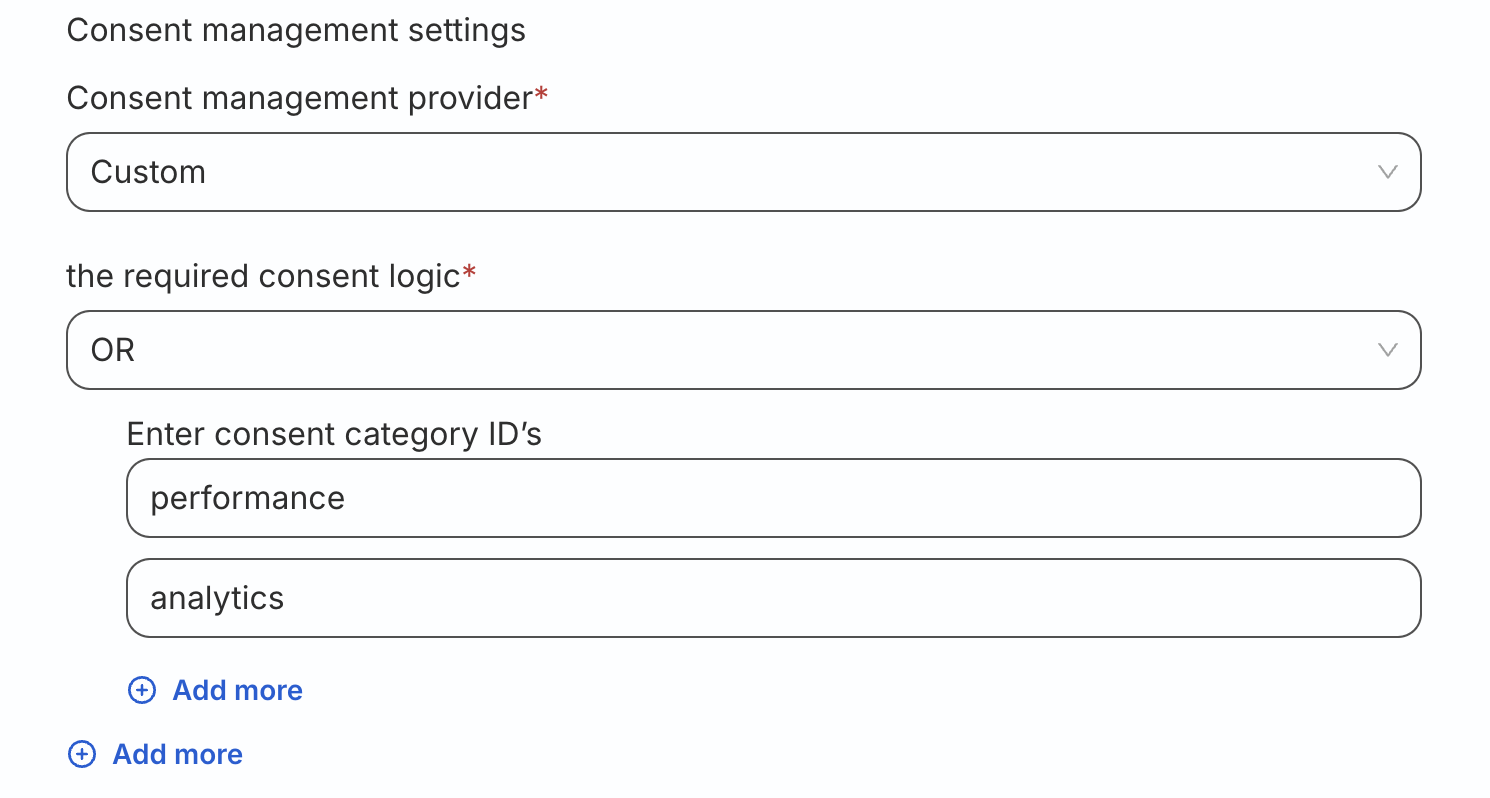
- Specify the consent settings for each destination by adding the allowed consent ID values in the Consent settings section of the destination configuration. In the below example, the destination accepts data from users have consented to only
performanceoranalyticstracking: