Custom Activation Destination: General Availability
- free
- growth
- enterprise
3 minute read
- Date: Sep 24, 2026
The Custom Activation destination is now Generally Available. You can sync audience membership to any HTTPS endpoint — an internal API, a regional ad platform, or a partner system — without a native integration for that platform. You can now connect it to a Reverse ETL source or sync an audience you built in Audience Builder.
See the Custom Activation Destination documentation for setup, request templates, and limitations.
Why a custom activation destination?
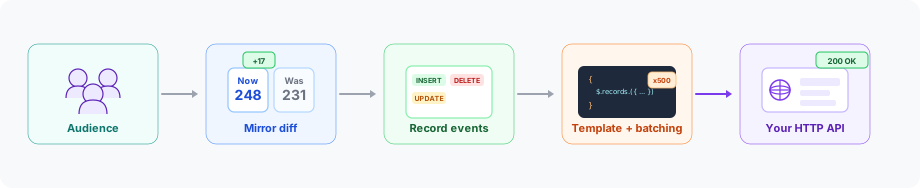
Native audience destinations cover the major ad platforms. You still need a way to activate warehouse segments against internal APIs, regional platforms, and partner systems that accept audience lists over HTTP. Custom Activation lets you define that delivery: HTTP method, endpoint path, batch size, and a JSON body for each membership change.
The same destination accepts membership from a Reverse ETL source or, when Audiences is enabled, from an audience you build in Audience Builder.
Key features
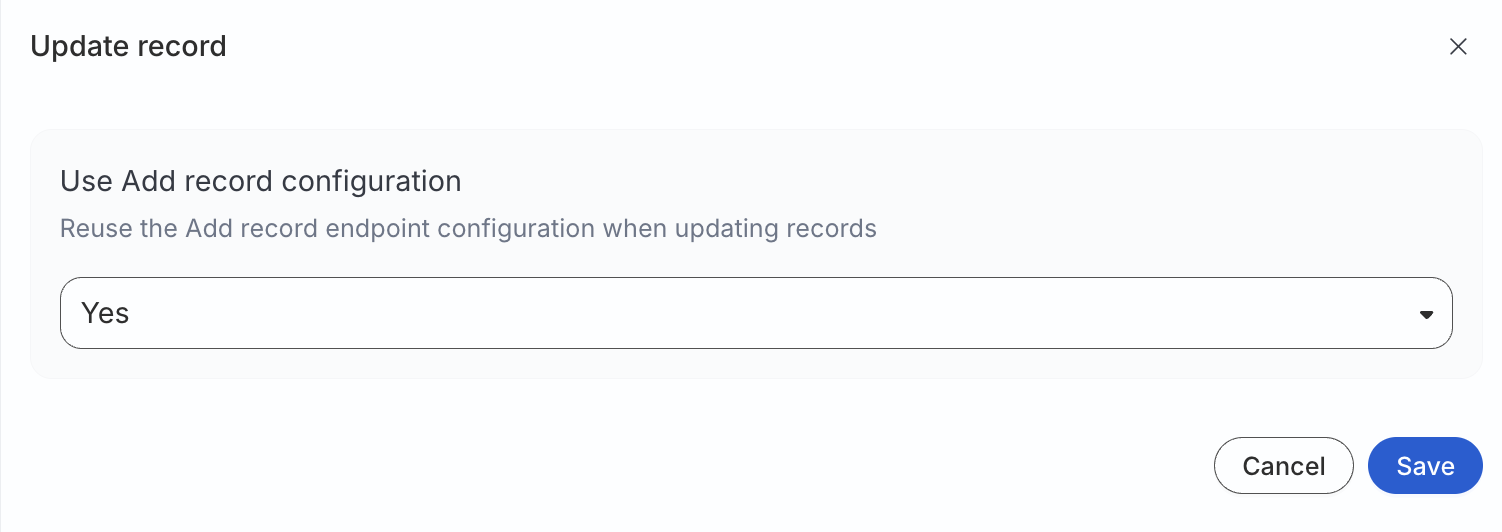
- Per-action endpoints: Configure add, update, and remove separately. You can reuse the add configuration for updates.
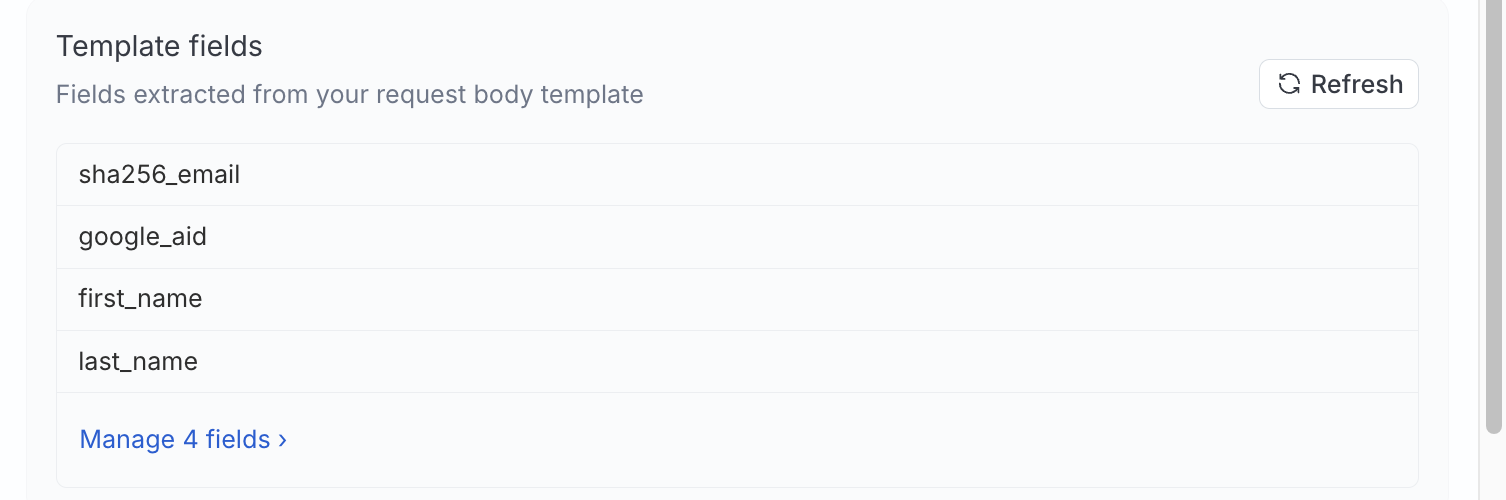
- Request body templates: Build the JSON payload your API expects from batched records and connection metadata, including the audience ID.
- Configurable batching: Send up to 5,000 records in each request, per action.
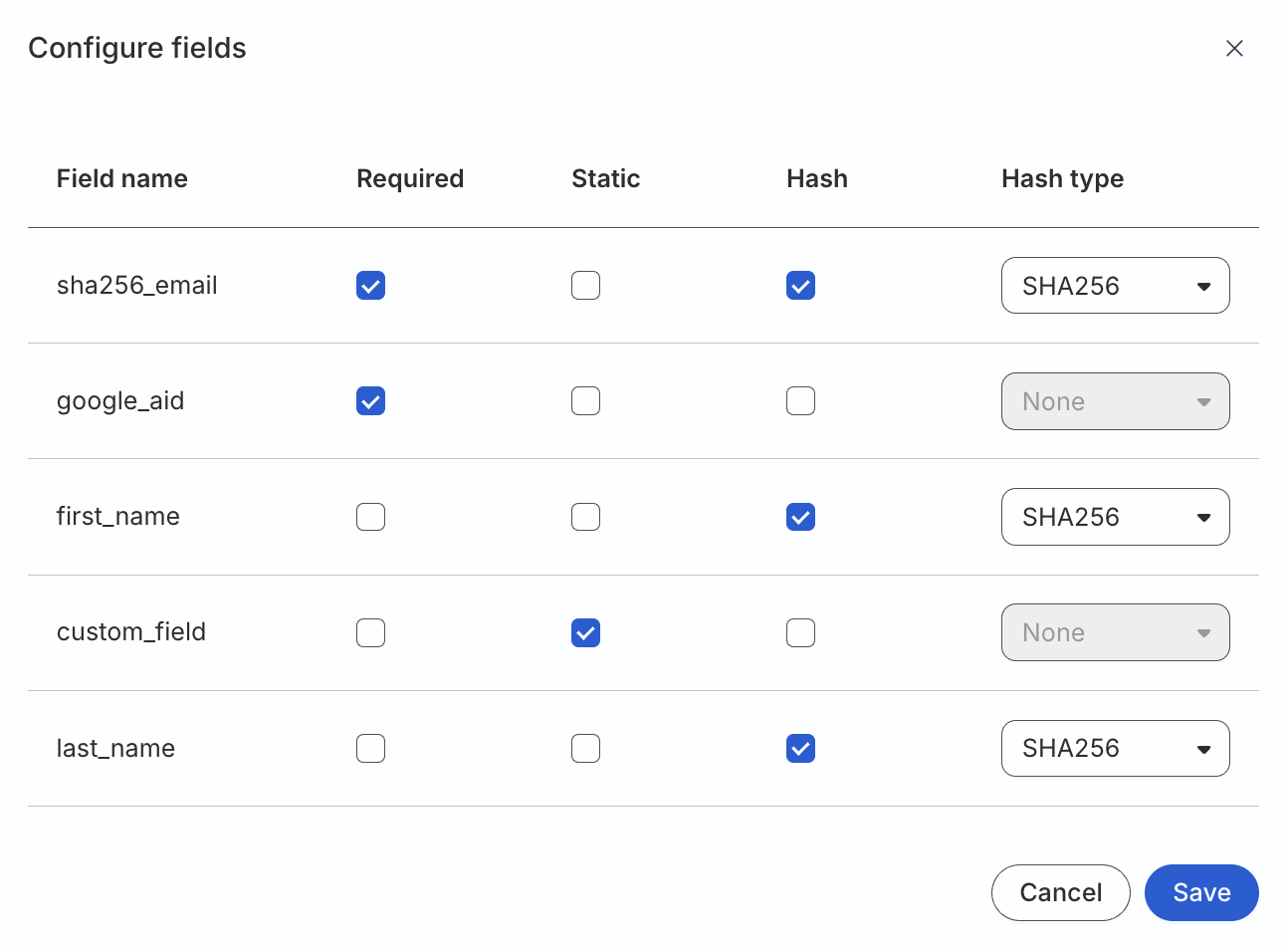
- Field-level hashing: Apply SHA256, SHA512, or MD5 to individual fields when your API expects hashed identifiers.
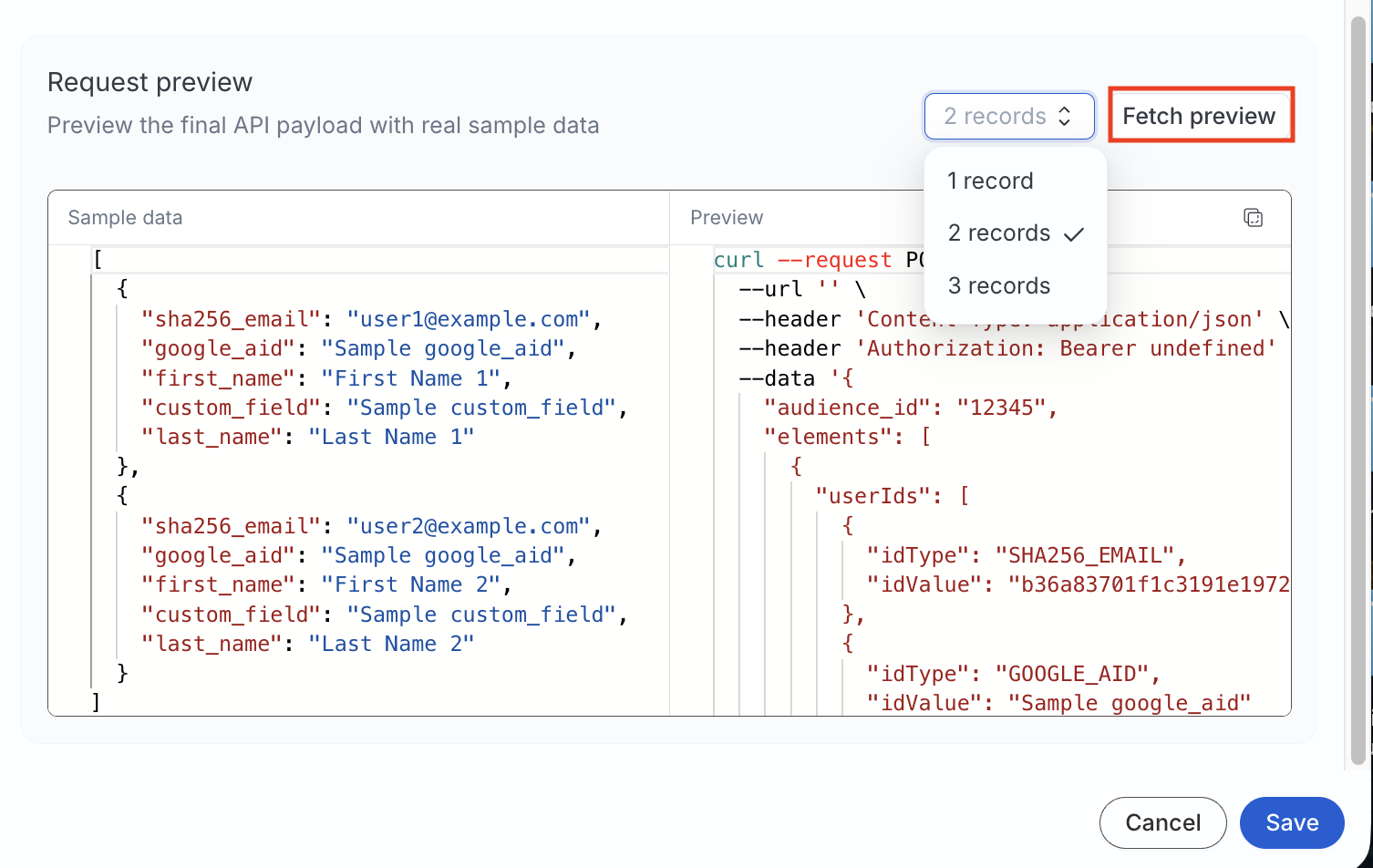
- Request preview: Inspect a sample method, URL, headers, and JSON body before any data is sent.
- Mirror sync: The first run sends the full membership. Later runs send only inserts, updates, and deletes.
- Audience Builder syncs (Private Beta): When Audiences is enabled, connect a saved audience from its Syncs tab and map audience columns to your template fields.
Custom Activation supports API key, Bearer token, Basic Auth, or no authentication. OAuth 2.0 support is coming next — if your destination requires OAuth, contact your RudderStack account team so we can prioritize your use case.
Get started
Create the audience list on your platform before you connect it. This destination does not create audiences for you.
Connect a Reverse ETL source
- Open a Reverse ETL source and click Add destination > Create new destination.
- Select Custom Activation, then set the base URL, authentication, and endpoints for add, update, and remove.
- Write a JSON request body template and set hashing on any fields that need it.
- Enter the audience name and ID, then map warehouse columns to the template fields.
- Run a mirror sync.
See Connect Reverse ETL Source to Custom Activation for templates, field mapping, and hashing.
Sync an audience
Audiences must be enabled for your workspace. The feature is in Private Beta.
- Build an audience in Audience Builder.
- Open the audience’s Syncs tab and click Add sync.
- Select Custom Activation, enter the audience name and ID on your platform, and map audience columns to the template fields.
See How to Sync Audiences to Custom Activation for mapping, hashing, and activation.
Resources
- Custom Activation Destination: How delivery works, use cases, and limitations
- Connect Reverse ETL Source to Custom Activation: Endpoints, templates, mapping, and troubleshooting
- Audiences Overview: How Audiences, the data graph, and Audience Builder fit together
- How to Sync Audiences to Custom Activation: Sync a saved audience to this destination
Screenshots
Configuration settings
Preview a sample request before any data is sent