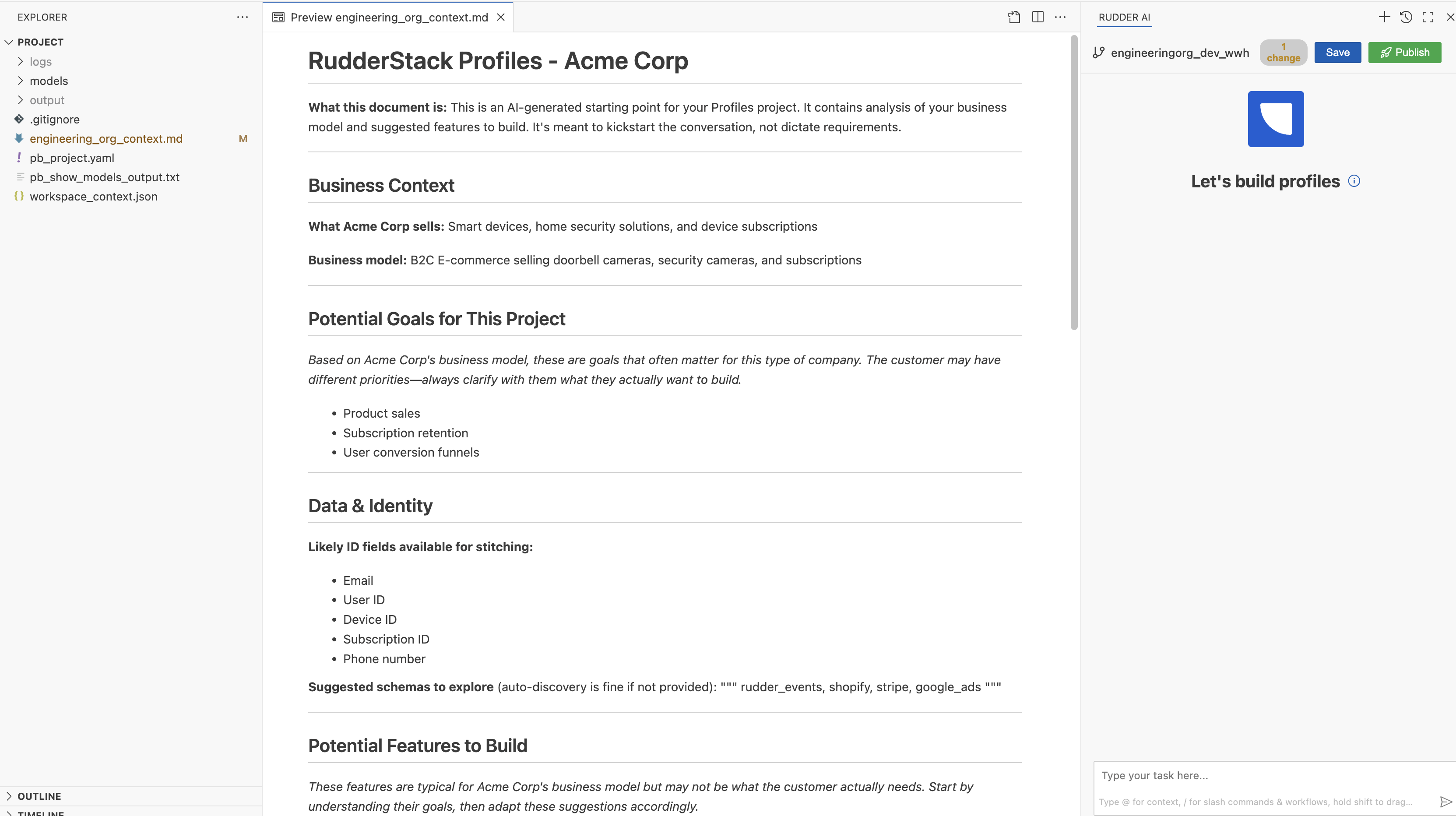
Use the Profiles IDE powered by Rudder AI to build, run, and debug your RudderStack Profiles projects.
2 minute read
The new Profiles IDE is an AI-powered web-based editor in the RudderStack dashboard that lets you develop your Profiles projects in a production-ready environment with version control.
The new Profiles IDE is currently in beta — it is included with your Profiles plan at no additional cost.
Overview
Profiles IDE provides a development environment where you build Profiles projects through file editing and AI chat. You can use it to:
Build new Profiles projects from scratch with AI guidance
Edit existing projects with warehouse-aware suggestions
Iterate quickly without local setup or environment configuration
Work with git-native workflows including branching and pull requests
The IDE includes:
AI chat interface: Ask questions, generate code, get warehouse-aware suggestions
Code editor: View and edit project files directly
Git integration: Built-in version control with branching and commits
The AI assistant uses your warehouse schema, project files, and Profiles best practices to guide you as you work.
How the IDE works
When you launch the IDE from your Profiles project, you enter a hosted development environment. The AI assistant can see your warehouse connection details, project files, and schema information to help you build models, define features, and configure entities.
Git automatically tracks changes you make. You can save work in progress, publish to your deployment branch, and raise pull requests for team review. Learn more about the Git workflow in the Version Control guide.
Security and isolation
Each Profiles IDE session runs in an isolated environment with scoped access to only your warehouse credentials and project files. Sessions are ephemeral and cleaned up after inactivity.
This site uses cookies to improve your experience while you navigate through the website. Out of
these
cookies, the cookies that are categorized as necessary are stored on your browser as they are as
essential
for the working of basic functionalities of the website. We also use third-party cookies that
help
us
analyze and understand how you use this website. These cookies will be stored in your browser
only
with
your
consent. You also have the option to opt-out of these cookies. But opting out of some of these
cookies
may
have an effect on your browsing experience.
Necessary
Always Enabled
Necessary cookies are absolutely essential for the website to function properly. This
category only includes cookies that ensures basic functionalities and security
features of the website. These cookies do not store any personal information.
This site uses cookies to improve your experience. If you want to
learn more about cookies and why we use them, visit our cookie
policy. We'll assume you're ok with this, but you can opt-out if you wish Cookie Settings.