How to Share Lookout Dashboards Private Beta

Publish read-only dashboards generated in Lookout to people outside your workspace.

Most work in Lookout stays inside your workspace and is visible only to its members. When you want to show something to people outside the team, you can publish a read-only public dashboard, protected by an unguessable link.

Share within your workspace

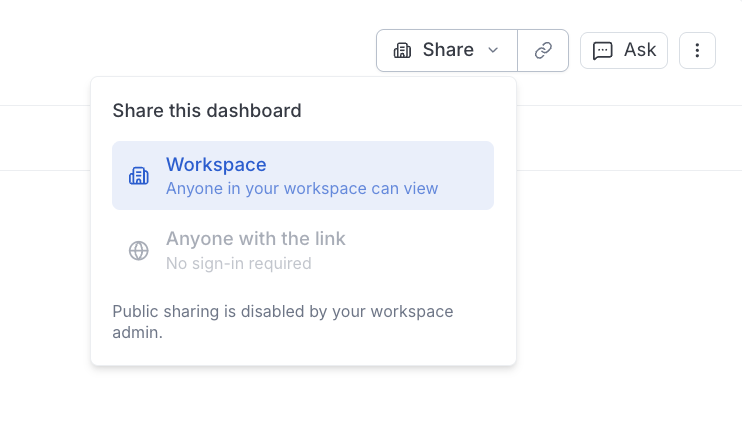
Every dashboard is visible to everyone in your workspace by default. Use the Share menu on a dashboard to confirm workspace visibility or to create a public link.

The dashboard share menu showing workspace and public link options

Public dashboards

A dashboard can be published to a public link that anyone can open without signing in. The public dashboard re-runs its queries on each load, so viewers always see current numbers.

Note that:

  • The link is protected by a secret share token.
  • The public view is read-only — viewers can’t edit the dashboard or act on your team’s behalf.

Public sharing policy

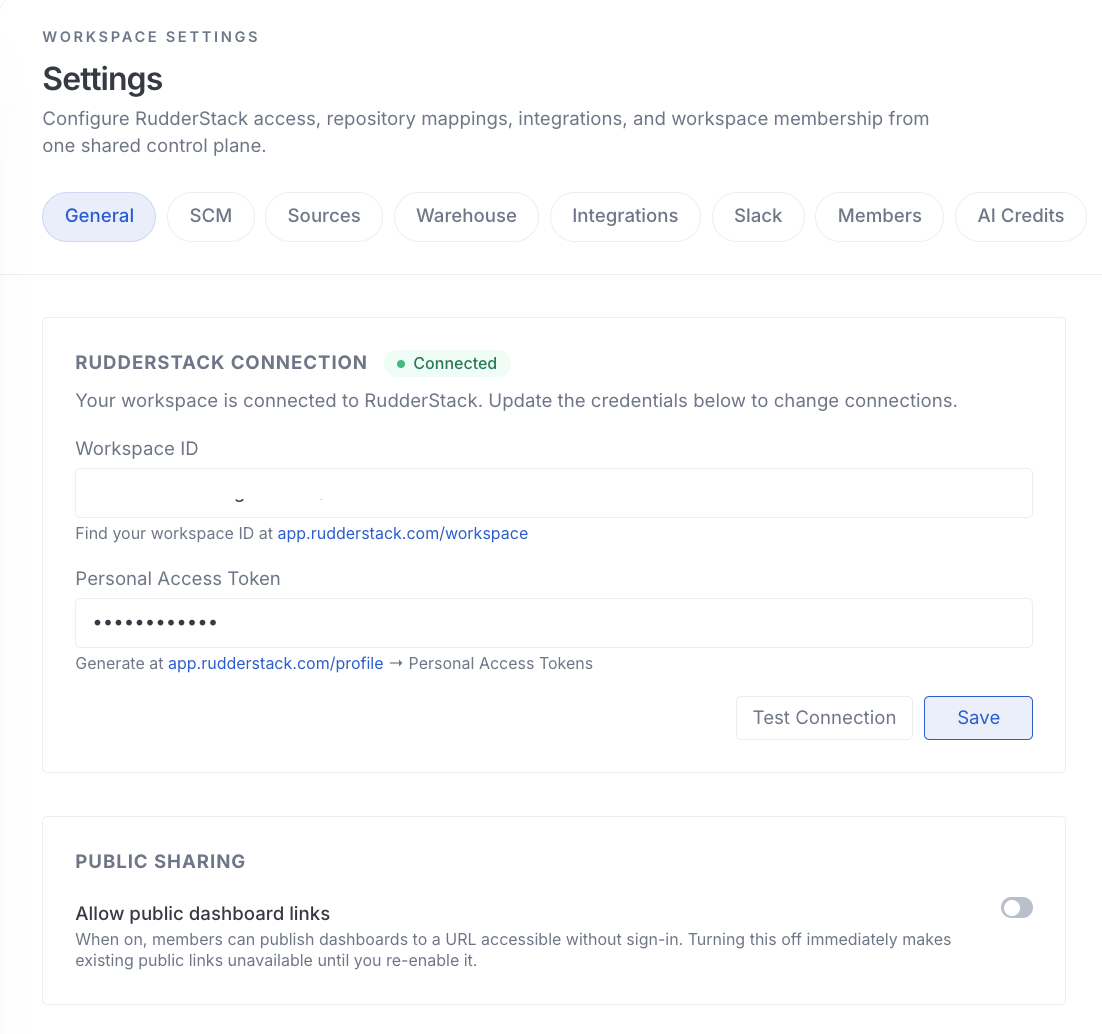
Publishing to a public link is gated by a workspace setting. An Admin can enable public sharing under Settings > General > Public sharing.

When the Allow public dashboard links setting is off, existing public links are unavailable until it is enabled again.

The public sharing setting in workspace settings
warning

A public link means unauthenticated access

Anyone who holds a public dashboard link can view it — there is no per-viewer login, only the secret token in the URL. Because a public dashboard can expose warehouse query results, treat publishing as a deliberate decision and share the link accordingly.

Everything else in your workspace stays members-only.

See Roles and Permissions for more details on how guest and public access fit into the workspace model.


Questions? We're here to help.

Join the RudderStack Slack community or email us for support