How to Build Dashboards with Rudder Lookout Private Beta
2 minute read
Rudder Lookout is currently in Private Beta, where we work with early users and customers to test new capabilities and gather feedback before making it generally available.
Contact your Customer Success Manager if you are interested in enabling Lookout for your team.
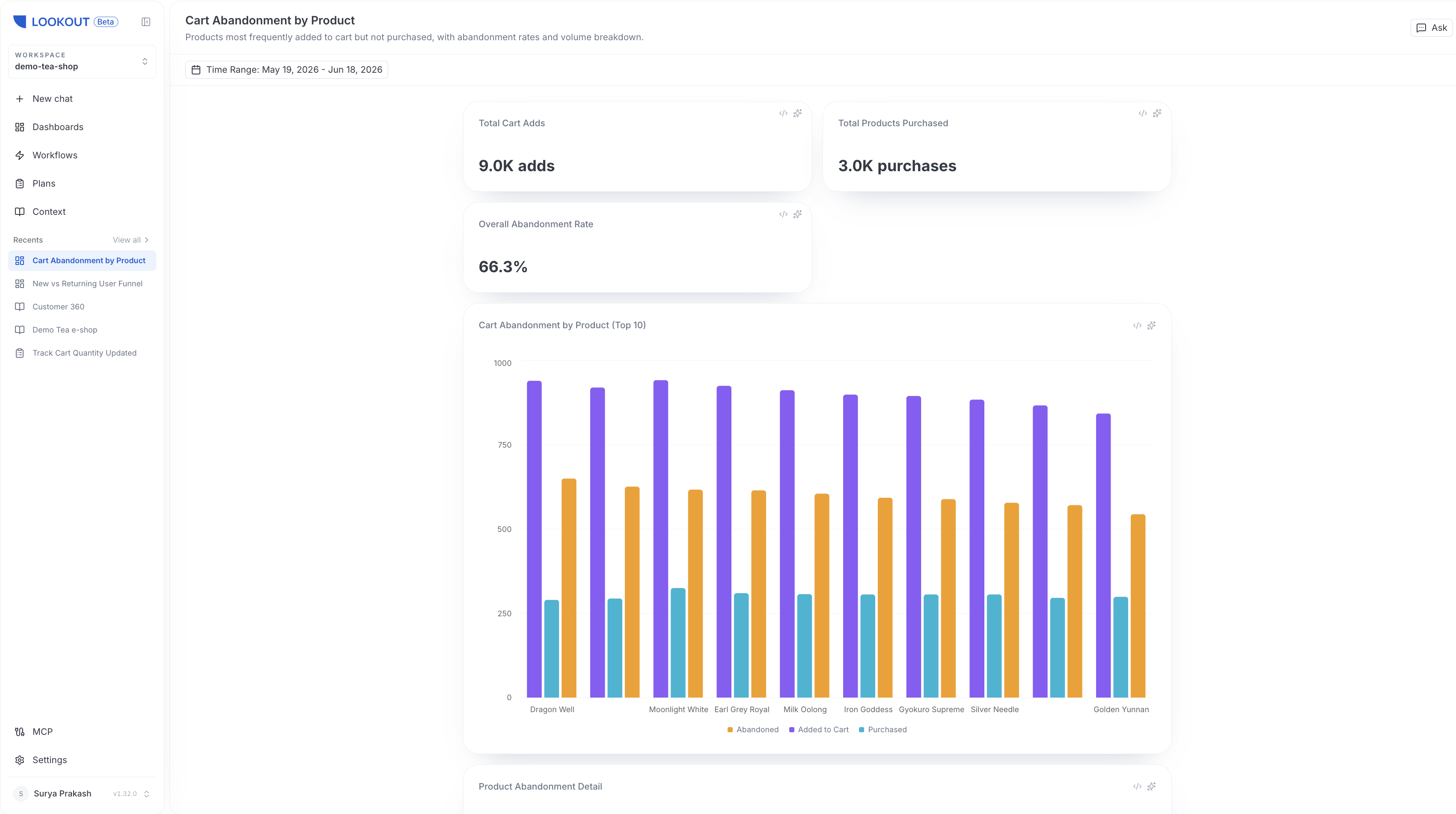
A dashboard turns an ad-hoc answer into something your team keeps. Dashboards are built and iterated on in chat, each has its own link inside your workspace, and they re-run their queries fresh on every load — so a dashboard always reflects current data.
Build a dashboard from chat
When an answer is worth keeping, ask the agent to save it as a dashboard panel. The agent writes a dashboard specification, its parameters and panels, and gives it a slug-addressed URL inside your workspace.
You can keep refining a dashboard conversationally — ask the agent to add a panel, change a grouping, or adjust a filter, and it edits the dashboard in place.
Panel types
A dashboard is made up of panels. Lookout supports four panel types:
| Panel | Best for |
|---|---|
| Chart | Trends and comparisons over time or across categories |
| Table | Row-level detail and breakdowns |
| Metric | A single headline number, such as a total or a rate |
| Funnel | Step-by-step conversion through a sequence of events |
Parameters and filters
Every dashboard carries parameters that let viewers re-scope the data without editing it:
- Time range: Always present, so any viewer can change the window the dashboard covers.
- Filters: Optional single-select and multi-select filters you can add to narrow the data.
Because dashboards re-run their queries on every load, changing a parameter always pulls current numbers rather than cached ones.
Live data, nothing cached
Dashboards store their definition, not their data. Each time a dashboard loads, its queries run again against your warehouse, and no result rows are cached. This keeps dashboards current and means your warehouse data stays in your warehouse.
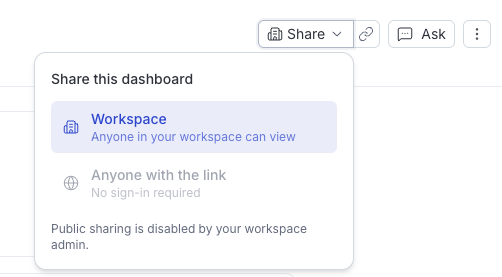
Share dashboards
Every dashboard is visible to everyone in your workspace by default. Use the Share menu on a dashboard to confirm workspace visibility or to create a public link.