How to Connect a Warehouse to Lookout Private Beta
4 minute read
Rudder Lookout is currently in Private Beta, where we work with early users and customers to test new capabilities and gather feedback before making it generally available.
Contact your Customer Success Manager if you are interested in enabling Lookout for your team.
The Lookout agent requires access to your data warehouse to answer questions about your data.
The agent lists tables, inspects schema, and runs SQL to answer questions, build dashboards, and investigate your pipelines. The results flow straight into charts, tables, metrics, and funnels.
Lookout supports the following warehouses:
- PostgreSQL
- Snowflake
- Redshift
- BigQuery
- Databricks
- ClickHouse
Connect a warehouse
Only admins can create, connect, edit, and test a warehouse connection. See Roles and Permissions for more information.
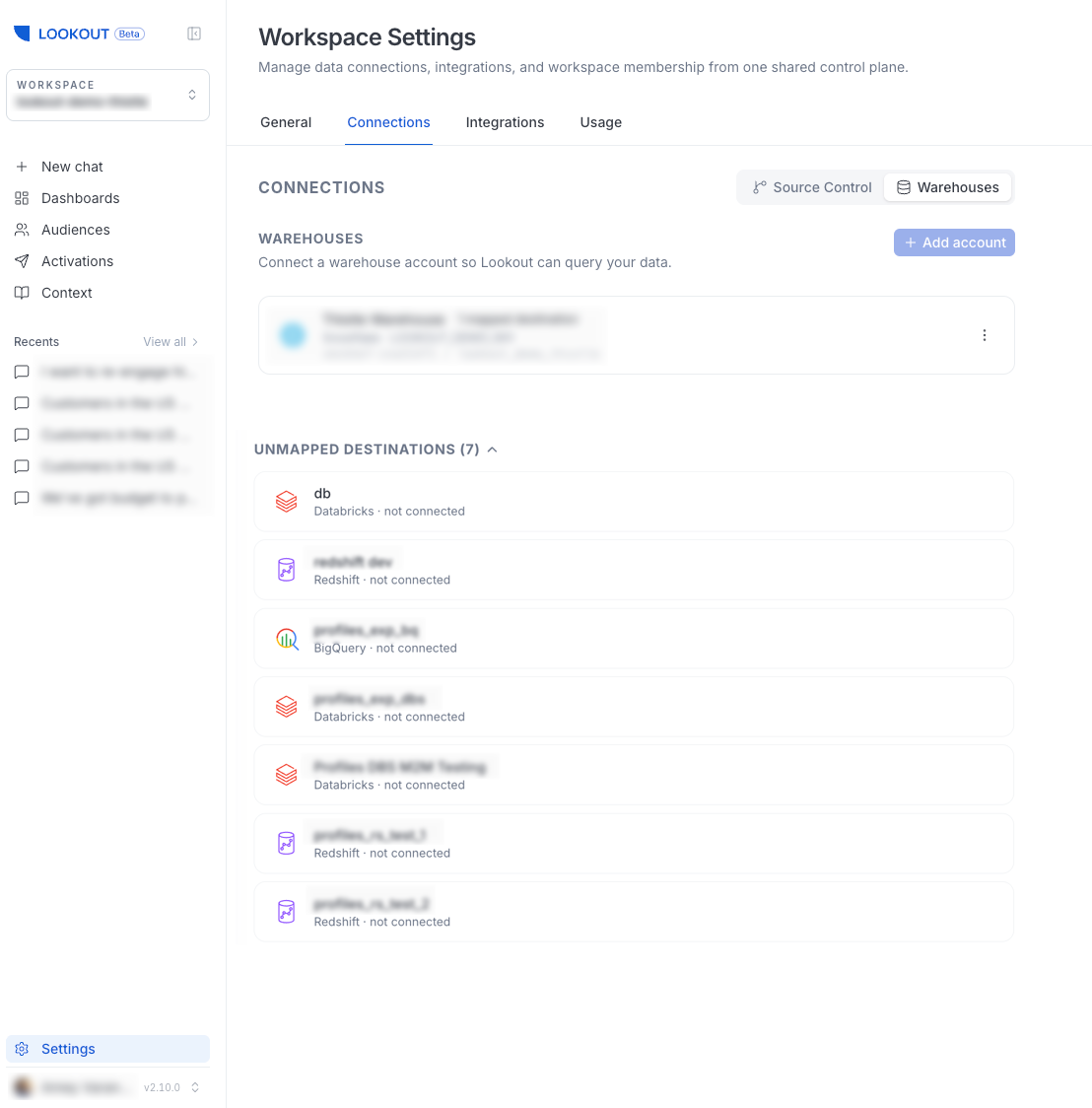
- Go to Settings > Connections > Warehouses.
- Select Add account and choose your warehouse type.
- Enter the connection details and save.
Note that:
- Connected warehouses appear at the top of the page.
- RudderStack destinations that are not yet mapped to a warehouse connection are listed under Unmapped Destinations, so you can see at a glance what is available to connect.
Best practices
Follow these best practices to ensure a smooth and secure connection to your warehouse.
Dedicated read-only service account
For every warehouse, connect Lookout through a dedicated service identity that has read-only access rather than reusing a person’s credentials or an account with broad privileges. This isolates RudderStack’s access to your warehouse, keeps it strictly read-only, and makes it easy to audit or revoke independently of anyone’s personal login.
Each platform has its own name for this kind of identity, but the principle is the same — create an identity, grant it read-only access to the data Lookout needs, and use it for the connection:
| Warehouse | Identity to create | Access to grant |
|---|---|---|
| Snowflake | Service user with a dedicated read-only role | SELECT on the relevant databases/schemas |
| BigQuery | Service account | Read-only roles (for example, Data Viewer + Job User) |
| Databricks | Service principal | Read-only grants on the relevant catalogs/schemas |
| Redshift | IAM service user / dedicated database user | SELECT on the relevant schemas |
| PostgreSQL | Dedicated database role | SELECT (read-only) on the relevant schemas |
| ClickHouse | Dedicated database user | SELECT (read-only) on the relevant databases |
Scope the grant to only the databases, schemas, and tables Lookout needs. Read-only, least-privilege access keeps the connection’s blast radius small.
Note that creating a service account, role, or user, and granting it read-only access usually requires warehouse-administrator privileges. If you don’t manage your warehouse directly, reach out to your Infra team to have it set up.
The exact credentials and permissions each warehouse needs are shown on its connection page in Settings > Connections > Warehouses.
Allocate and isolate compute
The following recommendations help Lookout respond quickly while keeping costs predictable. They are written with Snowflake in mind, but the same principles apply to other warehouses — the exact settings may differ:
- Assign enough compute: Larger compute size means faster queries and quicker access to your data, which makes the agent feel more responsive.
- Isolate the workload: Where possible, point Lookout at a separate, dedicated compute resource rather than one shared with production jobs. This isolates Lookout’s usage for cleaner cost attribution and avoids competing with other workloads.
- Auto-suspend aggressively: Configure the compute to shut down quickly when idle — for example, after 5 minutes of inactivity or less. Because Lookout’s usage is bursty, aggressive auto-suspend keeps costs low without affecting responsiveness.
Read-only access
Warehouse access is strictly read-only. The agent can query and inspect your data, but it can’t write to or alter your warehouse.
Note that:
- Dashboards store their definition, not their data — they re-run their queries on every load and store no result rows on RudderStack’s servers
- Connection credentials are encrypted at rest
See Security and Data Handling for more information.
Where warehouse data is used
Once a warehouse is connected, the same connection powers the following Lookout features:
- Chat answers: Natural-language questions answered with live queries
- Dashboards: Panels that re-run their queries on every load
- Audiences: Segments built from your warehouse data and kept in sync with destinations
- Slack: The same answers from a Slack DM or channel
