Verify RudderStack Installation
3 minute read
Before using RudderStack, it is highly recommended to verify that your installation works as expected by sending some test events. You can use any of the following approaches:
This guide assumes that you have already installed and set up RudderStack in your preferred environment.
Bundled shell script
The rudder-server GitHub repository contains a bundled shell script that generates test events. Clone the repository by running the following command:
git clone https://github.com/rudderlabs/rudder-server.gitThen, follow the steps below to send test events.
Step 1: Get source write key
RudderStack Open Source dashboard
If you have signed up for RudderStack open source, follow these steps:
- Log in to your RudderStack Open Source dashboard.
- Set up a source and connect it to a destination.
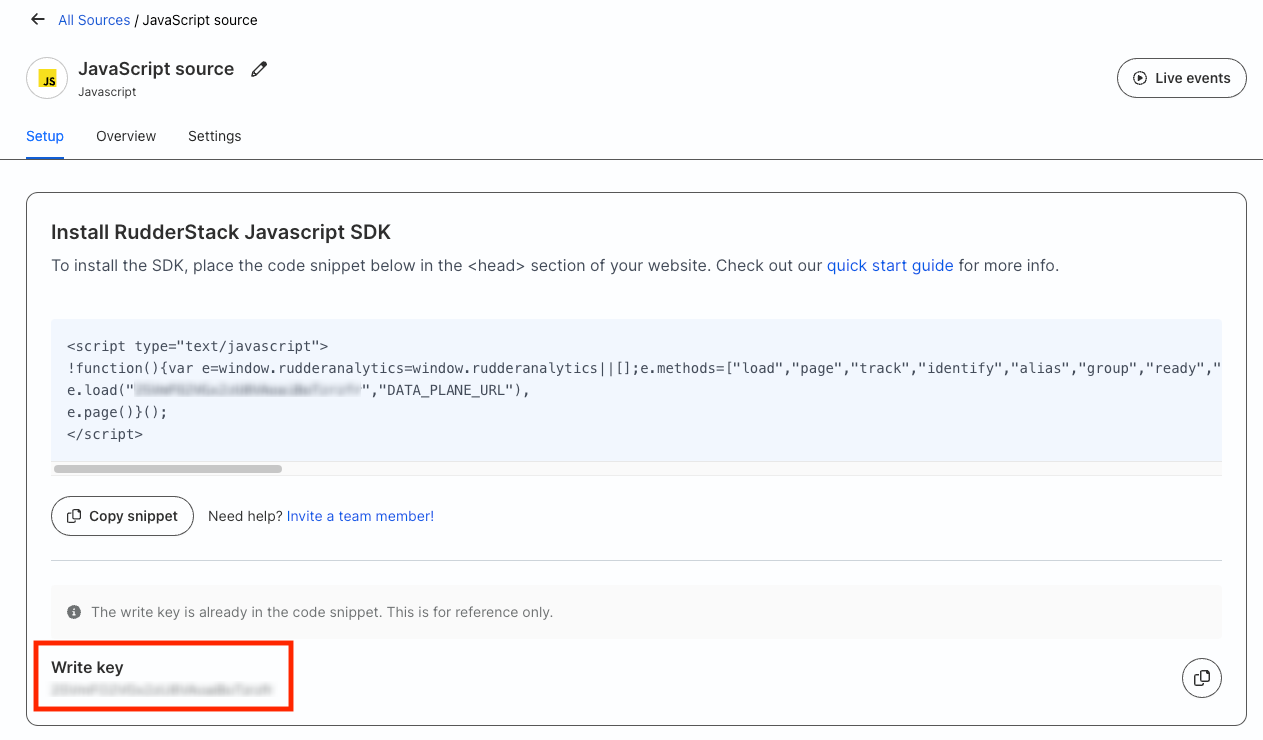
- You can find the write key in the Setup tab of your source.
Self-hosted control plane
If you are self-hosting the control plane using Control Plane Lite, follow these steps:
- Set up a source and connect it to a destination.
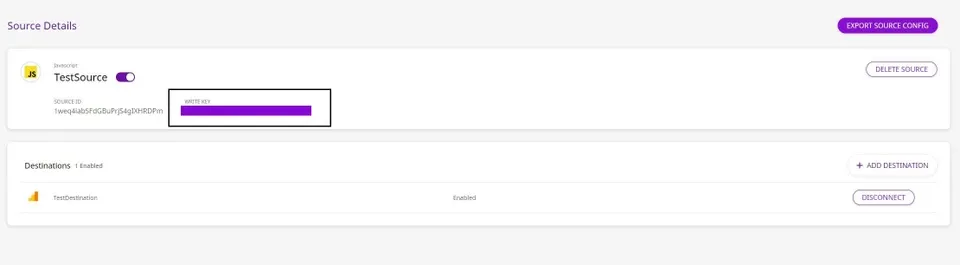
- Note the write key for the source:
Step 2: Send test events
To send test events, follow the steps in the sections below depending on your preferred setup:
Local setup
- Navigate to the folder where RudderStack is installed.
- Run the following command:
./scripts/generate-event <WRITE_KEY> <DATA_PLANE_URL>/v1/batch- Go to your source in the RudderStack Open Source dashboard and check the Live Events tab to verify if the events are delivered.
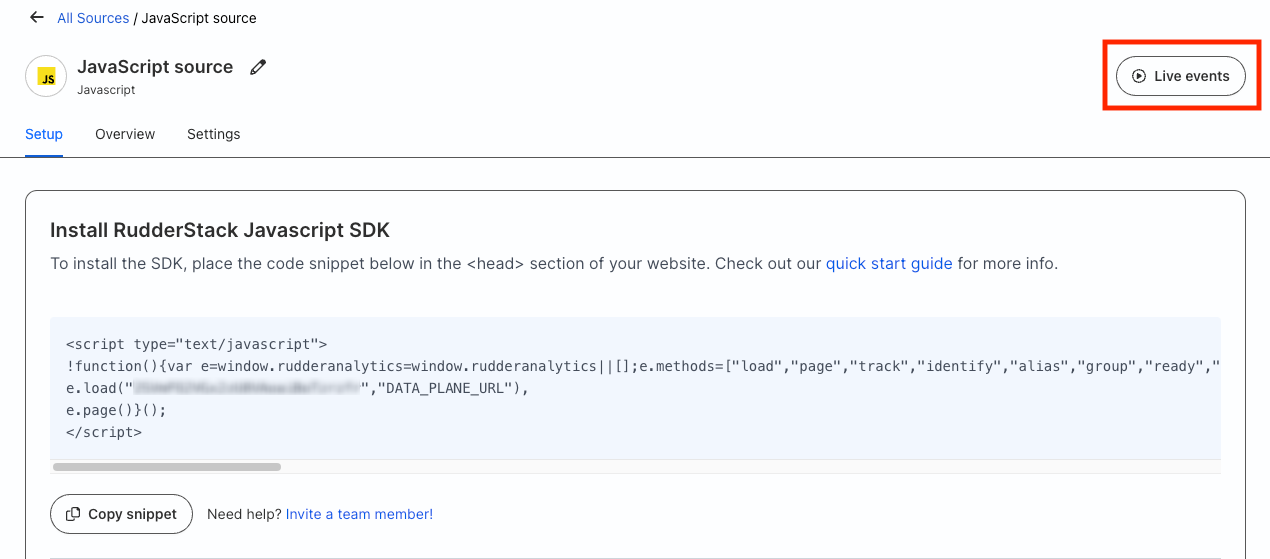
An example is shown below:

Docker setup
- Run the following command:
docker exec -ti \
    <rudder-server-running-container-id> \
./scripts/generate-event <WRITE_KEY> <DATA_PLANE_URL>/v1/batch- Go to your source in the RudderStack Open Source dashboard and check the Live Events tab to verify if the events are delivered.
Unlike RudderStack Open Source, the control plane set up using Control Plane Lite does not support the Live Events feature.
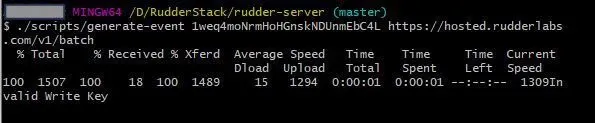
If you supply an invalid source write key or data plane URL, you will get the following error:
RudderStack HTTP API
To send test events using the RudderStack HTTP API, follow these steps:
- Import this Postman collection.
- Edit the variables
source_write_keyanddata_plane_urlin this collection with your source write key and data plane URL.
RudderStack uses Basic Authentication for authenticating all HTTP requests. The HTTP Basic Authentication requires a user name and password, where:
- Username is the
source_write_key. - Password is an empty string (
"").
- Send the test API requests.
- Go to your source in the RudderStack Open Source dashboard and check the Live Events tab to verify if the events are delivered.
