Page
3 minute read
The page call lets you record your website’s page views with any additional relevant information about the viewed page. Many destinations require the page events to be called at least once every page load.
The RudderStack JavaScript SDK includes apagemethod in its snippet just after therudderanalytics.loadmethod.
Sample payload
Here is a sample payload of a page call after removing the common fields:
{
  "type": "page",
  "name": "Home",
  "properties": {
    "title": "Home | RudderStack",
    "url": "http://www.rudderstack.com"
  }
}
The corresponding event that generates the above payload via the JavaScript SDK is:
rudderanalytics.page("Home")The JavaScript SDK automatically gathers the page
titleandurland passes them into the event payload.However, note that the HTTP API or the server-side SDKs do not automatically capture these properties.
Send a sample page call
Use RudderStack’s Event Playground app to send sample events to RudderStack and test the data flow without any instrumentation.
Click Send to see the API call in the Network tab of your browser’s developer tools.
Follow these steps to use the Event Playground app to send test events to your account:
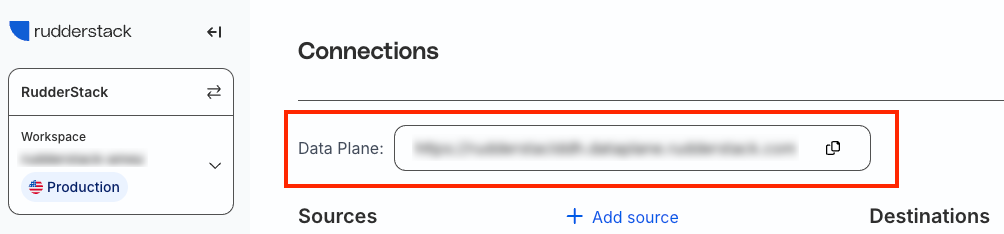
- Sign in to the RudderStack dashboard. Note the data plane URLThe data plane URL is the location where events are routed and sent to the RudderStack backend for processing. You can find this URL at the top of the Connections page in your RudderStack dashboard. at the top of the default Connections page.
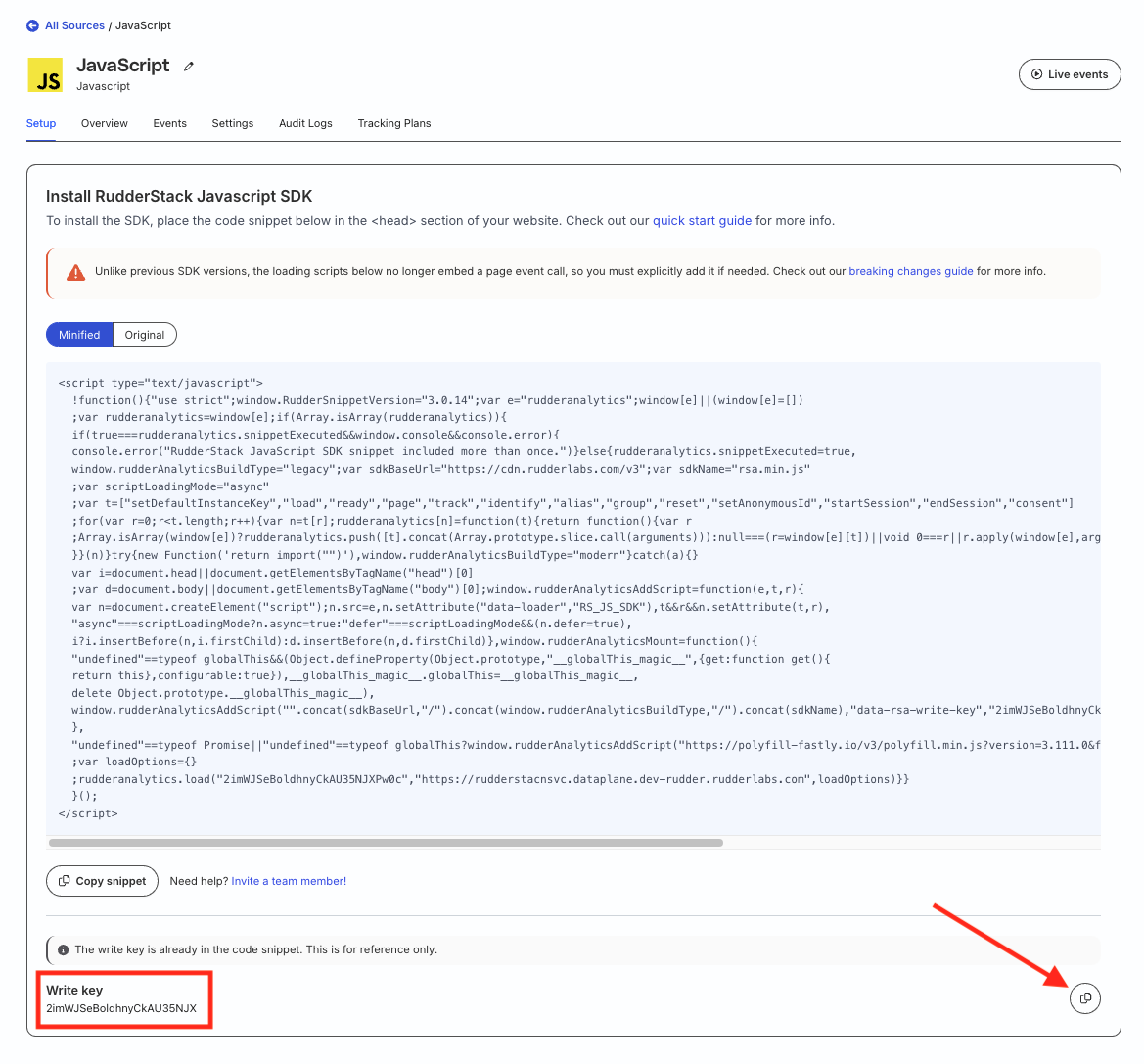
- Set up a source and note its write keyThe write key (or source write key) is a unique identifier for your source. RudderStack uses this key to send events from a source to the specified destination. .
- Click Use My Account in the Event Playground app below and specify the write key and data plane URL obtained in the above steps.
- Click Save.
- Select the required API Method from the dropdown. You can also edit the relevant fields or traits/properties.
- Click Send to my account to send the event.
- Go to the Live Events viewer of your source (set up in Step 2) to verify that the event is successfully received.
Page fields
Apart from the common fields, the page call accepts the following fields:
| Field | Type | Presence | Description |
|---|---|---|---|
name | String | Optional | The name of the page. |
category | String | Optional | The category of the page. |
properties | Object | Optional | Includes the properties of the page like the url, referrer, etc.For more information, see the Properties section below. |
Properties
Properties are additional information that describe the viewed page.
RudderStack has reserved some standard properties listed in the following table and handles them in a special manner. For instance, path should always be the URL path of the page and referrer should be the URL of the previously viewed page.
| Property | Type | Description |
|---|---|---|
name | String | The page name. This is a reserved property for future use. |
category | String | The page category. |
path | String | The path component of the page URL. |
url | String | Full page URL. RudderStack first looks for the canonical URL. If it is not present, RudderStack uses the |
title | String | The page title. |
referrer | String | The full URL of the previous page visited by the user. |
search | String | The querystring component of the page URL. |
keywords | Array | A list or array of keywords describing the page. These keywords are similar to the keywords used for SEO purposes. This property is not automatically collected. |
