Vero Web Device Mode Integration
3 minute read
RudderStack lets you send your event data to Vero via web device mode.
Identify
The identify call lets you identify a user and associate them to their actions. It also lets you record any traits about them like their name, email, etc.
A sample identify call is shown below:
rudderanalytics.identify("1hKOmRA4GRlm", {
  "email": "alex@example.com",
  "gender": "Male",
  "randomKey": "randomData"
})
Supported mappings
The following table lists the mapping of the RudderStack traits to the corresponding Vero properties:
| RudderStack trait | Vero property | Presence |
|---|---|---|
userId/anonymousId | id | Required. |
email | email | Optional |
context.traits/traits | traits | Optional |
IfuserIdis absent, RudderStack mapsanonymousIdto Vero’sidfield to create or update the user.
Track
The track call lets you capture user events along with the properties associated with them.
You need to first create a user by explicitly callingidentifybefore making anytrackcalls to Vero. Otherwise, thetrackcalls will fail.
A sample track event is as shown:
rudderanalytics.track("Product Viewed", {
  SKU: "P001",
  "revenue": 77.6,
  "currency": "USD",
  "review_id": "R1619"
})
Vero API does not differentiate between the upper or lower case letters, spaces, and underscores in the event names. For example, Vero matches thePurchased Item,purchased item, andpurchased_itemas the same event.
Supported mappings
The following table lists the mapping of the RudderStack properties to the corresponding Vero properties:
| RudderStack property | Vero property | Presence |
|---|---|---|
event | event_name | Required |
properties | data | Optional |
Unsubscribing and resubscribing users
RudderStack supports unsubscribing and resubscribing users in Vero by passing the userId in the track call:
rudderanalytics.track("unsubscribe", {
  userId: "1hKOmRA4el9Zt1WSfVJIVo4GRlm"
})
Page
The page call lets you record your website’s page views with any additional relevant information about the viewed page.
A sample page call is shown below:
rudderanalytics.page(
  "Cart",
  "Cart Viewed", {
    path: "/best-seller/1",
    referrer: "https://www.google.com/search?q=estore+bestseller",
    search: "estore bestseller",
    title: "The best sellers offered by EStore",
    url: "https://www.estore.com/best-seller/1"
  }
);
Alias
RudderStack sends the alias events to change a user’s identifier (id) in Vero.
A sample alias call is shown below:
rudderanalytics.alias("userId", "previousId");Supported mappings
The following table lists the mapping of the RudderStack properties to the corresponding Vero properties:
| RudderStack property | Vero property | Presence |
|---|---|---|
userId | new_id | Required |
previousId | id | Required |
Adding and removing tags
RudderStack supports adding and removing tags to all identify, track, and page calls by passing them via the integrations object. An example snippet is shown below:
rudderanalytics.identify(
  "1hKOmRA4GRlm", {
    email: "alex@example.com"
  }, {
    integrations: {
      Vero: {
        tags: {
          add: ["tag1", "tag2"],
          remove: ["tag3"]
        }
      }
    }
  }
);
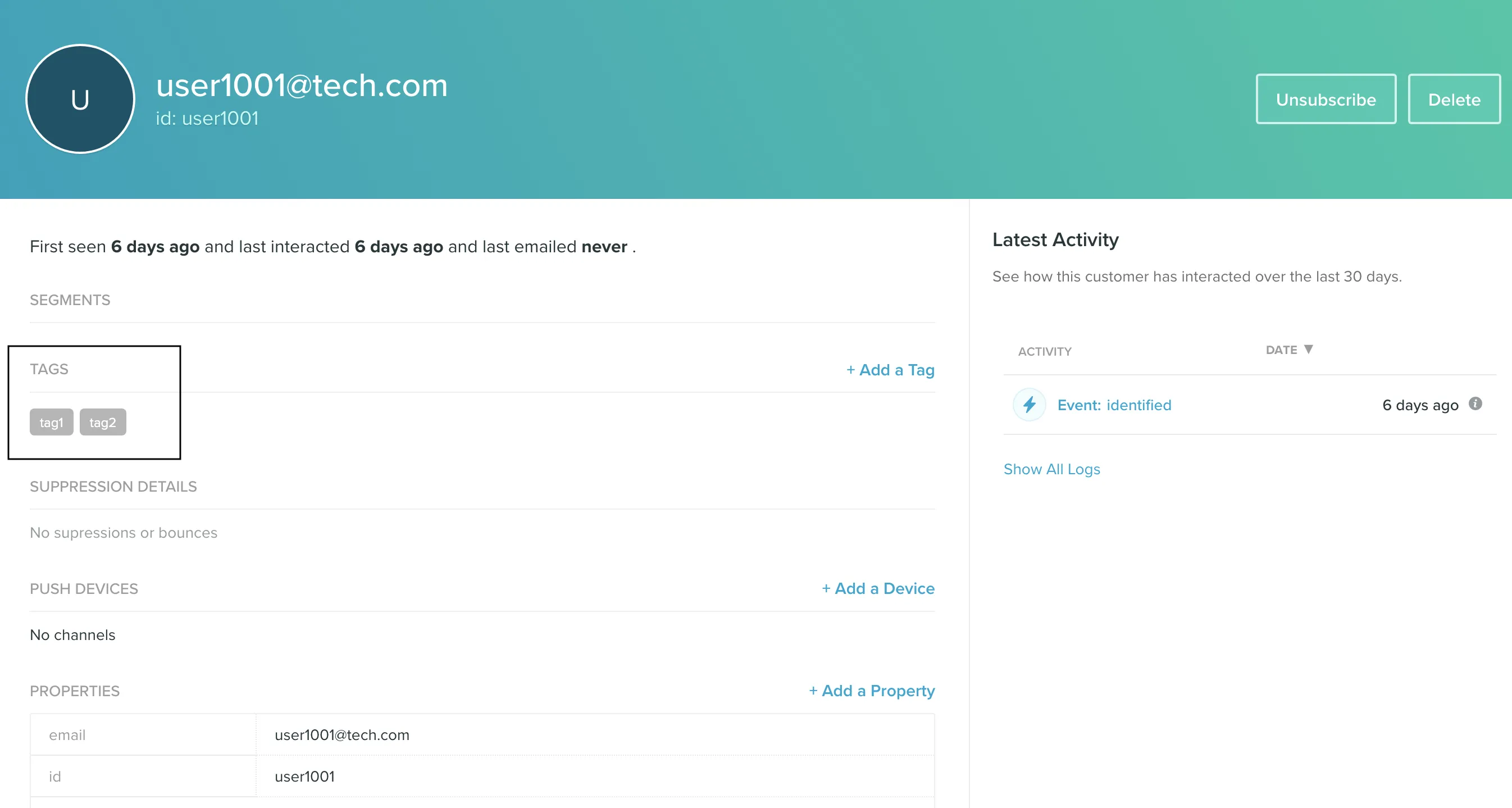
You can then view the updated tags associated with that user in the Vero dashboard: