Stormly Beta
3 minute read
Stormly is a product analytics tool powered by AI. It gives you insights into your users’ behavior and tailored tips on improving their product experience.
Find the open source transformation code for this destination in the GitHub repository.
Connection compatibility
| Destination Information | |||
|---|---|---|---|
| |||


Get started
Once you have confirmed that the platform supports sending events to Stormly, follow these steps:
- From your RudderStack dashboard, add a source. Then, from the list of destinations, select Stormly.
- Assign a name to the destination and click Continue.
Connection settings
- API Key: Enter your Stormly API key. For steps on obtaining the key, see FAQ.
- Consent management settings: Configure the consent management settings for the specified source by choosing the Consent management provider from the dropdown and entering the relevant consent category IDs. See Consent Management in RudderStack for more information on this feature.
Identify
Use the identify call to create a user in Stormly.
A sample identify call sent to Stormly:
rudderanalytics.identify("1hKOmRA4GRlm",{
        city: "New York",
        name: "Alex Keener",
        email: "alex@example.com",
        country: "US",
        trait1:123
    });
Supported mappings
The following table details the mappings between RudderStack traits and Stormly properties:
| RudderStack trait | Stormly property | Data type |
|---|---|---|
userIdRequired | userId | String |
traitscontext.traits | traits | Object |
Track
You can use the track call to capture user events and add them to the Stormly database.
The following snippet highlights a sample track call:
rudderanalytics.track('Product Reviewed', {
  review_id: 'REV1344112',
  product_id: 'XUV112',
  rating: 3.0,
  review_body: 'Good product.',
  groupId: '91Yb32830',
});
Supported mappings
The following table details the mappings between RudderStack and Stormly properties:
| RudderStack property | Stormly property | Data type |
|---|---|---|
userIdRequired | userId | String |
eventRequired | event | String |
properties | properties | Object |
Group
Use the group call to create a group in Stormly and add a user to it.
A sample group call sent to Stormly:
rudderanalytics.group("91Yb32830", {
  name: "User Group 1",
  employees: 1000,
  industry: "Software",
});
Supported mappings
The following table details the mappings between RudderStack and Stormly properties:
| RudderStack property | Stormly property | Data type |
|---|---|---|
userIdRequired | userId | String |
groupIdRequired | groupId | String |
traits | traits | Object |
FAQ
Where can I find the Stormly API key?
- Log in to your Stormly dashboard.
- From the left sidebar, click the dropdown and select Manage Projects.
- Select your project.
- Click Set-Up Data.
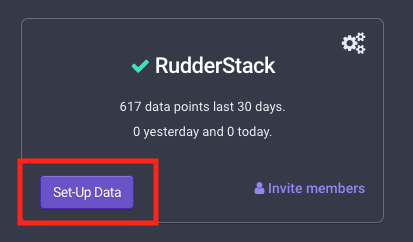
- Copy the API key from the resulting URL.

