Statsig
4 minute read
Statsig helps companies safely A/B test features in production before rolling out new features, thereby avoiding costly mistakes.
RudderStack supports Statsig as a destination to which you can send real-time events for efficient A/B testing.
For more information on the Statsig-supported data connectors, see their documentation.
Connection compatibility
| Destination Information | |||
|---|---|---|---|
| |||


Setup
In your RudderStack dashboard, add a source. Then, from the list of destinations, select Statsig.
Connection settings
| Setting | Description |
|---|---|
| Name | Assign a name to uniquely identify the destination in the RudderStack dashboard. |
| Secret Key | Enter the server secret key associated with your Statsig project. |
Configuration settings
| Setting | Description |
|---|---|
| Consent management settings | Configure the consent management settings for the specified source by choosing the Consent management provider from the dropdown and entering the relevant consent category IDs. See Consent Management in RudderStack for more information on this feature. |
Make sure to enable the RudderStack integration on the Statsig integration page before sending any events.
See Configuring incoming events in Statsig for more information.
Identify
The identify call lets you identify a visiting user and associate them to their actions. It also lets you record the traits about them like their name, email address, etc.
A sample identify call is as shown:
rudderanalytics.identify("1hKOmRA4GRlm", {
  name: "Alex Keener",
  email: "alex@example.com",
})
Retrieve userId
To get the userId associated with an identified user, you can use the getUserId() method as shown:
rudderanalytics.getUserId();Retrieve anonymousId
An anonymous ID (anonymousId) is an autogenerated UUID (Universally Unique Identifier) that is assigned to each unique, unidentified visitor coming to your website.
You can retrieve the anonymousId of any visitor by running the getAnonymousId() method:
rudderanalytics.getAnonymousId();If the value ofanonymousIdisnullin the SDK, callinggetAnonymousId()automatically sets a newanonymousIdin RudderStack.
Track
The track call lets you record user activities along with their associated properties.
A sample track call is as shown:
rudderanalytics.track("Product Reviewed", {
  review_id: "12345",
  product_id: "123",
  rating: 4.0,
  review_body: "Good product."
})
Page
You can use the page call to record your website’s page views with any additional relevant information about the viewed page.
A sample page call is shown below:
rudderanalytics.page("Home")Screen
The screen call lets you record whenever a user views their mobile screen, with any additional relevant information about the viewed screen.
A sample screen call sent via the iOS (Obj-C) SDK is shown below:
[[RSClient sharedInstance] screen:@"Main"
                properties:@{@"prop_key" : @"prop_value"}];
Group
The group call lets you link an identified user with a group, like a company, organization, or an account. You can also record any custom traits associated with that group, for example, the company name, number of employees, etc.
A sample group call is shown below:
rudderanalytics.group("12345", {
  name: "MyGroup",
  industry: "IT",
  employees: 450,
  plan: "basic"
})
Alias
The alias event lets you merge different identities of a known user.
aliasis an advanced method that lets you change the tracked user’s ID explicitly. This method is useful when managing identities for some of the downstream destinations.
A sample alias call is as shown:
rudderanalytics.alias("12345")FAQ
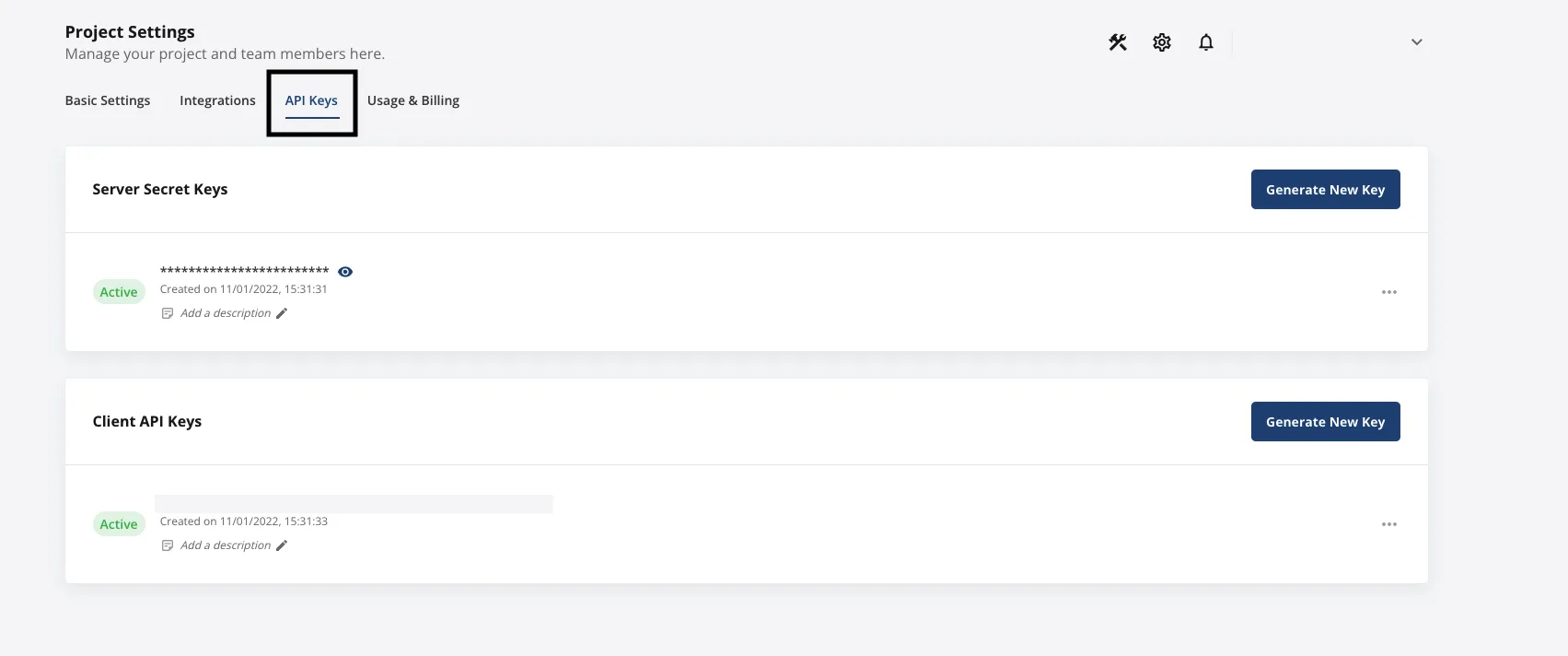
Where can I find the Statsig server secret key?
- Log into your Statsig console.
- Go to your project and click the Settings icon on the top right:

- Click API Keys. You should find the Server Secret Key listed here:
Why am I not seeing any events in Statsig even though I am getting a 200 response?
Make sure to enable the RudderStack integration on the Statsig integration page before sending any events.
