Singular Destination Setup Guide
Set up Singular as a destination in RudderStack.
3 minute read
This guide will help you set up Singular as a destination in the RudderStack dashboard. It also lists the configuration settings required to correctly send data from the supported sources to Singular.
Before you set up the Singular destination in RudderStack, see the RudderStack-Singular Integration Setup Approaches guide to understand and choose the best setup for your RudderStack-Singular integration.
Connection compatibility
| Destination Information | |||
|---|---|---|---|
| |||


Set up Singular destination in RudderStack
In your RudderStack dashboard, add a source. Then, from the list of destinations, select Singular.
Connection settings
| Setting | Description |
|---|---|
| API key | Enter your Singular API key. |
| Secret | Enter your Singular secret. It is required for device mode integrations with the RudderStack iOS (Obj-C) and Android (Java) SDKs. |
| Session event name | Enter the event names to be used as session events. This setting is applicable only for sending session events to Singular in cloud mode.
|
| Use device mode to send events | When using the Android (Java) / iOS (Obj-C) source, turn on this setting to send events in device mode. Then, follow the Singular Device Mode guide for steps on adding the Singular integration to your project. |
| Client-side events filtering | Specify which events should be blocked or allowed to flow through to Singular. See Client-side Events Filtering for more information. |
| Consent management settings | Configure the consent management settings for the specified source by choosing the Consent management provider from the dropdown and entering the relevant consent category IDs. See Consent Management in RudderStack for more information on this feature. |
Considerations for session event name
The Singular SDK manages session events automatically. Hence, configure the Session Event Name dashboard setting only if you are not initializing the Singular SDK separately in your application (outside of RudderStack).
Configuring the Session Event Name in RudderStack while the Singular SDK is already managing session events will cause RudderStack to send session events as well, resulting in duplicate session events in Singular.
Unity SDK settings
| Setting | Description |
|---|---|
| Match ID mapping | Use this setting to map Singular’s match ID to either of the following event fields:
|
FAQ
Where can I find the Singular API key and secret?
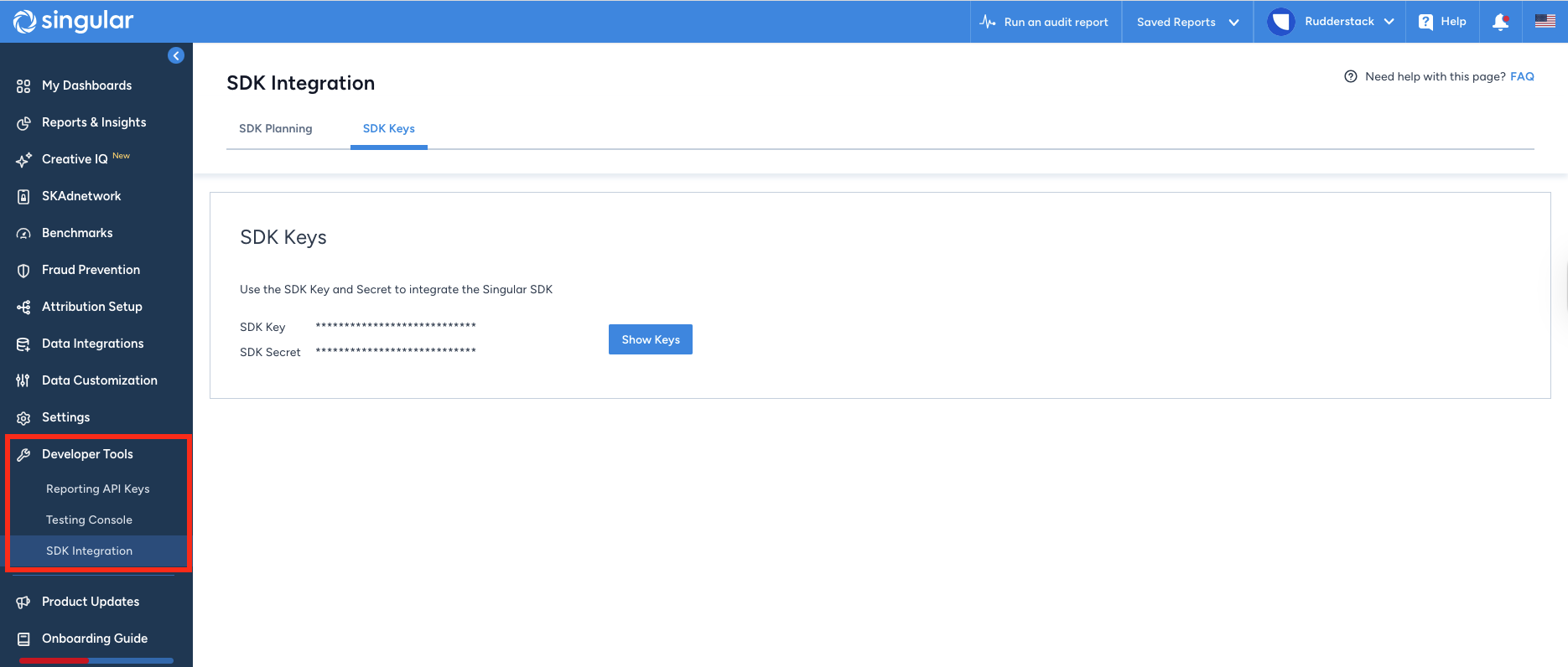
To obtain your Singular API key and secret, log into your Singular dashboard and navigate to Developer Tools > SDK Integration: