Shynet
3 minute read
Shynet is an open source self-hosted web analytics platform which works without cookies and is privacy-friendly.
RudderStack supports Shynet as a destination to which you can seamlessly send your event data.
Find the open source transformer code for this destination in the GitHub repository.
Connection compatibility
| Destination Information | |||
|---|---|---|---|
| |||


Get started
Once you have confirmed that the source platform supports sending events to Shynet, follow these steps:
- From your RudderStack dashboard, add a source. Then, from the list of destinations, select Shynet.
- Assign a name to the destination and click Continue.
Connection settings
To successfully configure Shynet as a destination, you will need to configure the following settings:
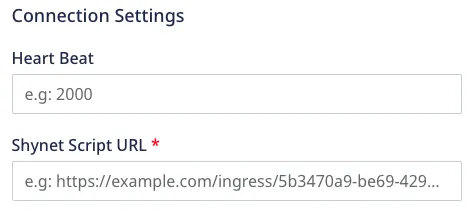
- Heart Beat: This is a device mode only setting. Enter the time (in ms) to send a ping request. The default value is 5000 ms.
- Shynet Script URL: Enter the script URL generated by Shynet for your service.
For more information on getting your Shynet script URL, refer to the FAQ section below.
Client-side events filtering
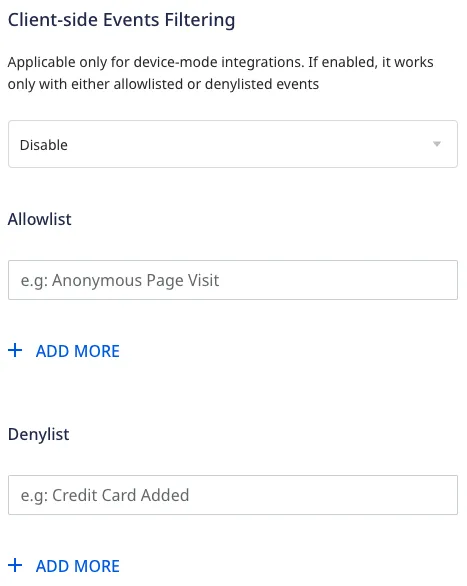
This setting lets you specify which events should be blocked or allowed to flow through to Shynet.
This option is applicable only if you’re sending events to Shynet via web device mode. Refer to the Client-side Event Filtering guide for more information on this feature.
Web SDK settings
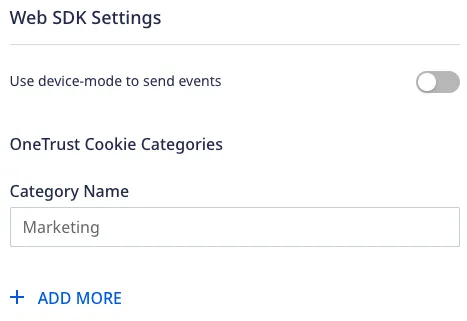
These settings are applicable only if you are sending events to Shynet via web device mode.
Use device-mode to send events: Enable this setting to send events from the JavaScript SDK to Shynet via device mode.
Consent management settings: Configure the consent management settings for the specified source by choosing the Consent management provider from the dropdown and entering the relevant consent category IDs. See Consent Management in RudderStack for more information on this feature.
Page
The page call lets you record your website’s page views with any additional relevant information about the viewed page.
Cloud mode
A sample page call for cloud mode is shown below:
rudderanalytics.page("HomePage", {
  loadTime: 55
}, {
  context: {
    page: {
      url: 'www.site.com'
    }
  }
});
The following table lists the mappings between RudderStack and Shynet properties:
| RudderStack property | Shynet property | Presence | Data type |
|---|---|---|---|
context.page.url | location | Required | String |
context.page.referrer | referrer | Optional | String |
properties.loadTime | loadTime | Optional | Integer |
Although thecontext.page.urlis a required property, it is taken as the URL of the current page automatically byrudderanalytics, if not specified.
Device mode
A sample page call for device mode is shown below:
rudderanalytics.page("Home");FAQ
Where can I find the Shynet script URL?
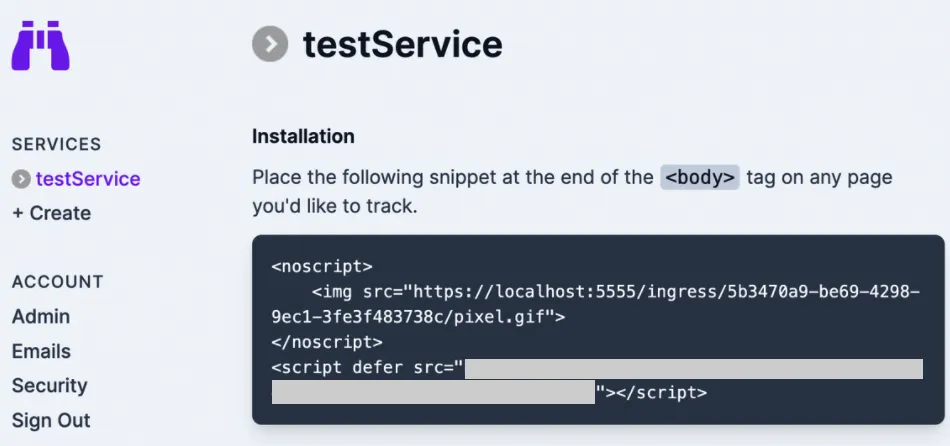
To find the Shynet script URL, follow these steps:
- Log into your Shynet dashboard.
- From Services, select your service and click Manage.
- Copy the script URL: