Pinterest Tag Cloud Mode Integration
6 minute read
RudderStack lets you send your event data to Pinterest Conversions API via cloud mode. It sends the event calls in a batch, where each batch can contain upto 1000 events.
- To use Pinterest Tag’s cloud mode (Pinterest conversions API), contact Pinterest Support to enable the beta access.
- Pinterest is migrating to API v5 and will deprecate support for API v3 on June 30, 2023. Hence, it is recommended to configure Pinterest Tag as a destination in RudderStack using API v5.
Find the open source code for this destination in the GitHub repository.
Track
The track call allows you to capture the users’ conversion events.
RudderStack maps the track events as specified in the Map Your Events To Pinterest Events connection setting in the dashboard.
A sample track call is shown below:
rudderanalytics.track("Order Completed", {
  event_id: 'eventIDordercompleted',
  order_id: "transactionId",
  value: 35.00,
  revenue: 31.98,
  currency: 'USD',
  products: [{
    product_id: '123454387',
    price: 3.00,
    quantity: 2,
    currency: 'USD',
    position: 1,
    value: 6.00,
  }]
}, {
  traits: {
    email: "alex@example.com",
    lastname: "Keener",
    firstname: "Alex",
    action_source: "offline" // or app_ios / app_android / web
  }
});
Ecommerce conversion tracking
This destination does not strictly adhere to the RudderStack Ecommerce Event Spec.
You can use the Ecommerce Events Specification for sending the events while instrumenting your site with the RudderStack SDK.
The following table mentions how the specific RudderStack track Ecommerce events are mapped to standard Pinterest Conversion Events:
| RudderStack event | Pinterest event |
|---|---|
| Order Completed | checkout |
| Product Added | add_to_cart |
| Products Searched | search |
| Product List Filtered | search |
You can also track a custom event that you want to include in the conversion reporting. It will be mapped to a custom Pinterest event, for example:
rudderanalytics.track("custom event")Standard Pinterest events
Pinterest supports the following nine standard events that can be mapped and tracked for reporting. Any event apart from these is treated as a user-defined event.
checkoutadd_to_cartpage_visitsignupwatch_videoleadsearchview_categorycustom
Page
The page call lets you record your website’s page views with any additional relevant information about the viewed page.
view_category: RudderStack sends this event if both thenameandcategoryfields are present. The below sample event contains both the fields and is mapped to the Pinterest’sview_categoryevent:
rudderanalytics.page("Best Seller", "Games", {
  path: "/best-seller/games/1",
  url: "https://www.estore.com/best-seller/games/1",
  title: "Best selling games offered by EStore",
  search: "estore bestseller games",
  referrer: "https://www.google.com/search?q=estore+bestseller",
  testDimension: "true",
})page_visit: RudderStack sends this event if onlynamefield is present and drops any additional properties. The below sample event contains onlynameand is mapped to the Pinterest’spage_visitevent:
rudderanalytics.page("Best Seller", {
  path: "/best-seller/1",
})
Common field mappings
The following table lists the mappings specific for Pinterest Conversion API and are relevant for both the track and page calls:
| RudderStack property | Pinterest Tag property | Description |
|---|---|---|
message.eventRequired | event_name | Type of the user event. |
context.traits.action_sourceproperties.action_sourcemessage.channelRequired | action_source | Source indicating the occurence of conversion event. |
timestampRequired | event_time | Unix timestamp (in UTC) in seconds indicating when the user conversion event occurred. |
destination.Config.advertiserIdRequired | advertiser_id | Pinterest Advertiser ID. |
Integrations Object messageId | event_id | Deduplication key from the dashboard setting or messageId. The dashboard setting is given higher priority. |
pageUrl | event_source_url | URL of the web conversion event. |
context.device.adTrackingEnabled | opt_out |
|
destination.Config.appId | app_id | App store’s App ID. |
context.app.nameproperties.appName | app_name | Name of the app. |
context.app.versionproperties.appVersion | app_version | Version of the app. |
context.device.manufacturerproperties.manufacturer | device_brand | Brand of the user device. |
context.device.modelproperties.deviceModel | device_model | Model of the user device. |
context.device.typeproperties.deviceType | device_type | Type of the user device. |
context.os.version | os_version | Version of the device’s operating system. |
context.locale | language | Two-character ISO-639-1 language code indicating the user’s language. |
properties.partnerName | partner_name | Third party partner’s name responsible for sending the event to Conversions API on behalf of the advertiser. The naming convention is ss-<partnername> (in lowercase), for example, ss-shopify. |
context.network.carrier | device_carrier | User device’s mobile carrier. |
context.network.wifi | wifi | Whether the event occurred when the user’s device was connected to Wi-Fi. |
For mobile sources, ifcontext.device.adTrackingEnabledistrue,opt_outwill be set asfalseand vice-versa.
User field mappings
The following table lists the mappings for fields carrying the user information for track and page calls:
| RudderStack property | Pinterest Tag property | Data Type |
|---|---|---|
properties.emailcontext.traits.email | em | Array of strings with SHA-256 encoding |
properties.phonecontext.traits.phone | ph | Array of strings with SHA-256 encoding |
properties.clickId | click_id | String |
context.traits.gender | ge | Array of strings with SHA-256 encoding |
context.traits.birthday | db (YYYYMMDD format) | Array of strings with SHA-256 encoding |
context.traits.lastName | ln | Array of strings with SHA-256 encoding |
context.traits.firstName | fn | Array of strings with SHA-256 encoding |
traits.address.citycontext.traits.address.city | ct | Array of strings with SHA-256 encoding |
traits.address.statecontext.traits.address.state | st (Two-letter code) | Array of strings with SHA-256 encoding |
traits.address.zipcontext.traits.address.zip | zp | Array of strings with SHA-256 encoding |
traits.address.countrycontext.traits.address.country | country (Two-character ISO-3166 country code) | Array of strings with SHA-256 encoding |
userIdtraits.userIdtraits.idcontext.traits.userIdcontext.traits.idanonymousId | external_id | Array of strings with SHA-256 encoding |
context.device.advertisingId | hashed_maids | Array of strings with SHA-256 encoding |
context.ipcontext.requestIPproperties.ipproperties.clientIpAddress | client_ip_address | String |
context.userAgent | client_user_agent | String |
To send the
trackorpageevents successfully, you need to include at least one of the following user properties:
emhashed_maids- Combination of
client_ip_addressandclient_user_agent
Custom field mappings
The following table lists the custom fields mappings for track and page calls:
| RudderStack property | Pinterest Tag property | Data Type |
|---|---|---|
properties.currency | currency | String |
properties.valueproperties.totalproperties.revenue | value | String |
properties.product_idproperties.product_skuproperties.products[index].product_idproperties.products[index].product_sku | content_ids | Array of strings |
properties.priceproperties.products[index].price | contents.[index].item_price | Array of strings |
properties.quantityproperties.products[index].quantity | contents.[index].quantity | Integer |
properties.numOfItems (if not present, sum of quantity) | num_items | Integer |
properties.order_id | order_id | String |
properties.query | search_string | String |
properties.contentName | content_name | String |
properties.contentCategory | content_category | String |
properties.np | np | String |
properties.product_idproperties.product_skuproperties.products[index].product_idproperties.products[index].sku | contents.[index].id | String |
properties.nameproperties.products[index].name | contents.[index].item_name | String |
properties.categoryproperties.products.[index].category | contents.[index].item_category | String |
properties.brandproperties.products.[index].brand | contents.[index].item_brand | String |
Limited Data Processing (LDP)
Starting January 1, 2023, you can use Pinterest’s Limited Data Processing (LDP) flag to limit how Pinterest uses certain data to help the advertisers comply with the users’ privacy settings in accordance with the CCPA (California Consumer Privacy Act).
The following table lists the event properties required to enable Limited Data Processing and their mappings with the Pinterest fields:
| RudderStack property | Pinterest property | Data type | Description |
|---|---|---|---|
properties.optOutType | custom_data.opt_out_type | String | Set this field to LDP. |
traits.address.statecontext.traits.address.state | st | Array of strings with SHA-256 encoding | Should be a two-letter code |
traits.address.countrycontext.traits.address.country | country | Array of strings with SHA-256 encoding | Should be a two-character ISO-3166 country code |
FAQ
How can I verify if my events are being sent to Pinterest Conversions API?
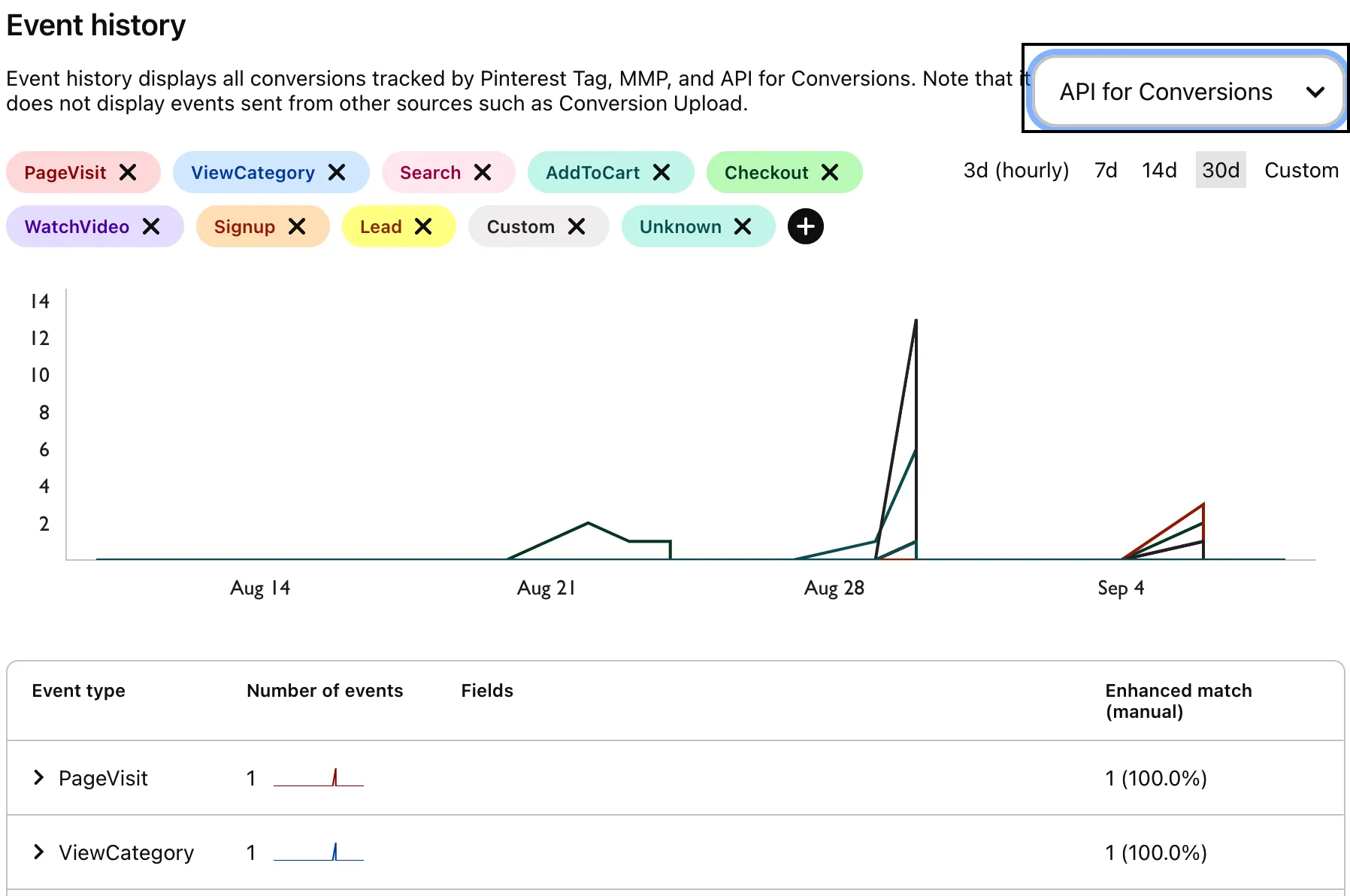
Follow these steps to see your events in Pinterest Conversions API:
- Login to your Pinterest ads manager account.
- Click the Ads tab and select Conversions from the dropdown.
- Select API for conversions from the dropdown to see your events.
To see API for conversions option in the dropdown, you need to set up your Pinterest dashboard using the Pinterest Tag. For more information on using the Pinterest Tag, refer to the Pinterest Tag Device Mode documentation.