Mixpanel Cloud Mode Integration
11 minute read
After you have successfully instrumented Mixpanel as a destination in RudderStack, follow this guide to correctly send your events to Mixpanel in cloud mode.
Find the open source transformer code for this destination in the GitHub repository.
Identify
You can use the identify call to create or update a user in Mixpanel.
Mixpanel needs an identifier to uniquely identify a user. If you pass userId and anonymousId along with the Mixpanel API Secret (in the dashboard settings), then RudderStack first makes an identify call to Mixpanel using the userId and the traits. RudderStack then passes the userId and anonymousId via Mixpanel’s Merge Identities feature, so that the two identifiers are glued to a single user profile.
Note the following when sending events to Mixpanel in cloud mode:
- You can only create a new user in Mixpanel using
identifyevents if you have selected the Simplified ID Merge dashboard setting. To perform identity merging, you need to use thetrackorpage/screencalls.- When sending events to Mixpanel with Simplified ID Merge, RudderStack recommends passing
deviceIdgenerated by the Mixpanel SDK asanonymousIdin the RudderStack server-side calls to merge two profiles together successfully. For more information, see Mixpanel User Profiles documentation.
A sample identify call is as shown:
rudderanalytics.identify("12345", {
  firstname: "Alex",
  city: "New Orleans",
  country: "USA",
  phone: "8005550100",
  email: "alex@example.com"
})
You can prevent the $last_seen attribute getting updated with incorrect times by setting active to false in the context object, as shown in the following snippet:
rudderanalytics.identify("12345", {
  firstname: "Alex",
  city: "New Orleans",
  country: "USA"
}, {
  context: {
    active: false
  }
})Settingactivetofalsesets Mixpanel’s$ignore_timeattribute totrue. This way, you can bypass the “Last Seen” date property.
Property mappings
When sending events in cloud mode, RudderStack maps the following identify fields to the Mixpanel fields before sending them over Mixpanel’s HTTP API.
| RudderStack property | Mixpanel property |
|---|---|
traits.avatarcontext.traits.avatar | $avatar |
context.network.carrier | $carrier |
traits.citytraits.address.citycontext.traits.citycontext.traits.address.citycontext.location.city | $city |
traits.countrytraits.address.countrycontext.traits.countrycontext.traits.address.countrycontext.location.country | $country_code |
traits.createdAtOnly | $created |
traits.email | $email |
traits.firstName | $first_name |
context.location.geoSource | $geo_source |
context.page.initial_referrercontext.page.initialReferrer | $initial_referrer |
context.page.initial_referring_domaincontext.page.initialReferringDomain | $initial_referring_domain |
traits.lastName | $last_name |
context.location.latitude | $latitude |
context.location.longitude | $longitude |
context.device.manufacturer | $manufacturer |
context.device.model | $model |
traits.name | $name |
traits.phone | $phone |
context.screen.height | $screen_height |
context.screen.width | $screen_width |
traits.statetraits.address.statecontext.traits.statecontext.traits.address.statecontext.location.region | $region |
context.location.timezone | $timezone |
context.traits.unsubscribedtraits.unsubscribedproperties.unsubscribed | $unsubscribed |
traits.usernametraits.userNamecontext.traits.usernamecontext.traits.userName | $username |
context.network.wifi | $wifi |
In addition to the above properties, RudderStack also maps the below properties to specific Mixpanel fields depending on the platform:
Android
| RudderStack property | Mixpanel property |
|---|---|
context.os.name | $os |
context.device.model | $android_model |
context.os.version | $android_os_version |
context.device.manufacturer | $android_manufacturer |
context.app.version | $android_app_version$android_app_version_code |
properties.androidLibVersion | $android_lib_version |
properties.androidBrandcontext.device.manufacturer | $android_brand |
iOS
| RudderStack property | Mixpanel property |
|---|---|
context.os.name | $os |
context.device.model | $ios_device_model |
context.os.version | $ios_version |
context.app.build | $ios_app_version |
context.app.version | $ios_app_version |
properties.iosLibVersion | $ios_lib_version |
Properties to set only once
RudderStack lets you set the identify traits as Mixpanel properties whose values you do not want to change at the user profile level, that is, Mixpanel will not overwrite the existing property values. See the Mixpanel documentation for more information on this feature.
To use this feature, add the identify traits in the Properties to set only once connection setting.
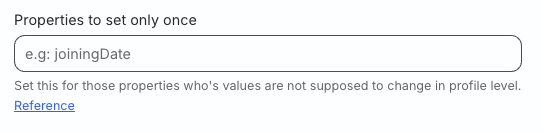
RudderStack expects the traits specified in the above field to be present in the traits or context.traits (traits has higher precedence) object within the identify event.
For example, if your identify event contains the following and you specify address.city in the Properties to set only once field:
"traits": {
  "address": {
    "city": "London"
  }
}

...

"context": {
  "traits": {
    "address": {
      "city": "Berlin"
    }
  }
}
Then, RudderStack maps city as London as the traits object gets precedence over context.traits.
Properties for union
You can also send the identify traits whose values appear only once in the Mixpanel list property. See the Mixpanel documentation for more information on this feature.
To use this feature, specify the identify traits in the Properties for Union connection setting.
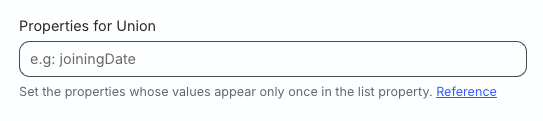
RudderStack then sends these traits as union properties to Mixpanel. Note that the property to send for union can be any of the following data types:
- String
- Boolean
- Integer
- List
For example, if you have a list property in your Mixpanel dashboard called supportedOS as follows:
"supportedOS": ["Android"]Now, if you specify supportedOS in the Properties for Union setting and then pass the following traits in the next identify call:
"context": {
  "traits": {
    "supportedOS": ["Android", "iOS"]
  }
}
Then, RudderStack makes the API call to Mixpanel with supportedOS as the union property. Mixpanel performs the union of the property values so that the updated property values are:
"supportedOS": ["Android", "iOS"]Instead of the following values:
"supportedOS": ["Android", "Android, "iOS"]Properties to append
You can send the identify traits to Mixpanel so that their values are appended to an existing Mixpanel list property. See the Mixpanel documentation for more information on this feature.
To use this feature, specify the identify traits in the Properties for Append connection setting.
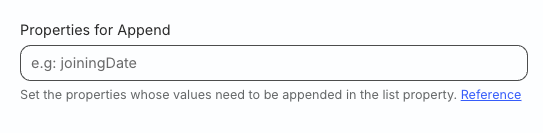
For example, if you have a list property in your Mixpanel dashboard called supportedOS as follows:
"supportedOS": ["Android"]Now, if you specify supportedOS in the Properties for Append setting and then pass the following traits in the next identify call:
"context": {
  "traits": {
    "supportedOS": ["Android", "iOS"]
  }
}
Then, RudderStack makes the API call to Mixpanel with supportedOS as the append property. Mixpanel appends the new values to the existing property values as follows:
"supportedOS": ["Android", "Android, "iOS"]If you define the same properties in the Properties to set only once, Properties for Union, and Properties for Append configuration settings, then the operations take precedence in the following order:
Reserved Mixpanel properties
Mixpanel has some reserved properties:
$first_name$last_name$name$username$created$email$phone$avatar$city$country_code$region$unsubscribed
You should not create custom properties that begin with a$sign.
Delete a user
You can delete a user in Mixpanel using the Suppression with Delete regulation of RudderStack’s User Suppression API.
While RudderStack forwards the deletion request, it does not guarantee deletion within a 30-day window. You will need to check with Mixpanel if the request is fulfilled.
To delete a user, specify their userId in the event. Additionally, you can specify a custom identifier (optional) in the event.
A sample regulation request body for deleting a user in Mixpanel is shown below:
{
  "regulationType": "suppress_with_delete",
  "destinationIds": [
    "2FIKkByqn37FhzczP23eZmURciA"
  ],
  "users": [{
    "userId": "1hKOmRA4GRlm",
    "<customKey>": "<customValue>"
  }]
}
RudderStack internally uses the deletion API specified in the User Deletion dashboard setting. For more information on these deletion APIs, see Connection settings.
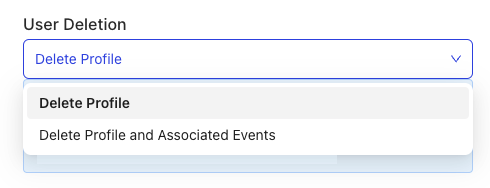
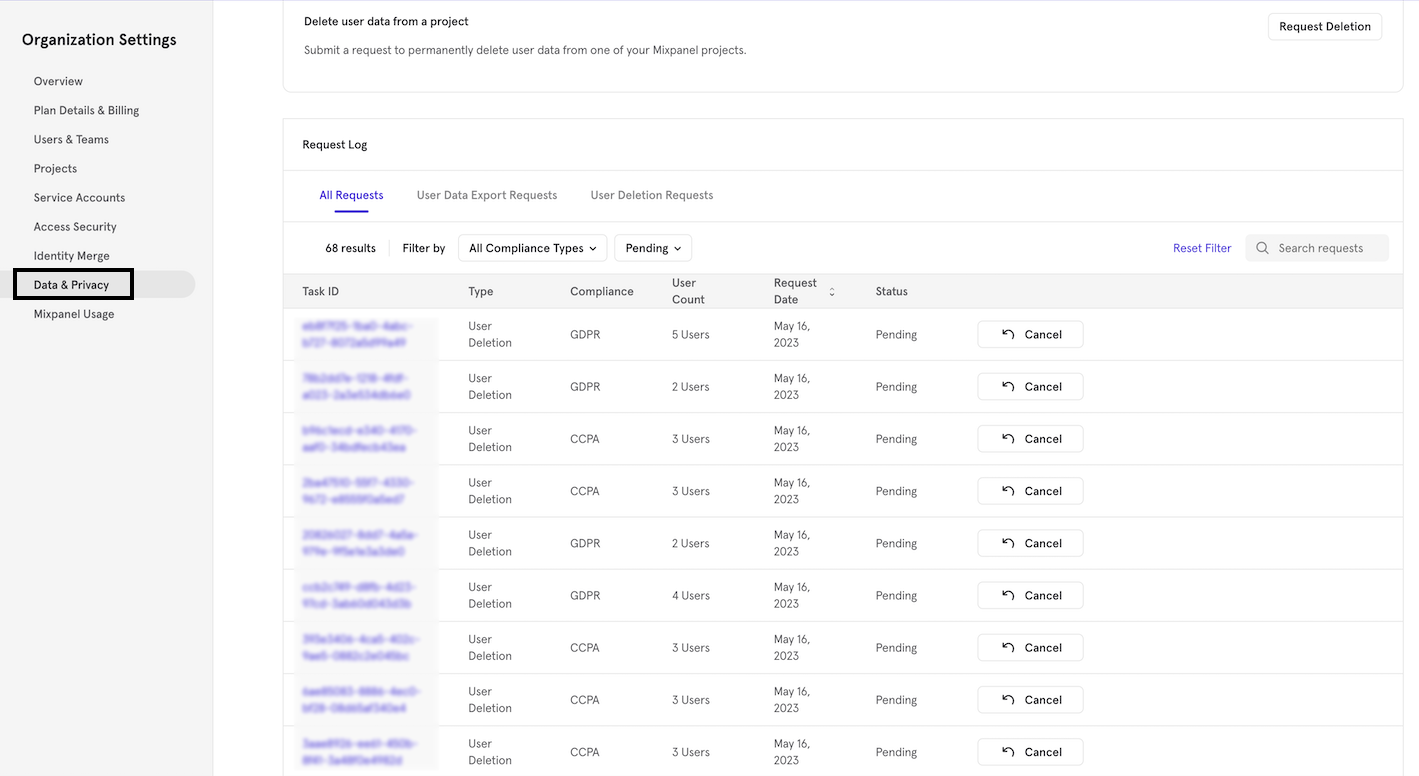
To see the deletion requests created by RudderStack using the Delete Profile and Associated Events option, log in to your Mixpanel dashboard and navigate to Organization Settings > Data & Privacy.
Deletion requests created using the Delete Profile API are not shown in this dashboard.
Track
To track user events, use the track method with the event name and the associated properties.
When you select Simplified ID Merge in the Identity Merge dashboard setting, RudderStack sets the event’s userId and anonymousId using Mixpanel’s Simplified ID Merge API so that the two identifiers are glued to a single user profile.
A sample track call is as shown:
rudderanalytics.track("track event", {
    test_prop1: 50,
    test_prop2: "prop_value"
});
Drop user traits
By default, RudderStack persists the user traits from the previous identify events and includes this information in the context.traits object of the track event.
You can use the Drop Traits setting in the RudderStack dashboard to automatically drop these user traits. This is helpful in cases where you do not want to include user traits in the track event properties sent to Mixpanel.
Track revenue
Mixpanel lets you track revenue events. If you send revenue as a property in your track event, RudderStack tracks it as a revenue event.
Revenue tracking is done with a distinct_id (userId that you provide in your identify call; if userId is not present then it will be associated with an anonymousId.)
A sample revenue track call is as shown:
rudderanalytics.track("Purchase", {
  revenue: 100,
  currency: "USD"
});
Track charge
If Use Mixpanel People setting is toggled on in your RudderStack dashboard and you include revenue as an event property, RudderStack will track a charge for the current user.
Property mappings
Click here to view the track event mappings for specific Mixpanel fields:
| RudderStack property | Mixpanel property |
|---|---|
context.iprequest_ip | ip or $ip |
context.campaign.name | campaign_id or $campaign_id |
userId | $user_id |
context.page.url | $current_url |
context.os.name | $os |
context.page.referrer | $referrer |
context.screen.height | $screen_height |
context.screen.width | $scren_width |
context.screen.density | $screen_dpi |
context.campaign.name | utm_campaign |
context.campaign.source | utm_source |
context.campaign.medium | utm_medium |
context.campaign.term | utm_term |
context.campaign.content | utm_content |
context.campaign.test | utm_test |
context.network.carrier | $carrier |
context.os.version | $os_version |
context.device.name | $device |
context.device.manufacturer | $manufacturer |
context.device.model | $modelmp_device_model |
context.network.wifi | $wifi |
context.network.bluetooth | $bluetooth_enabled |
properties.bluetoothVersion | $bluetooth_version |
context.library.name | mp_lib |
context.page.initialReferrer | $initial_referrer |
context.page.initialReferringDomain | $initial_referring_domain |
properties.mpProcessingTimeMs | mp_processing_time_ms |
context.app.buildproperties.appBuildNumber | $app_build_number |
context.app.name | $app_name |
context.app.namespace | $app_namespace |
context.app.versionproperties.appBuildVersionString | $app_version_string |
properties.branddevice.manufacturer | $brand |
properties.radio | $radio |
properties.libVersion | $lib_version |
properties.searchEngine | $search_engine |
properties.mpKeyword | $mp_keyword |
properties.hasNfc | $has_nfc |
properties.hasTelephone | $has_telephone |
properties.googlePlayServices | $google_play_services |
messageId | $insert_id |
sessionId | $session_id |
Page
RudderStack passes all page properties that you provide via the page call to Mixpanel, along with the other default properties. It sets the event name as Page for a page call and Screen for a screen call.
When you select Simplified ID Merge in the Identity Merge dashboard setting, RudderStack sets the event’s userId and anonymousId using Mixpanel’s Simplified ID Merge API so that the two identifiers are glued to a single user profile.
A sample page call is shown below:
rudderanalytics.page();Property mappings
Click here to view the page event mappings for specific Mixpanel fields:
| RudderStack property | Mixpanel property |
|---|---|
context.iprequest_ip | ip or $ip |
context.campaign.name | campaign_id or $campaign_id |
userId | $user_id |
context.page.url | $current_url |
context.os.name | $os |
context.page.referrer | $referrer |
context.screen.height | $screen_height |
context.screen.width | $scren_width |
context.screen.density | $screen_dpi |
context.campaign.name | utm_campaign |
context.campaign.source | utm_source |
context.campaign.medium | utm_medium |
context.campaign.term | utm_term |
context.campaign.content | utm_content |
context.campaign.test | utm_test |
context.network.carrier | $carrier |
context.os.version | $os_version |
context.device.name | $device |
context.device.manufacturer | $manufacturer |
context.device.model | $modelmp_device_model |
context.network.wifi | $wifi |
context.network.bluetooth | $bluetooth_enabled |
properties.bluetoothVersion | $bluetooth_version |
context.library.name | mp_lib |
context.page.initialReferrer | $initial_referrer |
context.page.initialReferringDomain | $initial_referring_domain |
properties.mpProcessingTimeMs | mp_processing_time_ms |
context.app.buildproperties.appBuildNumber | $app_build_number |
context.app.name | $app_name |
context.app.namespace | $app_namespace |
context.app.versionproperties.appBuildVersionString | $app_version_string |
properties.branddevice.manufacturer | $brand |
properties.radio | $radio |
properties.libVersion | $lib_version |
properties.searchEngine | $search_engine |
properties.mpKeyword | $mp_keyword |
properties.hasNfc | $has_nfc |
properties.hasTelephone | $has_telephone |
properties.googlePlayServices | $google_play_services |
messageId | $insert_id |
sessionId | $session_id |
Screen
The screen method lets you record whenever a user sees their mobile screen along with any optional properties about the viewed screen.
A sample screen call is shown below:
[[RSClient sharedInstance] screen:@"Sample Screen Name" properties:@{@"prop_key" : @"prop_value"}];Alias
The alias call lets you associate multiple identities of a known user.
Thealiascall is deprecated with the Simplified ID Merge dashboard setting.
A sample alias call is as shown:
analytics.alias('userId', `previousId`);Group
The group call lets you link an identified user with a group such as a company, organization, or an account, and record any traits associated with that group, for example, company name, number of employees, etc. For more information on how the group call works in Mixpanel, see Mixpanel’s Group Analytics documentation.
RudderStack lets you record the custom traits associated with a user group and send this information to Mixpanel.
A sample group call is shown below:
rudderanalytics.group(
  "sample_group_id", {
    name: "Tech group",
    industry: "Technology",
    employees: 100,
  }
);
Group key
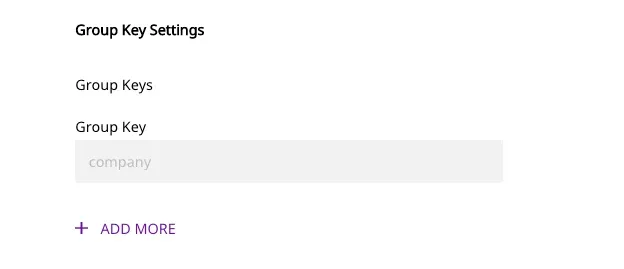
You can create group keys in the Mixpanel project settings, which act as the group identifiers in Mixpanel. To successfully send a group call to Mixpanel, you must specify at least one group key in the Group Key RudderStack dashboard setting:
Note the following:
- If you map the
groupIdas a group key, RudderStack looks up its value in the following priority order:
- In
message.groupId- In
message.traits.groupId- If you map any other field as a group key, RudderStack looks up its value in
message.traits.groupKey.- You can specify multiple values for a group key and send them in an array in the
groupevent payload.
Send historic events
Mixpanel supports importing historical event data. However, note that the event timestamp should be within the last 5 years. Mixpanel rejects any data older than this duration. To send historic events, provide the timestamp in the timestamp field of the message. RudderStack will then send the event with the same timestamp to Mixpanel.
Mixpanel special traits
The following table lists all properties that RudderStack sends to Mixpanel as special traits:
| RudderStack Properties | Mixpanel Properties |
|---|---|
created | $created |
email | $email |
firstName | $first_name |
lastName | $last_name |
lastSeen | $last_seen |
name | $name |
username | $username |
phone | $phone |
city/address.city | $city |
region/address.state | $region |
country/address.country | $country_code |
Send UTM parameters to Mixpanel
RudderStack maps the following keys (derived from the event’s context.campaign object) to the Mixpanel standard UTM parameters:
| RudderStack property | Mixpanel UTM parameter |
|---|---|
name | utm_campaign |
source | utm_source |
medium | utm_medium |
content | utm_content |
term | utm_term |
Any contextual fields apart from the ones mentioned above are sent as utm_{key} to Mixpanel. An example is shown below:
{
  "context": {
    "campaign": {
      "name": "test_name",
      "source": "test_source",
      "medium": "test_mediun",
      "content": "test_content",
      "term": "test_term",
      "keyword": "test_keyword"
    }
  }
}utm_campaign
utm_source
utm_medium
utm_content
utm_term
utm_keywordIn the above example, RudderStack sends utm_keyword as a custom UTM parameter to Mixpanel.
Increment properties in Mixpanel People
To increment properties in Mixpanel People, you can add them in the Properties to Increment in People dashboard setting.
RudderStack calls Mixpanel’s increment when you attach a number to the specified property. For example, 'items purchased': 5.
FAQ
Can I pass null and empty values for the properties?
Yes, RudderStack supports passing empty or null values for the properties sent to Mixpanel.
Why am I getting the ‘Request Header Fields Too Large’ error?
Mixpanel imposes certain limitations on its API requests such as:
- Any
GETrequest URL above 19K characters (around 19 KB+) is blocked. - The header size more than 15KB is not allowed.
- The body of the request more than 20MB is not allowed.
- Each event can have up to 255 event properties.
If your requests are larger than the above-mentioned limits, you will get a “Request Header Fields Too Large” error.
