Microsoft Clarity
3 minute read
Microsoft Clarity is a heatmap and session recording tool that helps you better understand how users are interacting with your website.
RudderStack supports Microsoft Clarity as a web device mode destination to which you can seamlessly send your event data.
Connection compatibility
| Destination Information | |||
|---|---|---|---|
| |||


Setup
- In your RudderStack dashboard, set up a source.
- Go to the Overview tab of your source and select Add Destination > Create new destination.
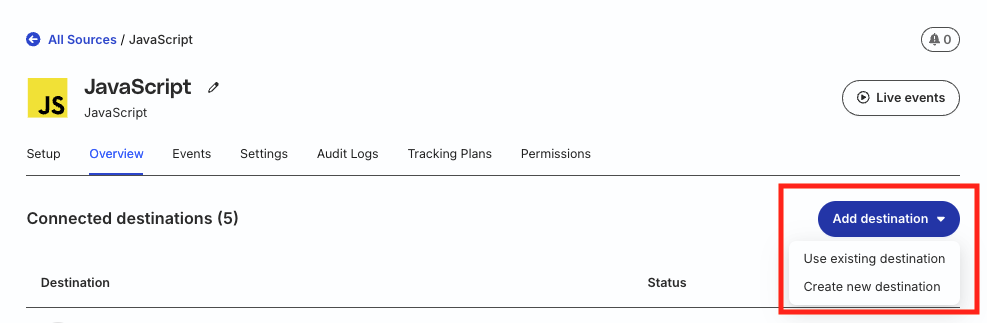
- Select Microsoft Clarity from the list of destinations. Then, click Continue.
Connection settings
| Setting | Description |
|---|---|
| Project ID | Enter your Microsoft Clarity project ID. |
| Microsoft Clarity Cookie Consent | Turn on this toggle to allow RudderStack to call the Microsoft Clarity API to track the users using a cookie.
|
| Client-side Events Filtering | This setting lets you specify which events should be blocked or allowed to flow through to Microsoft Clarity. See Client-side Events Filtering for more information on this setting. |
| Use device mode to send events | This setting is toggled on by default as this is a web device mode-only destination |
| Consent management settings | Configure the consent management settings for the specified source by choosing the Consent management provider from the dropdown and entering the relevant consent category IDs. See Consent Management in RudderStack for more information on this feature. |
Identify
You can use the identify events to create a new user in Microsoft Clarity.
A sample identify call is shown below:
rudderanalytics.identify("1hKOmRA4GRlm", {
  name: "Alex Keener",
  email: "alex@example.com"
});
By default, Clarity uses cookies to track your users and gather the session data. You can configure your Clarity project to require cookie consent, that is, Clarity will not place a cookie until a user provides consent.
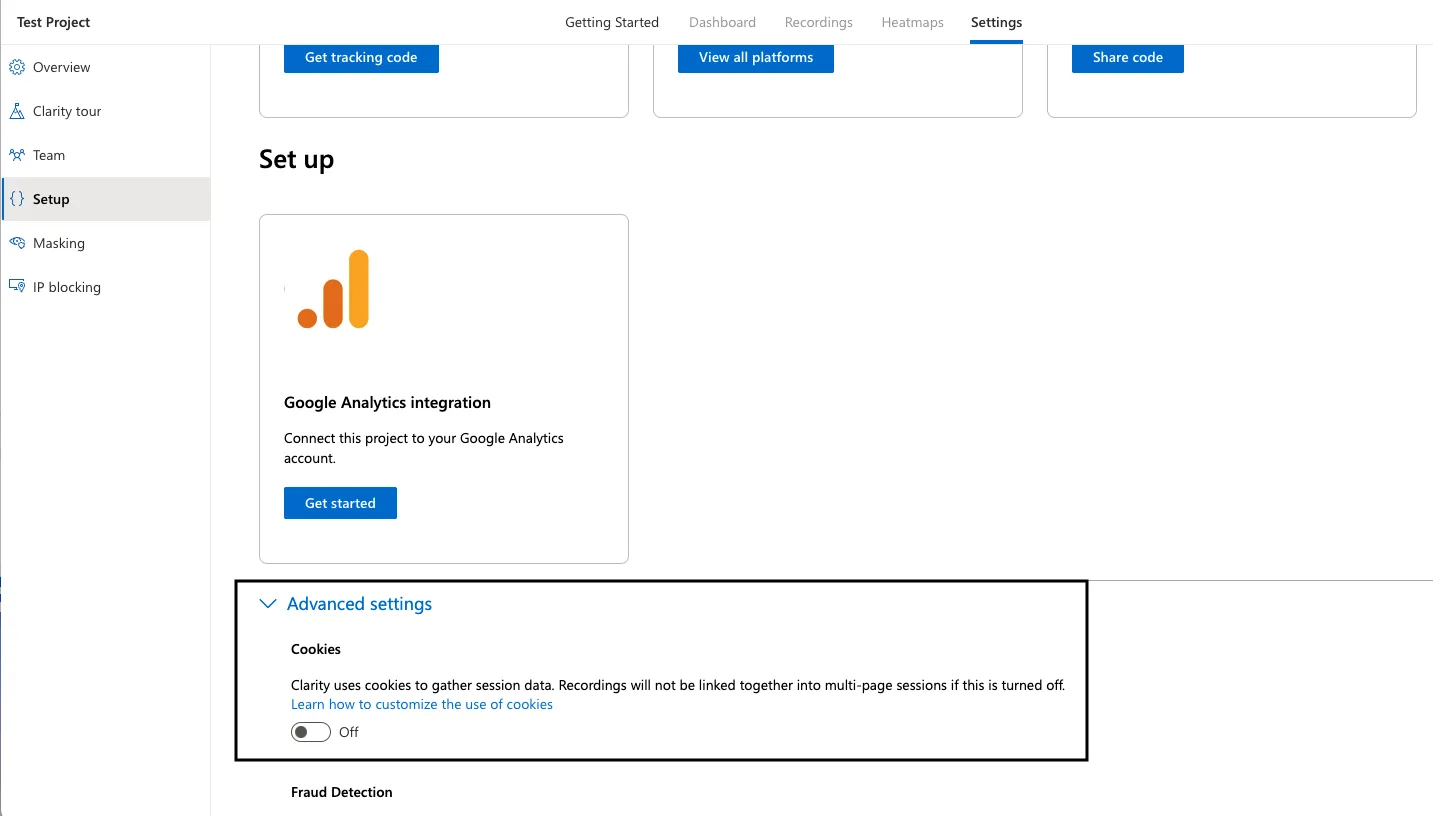
In this case, to track the user sessions via the cookie, make sure to enable the Microsoft Clarity Cookie Consent setting in the RudderStack dashboard. This setting indicates that RudderStack can call the Clarity API to track the users via a cookie once a user provides consent.
Supported mappings
RudderStack maps the following identify attributes to the corresponding Microsoft Clarity properties:
| RudderStack property | Microsoft Clarity property |
|---|---|
userIdRequired | customuserid |
context.sessionId | customsessionid |
context.traits.customPageId | custompageid |
Track
You can use the track events to send custom events to Microsoft Clarity. RudderStack maps these events to Clarity’s custom events to help you track specific user actions on your website.
A sample track call is shown below:
rudderanalytics.track("Product Added", {
  productId: "123",
  category: "Shoes"
});
RudderStack maps the track event to Microsoft Clarity’s API by sending the event name to Clarity. The implementation uses the following mapping:
window.clarity("event", "Product Added");Microsoft Clarity’s custom events accept only the event name. Event properties are not supported and will be ignored.
Automatic mappings
Microsoft Clarity automatically classifies your track events to the following Smart Events, based on your pre-configured mappings specified in the Microsoft Clarity dashboard:
PurchaseAdd to CartBegin CheckoutContact UsSubmit FormRequest QuoteSign UpLoginDownload
FAQ
Where can I find the Microsoft Clarity project ID?
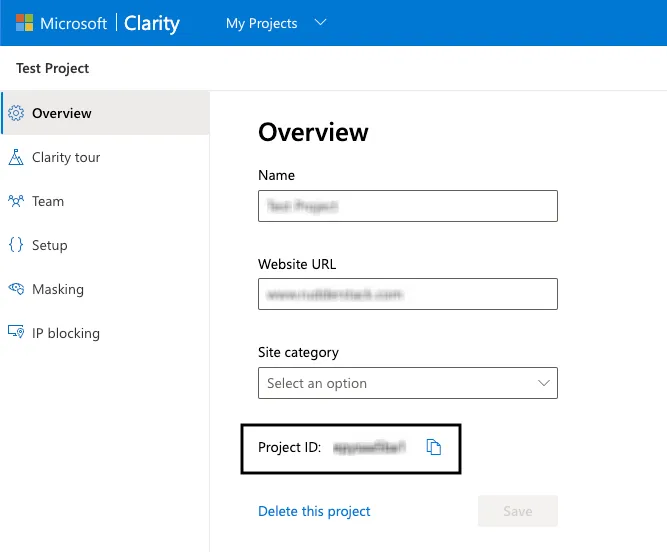
To get your Microsoft Clarity project ID, follow these steps:
- Log into your Microsoft Clarity dashboard.
- Select your Microsoft Clarity project and go to Settings > Overview to get your project ID: