ConvertFlow
4 minute read
ConvertFlow is an all-in-one platform that enables you to drive your conversions. It lets you create and deliver personalized user experiences via forms, quizzes, surveys, landing pages, and more.
RudderStack supports ConvertFlow as a destination where you can seamlessly send your event data.
Connection compatibility
| Destination Information | |||
|---|---|---|---|
| |||


In the web device mode integration, that is, using JavaScript SDK as a source, RudderStack loads the ConvertFlow native SDK from the
https://js.convertflow.co/domain.Based on your website’s content security policy, you might need to allowlist this domain to load the ConvertFlow SDK successfully.
Get started
Once you have confirmed that the source platform supports sending events to ConvertFlow, follow these steps:
- From your RudderStack dashboard, add a source. Then, from the list of destinations, select ConvertFlow.
- Assign a name to the destination and click Continue.
Connection settings
To successfully configure ConvertFlow as a destination, you will need to configure the following settings:
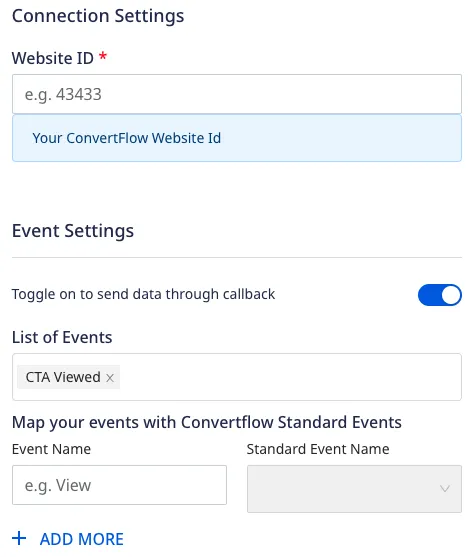
- Website ID: Enter your ConvertFlow website ID.
For more information on obtaining your ConvertFlow website ID, refer to the FAQ section below.
- Toggle on to send data through callback: Enable this setting to allow RudderStack to automatically record your ConvertFlow CTA interactions as
trackevents.- List of Events: If Toggle on to send data through callback setting is enabled, enter the list of CTA interactions for RudderStack to track.
- Map your events with ConvertFlow Standard Events: Use this setting to map the standard ConvertFlow events with custom event names.
For more information on this setting, refer to the Mapping events section below.
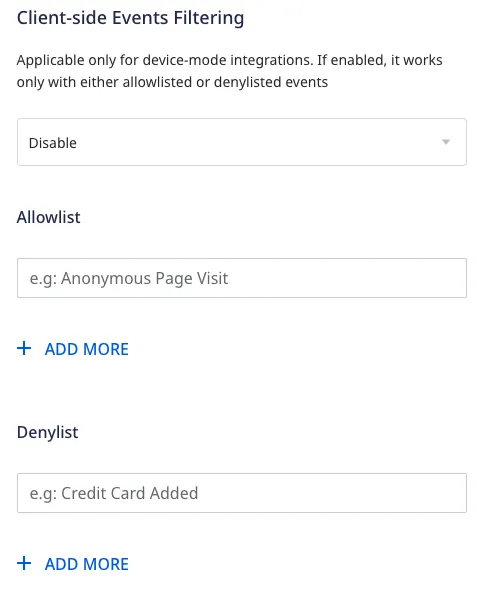
- Client-side Events Filtering: This setting lets you specify which events should be blocked or allowed to flow through to ConvertFlow.
For more information on this setting, refer to the Client-side Events Filtering guide.
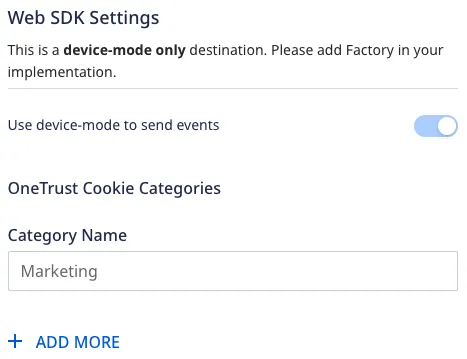
- Use device mode to send events: As this is a web device mode-only destination, this setting is enabled by default and cannot be disabled.
- Consent management settings: Configure the consent management settings for the specified source by choosing the Consent management provider from the dropdown and entering the relevant consent category IDs. See Consent Management in RudderStack for more information on this feature.
Identify
You can use the identify call to identify your user in ConvertFlow using their identify function.
A sample identify call is shown below:
rudderanalytics.identify(
  "1hKOmRA4GRlm", {
    email: "alex@example.com",
    name: "Alex Keener"
  }
);
Supported mappings
The following table lists the mappings between the RudderStack and ConvertFlow properties:
| RudderStack property | ConvertFlow property | Data type | Presence |
|---|---|---|---|
traits.email / context.traits.email | email | String | Required |
Track
If you enable the Toggle on to send data through callback dashboard setting, RudderStack records the ConvertFlow CTA interactions and sends them as track events. You can then view and analyze these events in the other tools (connected to the same source in RudderStack).
RudderStack only tracks the CTA interactions specified in the List of Events field in the dashboard settings. If this setting is not specified, RudderStack tracks all below CTA interactions.
Supported events
RudderStack automatically records and sends the following ConvertFlow CTA interactions:
| Interaction event | track event name | Description |
|---|---|---|
cfReady | CTA Ready | Fired when the ConvertFlow script is fully initialized and their JavaScript API is ready for use. |
cfView | CTA Viewed | Fired when the user views a CTA and upon each additional step. |
cfConversion | CTA Converted | Fired when the user engages with a CTA, for example, clicking a button, submitting a form, selecting a survey, etc. |
cfCompletion | CTA Completed | Fired when the ‘Track completion of CTA’ automation marks a CTA as complete. |
cfSubmit | CTA Form Submitted | Fired when the CTA form and the associated survey elements have been submitted. |
cfAddToCart | Product Addded to Cart | Fired when the user adds a product to their cart using the ConvertFlow products elements. |
cfClose | CTA Closed | Fired when the user closes a CTA. |
A sample CTA conversion event is shown below:
window.addEventListener("cfConversion", function(event) {
  rudderanalytics.track("CTA Converted", {
    cta_name: "CTA123",
    cta_type: "inline",
    cta_id: 124573221,
    cta_variant: "a",
    cta_step: 1,
  });
});
Mapping events
You can also update the standard ConvertFlow CTA events with custom event names by enabling the Map your events with ConvertFlow Standard Events setting in the RudderStack dashboard and specifying the required mapping:
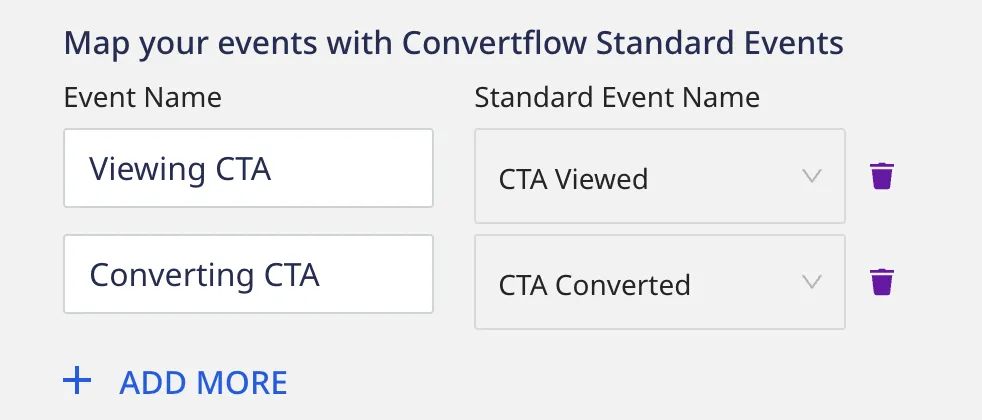
Based on the mappings set in the above image, RudderStack replaces the standard event names "CTA Viewed" and "CTA Converted"with "Viewing CTA" and "Converting CTA" respectively.
FAQ
Where can I find the ConvertFlow website ID?
To get your ConvertFlow website ID, follow these steps:
- Log into your ConvertFlow account.
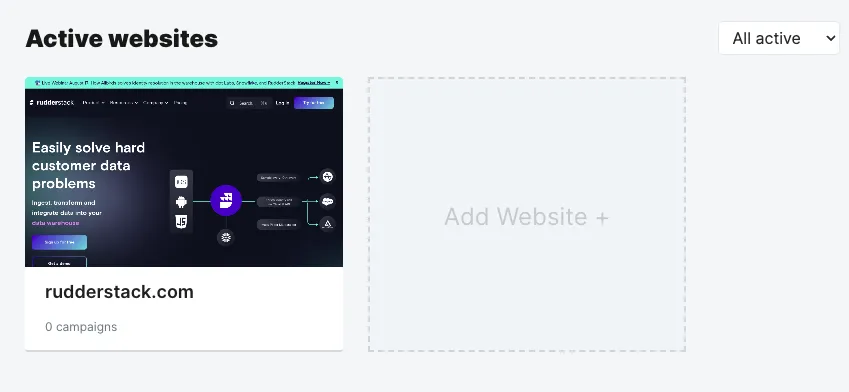
- Select your website under Active websites:
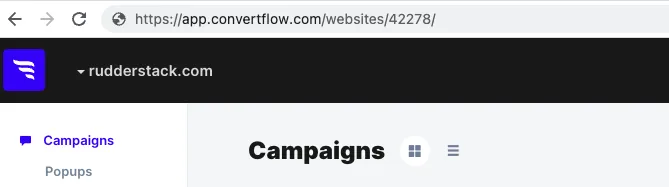
- You can find the website ID present in your URL: