Braze Recommended Ecommerce Events
Beta5 minute read
Braze recommended ecommerce events are currently in beta.
When Enable ecommerce recommended events connection setting is toggled on, the Braze destination maps supported RudderStack ecommerce track events to Braze recommended ecommerce events (ecommerce.*).
Note that:
- The Enable ecommerce recommended events setting is toggled on by default for all new destinations.
- The mapping is the same in cloud mode and device mode.
- In hybrid mode, user-generated
trackevents are sent through cloud mode, so the same mapping applies. - To use the legacy
Order Completedpurchase mapping instead, toggle Enable ecommerce recommended events off in the event settings.
When the setting is toggled on,
Order Completedis sent as oneecommerce.order_placedcustom event per order instead of Braze purchases.Rebuild Braze purchase and revenue analytics and Made Purchase segments against
ecommerce.order_placed.
Event mappings
Event names are matched after trimming whitespace, without regard to case. For example, order completed and Order Completed both map.
| RudderStack event | Braze event | action |
|---|---|---|
| Product Viewed | ecommerce.product_viewed | — |
| Product Added | ecommerce.cart_updated | add |
| Product Removed | ecommerce.cart_updated | remove |
| Checkout Started | ecommerce.checkout_started | — |
| Order Completed | ecommerce.order_placed | — |
| Order Refunded | ecommerce.order_refunded | — |
| Order Cancelled | ecommerce.order_cancelled | — |
Field mappings
Where a Braze field lists more than one RudderStack property, the integration uses the first present value.
Fields marked Required are required by Braze for commerce handling. Missing values do not block delivery. See Missing required fields.
Product Viewed
Maps from Product Viewed. Product fields are read from the top-level event properties (this event has no products array).
| Braze field | RudderStack property |
|---|---|
product_idRequired | product_idsku |
product_nameRequired | name |
variant_idRequired | variantskuproduct_id |
priceRequired | price |
currencyRequired | currency |
image_url | image_url |
product_url | url |
type | type (array) |
Cart Updated
Maps from Product Added (action: add) and Product Removed (action: remove).
| Braze field | RudderStack property |
|---|---|
cart_idRequired | cart_id |
currencyRequired | currency |
products[]Required | products[] or top-level product fields folded into one item |
total_value | totalrevenuevalue |
subtotal_value | subtotal_value |
tax | tax |
shipping | shipping |
Note that:
Product AddedandProduct Removedtypically send product fields at the top level.- The integration folds those fields into a one-item
productsarray — if you sendproducts[]explicitly, that array is used instead.
Checkout Started
Maps from Checkout Started.
| Braze field | RudderStack property |
|---|---|
checkout_idRequired | checkout_idorder_id |
total_valueRequired | totalrevenuevalue |
currencyRequired | currency |
products[]Required | products[] |
cart_id | cart_id |
subtotal_value | subtotal_value |
tax | tax |
shipping | shipping |
Order Placed
Maps from Order Completed.
| Braze field | RudderStack property |
|---|---|
order_idRequired | order_id |
total_valueRequired | totalrevenuevalue |
currencyRequired | currency |
products[]Required | products[] |
cart_id | cart_id |
subtotal_value | subtotal_value |
tax | tax |
shipping | shipping |
total_discounts | discounttotal_discounts |
discounts | discounts[] |
Eachdiscounts[]item is passed through with the shape{ code, amount, type }.
Order Refunded
Maps from Order Refunded.
| Braze field | RudderStack property |
|---|---|
order_idRequired | order_id |
total_valueRequired | totalrevenuevalue |
currencyRequired | currency |
products[]Required | products[] |
total_discounts | discounttotal_discounts |
discounts | discounts[] |
Order Cancelled
Maps from Order Cancelled.
| Braze field | RudderStack property |
|---|---|
order_idRequired | order_id |
total_valueRequired | totalrevenuevalue |
currencyRequired | currency |
cancel_reasonRequired | cancel_reasonreason |
products[]Required | products[] |
subtotal_value | subtotal_value |
tax | tax |
shipping | shipping |
total_discounts | discounttotal_discounts |
discounts | discounts[] |
Product properties
These fields apply to each item in products[] on every mapped event except ecommerce.product_viewed.
| Braze field | RudderStack property |
|---|---|
product_idRequired | product_idsku |
product_nameRequired | name |
variant_idRequired | variantskuproduct_id |
quantityRequired | quantity |
priceRequired | price |
image_url | image_url |
product_url | url |
Unmapped product keys are nested underproducts[].metadata.
Examples
The destination sends a Braze custom event (name and properties). Cloud and device mode wrap it the same way as other custom events.
Product Viewed
Product Viewed maps to ecommerce.product_viewed. Because both product_id and sku are present, product_id wins. variant_id comes from variant. sku is consumed as a fallback key, so it is not copied into metadata. source is set automatically (web for this JavaScript SDK call).
rudderanalytics.track("Product Viewed", {
  product_id: "622c6f5d5cf86a4c77358033",
  sku: "8472-998-0112",
  name: "Cones of Dunshire",
  variant: "expansion pack",
  price: 49.99,
  currency: "USD",
  url: "https://www.website.com/product/path",
  image_url: "https://www.website.com/product/path.webp"
});
Braze custom event:
{
  "name": "ecommerce.product_viewed",
  "properties": {
    "product_id": "622c6f5d5cf86a4c77358033",
    "product_name": "Cones of Dunshire",
    "variant_id": "expansion pack",
    "price": 49.99,
    "currency": "USD",
    "product_url": "https://www.website.com/product/path",
    "image_url": "https://www.website.com/product/path.webp",
    "source": "web"
  }
}
Product Added
Product Added maps to ecommerce.cart_updated with action: add. The top-level product fields are folded into a one-item products array.
rudderanalytics.track("Product Added", {
  cart_id: "skdjsid2dkdkd",
  product_id: "622c6f5d5cf86a4c77358033",
  name: "Cones of Dunshire",
  variant: "expansion pack",
  price: 49.99,
  quantity: 1,
  currency: "USD"
});
Braze custom event:
{
  "name": "ecommerce.cart_updated",
  "properties": {
    "cart_id": "skdjsid2dkdkd",
    "currency": "USD",
    "products": [
      {
        "product_id": "622c6f5d5cf86a4c77358033",
        "product_name": "Cones of Dunshire",
        "variant_id": "expansion pack",
        "quantity": 1,
        "price": 49.99
      }
    ],
    "action": "add",
    "source": "web"
  }
}
Automatic fields
| Field | Behavior |
|---|---|
source | Set on every mapped event. If properties.source is web, ios, or android, that value is used. Otherwise, cloud mode derives source from the event channel and OS, and device mode sends the source platform (web, ios, or android). |
action | Set to add or remove for ecommerce.cart_updated from the RudderStack event name. A customer-sent properties.action is not used. |
metadata | Unmapped event-level properties. Unmapped product keys go to products[].metadata. These keys are passed through, not dropped. |
Normalization
- Lossless type coercion: Numeric strings are converted to numbers for float fields (
"12.5"becomes12.5). Integral strings are converted to integers ("2"becomes2)."2.5"on an integer field stays a string and the integration logs a warning. Numbers are stringified for string fields. Integers are accepted for float fields. Values that cannot be coerced without loss are sent as-is. - Empty-value scrubbing:
null,"",{}, and[]are removed from the payload.0andfalseare kept.
Missing required fields
Missing Braze-required fields never fail or drop an event. Braze accepts the payload and processes it as a plain custom event instead of a commerce event, so the integration sends it with the field absent.
| Connection mode | Behavior |
|---|---|
| Device mode | The SDK logs a warning that lists the missing fields (browser console, Logcat, or Xcode console, depending on the SDK log level). |
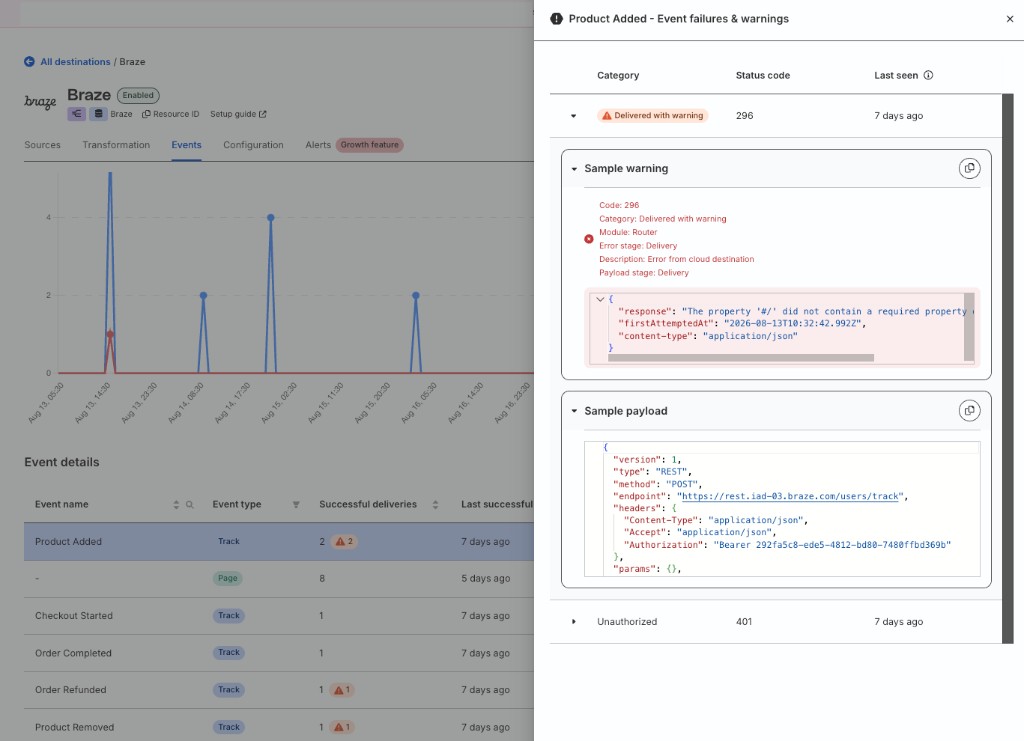
| Cloud mode | Events that Braze responds to with schema warnings are marked as Delivered with warning on the destination Events tab. |
The same send-anyway behavior applies to type mismatches — values that cannot be coerced without loss are sent as-is with a warning.
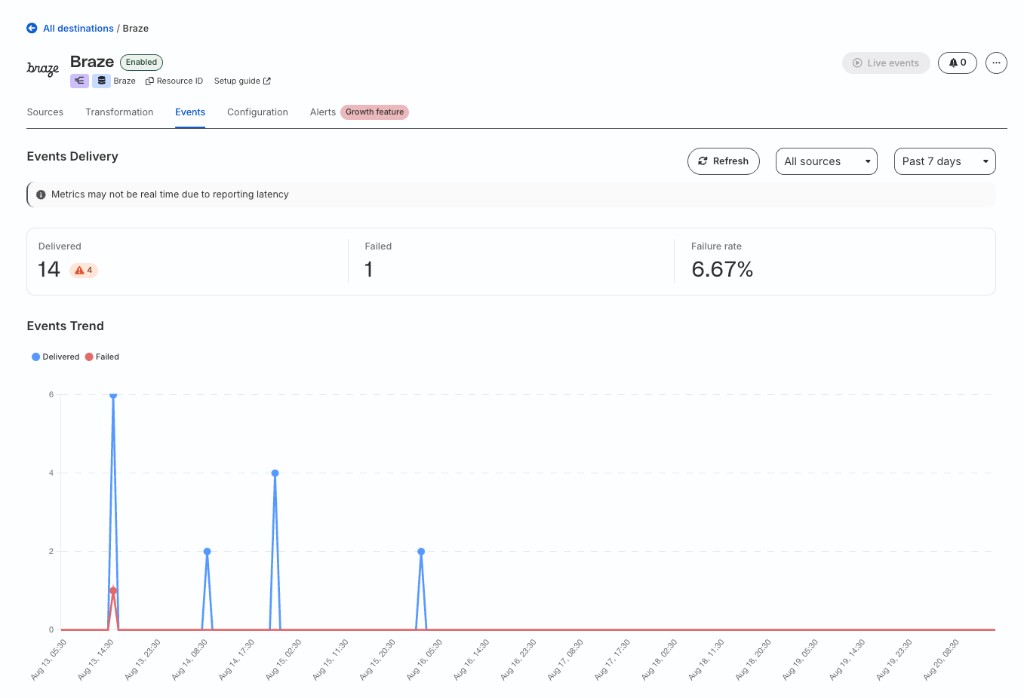
The Event details table lists the warning category, status code, sample response, and sample payload: