Algolia Insights
5 minute read
Algolia is a popular site search and discovery platform. It helps businesses build and optimize their users’ product search and discovery experience, resulting in enhanced online engagement, increased conversion rates, and better user lifetime value.
RudderStack supports Algolia Insights as a destination to which you can seamlessly send your customer data.
Connection compatibility
| Destination Information | |||
|---|---|---|---|
| |||


Getting started
Once you have confirmed that your source platform supports sending events to Algolia, follow these steps:
- From your RudderStack dashboard, add the source. From the list of destinations, select Algolia.
- Assign a name to the destination and click Next. You should then see the following screen:
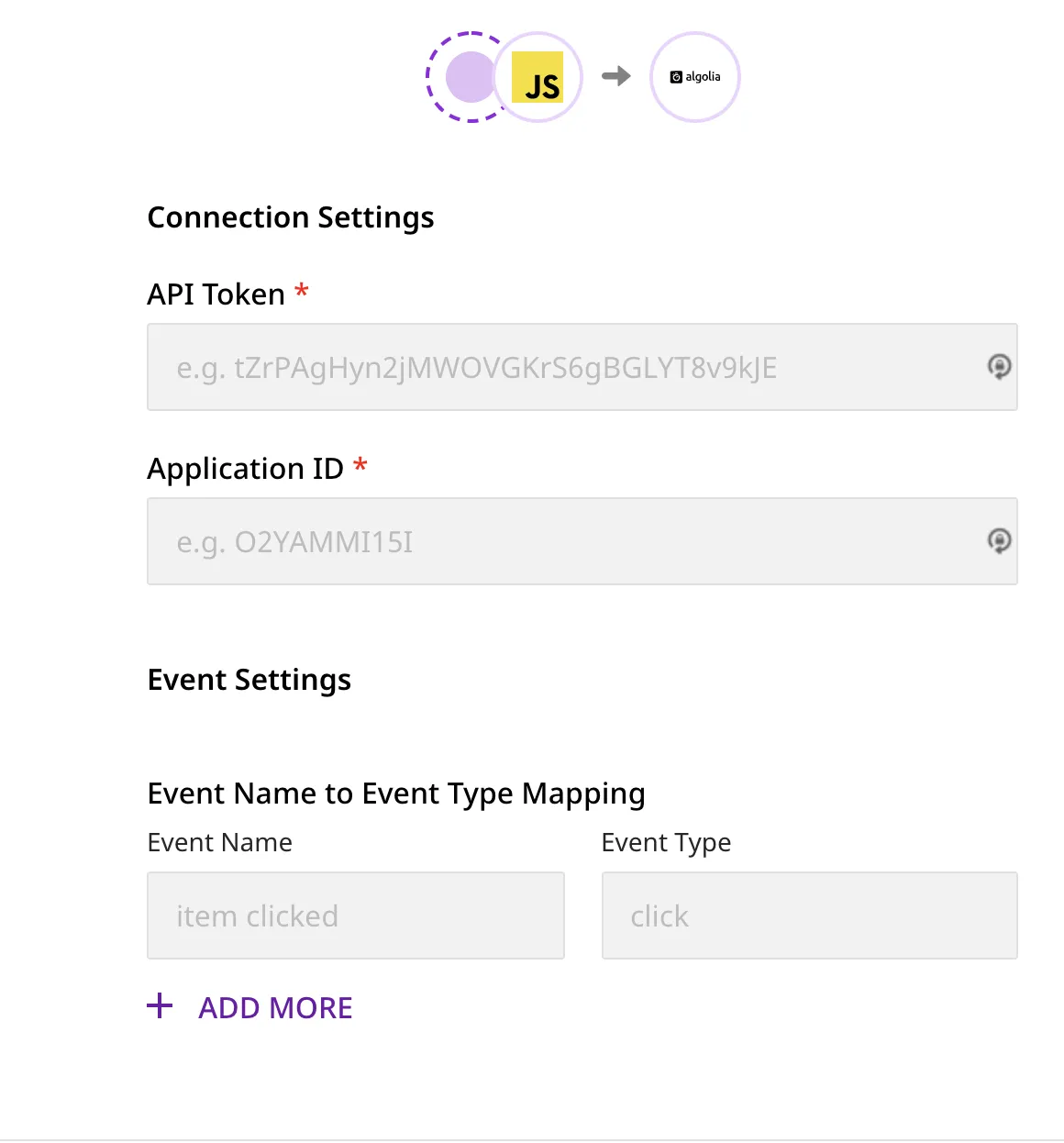
Connection settings
This section details the connection settings required to configure Algolia as a destination in RudderStack.
- Enter your Algolia API Key and Application ID.
To get the Algolia API key and Application ID, go to your Algolia dashboard. Under the API Keys menu, copy the values under Application ID and Search-Only API Key.
- Under Event Settings, you can add the Event Name and its corresponding Event Type. These are optional fields and can also be passed via the
trackcall.
Theevent-eventTypemapping passed via thetrackcall will get a higher precedence over the mapping specified in the dashboard.
If theevent-eventTypemapping is not specified in the dashboard and these fields are not passed in thetrackcall as well, then the event will be discarded.
- Finally, click Next. Algolia will now be enabled as a destination in RudderStack.
Track
The track call lets you send events related to your customers’ product usage. The required fields are event, eventType, index, and either objectIds or filters.
Note that the Event Name (event) and Event Type (eventType) can be mapped in the dashboard while configuring the destination. Note that the eventType value set in properties in the track call will have a higher precedence over the dashboard mapping.
In case you have already specified the mapping in the dashboard, you don’t need to send the sameeventTypein thetrackcall.
To send a neweventviatrackwhich is not specified in the dashboard, make sure you include theeventTypeinside thepropertiesof the call. Otherwise, the event will be discarded.
The following table includes all track fields with their relative mapping to the Algolia fields:
| RudderStack Field | Algolia Field | Criteria |
|---|---|---|
index | index | |
eventType | eventType | |
timestamp | timestamp | |
queryId | queryID | |
filters | filters | |
objectIds | objectIDs | |
positions | positions | |
message.properties.eventSubtype | eventSubtype | Applicable if eventType is conversion. Allowed values for eventSubtype are addToCart, and purchase. |
message.properties.value | value | |
properties.currency | currency | Required field if you send value and products array where any product’s information contains price/quantity/discount. |
RudderStack looks for these fields within thepropertiesfield of the event payload.userIdoranonymousIdis mapped touserTokenin Algolia.
A sample track call is as shown:
rudderanalytics.track("event name", {
  eventType: "click",
  index: "index1",
  timestamp: 1630649198801,
  objectIds: ["objId1", "objId2"],
  positions: [1, 2],
  queryId: "e28d338dbfbbdcb4678d9d30a5e286ee"
});
To successfully send events to Algolia, the following criteria must be met:
| Field | Criteria |
|---|---|
eventType | Values can only be either of click, view or conversion. Otherwise, the event will be discarded. |
timestamp | Must be in milliseconds UNIX epoch and must be maximum 4 days old. |
queryId | Must be a 32-character Hexadecimal string. |
filters | Must be an array of strings. If it has more than 10 strings, only the first 10 values will be passed. |
objectIds | Must be an array of strings. If it has more than 20 strings, only the first 20 values will be passed. |
positions | Must be an array of integers. It must be passed for only click type events. Only the first 20 values will be passed. |
For all event types (eventType), eitherfiltersorobjectIdsmust be passed and not both. If both or none of the fields are passed, the event will be discarded.
For the
clickevent type, if you passobjectIds, then you must pass either both or none of thepositionsandqueryIdfields. If only either of the fields are present, the event will be discarded.Also, the length of
objectIdsandpositionsarrays should be equal. Otherwise, the event will be discarded.
Ecommerce events
This destination does not strictly adhere to the RudderStack Ecommerce Event Spec.
For Algolia Insights, RudderStack supports the products array for two ecommerce events - Product List Viewed and Order Completed.
An example is shown below:
rudderanalytics.track("product list viewed", {
  index: "index1",
  products: [
    {
      objectId: "objectId",
      position: 1
    }
  ]
});
Rudderstack also supports sending DataObjects, if you send the products array for conversion event type:
| RudderStack Product Property | Algolia Data Object Property | Criteria |
|---|---|---|
message.properties.products[#i].queryID | queryID | - |
message.properties.products[#i].price | price | message.properties.currency must be present. |
message.properties.products[#i].quantity | quantity | message.properties.currency must be present. |
message.properties.products[#i].discount | discount | message.properties.currency must be present. |
FAQ
What happens if the Event Name - Event Type mapping is not specified in the dashboard as well as in the track call?
If the Event - Event Type mapping is not specified in the dashboard and these fields are not passed in the track call as well, then the event will be discarded.
