Setup Guide
Set up and configure Klaviyo Bulk Upload as a destination in RudderStack.
2 minute read
This guide will help you set up Klaviyo Bulk Upload as a destination in the RudderStack dashboard. It also lists the configuration settings required to correctly send data from the supported sources to Klaviyo.
Setup
In your RudderStack dashboard, add a source. Then, from the list of destinations, select Klaviyo Bulk Upload.
Connection settings
| Setting | Description |
|---|---|
| Name | Assign a name to uniquely identify your destination in RudderStack. |
| Private API Key | Enter the Klaviyo private API key by navigating to Settings > API Keys.
|
Configuration settings
| Setting | Description |
|---|---|
| List ID | Enter the default list ID to which you want to add and subscribe users. |
Next steps
FAQ
Which permissions are needed to send data to the Klaviyo Bulk Upload destination correctly?
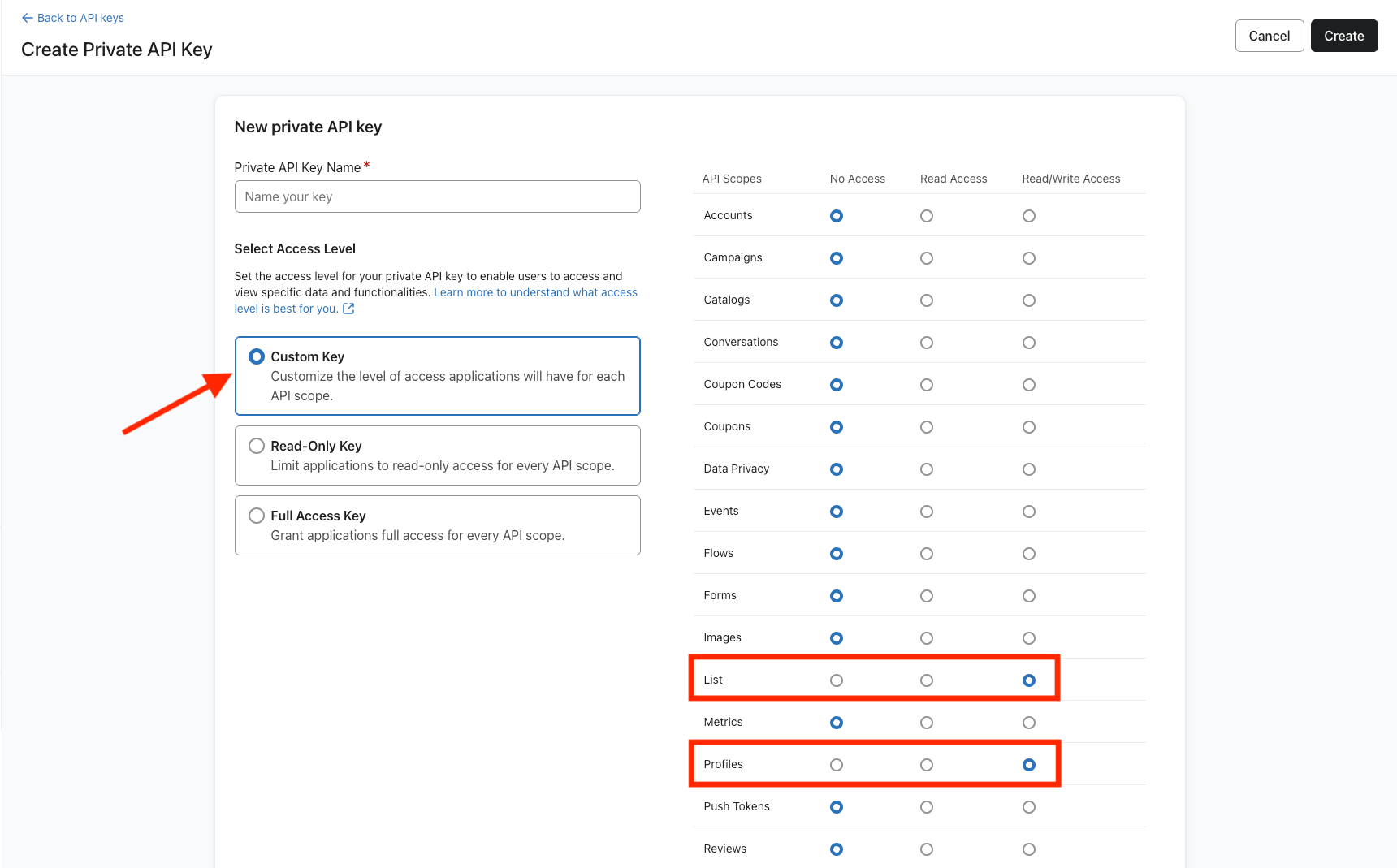
For bulk import jobs in Klaviyo, you need to create a private API key with the following scopes:
profiles:writelists:write
Follow these steps to create a new private API key with the above scopes:
- Go to Settings > API Keys.
- Click Create Private API Key.
- Name the key and choose the Custom Key option from the access level options.
- Select Read/Write Access for the List and Profiles API scopes.
- Click Create.
- Specify this key in the Private API key setting.
