Connect Reverse ETL Source to Amazon Audience Beta
Configure a Reverse ETL source with your Amazon Audience destination.
less than a minute
This guide takes you through the steps to connect a Reverse ETL source to the Amazon Audience destination.
Set up the connection
The Reverse ETL feature supports only source-driven pipeline configuration.
Make sure you have set up a RETL source and connected it to your Amazon destination before following the below steps.
- Confirm the connection settings for Amazon Audience and click Continue.
- In the Data Mapping section, select Create New Audience or Use Existing Audience in the Where do you want to sync data to? section.
- RudderStack supports only Mirror mode for this integration.
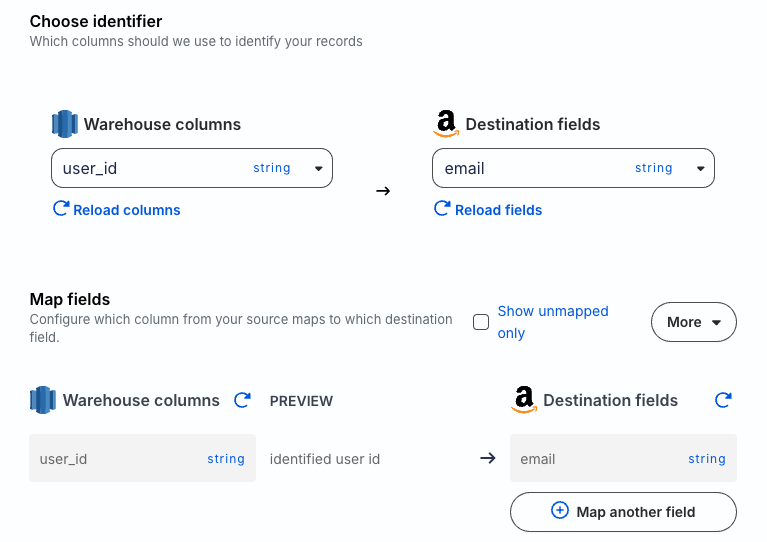
- In Choose identifier, specify the warehouse column that RudderStack uses to identify your records.
- Map your warehouse columns to specific Amazon fields using the Map fields setting and click Continue.
Next steps
FAQ
Why can’t I add a Reverse ETL source from the destination page?
The Reverse ETL feature supports only source-driven pipeline configuration. It means that you must configure a Reverse ETL source in RudderStack and then connect it to a new or existing destination. Note that this destination should not be connected to any other source.
See Reverse ETL FAQ for more information.
