RudderStack Destinations Overview
Send event data from RudderStack to your preferred destination platforms.
4 minute read
A RudderStack destination is the target for your source event data. It is generally categorized into the following types:
- Event Stream destinations consume your event data to complement their offering related to marketing, analytics, CRM, etc.
- Warehouse destinations are data storage and processing platforms like Amazon Redshift, Snowflake, or Google BigQuery.
- Reverse ETL-only destinations accept data only from Reverse ETL sources.
- HTTP Webhook destination forwards events to your configured webhook endpoint.
Event Stream destinations
The below table lists the Event Stream destinations and different source types that you can use with them:
Warehouse destinations
The below table lists the warehouse destinations and different source types that you can use with them:
Reverse ETL-only destinations
The below table lists the destinations which support only Reverse ETL sources:

Amazon Audience

Bing Ads Audience
Bing Ads Offline Conversions

Bloomreach Catalog
Braze Audiences Beta

Criteo Audience

Custom Activation

Customer.io Audience

Eloqua

Facebook Custom Audience

Gainsight PX Audience Private Beta

Google Ads Remarketing Lists (Customer Match)

Iterable Audience Beta

Klaviyo Bulk Upload

LaunchDarkly Segments

LinkedIn Audience

Lytics Bulk Upload Beta

Marketo Static Lists

SFTP

Snapchat Custom Audience

The Trade Desk Audience

TikTok Audiences

X Audience

Yandex Metrica Offline Events

Zoho
HTTP Webhook destination
The HTTP Webhook destination lets you send events from RudderStack’s SDKs, Cloud Apps, and Reverse ETL sources:
To send events to a destination that RudderStack does not support currently, you can build a new integration for that destination by referring to the Contributor’s guides.
Required permissions
- Admins have full access to create and manage destinations.
- Members can have the following permissions depending on their workspace policy:
| Permission | Description |
|---|---|
| Edit | Make changes to the configuration of destinations. |
| Connect | Connect a destination to a source or transformation. |
| Create & Delete | Create or delete destinations. |
To make a connection, that is, connect a source to a destination, the member must have both Edit and Connect permissions on both the resources.
Permissions for legacy RBAC system
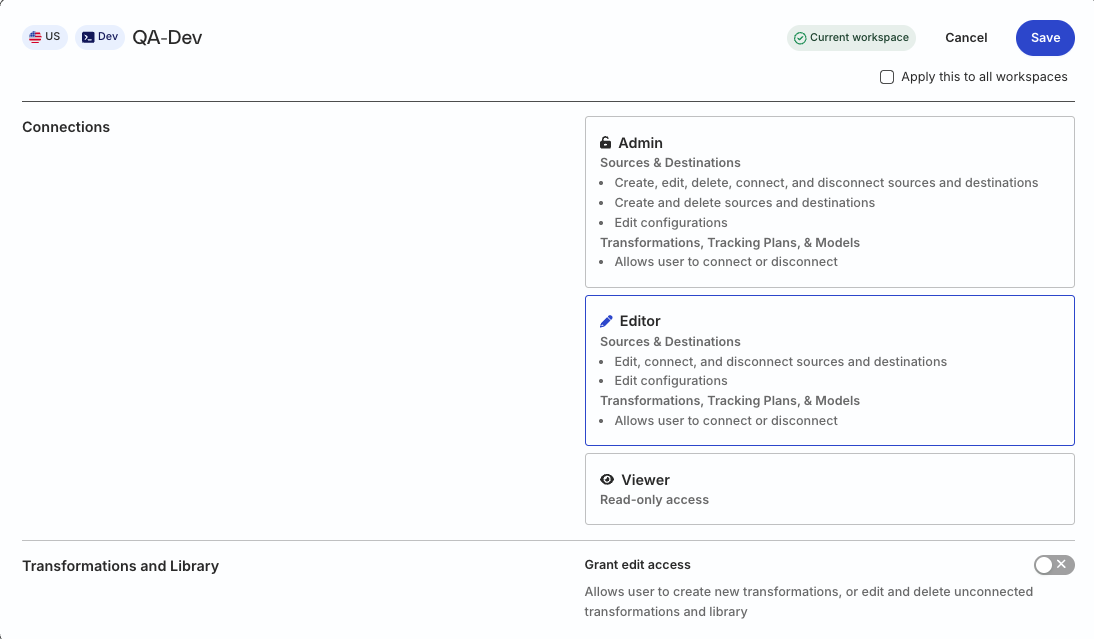
In the legacy Permissions Management (RBAC) system:
- Org Admins and members with the Connections Admin role in their workspace policy can create and delete destinations, manage their configuration, and connect them to sources
- Members with the Connections Editor role in their workspace policy can only edit the destination configuration and connect destinations to sources