Tracking Plan Observability
- free
- growth
- enterprise
4 minute read
This guide walks you through the different tracking plan observability metrics that give you visibility into the events passing through your tracking plans.
Overview
RudderStack gives you complete visibility into the events passing through a tracking plan and details on the tracking plan violations, that is, events that do not comply with the tracking plan rules.
To see these metrics, click the Events tab of the source connected to your tracking plan.
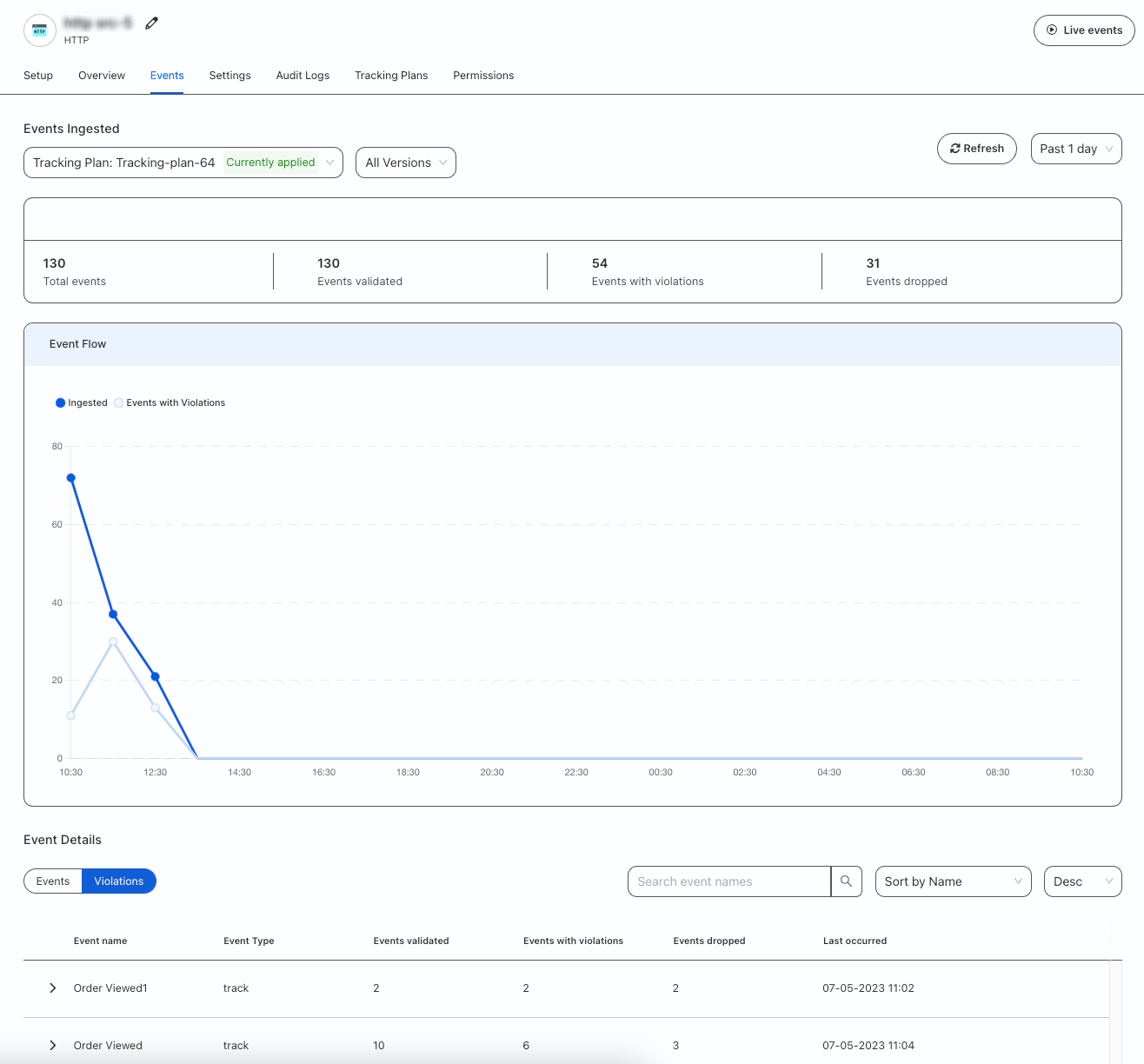
Events ingested
This section shows the tracking plan currently linked to your source and the following details:
| Metric | Description |
|---|---|
| Total events | Captures all events that pass through the source. |
| Events validated | Number of events validated by the tracking plan. |
| Events with violations | Number of events that do not comply with the tracking plan rules. |
| Events dropped | Number of events dropped due to tracking plan violations. |
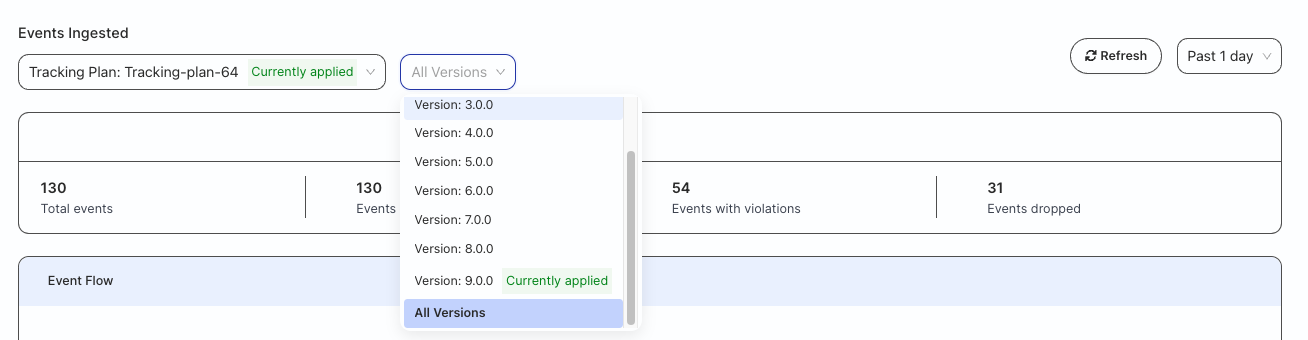
You can see these metrics for all tracking plans connected to that source and filter them by version and time period (past one day, seven days, or 30 days).
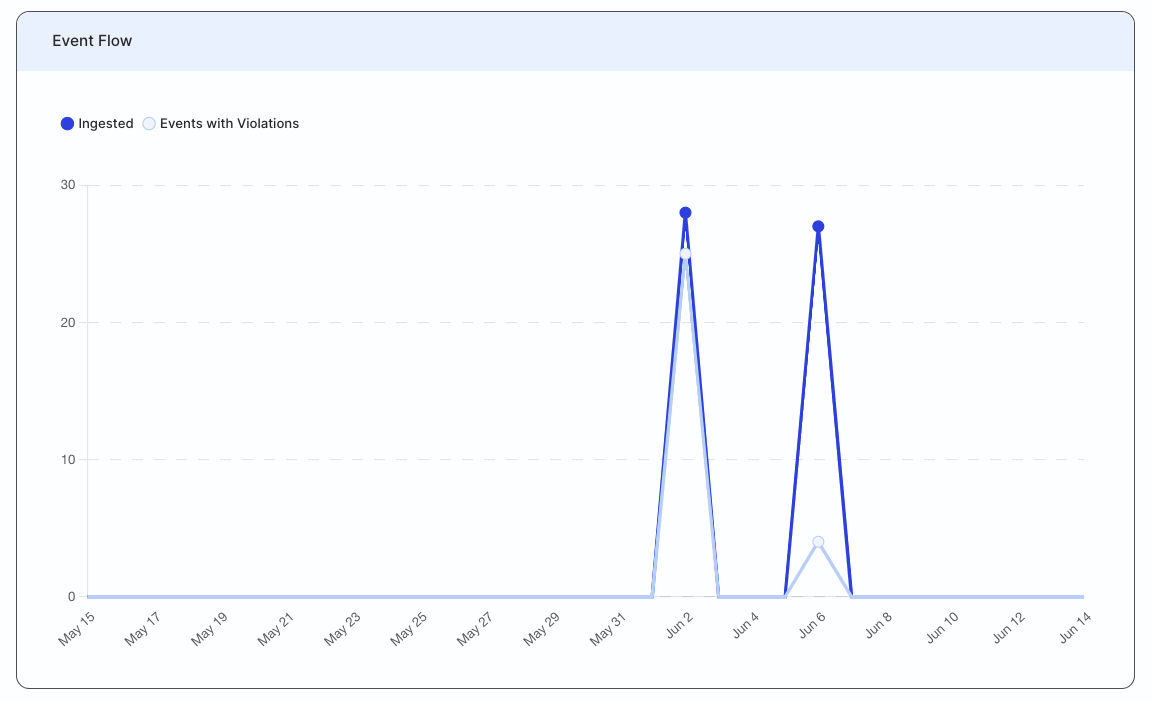
Event flow
This section gives a graphical overview of all the events ingested per day over the specified period and the number of events with violations.
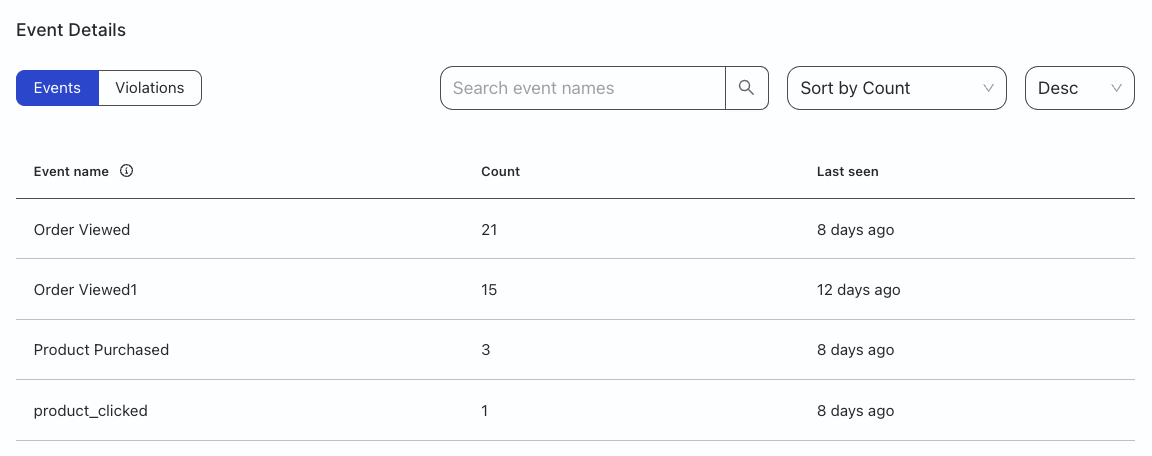
Event details
Click the Events tab to see the following event-related metrics:
| Metric | Description |
|---|---|
| Event name | Name of the event. |
| Count | Number of events validated by the tracking plan according to filter set in Events ingested. |
| Last seen | Number of days since the last violation occurred. |
Violation details
Click the Violations tab to see the following metrics:
| Metric | Description |
|---|---|
| Event name | Name of the event. |
| Event type | Type of event (identify, track, group, page, or screen).Note: Tracking plans do not validate alias events. If you send any alias events, they are shown in this view and returned as is, without any validation. |
| Events validated | Number of events validated by the tracking plan according to filtering period. |
| Events with violations | Number of events that did not comply with the tracking plan rules. |
| Events dropped | Number of events that were not allowed to flow through. |
| Last occurred | Date and time of the last observed violation. |
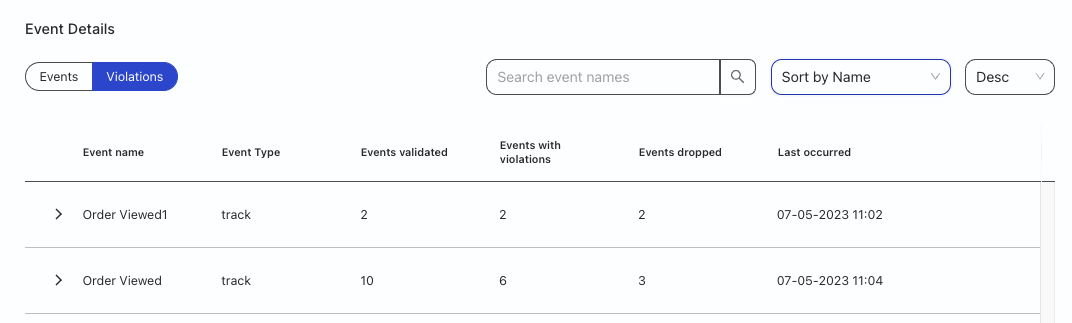
You can also click on an event to view the violation type and individual metrics.
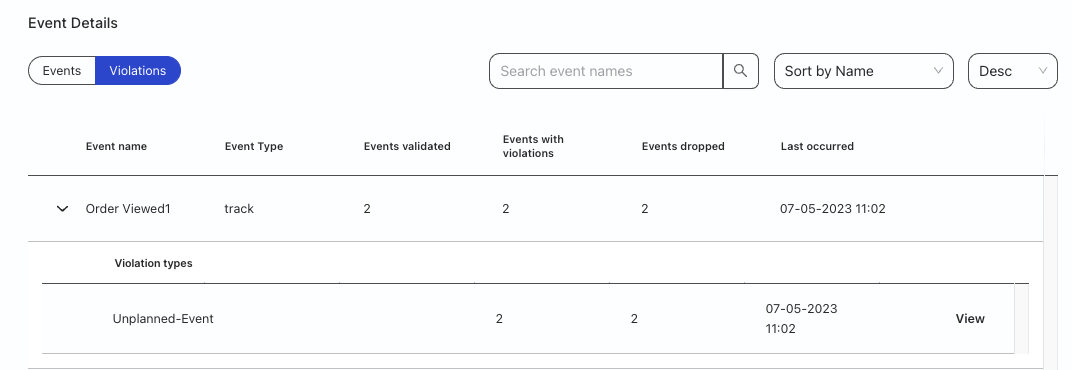
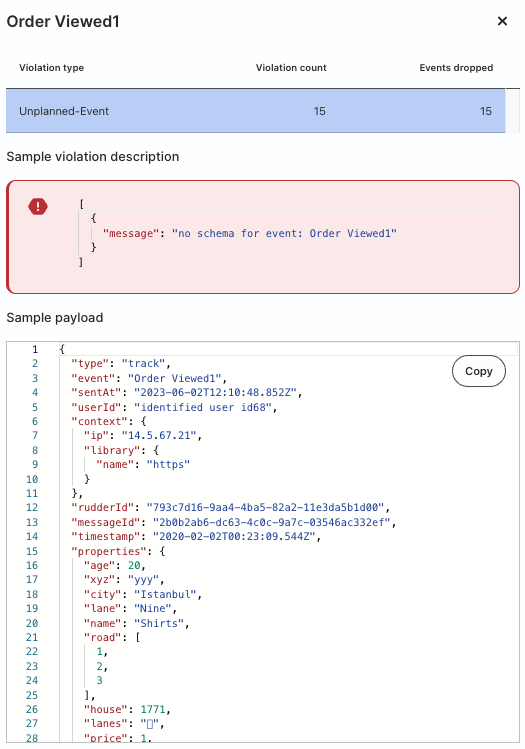
Click the View option for more details, like the violation description and sample payload that caused the violation.
Real-time tracking plan validation
Real-time tracking plan validation is feature-flagged. Contact RudderStack Support to enable it for your workspace.
RudderStack supports real-time tracking plan validation at the source level — this means that RudderStack validates the events against the tracking plan rules as they are being sent from the source.
To see this feature in action:
- Create a tracking plan.
- Connect a source to the tracking plan.
- Send events from the source.
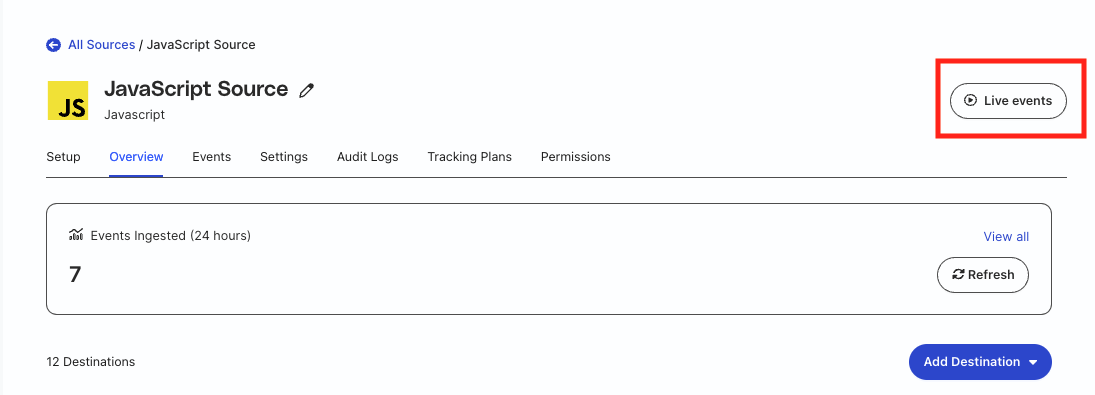
- Go to the source’s Live Events tab — see Source live events for more information.
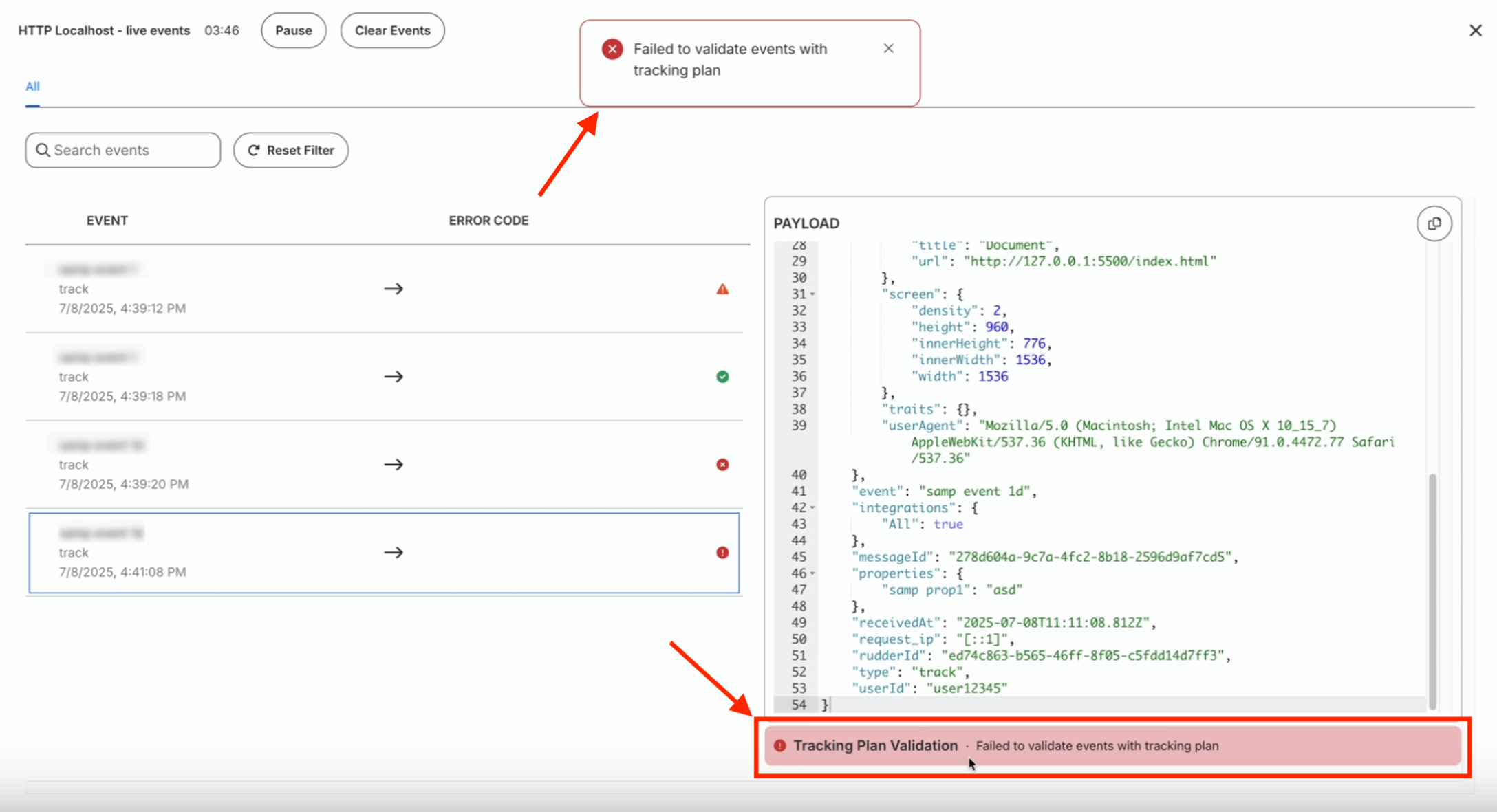
- See the Tracking Plan Validation panel on the bottom right, just below the Payload panel.
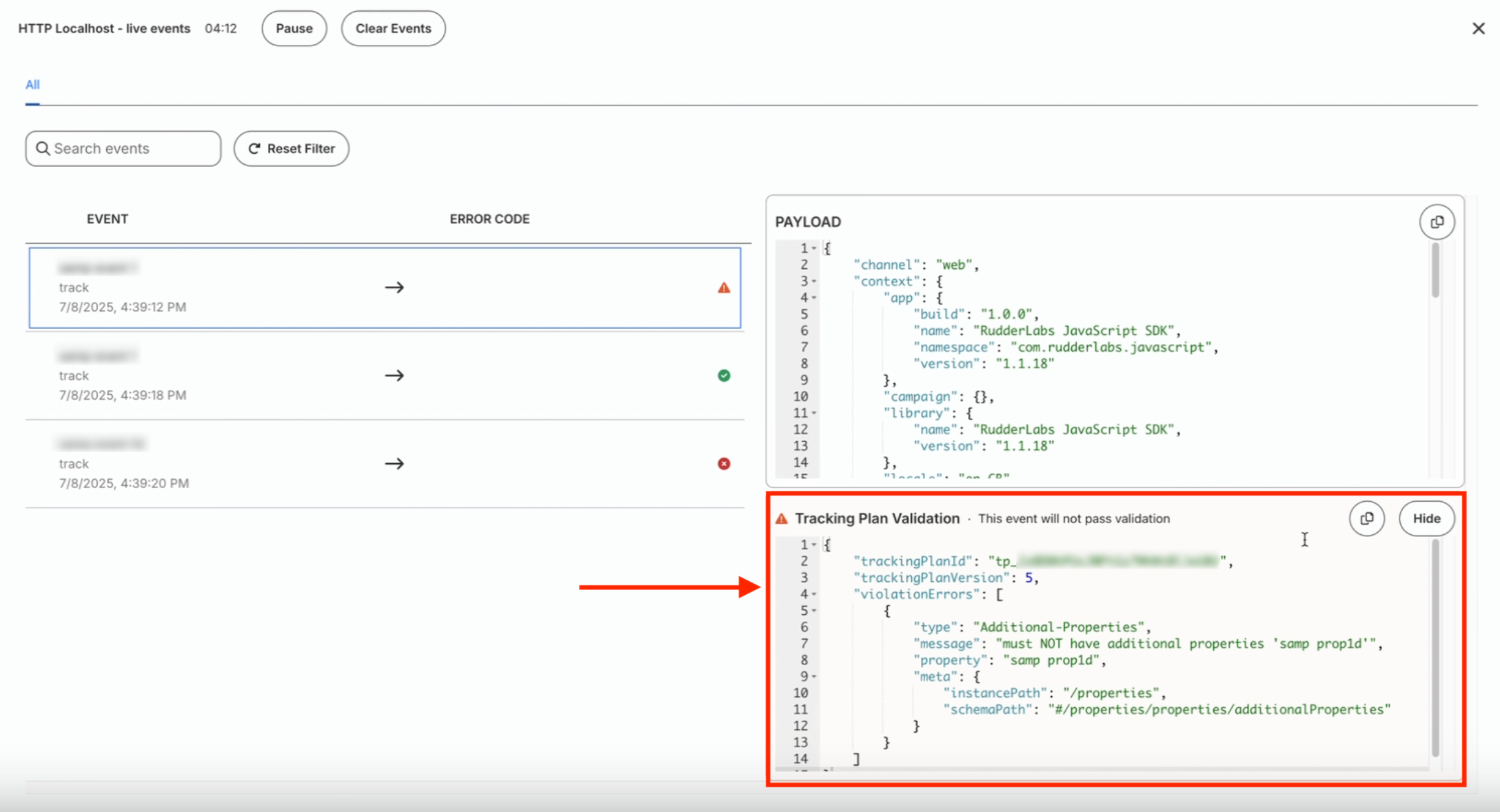
How validation works
RudderStack always validates each incoming event against a specific tracking plan version.
Validating against an explicit tracking plan version prevents false validation errors when multiple app versions send events instrumented against different tracking plan versions.
The following sections describe how validation works in different scenarios.
When using RudderTyper
When you use RudderTyper to generate type-safe SDK code:
- RudderTyper includes the tracking plan version in the event payload. This makes validation deterministic across multiple app versions because each event carries the exact schema version it was generated from.
- You can see the tracking plan version used for validation in the Tracking Plan Validation panel of the Live Events viewer.
When using dashboard-based sources (non-RudderTyper)
For sources connected to a tracking plan in the RudderStack dashboard:
- Events do not include the tracking plan version in the payload.
- RudderStack automatically looks up the tracking plan version linked to the source in the backend and uses that version for validation.
Example scenario
- App version 1.0 uses tracking plan version 90
- App version 1.1 uses tracking plan version 92
- Events from both versions are validated against their respective tracking plan versions (90 and 92)
- This ensures each event is validated against the rules it was designed to follow
Validation status messages
| Status | Message | Description |
|---|---|---|
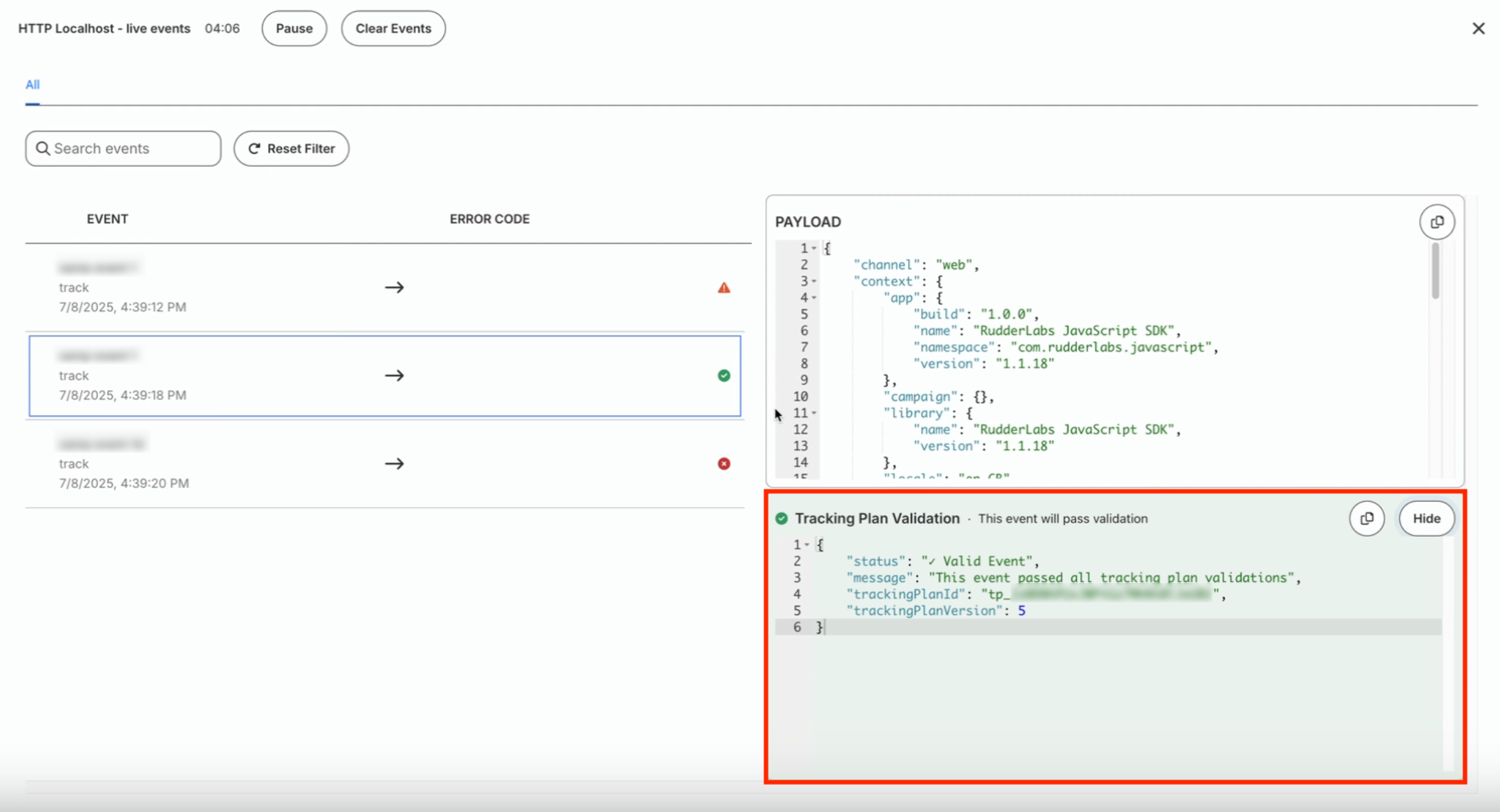
| Valid | This event will pass validation | The event adheres to all the tracking plan rules and will be forwarded for processing. |
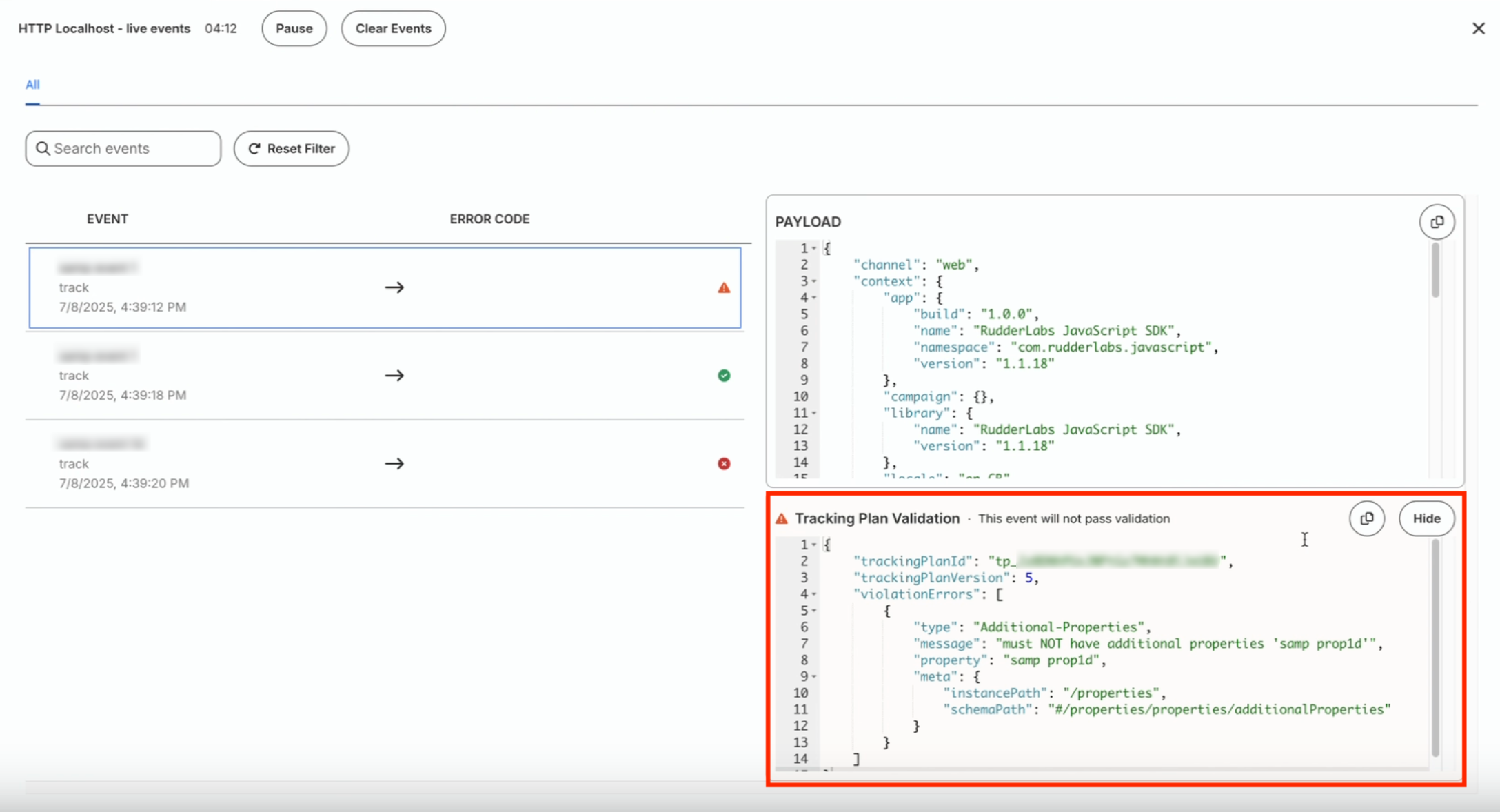
| Invalid | This event will not pass validation | The event has validation errors but will be processed because your tracking plan settings are configured to allow such events. |
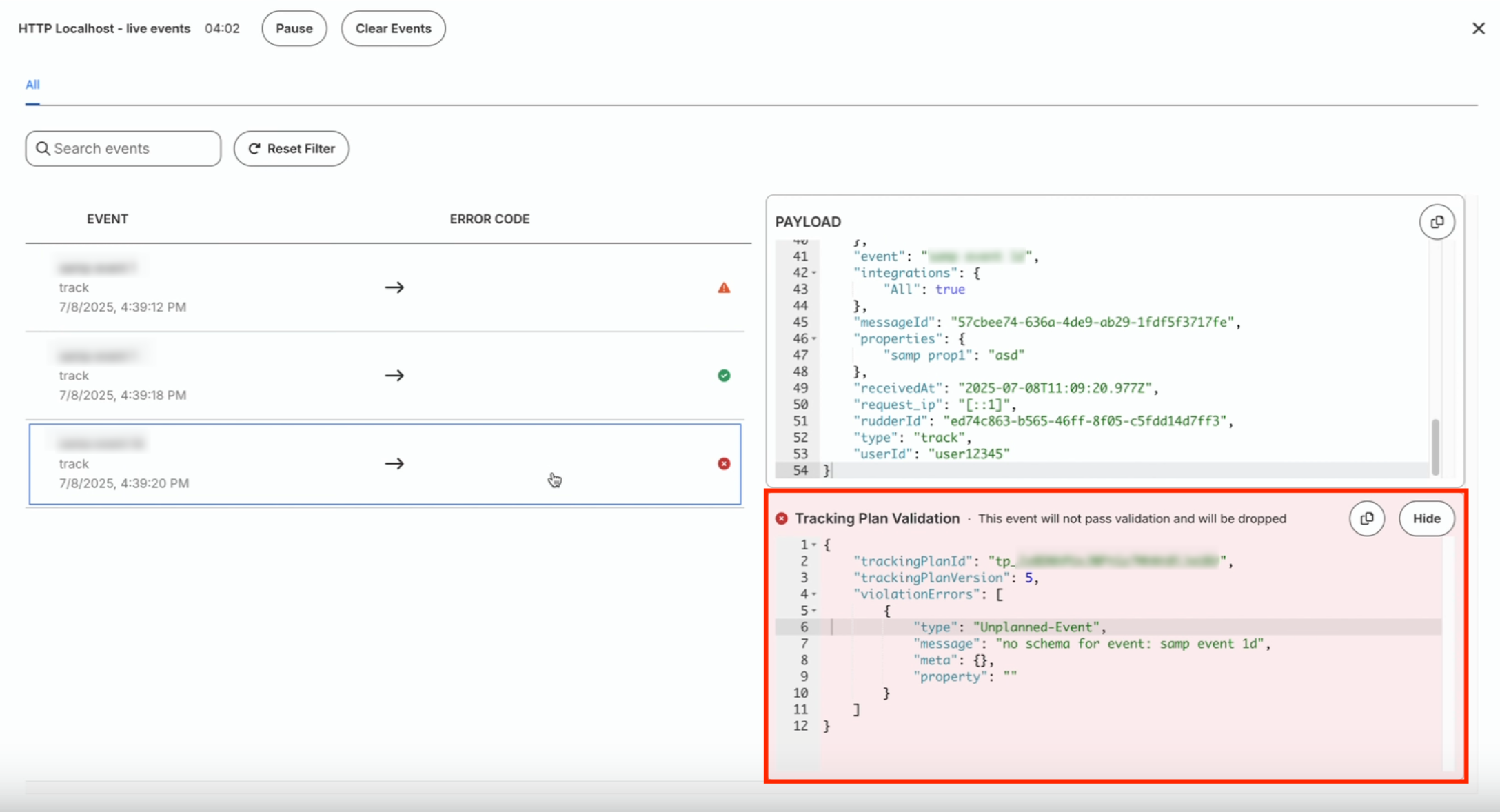
| Dropped | This event will not pass validation and will be dropped | The event has validation errors and your tracking plan settings are configured to drop such events. |
| API Error | Failed to validate events with tracking plan | The validation process failed due to network/server issues and the validation status is unknown. |
Some screenshots depicting the above statuses are shown:
FAQ
Which events are supported by the tracking plans?
The tracking plans support identify, track, page, screen, and group events.
Note that the alias call is not supported.
