Code Generation (Codegen)
Generate language-specific code snippets based on your defined event schemas.
Available Plans
- free
- growth
- enterprise
less than a minute
The Code Generation (Codegen) feature in Tracking Plans automatically generates language-specific code snippets based on your defined event schemas. This streamlines the instrumentation process by providing accurate code represents the schema definition, including:
- Clear structure of the
propertiesobject - Correct keys
- Examples that represent the correct data type
- Comments that specify whether properties are optional
Access codegen
- Go to Govern > Tracking Plans.
- Select the Tracking Plan and click on any event.
- Click View Codegen.
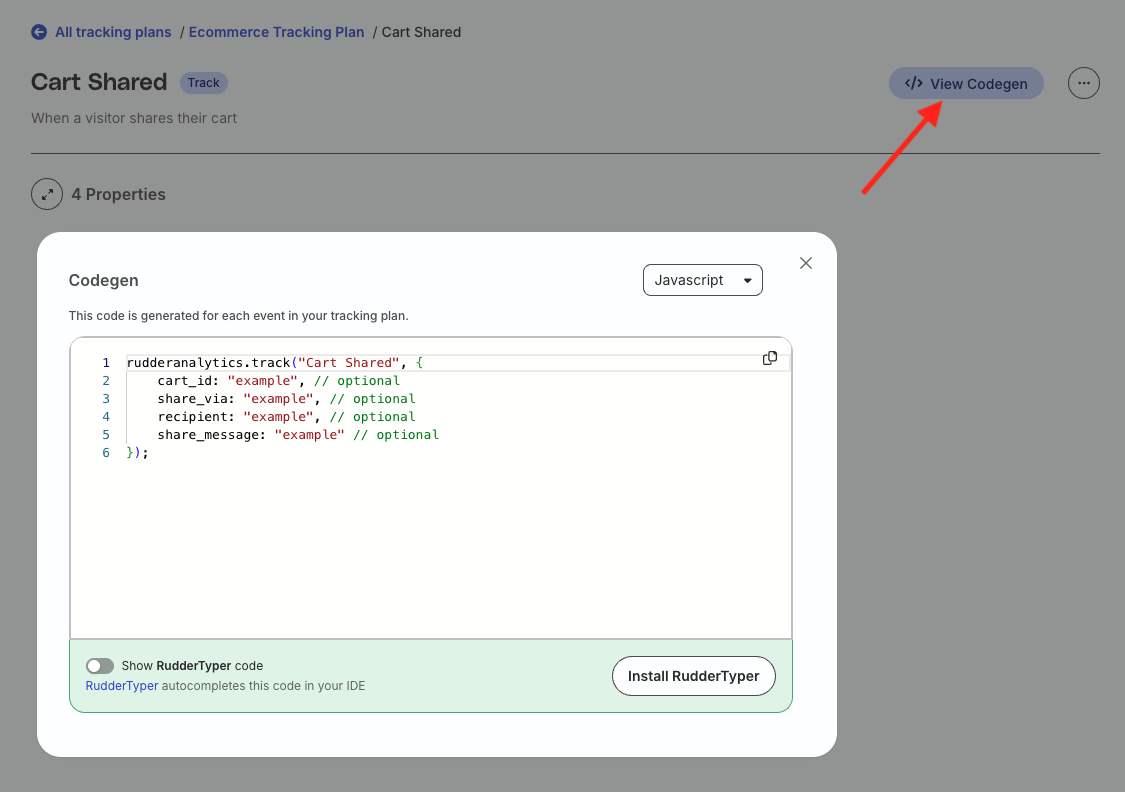
- To view the corresponding RudderTyper code, toggle on the Show RudderTyper code setting.
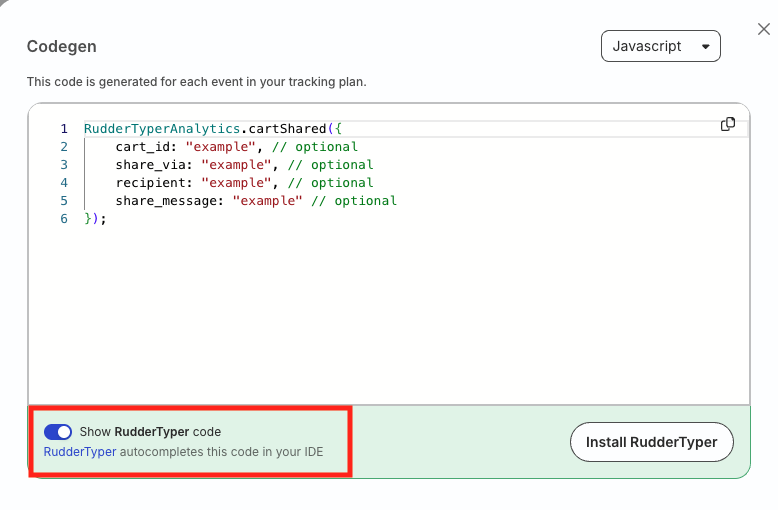
Supported languages
Currently, the Codegen feature only generates snippets for the JavaScript SDK. Support for additional languages is coming soon.
RudderTyper
Generated code snippets are helpful, but the best way to make it easy for instrumenting events correctly is to use RudderTyper in your IDE.
RudderTyper is a linting tool that generates and autocompletes typesafe code from tracking plan schemas.
Example
The following image shows how RudderStack translates the event schema definition into the code snippet:
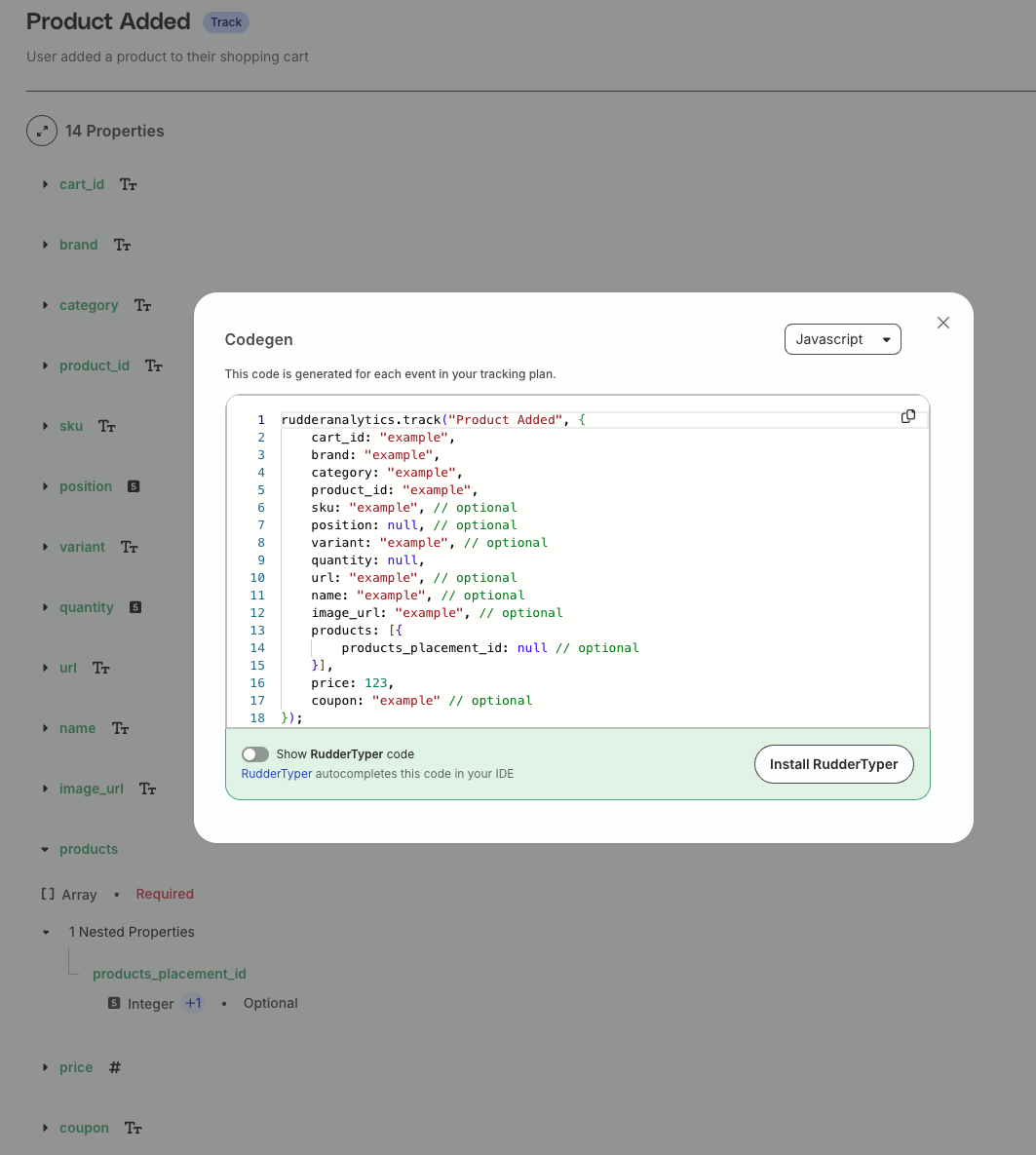
Some notable observations in this example:
- The value of
cart_idis set to a string. - Properties like
position,sku,variant, etc. are followed by// optional, denoting that they are not required. - The
productsproperty is structured as an array withproducts_placement_idas a nested property (integer)
