All other customer data can be classified as either transient or non-transient and it may either be stored in your location, for example, AWS, or by RudderStack for up to 7 days (or 30 days in case of Enterprise plan).
RudderStack’s data retention policy defines data as they pertain to the primary components of its service — the Data Plane and Control Plane.
Transient customer data
Transient customer data can be defined as all in-transit data, that is, stored for less than 3 hours, as an essential part of delivering the RudderStack product experience. This data includes:
Data Plane: Events that hit the RudderStack gateway. See Data Plane architecture for more details.
Control Plane: The in-transit data captured in the Live Events tab of the RudderStack dashboard.
Non-transient customer data
Non-transient customer data can be defined as data that can persist for more than 3 hours only if configured by the RudderStack user. This includes:
Data Plane: This includes gateway dumps, that is, raw data for every successfully-ingested event.
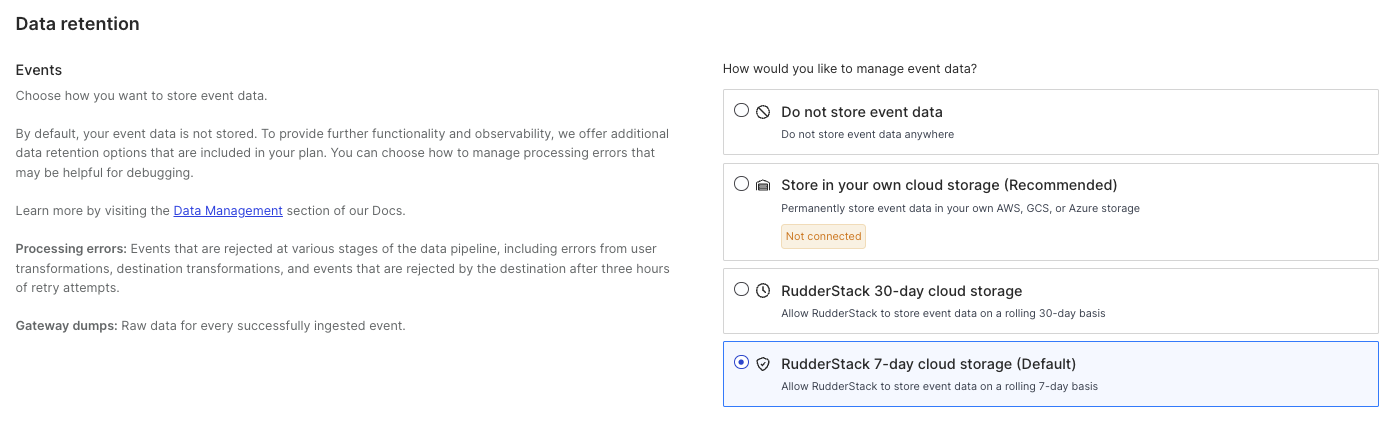
Choose one of the 3 data storage options in the Data retention section:
The following sections explain the data retention options in detail.
1. Do not store event data
If you choose this option, RudderStack will not store any of your event data.
2. Store event data in your own cloud storage (Recommended)
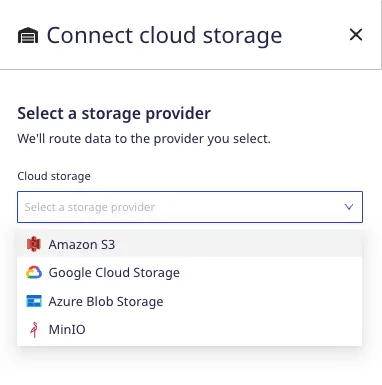
This is the recommended event storage option, and available in the Starter, Growth, and Enterprise plans. Selecting this option will bring up a modal allowing you to connect a storage bucket with your RudderStack data.
RudderStack supports storage via AWS, GCS, Azure, and MinIO if you select this option.
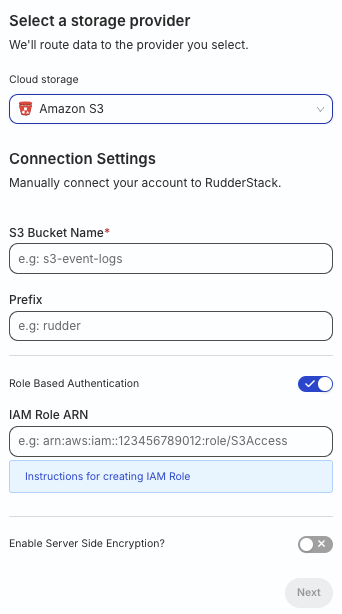
When connecting your cloud storage provider to RudderStack, you will first need to create a storage bucket and configure the credentials for RudderStack to access the datastore. Follow the steps listed below depending on your cloud provider:
If you have disabled Role Based Authentication (not recommended), configure the permissions for your S3 bucket. Then, enter the Access key ID and Secret Access Key.
Enable server-side encryption, if needed.
If you are self-hosting RudderStack using RudderStack Open Source:
Connect your storage provider in the RudderStack dashboard.
3. Store event data in RudderStack cloud storage
Choosing this option allows RudderStack to store and delete your event data on a rolling 7-day basis. This is the default setting.
If you are on the Enterprise plan, RudderStack lets you store and delete your event data on a rolling 30-day basis.
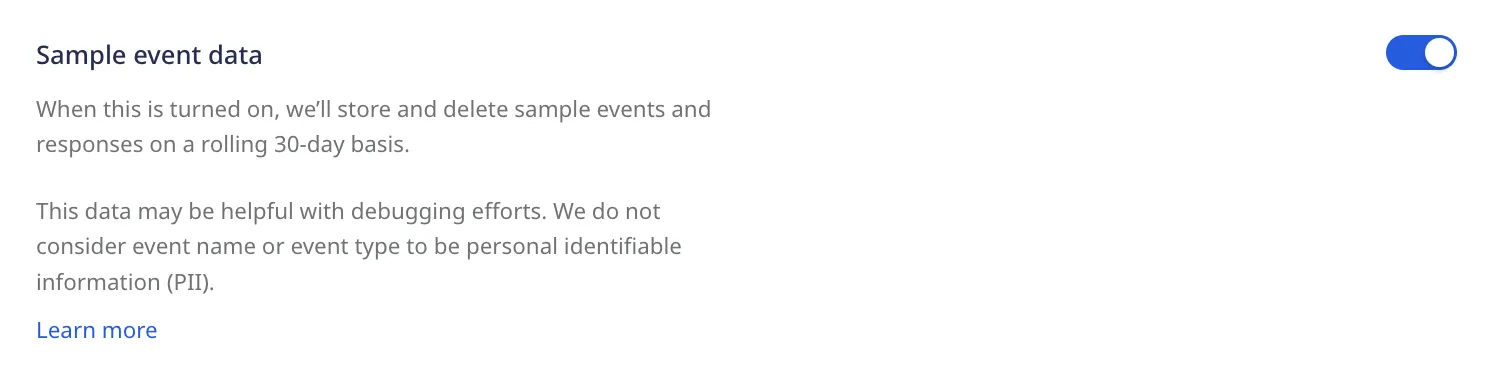
Sample event data
When the Sample event data setting is enabled, RudderStack stores and deletes sample events and responses on a rolling 30-day basis. This data may be helpful for debugging your events.
RudderStack does not consider the event name or event type to be Personally Identifiable Information (PII).
Plan-based retention options
Based on your plan, RudderStack provides different options for event storage, giving you the ability to enable or disable retention for the following kinds of data:
Sample events and responses: As mentioned above, RudderStack will store and delete sample events and responses on a rolling 30-day basis.
Raw event data: Events sent to RudderStack, including gateway dumps.
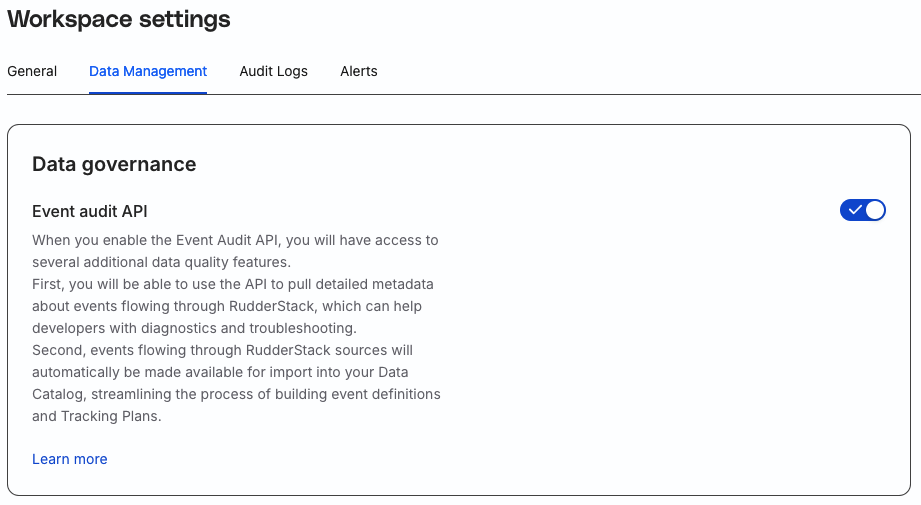
When this setting is turned on, you can leverage the Event Audit API to create and manage your Tracking Plans. Use these plans to monitor and act on any non-compliant data coming into your RudderStack sources based on predefined rules.
This site uses cookies to improve your experience while you navigate through the website. Out of
these
cookies, the cookies that are categorized as necessary are stored on your browser as they are as
essential
for the working of basic functionalities of the website. We also use third-party cookies that
help
us
analyze and understand how you use this website. These cookies will be stored in your browser
only
with
your
consent. You also have the option to opt-out of these cookies. But opting out of some of these
cookies
may
have an effect on your browsing experience.
Necessary
Always Enabled
Necessary cookies are absolutely essential for the website to function properly. This
category only includes cookies that ensures basic functionalities and security
features of the website. These cookies do not store any personal information.
This site uses cookies to improve your experience. If you want to
learn more about cookies and why we use them, visit our cookie
policy. We'll assume you're ok with this, but you can opt-out if you wish Cookie Settings.