30-Day Growth Plan Trial
3 minute read
New users signing up with a business email automatically start a 30-day Growth trial. This guide explains the features included in the trial and what happens once it ends.
Overview
During the trial, you get access to various Growth plan features like:
- 25 combined JavaScript and Python transformations
- 30-minute warehouse sync times
- 25 Reverse ETL connections
- Unlimited Tracking Plans with up to 75 events per plan
- Bot management, cookieless tracking, and event replay
- Dedicated email support
Note that features like Enterprise access management, SSO (Single Sign-On), and VPC deployment are available in the Enterprise plan only. For a full comparison of Growth and Enterprise features, see the Plan Comparison guide.
Trial expiry
Your trial expires after 30 days or when you reach the 25M cumulative event cap — whichever comes first.
What happens once the trial ends
When the trial ends, your system becomes inactive, all your pipelines stop running, and events no longer flow through the system.
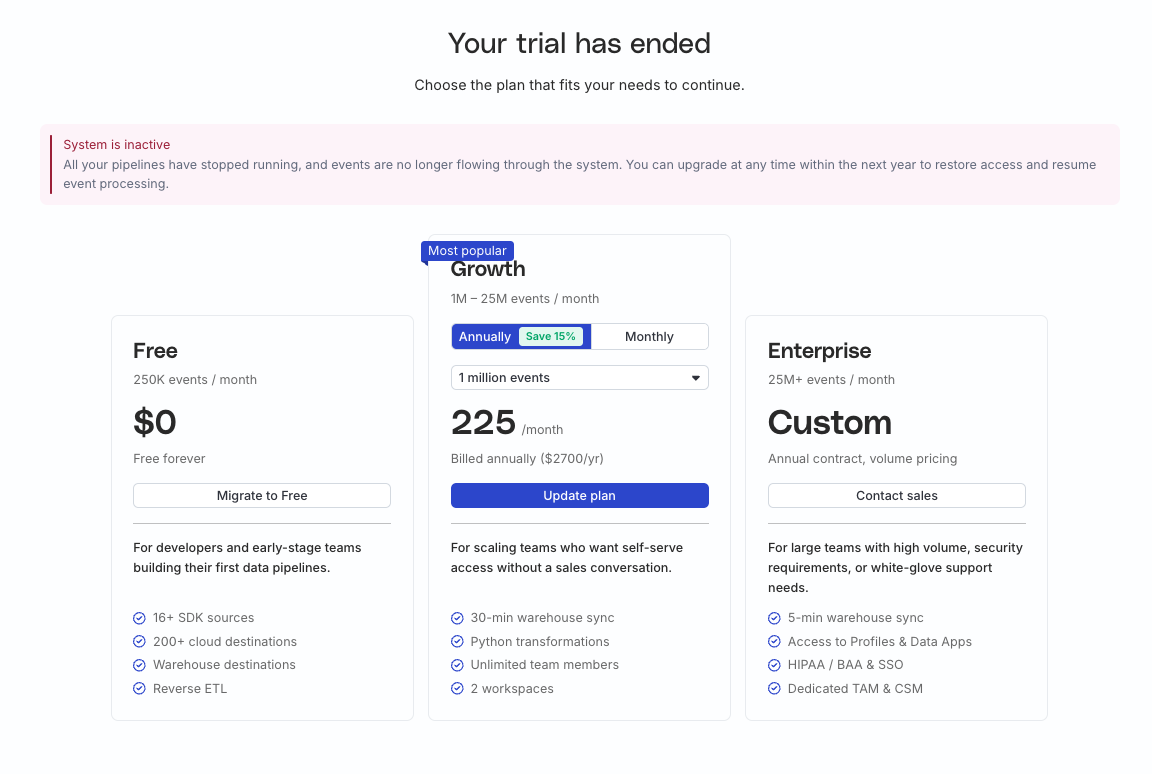
You see the following options on the Billing & plans page when your trial ends:
| Option | Description |
|---|---|
| Upgrade to Growth | Choose a Growth volume tier that fits your event volume.
|
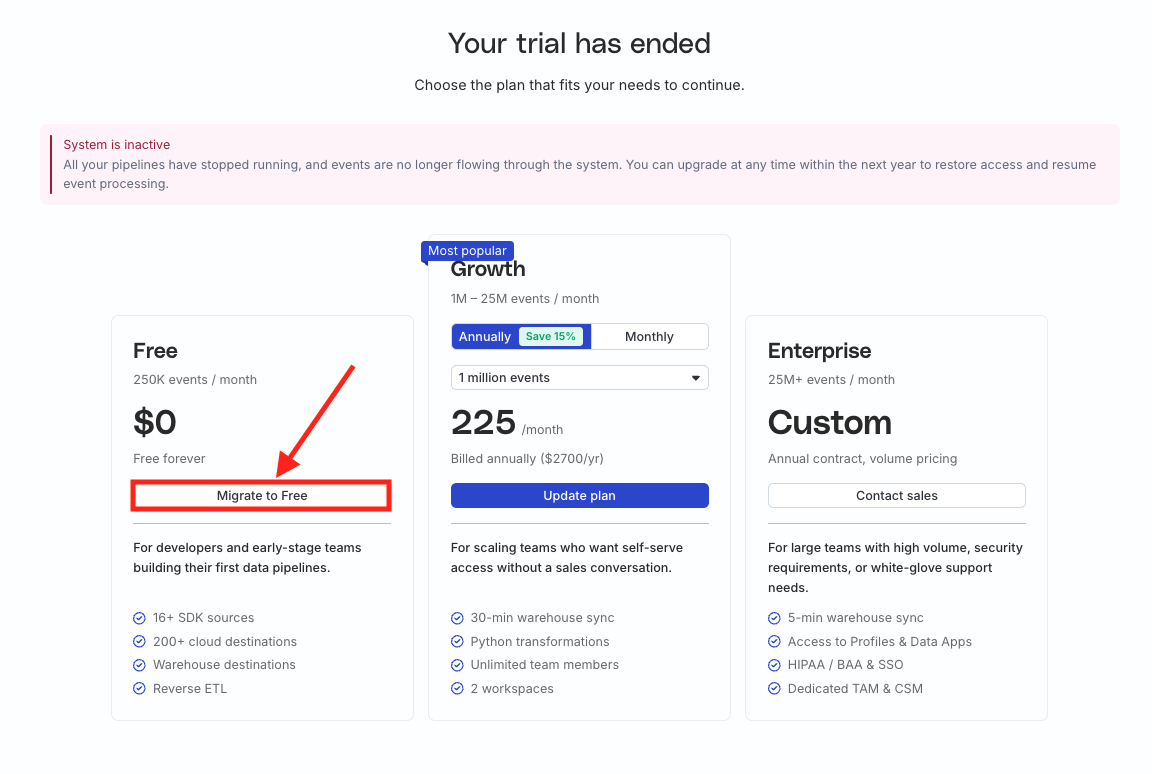
| Migrate to Free | If you don’t wish to continue on the Growth plan, you can migrate to the Free plan with a monthly event limit of 250K. See the Transition to Free plan section below for details. |
| Contact Sales for Enterprise | If you need Enterprise-only features like SSO, enterprise access management, VPC deployment, dedicated support, or Profiles and Data Apps, contact Sales. |
Transition to Free plan
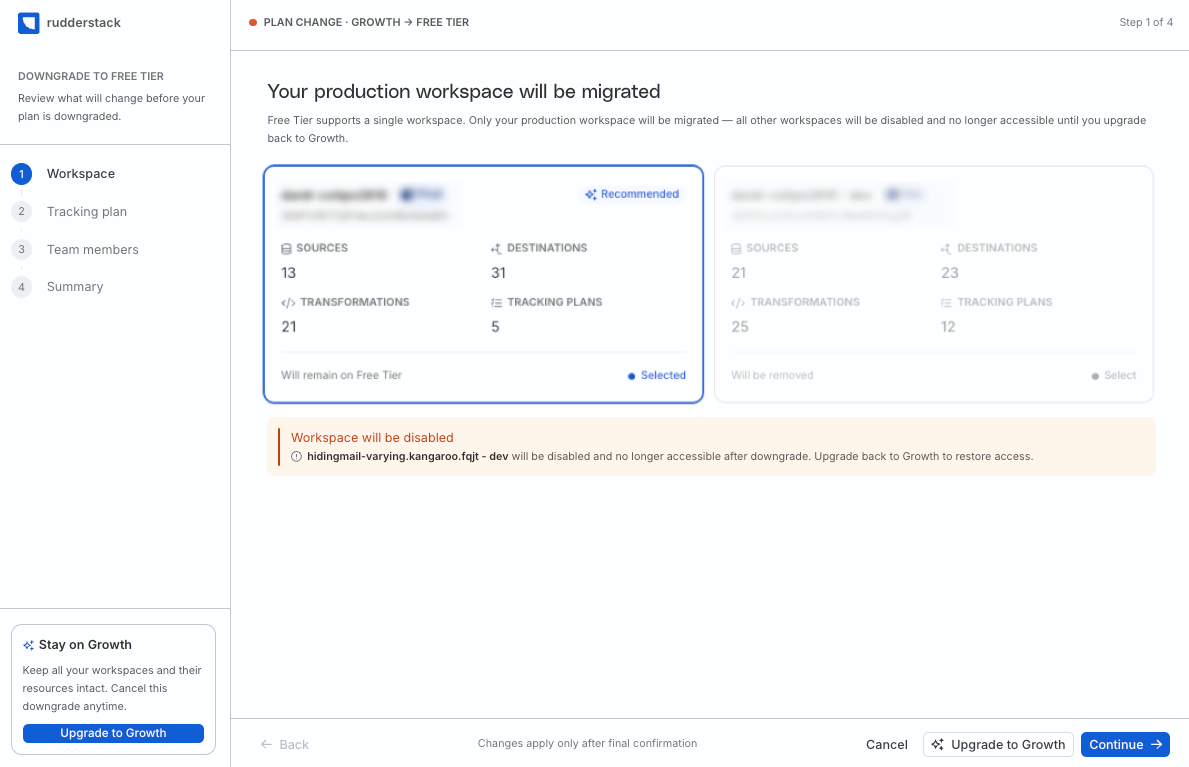
If you choose to migrate to the Free plan, you will lose access to all the existing Growth plan features and benefits.
- In the Billing & plans page, click Migrate to Free.
- Select the workspace to migrate.
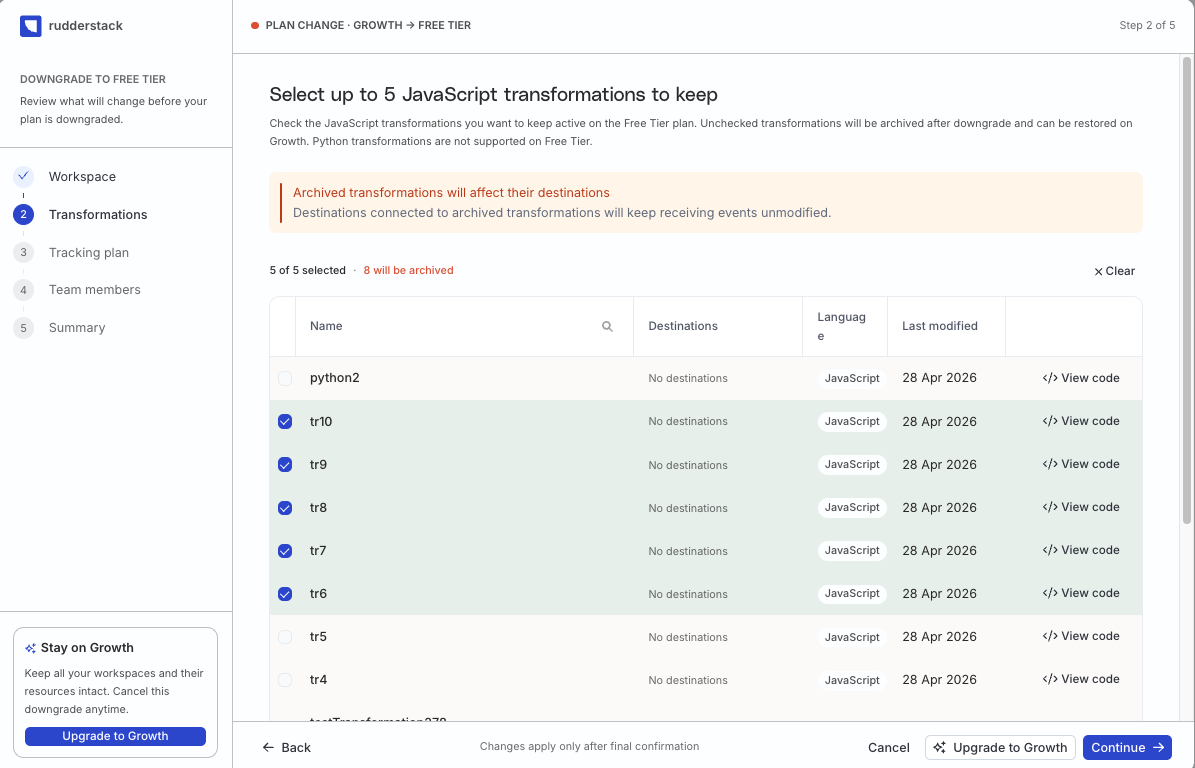
- Select 5 JavaScript transformations to migrate.
You cannot choose any Python transformations as they are not available in the Free plan.
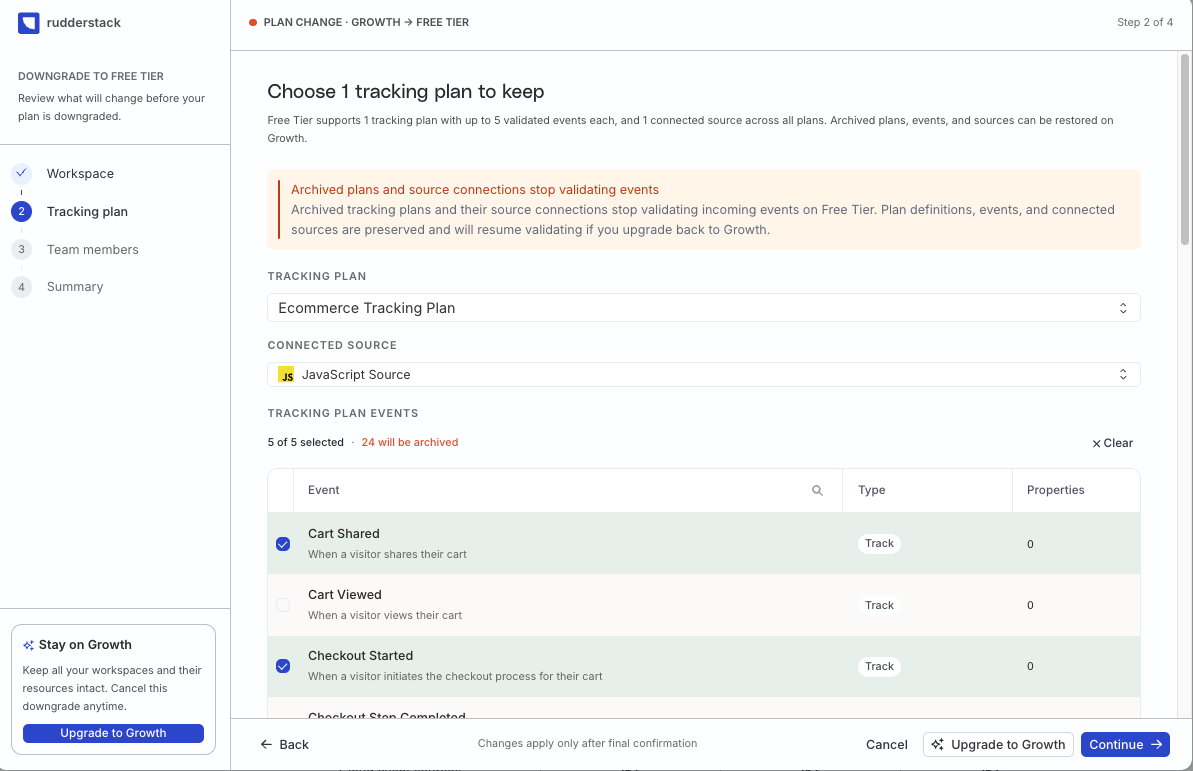
- Choose any one Tracking Plan, a connected source, and 5 validated events to migrate.
- Select 10 Reverse ETL connections (source-destination combinations) to migrate.
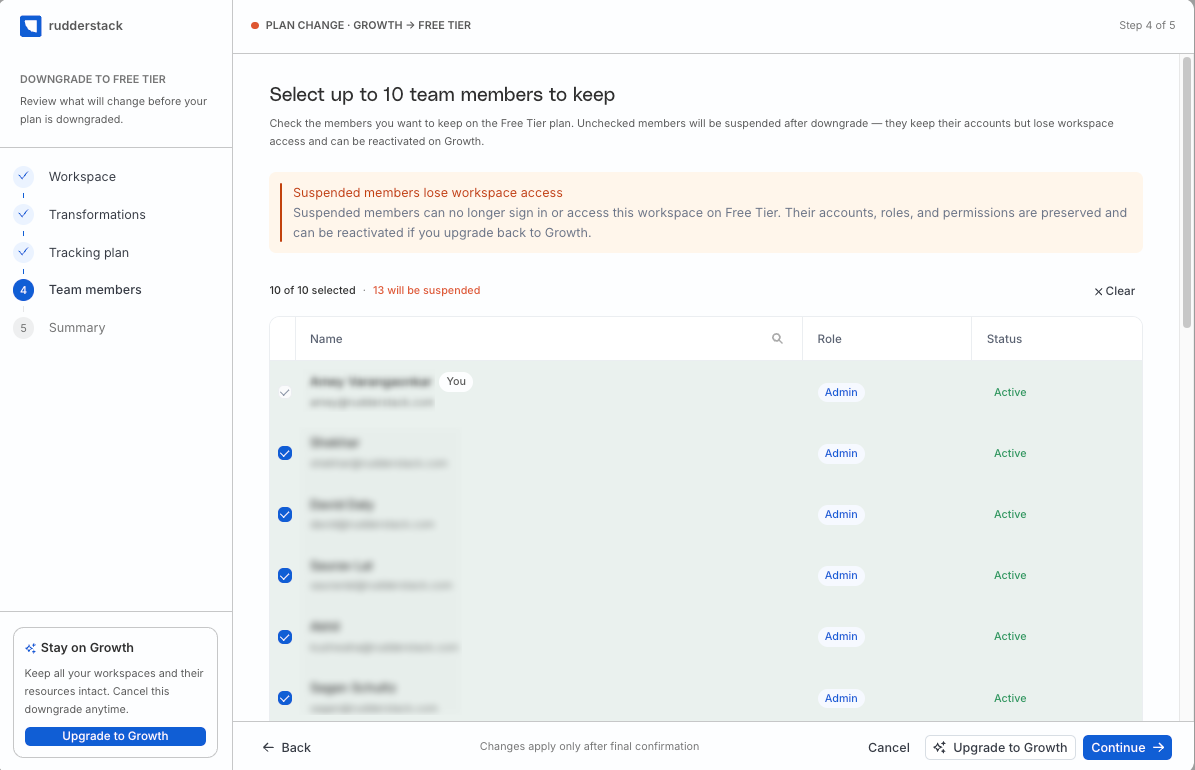
- Select 10 members to migrate.
Members you do not choose to migrate will be suspended after the migration. They can no longer sign in or access the workspace. However, their account, role, and permissions are preserved.
- Review your changes and click Confirm downgrade to migrate.
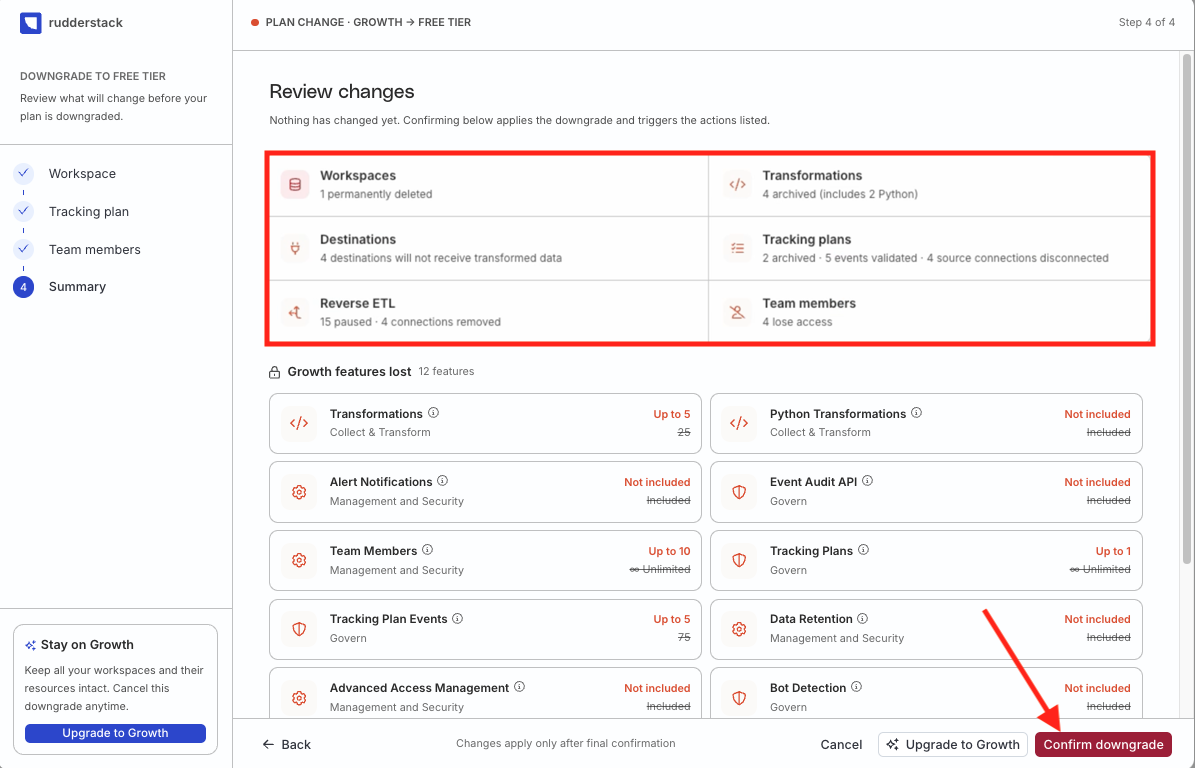
Before you confirm the migration, you will see a summary of all the archived resources and configurations and all the Growth features that you will lose access to.
Configuration preservation
Once you migrate to the Free plan after the trial, the resources and configurations that you could not carry over are frozen for one year — they are not deleted. You can reactivate them by upgrading to a Growth or Enterprise plan within this period.
The frozen assets include:
- The additional workspace made available to you during the trial, including all the resources and configurations created in it
- Transformations, Tracking Plans, and Reverse ETL connections that you could not carry over
- Members that you did not choose to migrate, along with their account, roles, and permissions
After one year, frozen configurations are permanently removed.
