Audit Logs
Track user activities in your RudderStack workspace.
Available Plans
- enterprise
3 minute read
RudderStack offers the Audit Logs feature to track user activities within your RudderStack workspace, like creating or modifying sources and destinations, transformations, implementing Multi-Factor Authentication (MFA), and more.
The Audit Logs feature is available for only in the RudderStack Enterprise plan.
Access Audit Logs
Only Admins can access the workspace-related Audit Logs.
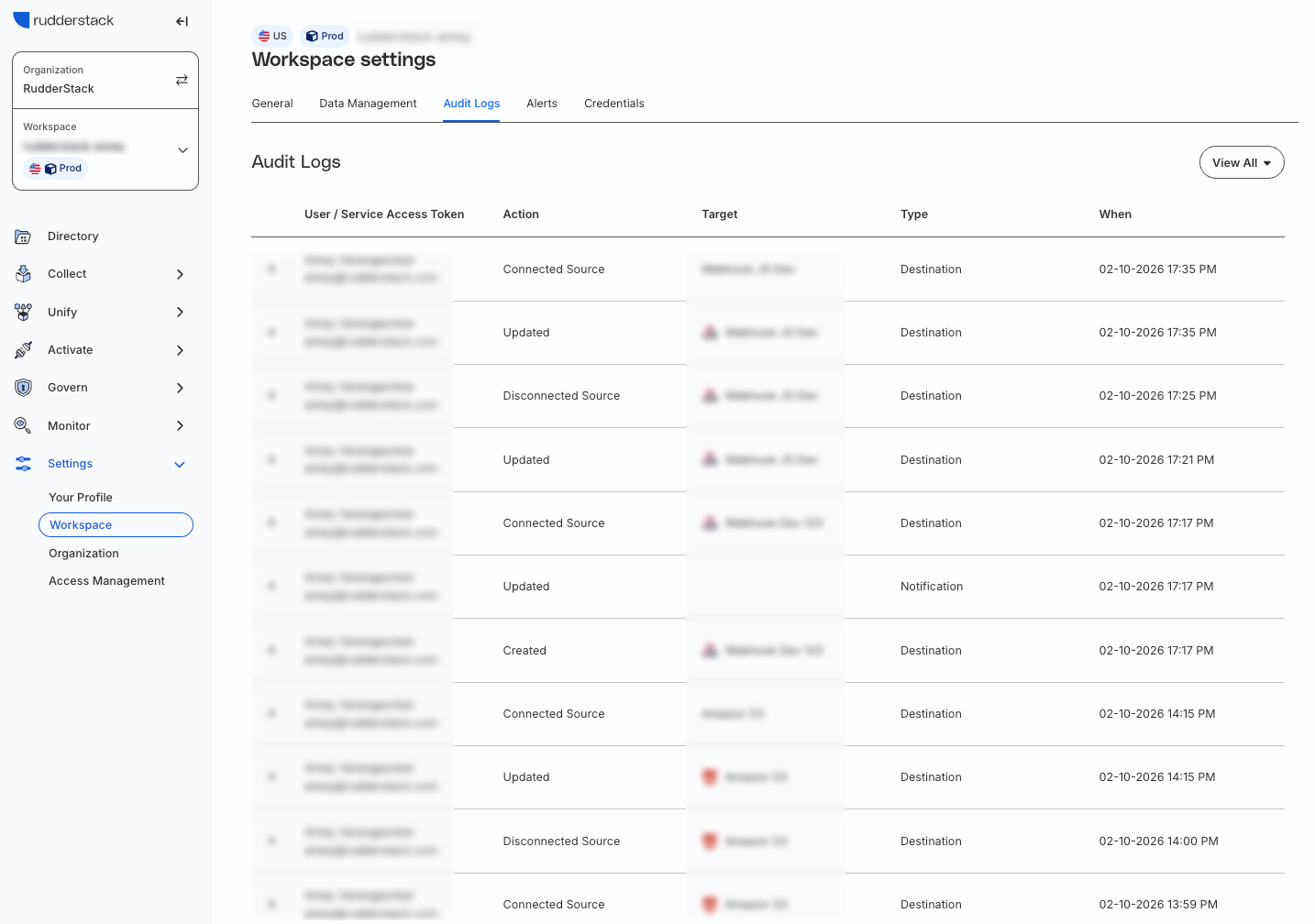
You can access the workspace-related Audit Logs by going to Settings > Workspace > Audit Logs:
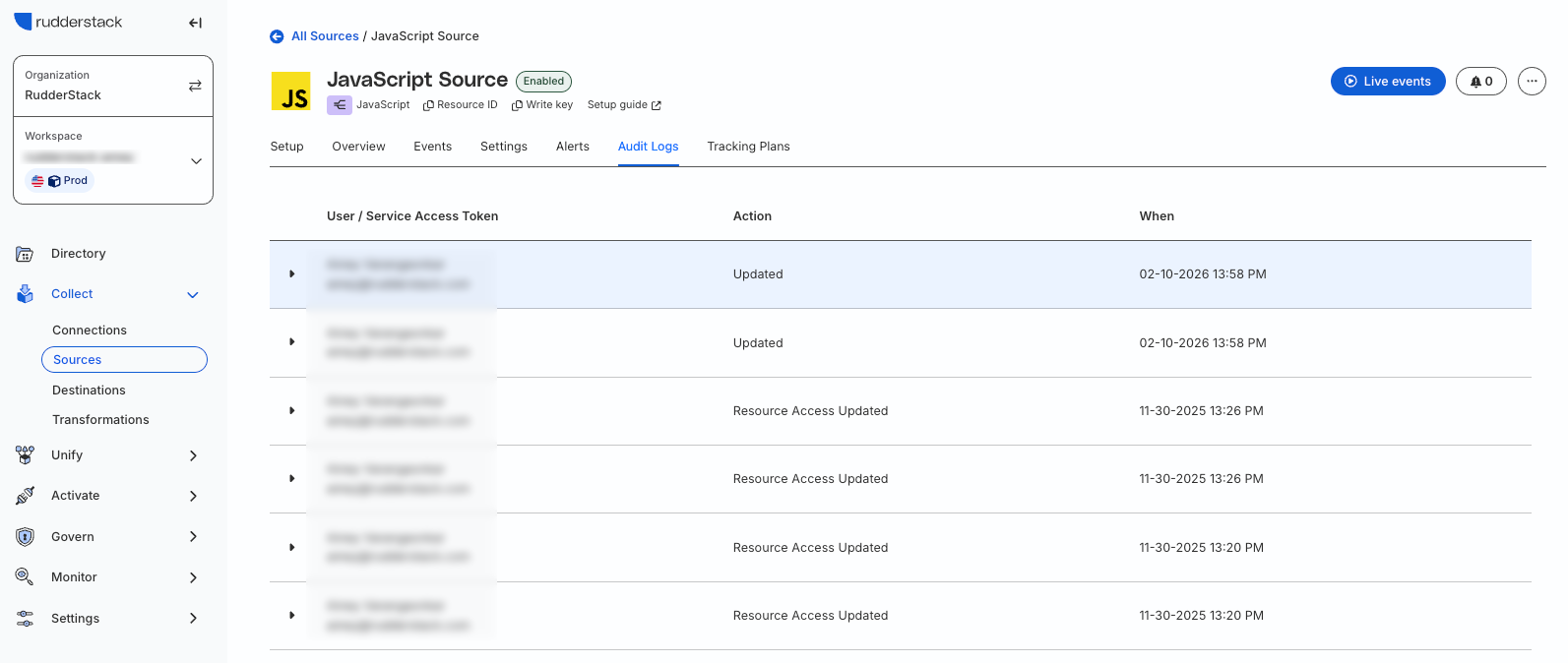
For the Audit Logs related to a specific source or destination, go to the source/destination page and click the Audit Logs tab:
Audit logs details
The Audit Logs capture the following information:
- User: Name and email of the user in the RudderStack workspace.
- Action: User action performed on the entity.
- Target: Entity name, that is, the name assigned to the source, destination, transformation, etc.
- Type: Entity type, that is, source, destination, transformation, teammate, etc.
- When: Timestamp when the user action was performed.
The following sections detail the various user actions captured by the Audit Logs based on the target type, that is, sources, destinations, transformations, teams, or MFA (multi-factor authentication).
Source audit
| Action | Description |
|---|---|
| Created | User created a source in the dashboard. |
| Updated | User updated the source settings in the dashboard. |
| Updated Name | User updated the source name in the dashboard. |
| Deleted | User deleted the source from the dashboard. |
| Updated Bot Event Management | User updated the bot event management settings for the source. |
| Deleted Bot Event Management | User removed the source-level bot management settings. Note:The workspace-level bot management settings will then be applicable for the source. |
Destination audit
| Action | Description |
|---|---|
| Created | User created a destination in the dashboard. |
| Updated | User updated the destination settings in the dashboard. |
| Updated Name | User updated the destination name in the dashboard. |
| Deleted | User deleted the destination from the dashboard. |
| Connect Source | User connected a source to the destination. |
| Disconnect Source | User disconnected a source from the destination. |
| Added Transformation | User added a transformation to the destination. |
| Deleted Transformation | User removed/disconnected a transformation from the destination. |
Tracking Plan audit
| Action | Description |
|---|---|
| Connected Tracking Plan | User connected a Tracking Plan to the destination. |
| Disconnected Tracking Plan | User disconnected a Tracking Plan from the destination. |
| Updated Tracking Plan Configuration | User updated the configuration of an existing Tracking Plan. |
Transformation audit
| Action | Description |
|---|---|
| Created | User created a new transformation in the dashboard. |
| Updated | User updated the transformation. |
| Deleted | User deleted the transformation from the dashboard. |
These audits apply to the transformation libraries as well.
Team audit
| Action | Description |
|---|---|
| Invited | User invited a new user to join the current RudderStack workspace. |
| Accepted Invitation | New user accepted the invitation to join the workspace. |
| Canceled Invitation | User canceled the invitation to join the workspace. |
| Changed Permission | User changed the permissions for a specific user (identified by userId) in the workspace. |
| Deleted | User removed/deleted a user(identified by userId) from the workspace. |
Multi-Factor Authentication (MFA) audit
| Action | Description |
|---|---|
| Enabled MFA | User enabled MFA for his account. |
| Disabled MFA | User disabled MFA for his account. |
| Updated Phone Number | User updated their phone number used for MFA. |
Workspace audit
| Action | Description |
|---|---|
| Updated Data Retention | User updated the data retention settings for the workspace. |
| Updated Bot Detection | User updated the bot detection settings for the workspace. |
| Updated Blocking List | User updated the Event Blocking list applicable for the workspace. |
