Sync Audiences to Gainsight PX Audience
Private Beta5 minute read
The Gainsight PX Audience destination is in Private Beta and is enabled per workspace. Reach out to Customer Success if you are interested in enabling it for your workspace.
This guide lists the steps to configure Gainsight PX Audience as a destination in RudderStack and sync the created audiences to it.
Gainsight PX Audience is separate from the Event Stream Gainsight PX destination. Membership is written as a Boolean custom attribute on each existing Gainsight PX user.
Prerequisites
- In Gainsight PX, create a Boolean custom user attribute under Administration > Attributes > User, and note its API name. RudderStack can’t create it for you.
- Create a Gainsight PX REST API key under Administration > REST API with Read and Write permission.
- Find your data center from your Gainsight PX URL:
app→US,app-eu→EU,app-us2→US2. - Ask your data team which audience column holds the Gainsight PX user ID (
identifyId). Only users that already exist in Gainsight PX are updated.
See Prerequisites for details.
Setup
- Set up an audience in RudderStack using the Audience Builder.
- Go to the Syncs tab of the audience page and click Add sync. Then, select Gainsight PX Audience.
- Click New destination — you can also select an already-configured destination here.
- Specify a unique name to identify this destination in RudderStack.
- In the Gainsight PX account section, click Select to choose an existing account. To add a new account, click Add account, and specify the following settings:
| Setting | Description |
|---|---|
| Account name | Specify a unique account name. |
| REST API key | Enter your Gainsight PX REST API key with Read and Write permission. |
| Data center | Select the data center of your Gainsight PX subscription: US, EU, or US2. |
- Proceed to configure the mapping settings.
Configure sync
This section lists the settings to correctly configure your audience syncs to the Gainsight PX Audience destination.
Members who are not yet Gainsight PX users are reported as failed rows until they exist in Gainsight PX; no users are created.
Attribute API name
Enter the API name of the Boolean custom user attribute in Gainsight PX that stores membership for this sync (for example, rs_trial_power_users).
- Edit the suggested name (
rs_followed by the audience name) to match the attribute you created in Gainsight PX. - API names are case-sensitive. Allowed characters: letters, numbers, and underscores only; maximum 200 characters.
- You can’t change the attribute after the sync is created. To use a different attribute, create a new sync.
Reuse one Gainsight PX account across many syncs. Give each sync a different attribute so membership flags don’t overwrite each other.
Sync mode
Only Mirror mode is supported for this integration.
Map user identifier
Map one audience column to the Gainsight PX user ID, identifyId. Only this identifier is supported, and values must match Gainsight PX exactly, including case.
When you create the sync, RudderStack checks that the API key works and that the attribute exists, is enabled, is a custom attribute, and is of type Boolean. If a check fails, the form shows the reason — see Troubleshooting.
Sync settings
Two options are available to schedule your audience syncs:
- Run syncs automatically based on a specified frequency (every 5 minutes, 10 minutes, 15 minutes, 30 minutes, 1 hour, 3 hours, 6 hours, 12 hours, or 24 hours) and a specific time (in UTC).
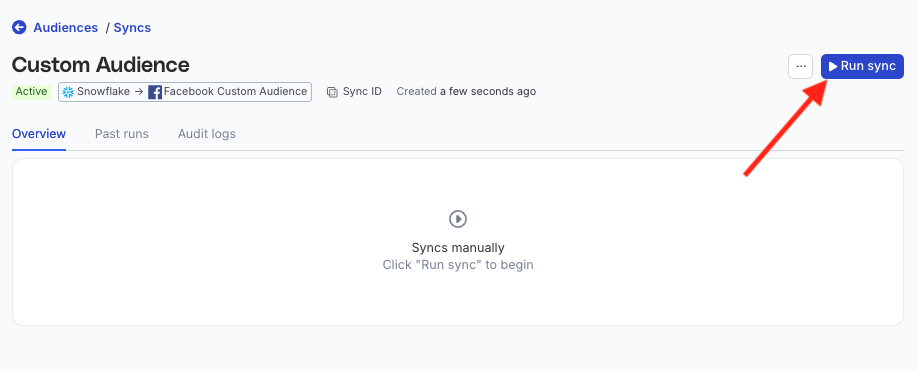
- Run syncs manually — trigger a sync from the sync details page. You will need to run the sync each time.
Sync observability settings
| Setting | Description | ||||||
|---|---|---|---|---|---|---|---|
| Retain sync logs | This setting is toggled on by default and instructs RudderStack to store the sync logs in your warehouse. You can also configure the below settings:
| ||||||
| Retry failed records | This setting is toggled on by default and causes RudderStack to continually retry sending the failed records. | ||||||
| Retain and show failures | This setting is toggled off by default. Turn it on to have RudderStack write the error recorded for every failed record to a failed records table in your warehouse and show it in the sync’s failed records view. It applies from the next sync and can take up to a minute to reach your data plane.
|
Storing sync logs, snapshot tables, and failed records may incur additional warehouse costs.
Enable sync
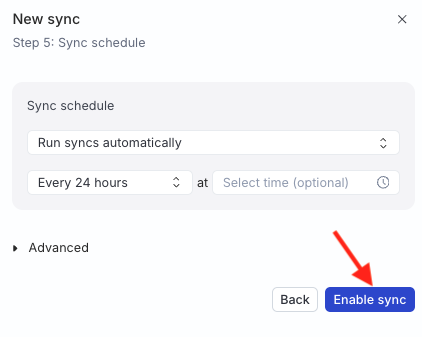
Once the setup is complete, enable the sync.
How membership is written to Gainsight PX
| Action | Attribute value |
|---|---|
| User joins the audience | true |
| User leaves the audience | false
|
Each user is updated with a separate Gainsight PX request, so large audiences count against your subscription’s API limits. See Limitations.
Run full sync sets the attribute totruefor everyone currently in the audience. Anyone who left the audience before that run keepstruein Gainsight PX: a full sync doesn’t set it tofalse, and only re-entering and then leaving the audience changes it.
FAQ
Why do some members show as failed records?
They don’t exist in Gainsight PX yet, or the column mapped to identifyId doesn’t hold the Gainsight PX user ID. No users are created, so these records are aborted. With Retry failed records on (the default), they are sent again on every run and succeed once the user exists in Gainsight PX.
How is this different from the Gainsight PX Event Stream destination?
Use Gainsight PX for streaming events and user properties. Use Gainsight PX Audience only for audience membership as a Boolean custom attribute.
What happens if I delete the sync?
No call is made to Gainsight PX. The attribute keeps its last values, and stays in Gainsight PX until you delete it there.
