
Activation API v1
Expose user profiles stored in your Redis instance over an API.
You are viewing documentation for an older version.
9 minute read
With RudderStack’s Activation API, you can fetch enriched user traits stored in your Redis instance and use them for near real-time personalization for your target audience.
You can sync all your customer 360 data from Profiles project to your Redis store. Then, use the Activation API endpoints to retrieve and use the enriched user data for personalization.
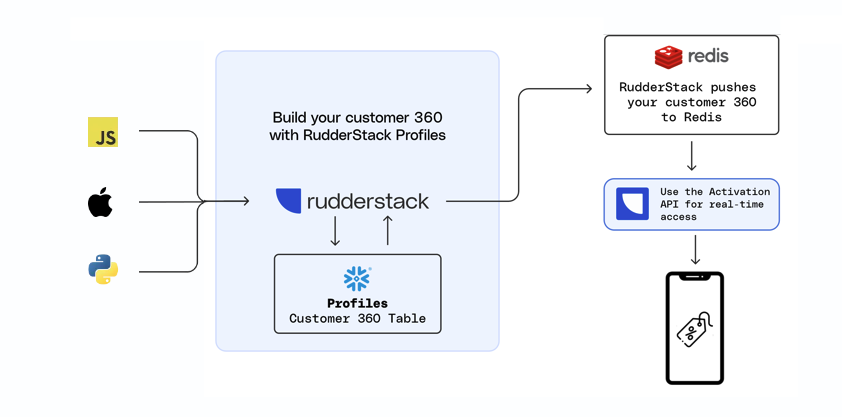

To use the Activation API:
pb_project.yaml > entities must have a feature_views property| Resource | Permissions |
|---|---|
| PII Permission | Destination Data Access for the specific Redis destination |
If you are on the legacy Permissions Management (RBAC) system, your workspace-level Service Access Token should have Admin permissions.
See this documentation for more information on generating the token.
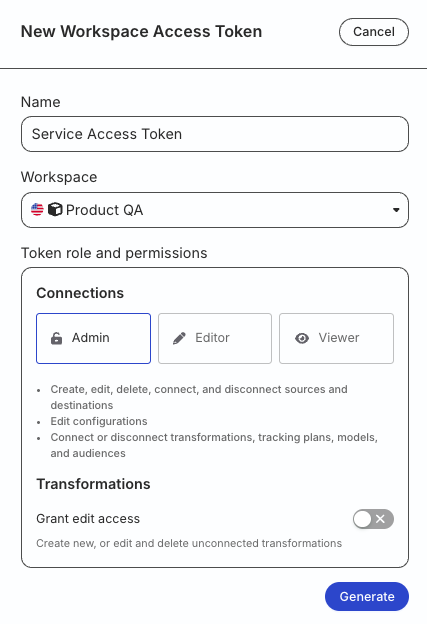
You need privileges sufficient to create a schema in your database (for example, the ACCOUNTADMIN role).
Run the following queries:
CREATE SCHEMA "<YOUR_DATABASE>"."_RUDDERSTACK";
GRANT ALL PRIVILEGES ON SCHEMA "<YOUR_DATABASE>"."_RUDDERSTACK" TO ROLE "<YOUR_PROFILES_ROLE>";
Replace <YOUR_DATABASE> with your Profiles database and <YOUR_PROFILES_ROLE> with the Snowflake role configured for your Profiles warehouse connection.
The_RUDDERSTACKschema is used by RudderStack for storing the state of each data sync. Do not change this name.
Run the following queries:
CREATE SCHEMA "_rudderstack";
GRANT ALL ON SCHEMA "_rudderstack" TO <YOUR_PROFILES_USER>;
GRANT ALL PRIVILEGES ON ALL TABLES IN SCHEMA "_rudderstack" TO <YOUR_PROFILES_USER>;
Replace <YOUR_PROFILES_USER> with the Redshift user configured for your Profiles warehouse connection.
The_rudderstackschema is used by RudderStack for storing the state of each data sync. Do not change this name.
Run the following queries:
CREATE SCHEMA `_rudderstack`;
GRANT ALL PRIVILEGES ON SCHEMA `_rudderstack` TO `<YOUR_PROFILES_USER>`;
Replace <YOUR_PROFILES_USER> with the Databricks user configured for your Profiles warehouse connection.
The_rudderstackschema is used by RudderStack for storing the state of each data sync. Do not change this name.
Use the same service account as your Profiles BigQuery warehouse connection — this account should already have the project and dataset roles described in Grant warehouse permissions.
create schema rudderstack_;Therudderstack_schema is used by RudderStack for storing the state of each data sync. Do not change this name.
GRANT `roles/bigquery.dataOwner`
     ON SCHEMA rudderstack_
     TO "serviceAccount:<SERVICE_ACCOUNT_ID>";
Replace <SERVICE_ACCOUNT_ID> with the service account ID from your Profiles BigQuery warehouse connection (of the format your-service-account@your-project.iam.gserviceaccount.com)

Permissions required to enable sync to Redis
New Access Management system:
- Admins can turn on the Enable sync to Redis toggle by default.
- Members need to have the Profiles Edit permission for the specific Profiles project.
Legacy RBAC system: In the legacy Permissions Management (RBAC) system, only Org Admins can turn on this toggle.
This API uses Bearer Authentication for authenticating all requests. Set the Service Access Token as the bearer token for authentication.
https://profiles.rudderstack.com/v2/type and value{
"entity": <entity_type>, // User, project, account, etc.
"destinationId": <redis_destination_id> , // Redis destination ID
"id": {
"type": <id_type>,
"value": <id_value>
}
}POST /v2/activation HTTP/1.1
Host: profiles.rudderstack.com
Content-Type: application/json
Authorization: Bearer <personal_access_token>
Content-Length: 90
{
"entity": <entity_type>,
"destinationId": <redis_destination_id>, // Redis destination ID
"id": {
"type": <id_type>,
"value": <id_value>
}
}curl --location 'https://profiles.rudderstack.com/v2/activation' \
--header 'Content-Type: application/json' \
--header 'Authorization: Bearer <personal_access_token>' \
--data '{
"entity": <entity_type>,
"destinationId": <redis_destination_id>, // Redis destination ID
"id": {
"type": <id_type>,
"value": <id_value>
}
}'const axios = require('axios');
let data = JSON.stringify({
"destinationId": <redis_destination_id>,
"entity": <entity_type>,
"id": {
"type": <id_type>,
"value": <id_value>
}
});
let config = {
method: 'post',
maxBodyLength: Infinity,
url: 'https://profiles.rudderstack.com/v2/activation',
headers: {
'Content-Type': 'application/json',
'authorization': 'Bearer <personal_access_token>'
},
data: data
};
axios.request(config)
.then((response) => {
console.log(JSON.stringify(response.data));
})
.catch((error) => {
console.log(error);
});You will get the following response if the Service Access Token is absent or trying to access a destination to which it does not have access:
statusCode: 401
Response: {
  "error": "Unauthorized request. Please check your access token"
}
You will get the following response if the destination is not Redis or the destination ID is absent/blank:
statusCode: 404
Response: {
  "error": "Invalid Destination. Please verify you are passing the right destination ID"
}
You will get the following response if the destination ID is present and valid:
statusCode: 200
Response:
{
  "entity": <entity_type>,
  "id": {
    "type": <id_type>,
    "value": <id_value>
  },
  "data": {
    <traits_from_Redis>
  }
}
You will get the following response if the destination ID is not present in Redis:
statusCode: 200
Response:
{
  "entity": <entity_type>,
  "id": {
    "type": <id_type>,
    "value": <id_value>
  },
  "data": {}
}type and valuePOST /v2/activation HTTP/1.1
Host: profiles.rudderstack.com
Content-Type: application/json
Authorization: Bearer <personal_access_token>
Content-Length: 90
{
"entity": <entity_type>,
"destinationId": <redis_destination_id>, // Redis destination ID
"id": {
"type": <id_type>,
"value": <id_value>
}
}curl --location 'https://profiles.rudderstack.com/v2/activation' \
--header 'Content-Type: application/json' \
--header 'Authorization: Bearer <personal_access_token>' \
--data '{
"entity": <entity_type>,
"destinationId": <redis_destination_id>, // Redis destination ID
"id": {
"type": <id_type>,
"value": <id_value>
}
}'const axios = require('axios');
let data = JSON.stringify({
"destinationId": <redis_destination_id>,
"entity": <entity_type>,
"id": {
"type": <id_type>,
"value": <id_value>
}
});
let config = {
method: 'post',
maxBodyLength: Infinity,
url: 'https://profiles.rudderstack.com/v2/activation',
headers: {
'Content-Type': 'application/json',
'authorization': 'Bearer <personal_access_token>'
},
data: data
};
axios.request(config)
.then((response) => {
console.log(JSON.stringify(response.data));
})
.catch((error) => {
console.log(error);
});statusCode: 200
Response: {
"deletedKeys": 20,
"actualKeys": 30
}statusCode: 400
Response: {
"message": "id should have at least one item"
}statusCode: 200
Response: {
"message": "Internal server error"
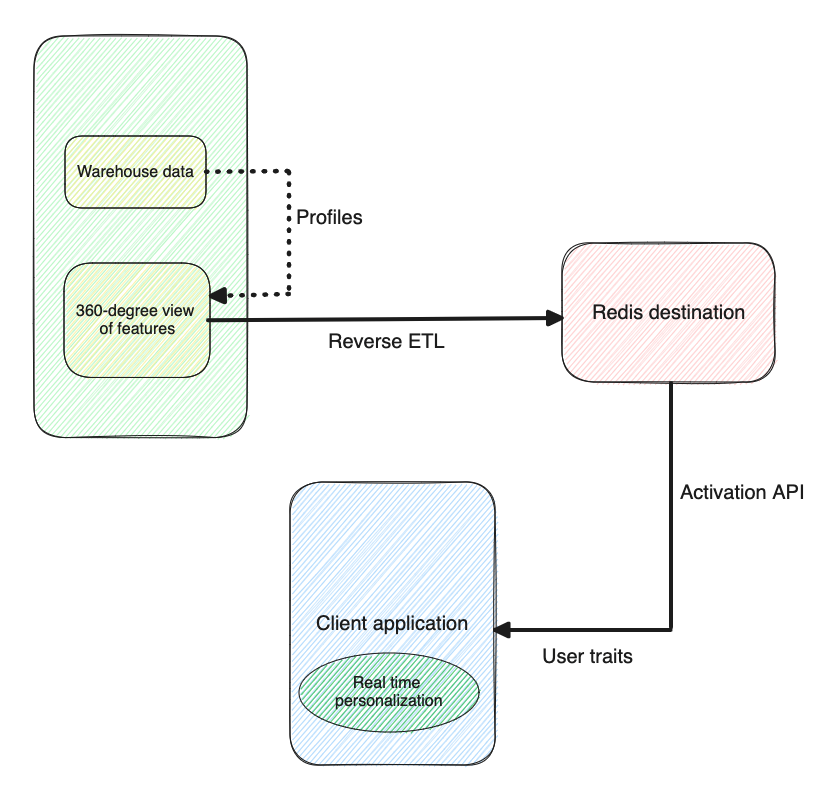
}You can use the Activation API for real-time personalization. Once you fetch the user traits from your Redis instance via the API, you can pull them into your client application to alter the application behavior in real-time based on user interactions.
You can respond immediately with triggered, user-focused messaging based on actions like page views or app clicks and provide a better customer experience.
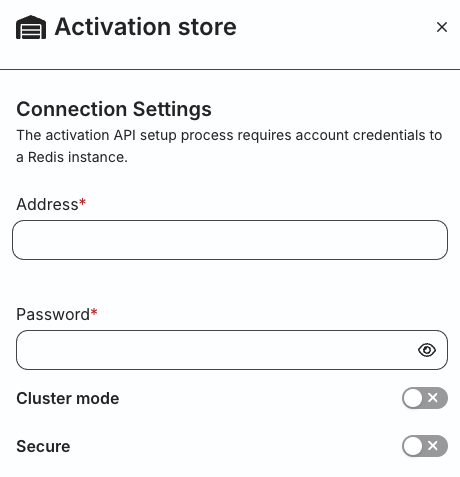
You must have a working Redis instance in place before setting up the connection.
You can also use Amazon ElastiCache for Redis to set up your Redis database. See the ElastiCache documentation to get started.
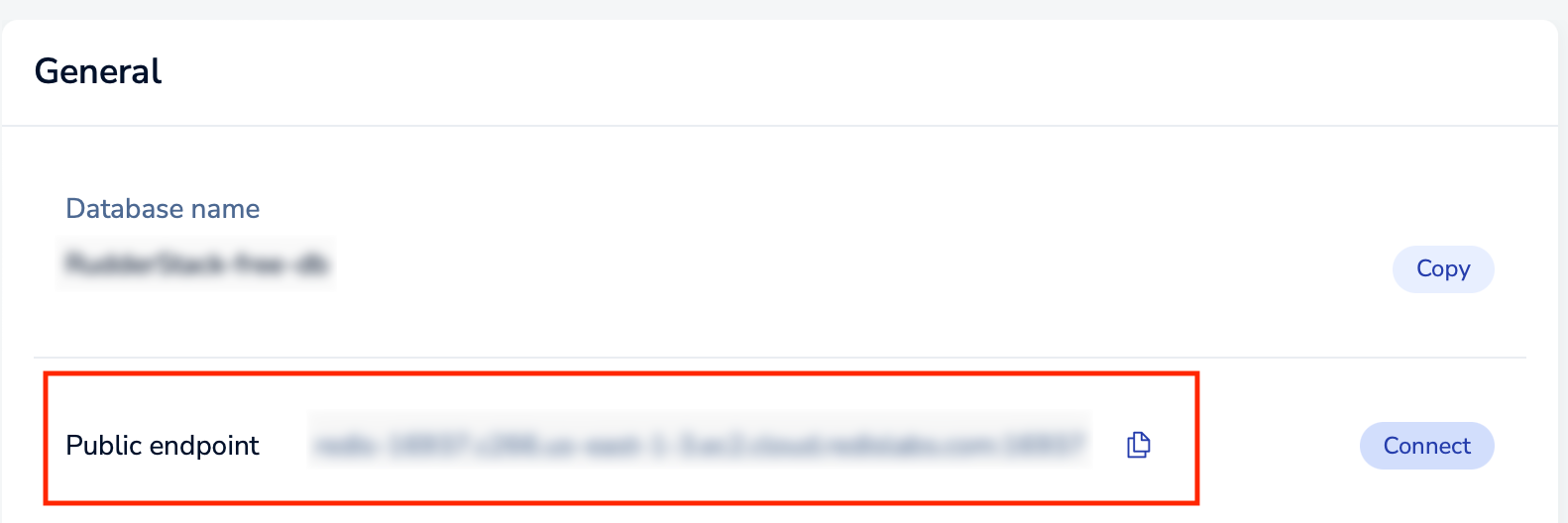
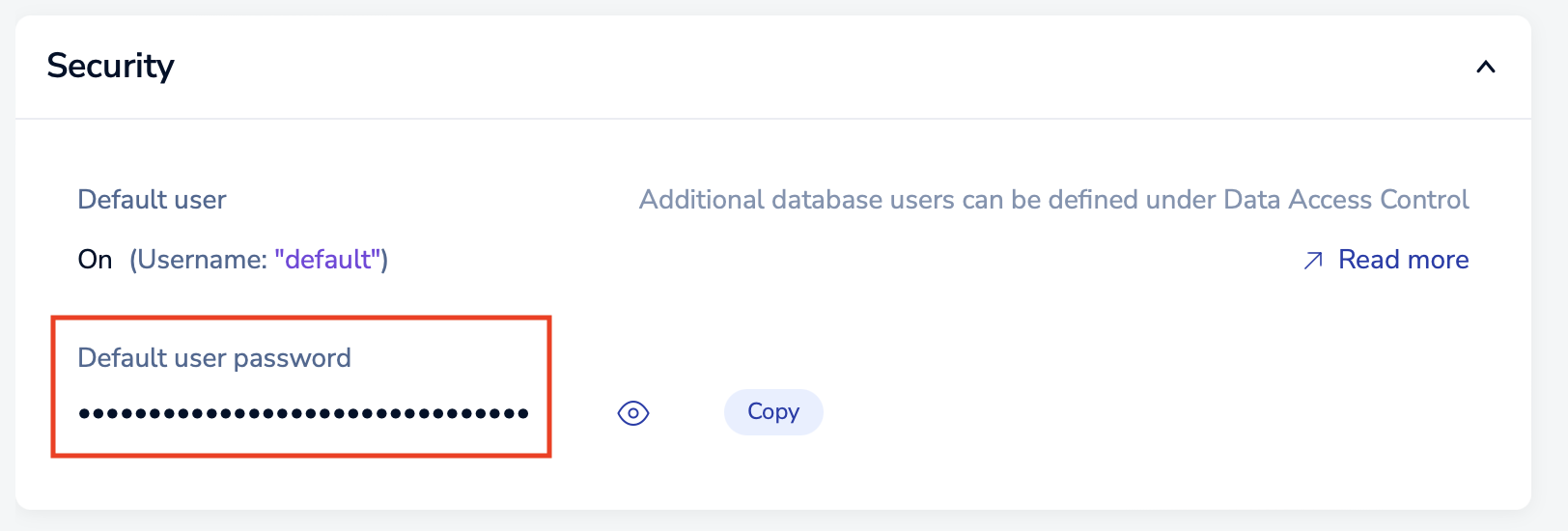
RudderStack creates multiple Reverse ETL sources automatically based on your Profiles project. You will see separate sources connected to the same Redis destination.
The following pb_project.yaml snippet shows the sources to be created:
entities:
  - name: user
    id_types:
      - main_id
      - user_id
      - email
      - salesforce_id
    feature_views:
      using_ids:
        - id: email
          name: features_by_email # Optional. Takes default view name, if not specified.
        - id: salesforce_id
name: salesforce_id_stitched_featuresFollow these steps to generate a workspace-level Service Access Token to use the Activation API:
Workspace-level Service Access Tokens are linked to a specific workspace — their usage is restricted to workspace-level resources (sources, destinations, transformations, etc.) and APIs.
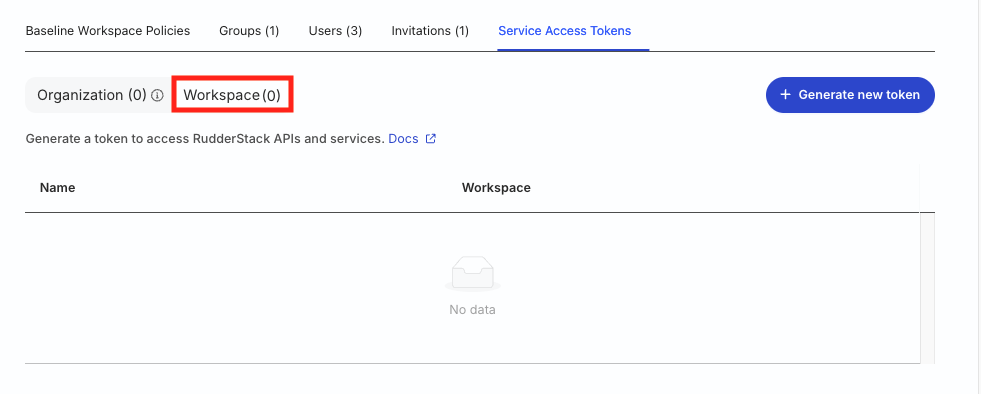

| Resource | Permissions |
|---|---|
| PII Permission | Destination Data Access for the specific Redis destination |
Important: Once generated, you cannot edit the access policy of the workspace-level Service Access Token.
Secure the token value — you will not be able to see it again once you click Close.

For GitHub projects, you need to explicitly add the IDs of the custom project that need to be served.
In your pb_project.yaml file, you can specify them as shown:
entities:
  - name: user
    id_types:
      - main_id
      - user_id
      - email
      - salesforce_id
    feature_views:
      name: user_feature_view
      using_ids:
        - id: email
          name: features_by_email
        - id: salesforce_id
name: salesforce_id_stitched_featuresYes, RudderStack updates the mappings and automatically sends all columns from the customer 360 view by triggering a full sync.
RudderStack first creates a temporary snapshot copy of any sync when it starts. So its syncing the created copy. Even if a Profiles job is running in parallel, the sync - if started - is not impacted by it.
Expose user profiles stored in your Redis instance over an API.
