Service Access Tokens
- growth
- enterprise
3 minute read
This documentation is applicable for the legacy Permissions Management (RBAC) system.
See Service Access Tokens for information on generating and managing Service Access Tokens in the new Access Management (PBAC) system.
A Service Access Token (SAT) enables applications access to RudderStack APIs, providing a flexible, secure, and centralized way for you to programmatically interact with resources and services in the platform.
Overview
Unlike Personal Access Tokens which are tied to individual users, Service Access Tokens provide centralized access to resources within an Organization or Workspace, ensuring continuity and reducing the risk of disruptions when members are removed or their roles change.
Operations performed with Service Access Tokens are logged and audited against the token, ensuring that activities are traceable to the token rather than an individual user.
RudderStack recommends using:
- Service Access Tokens for production use cases that require shared access to the services and resources across the organization or workspace.
- Personal Access Tokens for testing a service/feature or personal use cases.
Service Access Token types
You can generate the following two types of SATs in RudderStack:
Organization-level SATs
Organization-level Service Access Tokens are associated with the entire organization and have the Org Admin permissions by default.
You can use these tokens only for authenticating your SSO SCIM and the Audit Log API.
Workspace-level SATs
Workspace-level SATs are linked to a specific workspace. Their usage is restricted to workspace-level resources (Sources, Destinations, Transformations, Tracking Plans, etc.) and APIs.
Workspace-level SATs cannot interact with organization-level functionalities like Audit Logs or SCIM provisioning.
Generate Service Access Token
Note that:
- Only Org admins can create, view, and delete organization-level and workspace-level Service Access Tokens.
- The actual value of the Service Access Token is visible only to the creator at the time of creation.
- You can use the organization-level Service Access Token only for authenticating your SSO SCIM and the Audit Log API.
- Go to Settings > Organization > Service Access Tokens tab.
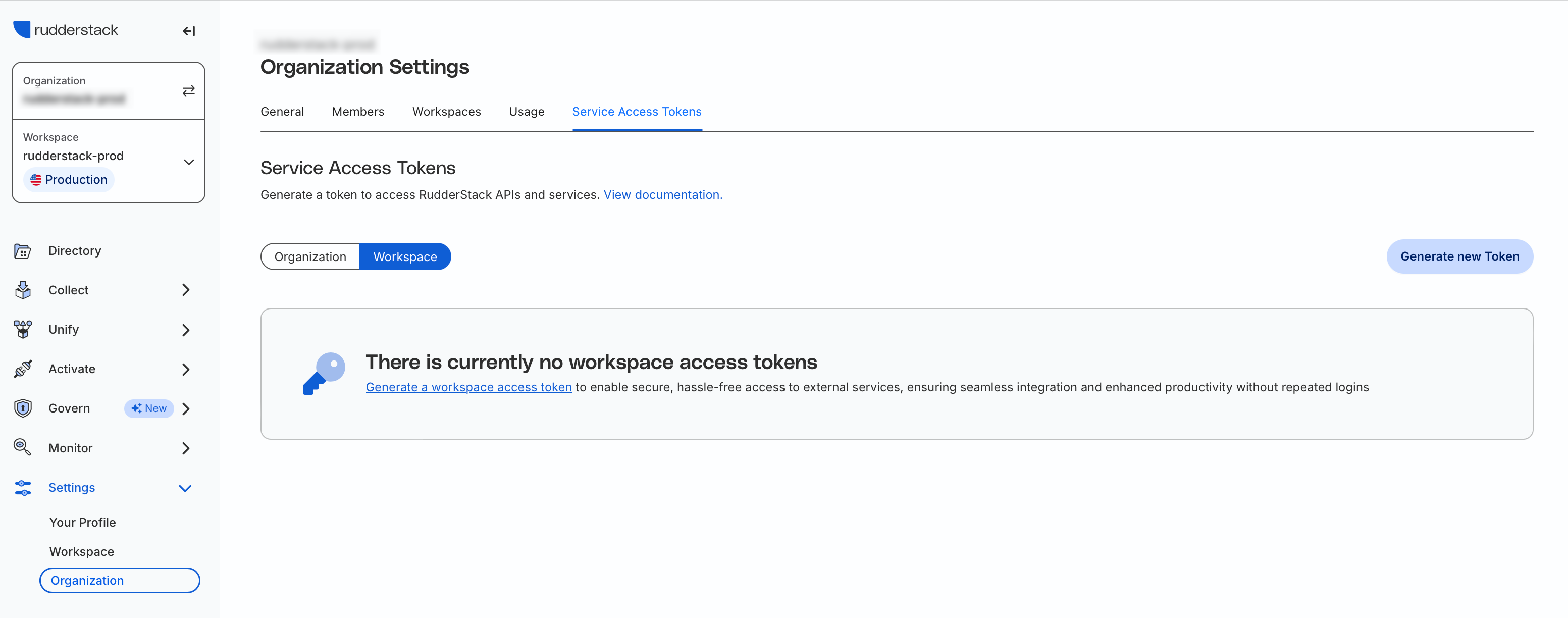
- Click the Organization or Workspace tab depending on whether you want to generate an organization-level SAT or workspace-level SAT.
- Click Generate new token.
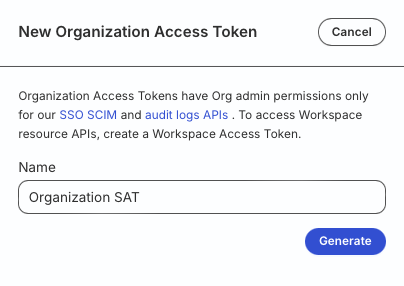
You will see the below settings depending on the tab chosen in Step 2:
- Enter the name of the SAT and click Generate.
- Note the token value.
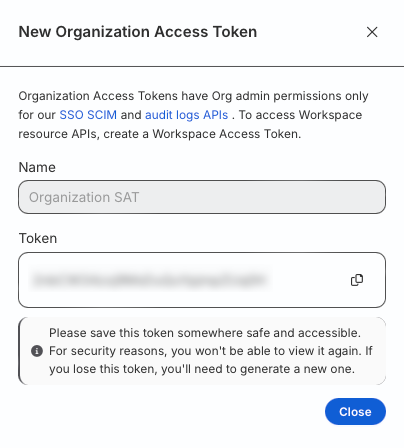
Make sure to secure the token. You will not be able to see it again once you click Close.
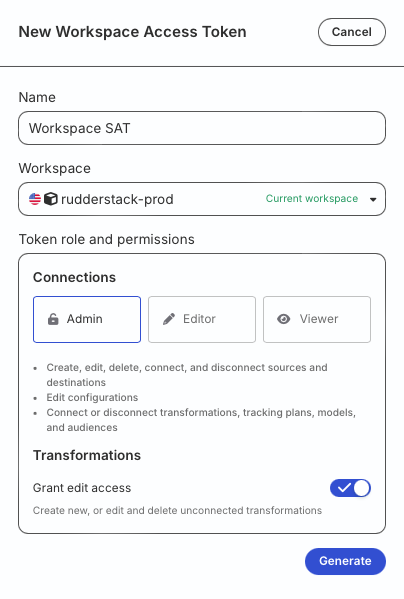
- Enter the name of the SAT.
- Choose the relevant workspace from the dropdown (applicable for a multi-workspace setup).
- Under Token role and permissions, assign the relevant permissions for the token. You can choose between Admin, Editor, or Viewer, depending on your requirement.
Ensure proper assignment of roles and resource permissions to SATs to avoid unauthorized access to sensitive resources.
- Optionally, toggle on the Grant edit access setting to create, edit, or delete Transformations using the token.
- Click Generate.
- Note the token and use it in the relevant workspace-level APIs and services.
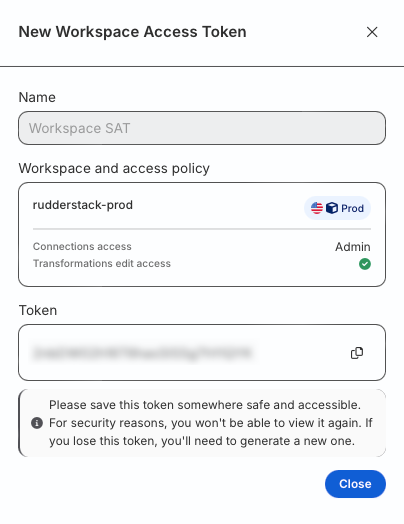
Make sure to secure the token. You will not be able to see it again once you click Close.
