Migration Example: Personal Access Tokens (Archived)
2 minute read
This documentation applies to the legacy Permissions Management (RBAC) system.
- The Permissions Management (RBAC) system is no longer in use — the migration instructions and comparisons are archived for historical reference only.
- See the Access Management Overview for guidance on the current Access Management system.
The examples in this guide show how Personal Access Tokens with different scopes are migrated.
Scenario 1
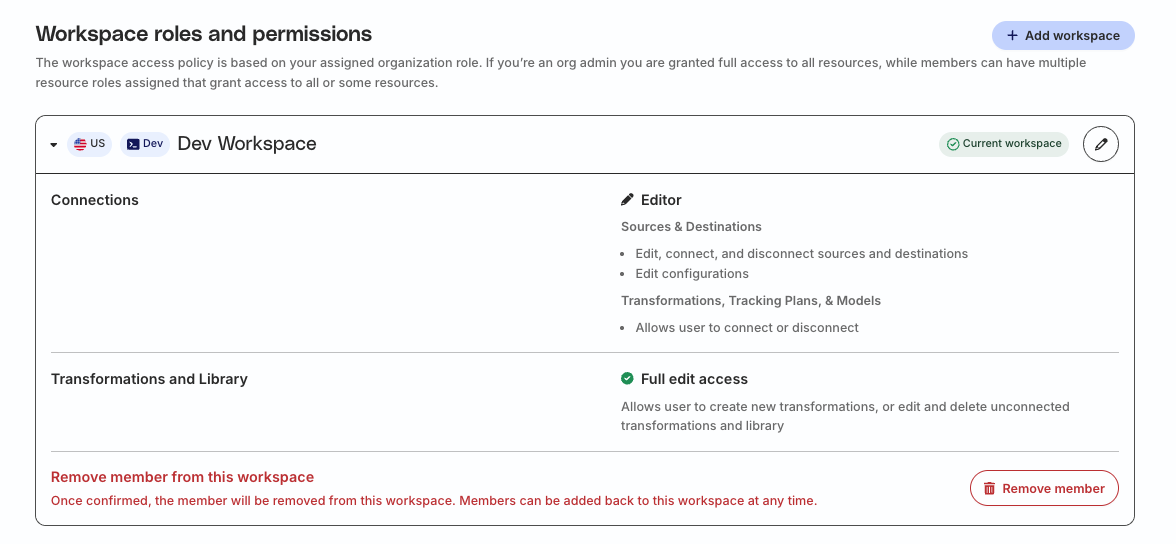
Suppose a user has the following permissions in the legacy Permissions Management (RBAC) system:
- Connections Editor role with permissions to edit, connect, and disconnect resources (sources, destinations, Tracking Plans, etc.)
- Full edit access to create, edit, and delete transformations and transformation libraries
Read-only scope
If the above user creates a Personal Access Token with the Read-Only scope, the token will have the following permissions after migration:
What they can do
- View PII data in the workspace
What they cannot do
- Create and delete resources in the workspace, including transformations and transformation libraries
- Edit resource configurations, including transformations and transformation libraries
- Connect and disconnect resources
Read-write scope
If the above user creates a Personal Access Token with the Read-Write scope, the token will have the following permissions after migration:
What they can do
- Edit resource configurations, including transformations and transformation libraries
- Connect and disconnect resources, including transformations and transformation libraries
- Create and delete transformations and transformation libraries
- View PII data in the workspace
What they cannot do
- Create and delete other resources in the workspace (sources, destinations, Tracking Plans, etc.)
Scenario 2
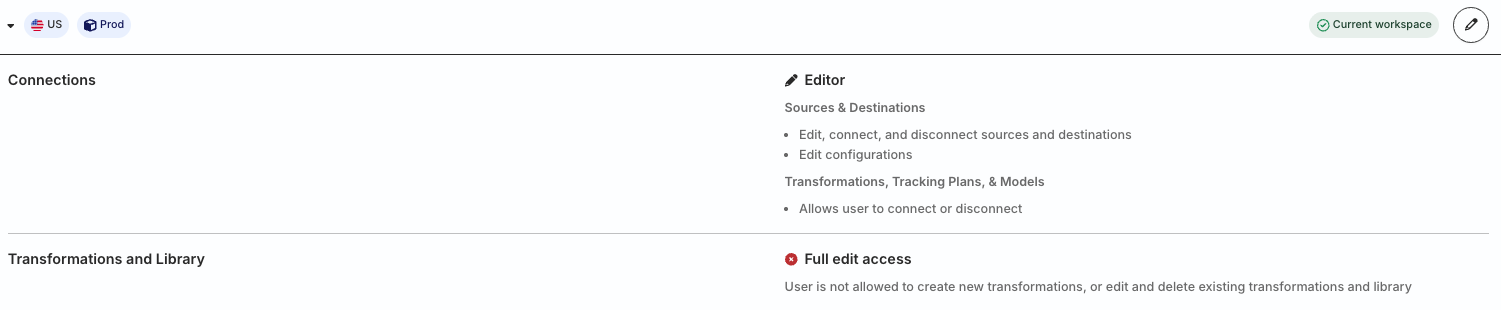
Suppose a user has the following permissions in the legacy RBAC system:
- Connections Editor role with permissions to edit, connect, and disconnect resources (sources, destinations, Tracking Plans, etc.)
- No edit access to create, edit, and delete transformations and transformation libraries
Read-only scope
If the above user creates a Personal Access Token with the Read-Only scope, the token will have the following permissions after migration:
What they can do
- View PII data in the workspace
What they cannot do
- Create and delete resources in the workspace, including transformations and transformation libraries
- Edit resource configurations, including transformations and transformation libraries
- Connect and disconnect resources
Read-write scope
If the above user creates a Personal Access Token with the Read-Write scope, the token will have the following permissions after migration:
What they can do
- Edit resource configurations, except transformations and transformation libraries
- Connect and disconnect resources, including transformations and transformation libraries
- View PII data in the workspace
What they cannot do
- Create and delete resources in the workspace, including transformations and transformation libraries
