How to Update a Model in RudderStack
Update a SQL model’s query, description, credentials, and alerts.
Available Plans
- free
- growth
- enterprise
less than a minute
This guide lists the steps to update a SQL model in RudderStack.
Update a model
After you create a model, you can change its query, description, warehouse credentials, and alerts.
- Go to the Configuration tab of the model source.
- To change the model description, click the edit icon in the Configuration settings.
- Click Edit query to change or update the model settings and primary key.
Important considerations
- You can set a primary key only after you run the updated SQL query successfully using the Run Query option.
- If you update the model’s query, you also need to check and update the relevant destination mappings in the Schema tab of the connection page. See JSON Data Mapping and Visual Data Mapper.
- After updating the configuration, the next sync will be a full sync. To validate if the query is running fine, you can manually trigger a full sync.
Settings tab
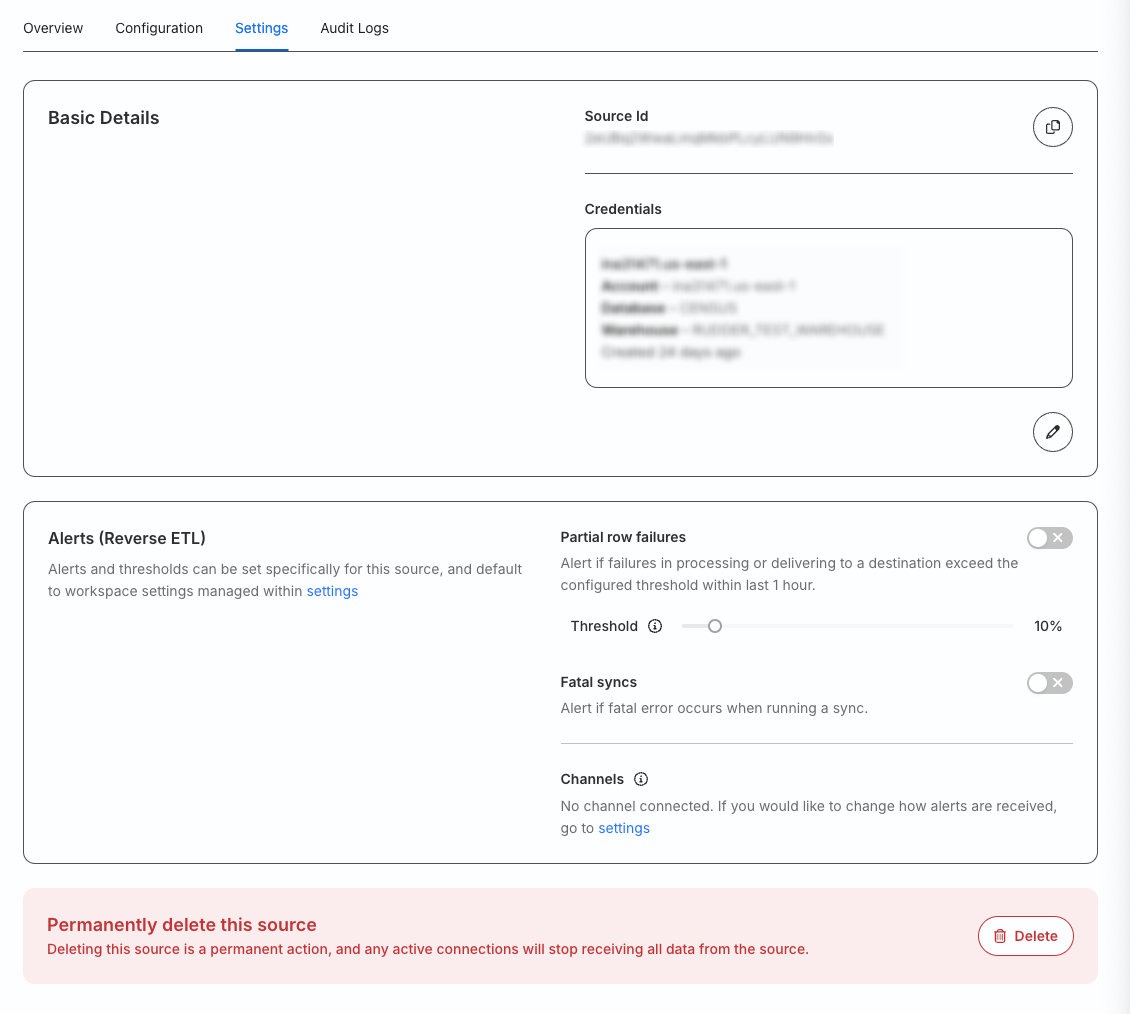
Go to the Settings tab to:
- Get your source ID.
- Change your warehouse credentials.
- Set up custom alerts for your Reverse ETL source.
- Delete the source permanently.
You cannot delete a source that is connected to any destination.