# How to Connect Slack to Lookout


<blockquote class="announcement">
  <div class="tip-quote">
    
    <div class="tip-text"><strong>Rudder Lookout</strong> is currently in <strong>Public Beta</strong>. <a href="mailto:product@rudderstack.com" >Contact the Product team</a> if you have any questions.</div>
  </div>
</blockquote>

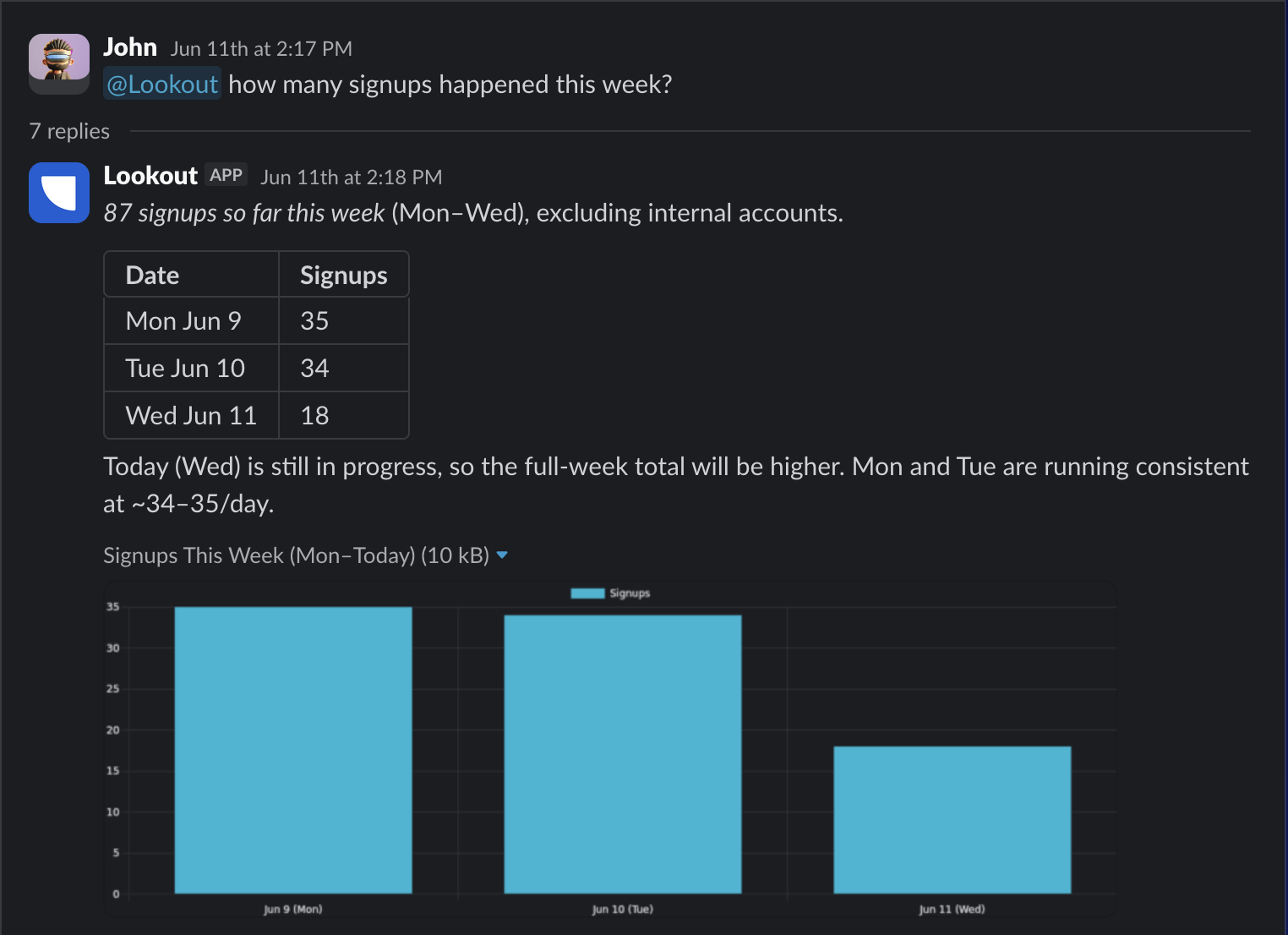
<p>Connecting <strong>Slack</strong> to Lookout lets your team talk to the same agent via messages or a bound channel, without opening the web app. They can ask questions, pull metrics, and get answers right in the conversation.</p>

<figure class="image--main  mx-auto d-block "  >
    <a 
         href="/docs/images/lookout/slack-chat.png"
        
        >
        <img src="/docs/images/lookout/slack-chat.png" 
         alt="Asking the Lookout agent a question in Slack and getting a chart back"  
         
         
        decoding="async" loading="lazy" class="img-shortcode"/>
    </a>
    
</figure>

<html lang="en">
<blockquote class="info">
  <div class="tip-quote">
    
    <div class="tip-text">Slack is an <strong>access surface</strong>, not a data source. It changes where you talk to the agent. The answers still come from the systems that Lookout is connected to, like your <a href="https://www.rudderstack.com/docs/activate/lookout/integrations/warehouses/" >warehouse</a>.</div>
  </div>
</blockquote>

</html>
<!-- end-chunk -->
<!-- begin-chunk -->
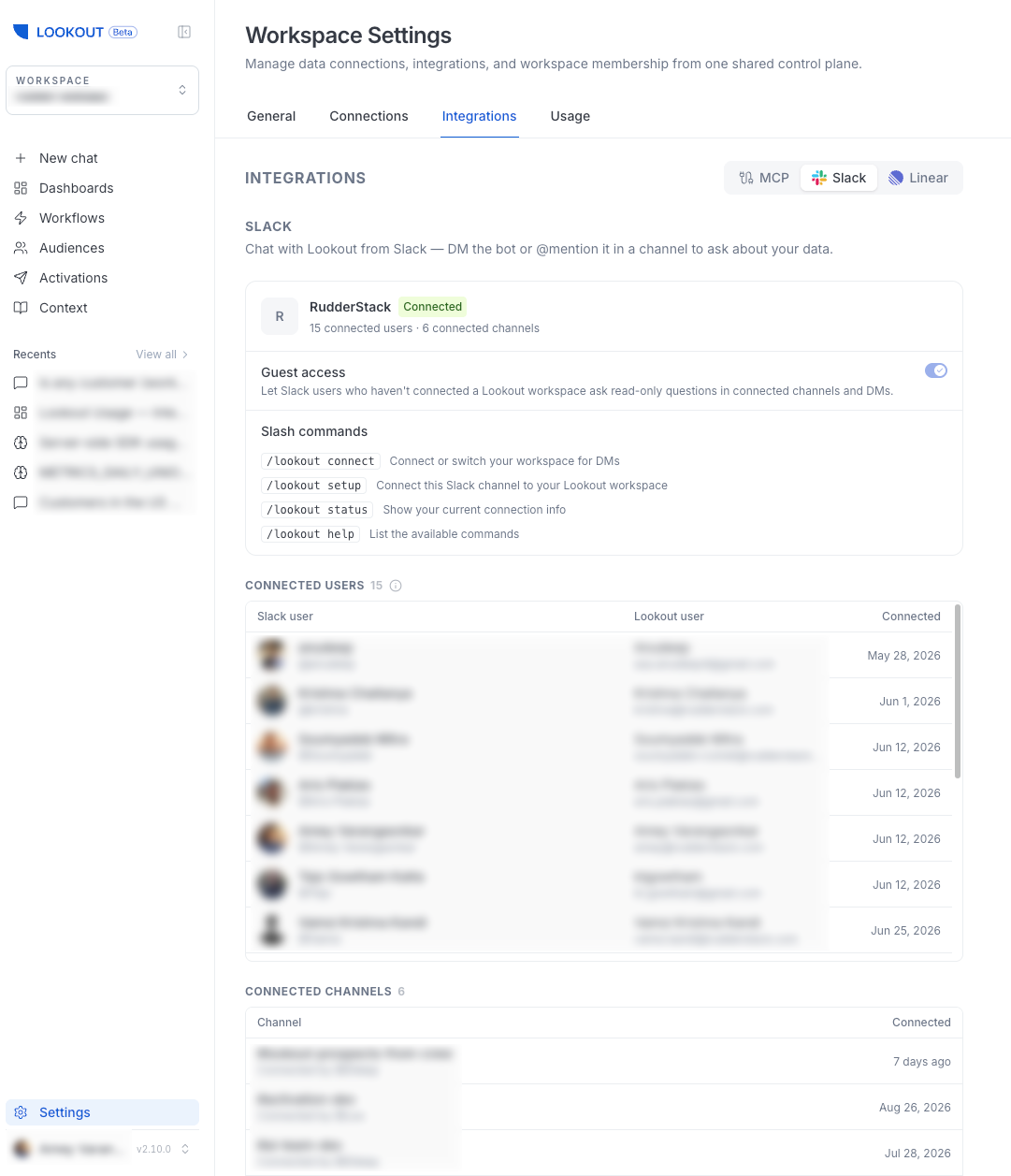
<h2 id="install-slack">Install Slack</h2><p>Workspace admins can install Slack from <strong>Settings</strong> &gt; <strong>Integrations</strong> via Slack OAuth. Once installed, the settings page shows your installation, linked users, channel bindings, and available commands.</p>

<figure class="image--main "  >
    <a 
         href="/docs/images/lookout/slack-connection-settings.webp"
        
        >
        <img src="/docs/images/lookout/slack-connection-settings.webp" 
         alt="Slack connection settings in Lookout"  
         
         
        decoding="async" loading="lazy" class="img-shortcode"/>
    </a>
    
</figure>

<!-- end-chunk -->
<!-- begin-chunk -->
<h2 id="slack-commands">Slack commands</h2><p>From Slack, your team can use a few simple commands:</p>
<table>
<thead>
<tr>
<th>Command</th>
<th>What it does</th>
</tr>
</thead>
<tbody>
<tr>
<td><code>/lookout connect</code></td>
<td>Link your Slack account to a workspace</td>
</tr>
<tr>
<td><code>/lookout setup</code></td>
<td>Bind a channel to a workspace</td>
</tr>
<tr>
<td><code>/lookout status</code></td>
<td>Show your current connection — the linked workspace, or the channel&rsquo;s binding</td>
</tr>
<tr>
<td><code>/lookout help</code></td>
<td>Show available commands</td>
</tr>
</tbody>
</table>
<!-- end-chunk -->
<!-- begin-chunk -->
<h2 id="linked-users-and-guest-access">Linked users and guest access</h2><ul>
<li><strong>Linked users</strong> act as their full workspace identity, with thread-to-session continuity so a conversation can pick up where it left off. A Slack user can link their account with <code>/lookout connect</code>.</li>
<li><strong>Guest access</strong> lets Slack users who haven&rsquo;t yet linked an account ask <strong>read-only</strong> questions in bound channels and DMs. It is <strong>on by default</strong> — an admin can disable it with the <strong>Allow guest access in Slack</strong> toggle on the Slack settings. See <a href="https://www.rudderstack.com/docs/activate/lookout/workspaces/roles/" >Roles and Permissions</a> for details on how guest access fits into the workspace model.</li>
</ul>
<!-- end-chunk -->
<!-- begin-chunk -->
<h2 id="channel-bindings">Channel bindings</h2><p>Binding a channel to a workspace routes messages in that channel to Lookout&rsquo;s agent for that workspace. Note that users may still need to run <code>/lookout connect</code> unless guest access is enabled.</p>
<p>Binding is done in Slack with <code>/lookout setup</code> by any workspace member. Admins can view and unbind channels from the <strong>Channel Bindings</strong> section on <strong>Settings</strong> &gt; <strong>Integrations</strong>.</p>
<br />