Migration Example: Users and Tokens with Resource-level Permission Restrictions
3 minute read
Permissions Management (RBAC) deprecation timeline
The legacy Permissions Management (RBAC) system will be deprecated on October 31, 2026. RudderStack recommends completing your migration before this date.
The examples in this guide show how migration works when a user has resource-level permission restrictions configured as a part of their role in the legacy Permissions Management (RBAC) system.
These examples demonstrate how RudderStack preserves granular resource-level permissions during migration, maintaining the same restricted access the member had before.
Important: Service Access Tokens Migration
The migration examples in this guide also apply to Service Access Tokens with resource-level permission restrictions.
Connections Admin role
The example in this section covers a migration scenario for members with the Connections Admin role.
Scenario
A user with a Member role has the following access policy in the legacy RBAC system:
- Connections Admin role with permissions to create, edit, connect, and disconnect resources (sources, destinations, transformations, Tracking Plans, etc.)
- Full edit access to create, edit, and delete transformations and transformation libraries

In addition, the user does not have permissions to edit or make changes to 3 sources (configurable via the Permissions tab in the source page):

Migration result
This example assumes no changes were made to the Baseline Workspace Policy or the individual’s Member Workspace Policy in staging.
After migration, the user’s individual Member Workspace Policy in the new Access Management system will look as follows:
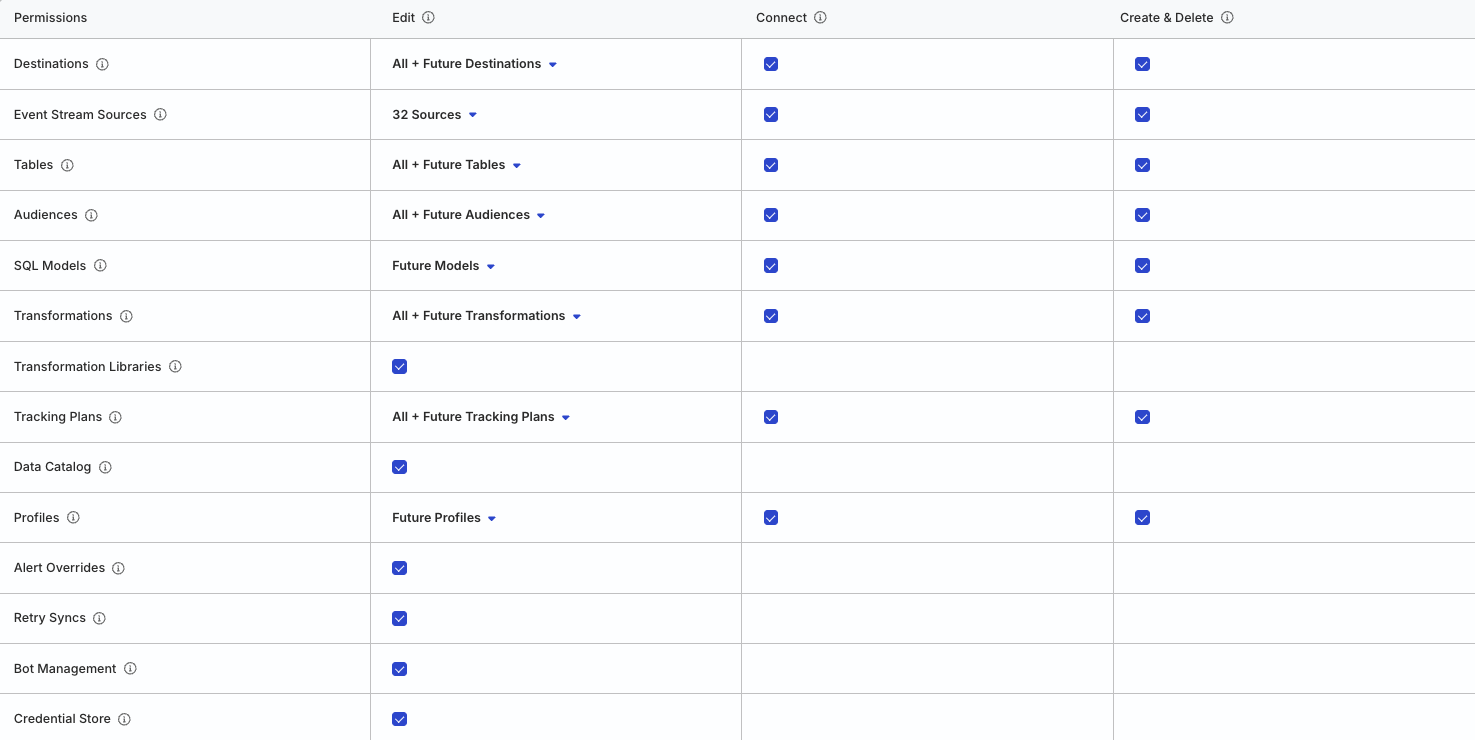
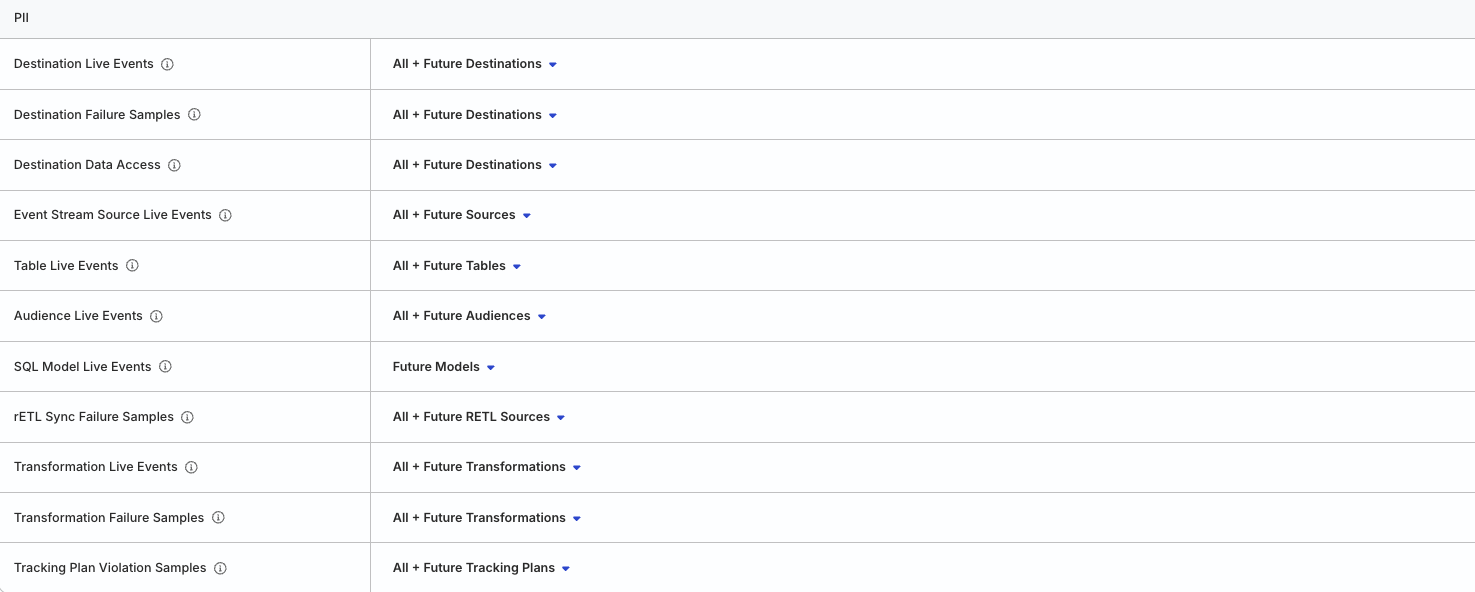
The member’s permissions are preserved, with full access to all resources and PII views, except for 3 sources where they no longer have edit permissions.
This is in contrast to the previous example, where the member had edit permissions for all sources.
Connections Editor role
The example in this section covers a migration scenario for members with the Connections Editor role.
Scenario
A user with a Member role has the following access policy in the legacy RBAC system:
- Connections Editor role with permissions to edit, connect, and disconnect resources (sources, destinations, transformations, Tracking Plans, etc.)
- No edit access to create, edit, and delete transformations and transformation libraries
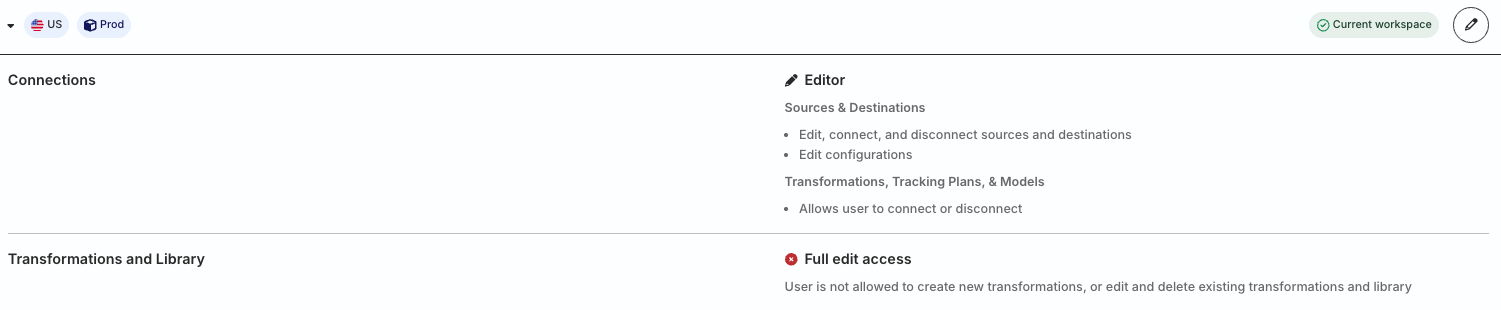
In addition, the user does not have permissions to edit or make changes to 3 sources (configurable via the Permissions tab in the source page):
Migration result
This example assumes no changes were made to the Baseline Workspace Policy or the individual’s Member Workspace Policy in staging.
After migration, the user’s individual Member Workspace Policy in the new Access Management system will look as follows:


The member’s permissions are preserved during migration so that they:
- Can edit and connect resources except the 3 sources where they no longer have edit permissions
- Cannot create or delete resources
- Cannot edit, connect, or create/delete transformations and transformation libraries
Connections Viewer role
The Connections Viewer role is a read-only role and does not have Edit permissions by default. Hence, resource-level permission restrictions do not apply to them.
Their permissions will be migrated as explained in the No Resource-level Restrictions example.
